Shiny Shift - Shiny Exchange Gem
Java mod listed for Minecraft 1.21. Downloads from the MC Java Mods app on Android.
I don't know my version or loader
✨ ShinyShift – Shiny Altar System for Cobblemon
ShinyShift introduces a structured, progression-based shiny system designed for Cobblemon survival and multiplayer environments.
The mod transforms shiny conversion into a deliberate altar ritual rather than a simple item interaction.
Shiny Pokémon remain rare, meaningful, and server-balanced.
🎥 Video Guide
Full tutorial:
💎 Core Mechanic – Shiny Altar Ritual
The old direct-use mechanic has been removed.
Players must now:
- Build the Shiny Altar structure
- Place the required blocks correctly
- Position the Pokémon inside the altar area
- Hold the Shiny Exchange Gem
- Right-click to activate
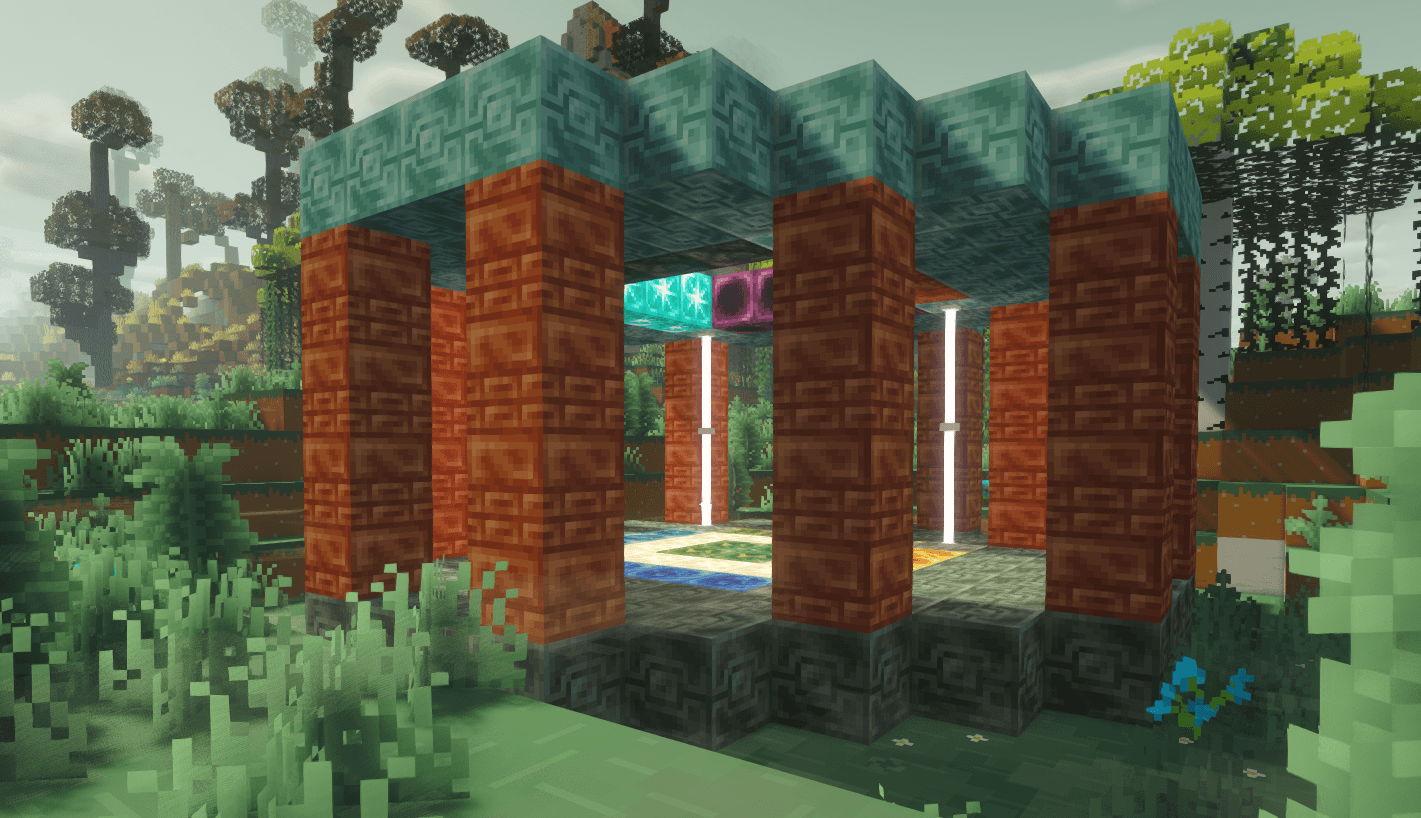
🏗 Shiny Altar Structure
The altar must be constructed exactly as designed.
It contains:
- Shiny Stone Block (center zone)
- Thunder Stone Block (activation layer)
- Multi-layer structure requirement
📷 Structure Preview
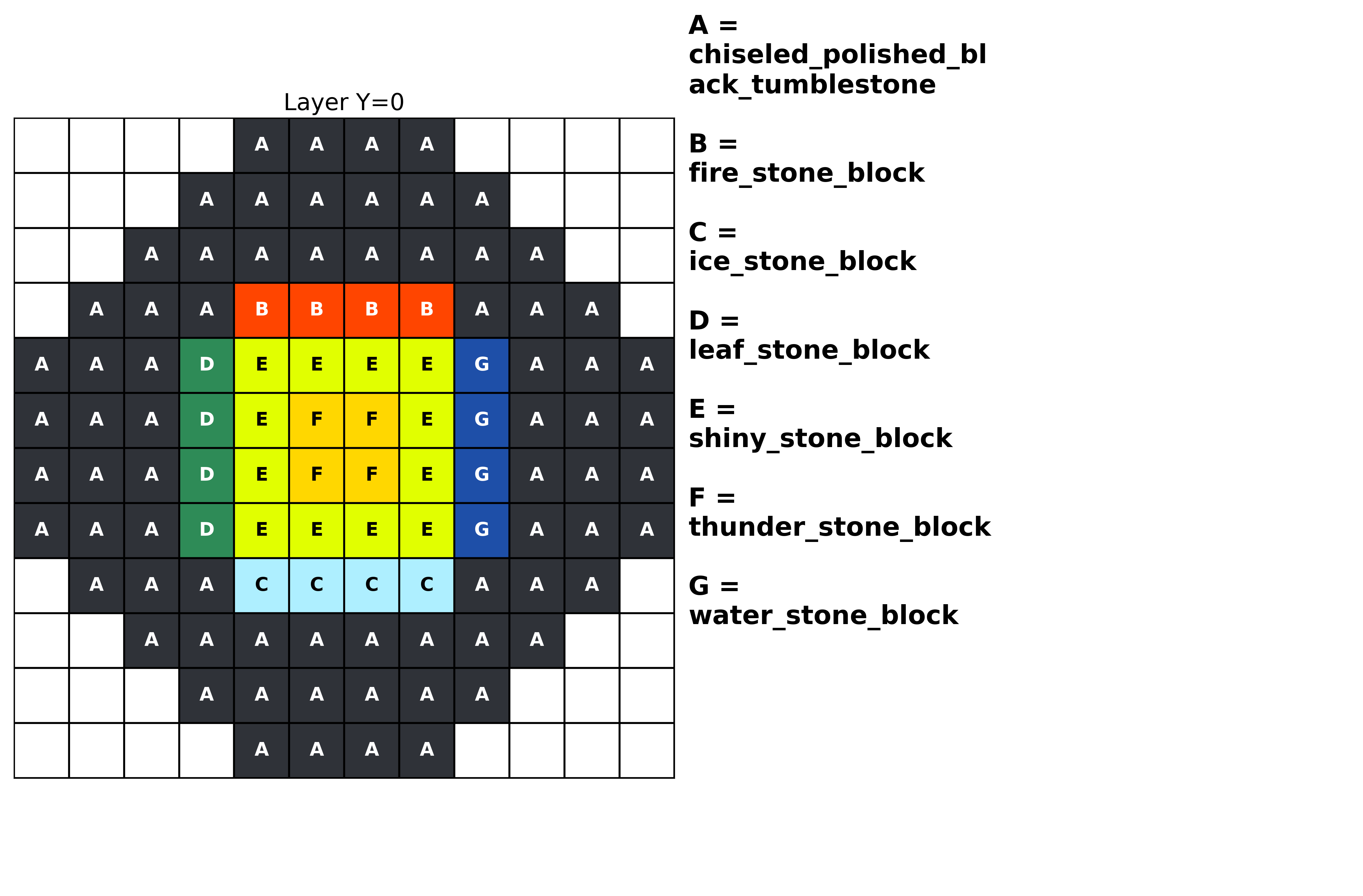
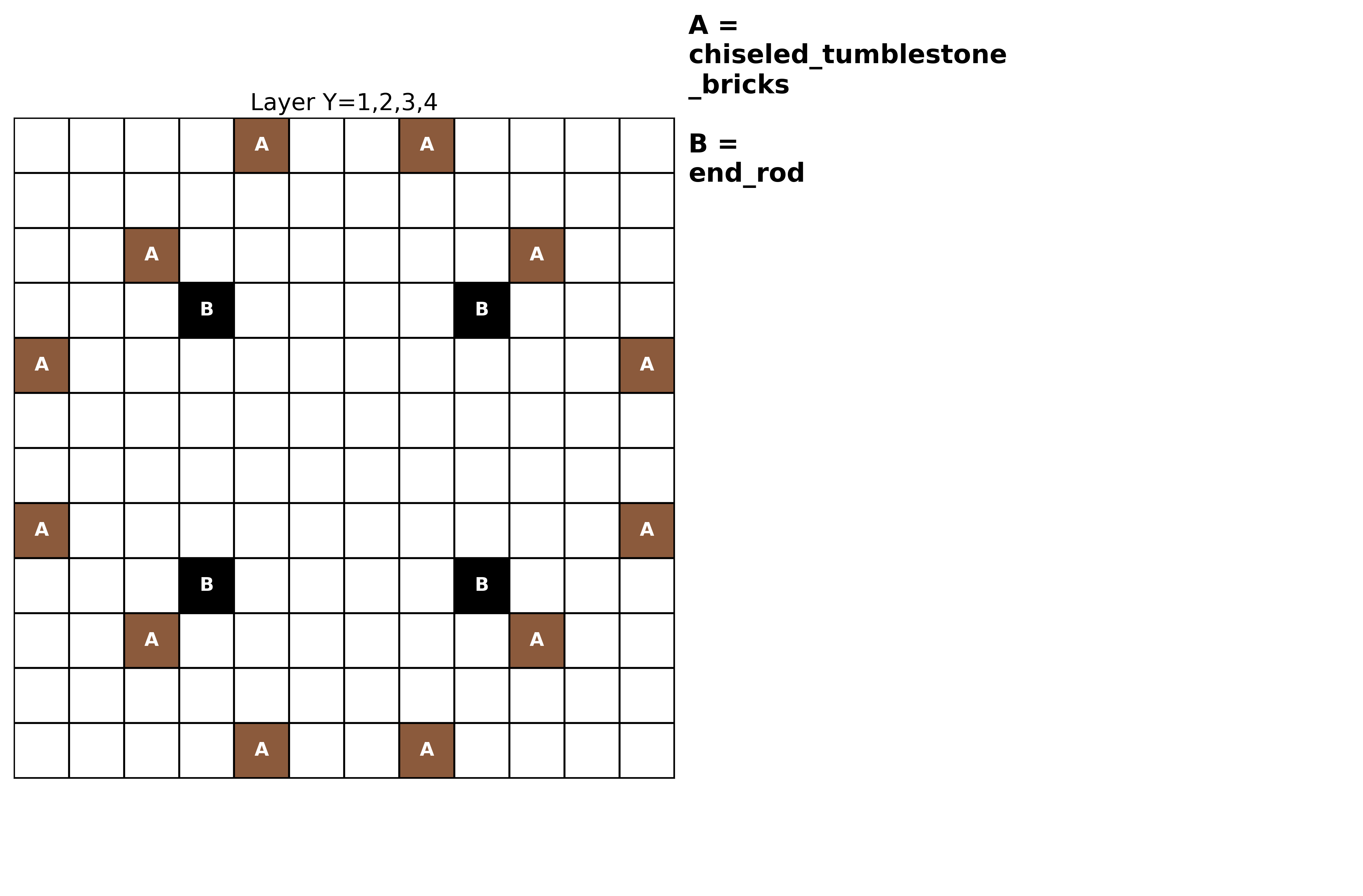
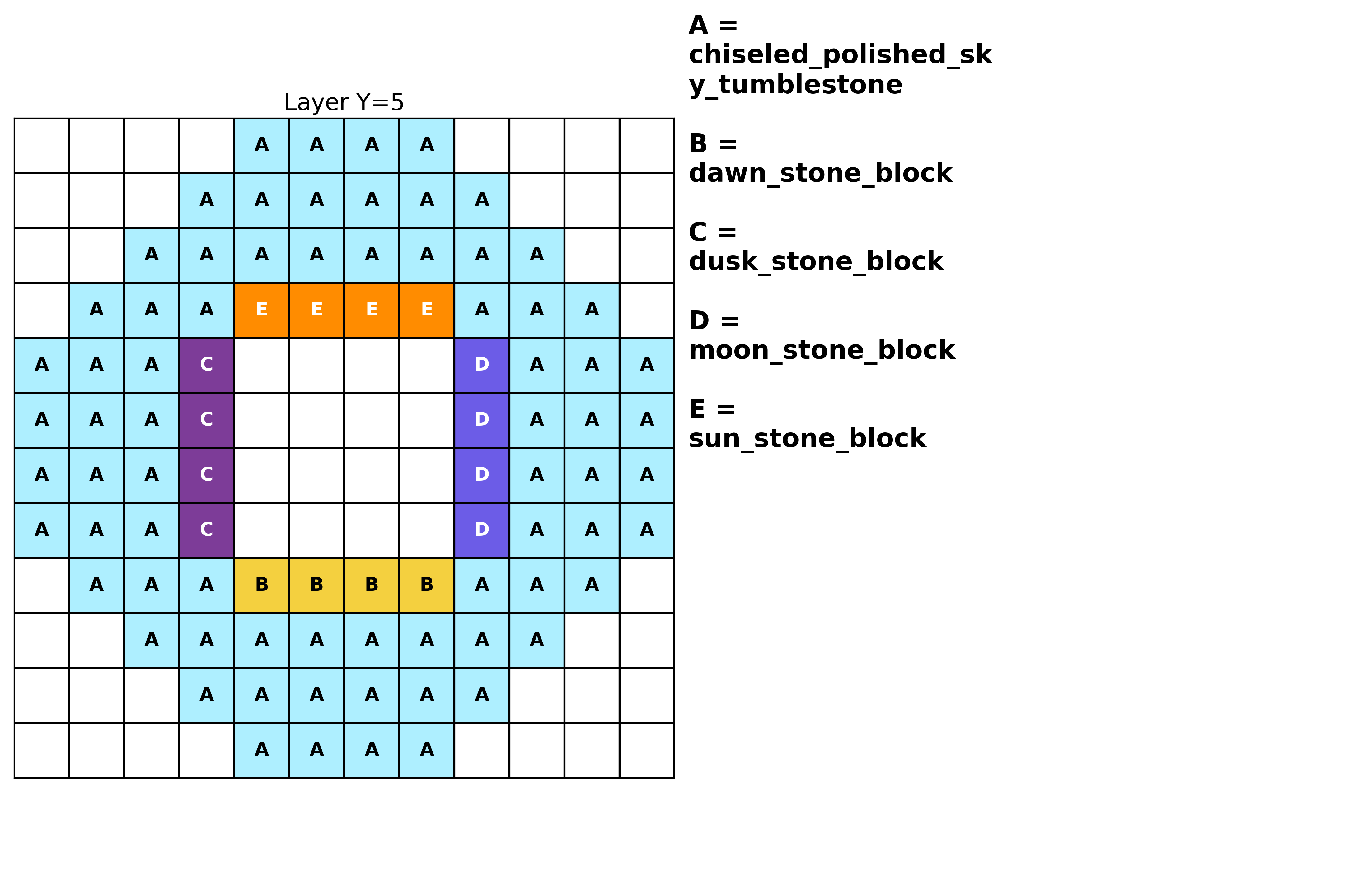
Players must follow the structure layout precisely for activation to work.
⚙ Activation Rules
✔ Pokémon must stand inside the altar zone
✔ Pokémon must stand on the Shiny Stone Block + Thunder Stone Block area
✔ Player must hold the Shiny Exchange Gem
✔ Right-click to trigger
Behavior
If the Pokémon is NOT shiny
→ Converts to shiny
→ Item is consumed
→ Particles and sound effects play
If the Pokémon is ALREADY shiny
→ Nothing happens
→ Item is not consumed
If the Pokémon is recalled mid-process
→ The gem is not consumed
→ No unintended item loss
🔥 Recipe & Balance Changes
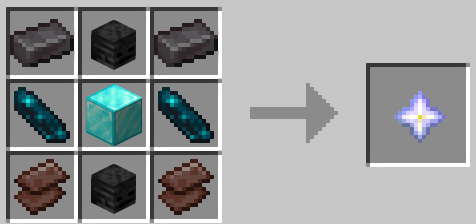
- The Nether Star recipe has been removed in 2.0.0
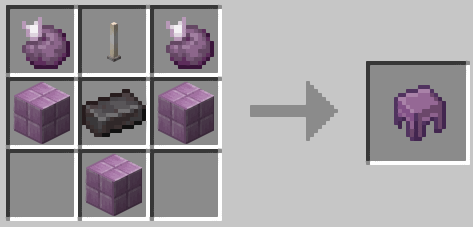
- The Shulker Shell recipe has been removed in 2.0.0
- Designed for late game balance
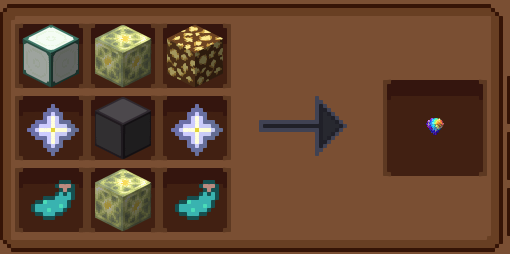
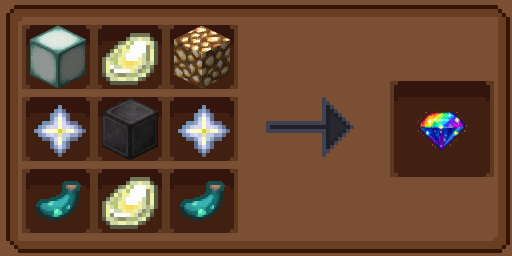
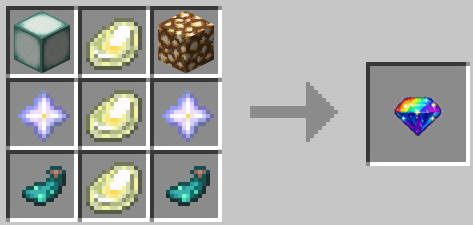
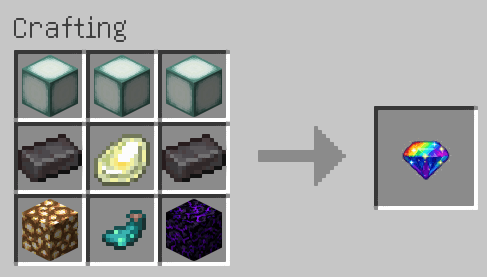
🧩 Current Crafting Recipe – Shiny Exchange Gem
The Shiny Exchange Gem now follows the updated altar-based progression design.
Crafting Layout
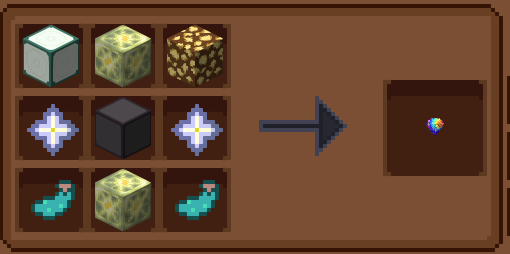
- Sea Lantern
- Shiny Stone Block
- Glowstone
- Nether Star
- Netherite Block
- Glow Ink Sac
Structure Pattern
The recipe follows a layered pattern:
Top Layer
Sea Lantern – Shiny Stone Block – Glowstone
Middle Layer
Glow Ink Sac – Netherite Block – Glow Ink Sac
Bottom Layer
Empty – Shiny Stone Block – Empty
(Refer to the crafting preview image above.)
This recipe reflects the late game balance philosophy of ShinyShift.
🧪 Testing the Structure (For Builders & Server Owners)
For testing purposes, you can use a Structure Block to load the altar template directly.
You may:
- Obtain a Structure Block
- Load the altar template
- Preview bounding box
- Rotate if needed
Example reference images:

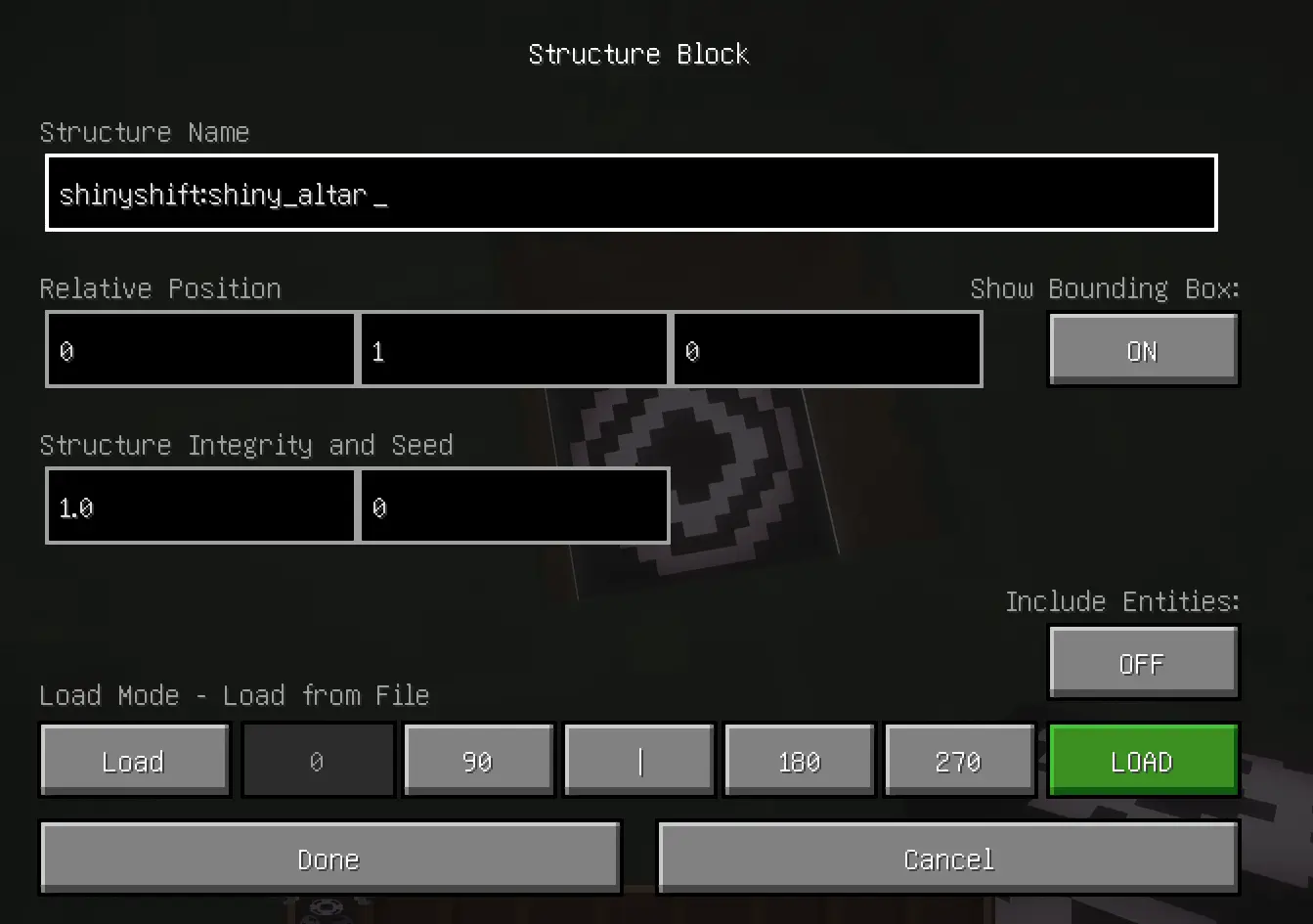

This is intended for who want testing.
⚙ Compatibility
- Minecraft 1.21.1
- Cobblemon 1.7.0 - 1.7.3 (1.6.x I don't sure)
- Fabric & NeoForge supported
- Java 21
🌍 Localization
- English (en_us)
- Vietnamese (vi_vn)
📝 Developer Note
ShinyShift evolved from a simple exchange item into a structured shiny ritual system.
Feedback, suggestions, and bug reports are welcome.
- Edition: Minecraft Java
- File type: .jar
- Minecraft version listed: 1.21.1
- How to install: Install the matching mod loader (Forge, Fabric or NeoForge) for your Minecraft version. → Download the .jar. → Put it in the .minecraft/mods folder and launch that loader profile.
- Where to get it: Opens on CurseForge — not every file is mirrored on our own servers.
Install steps are the general flow for this file type — How to install Minecraft Java mods & modpacks walks through it step by step.
- Ships as shinyshift-fabric-2.0.1+1.21.1.jar — drop this file into the mods folder
- Download size: 370 KB
- Download link checked 3 Oct 2026 — working
These come from our own check of the pack file, not from the source page.