Curvy Quests
Java mod listed for Minecraft 1.20. Downloads from the MC Java Mods app on Android.
⬇ Download on CurseForgeThe author built this one for Minecraft 1.20.1 on Forge. On other versions it may install and then do nothing.
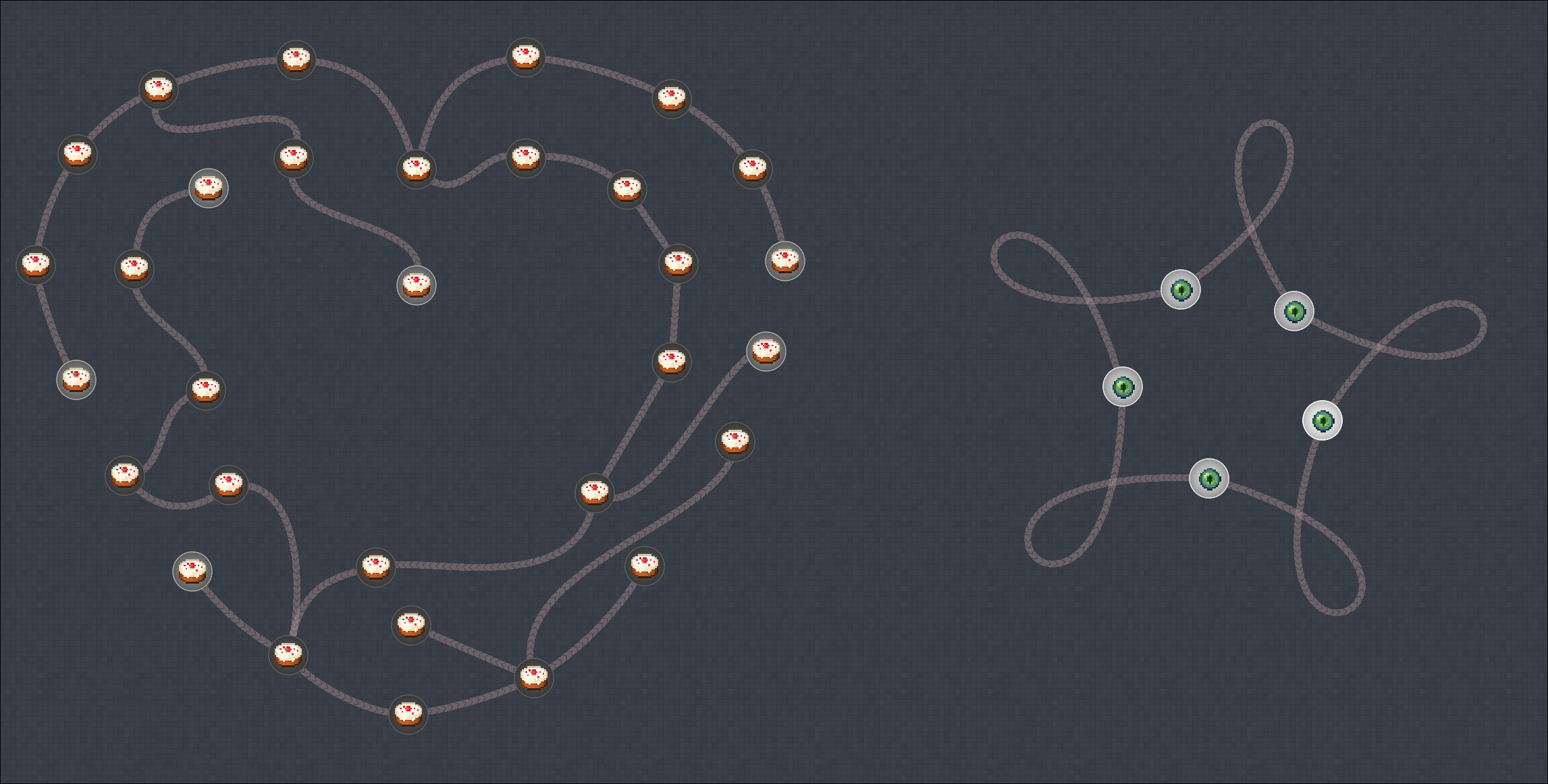
Now you can add dependency curves instead of lines!
Quick start
The parameters of each curve are listed in a config file of a quest chapter, which is usually located at /path/to/minecraft/config/ftbquests/quests/chapters/.
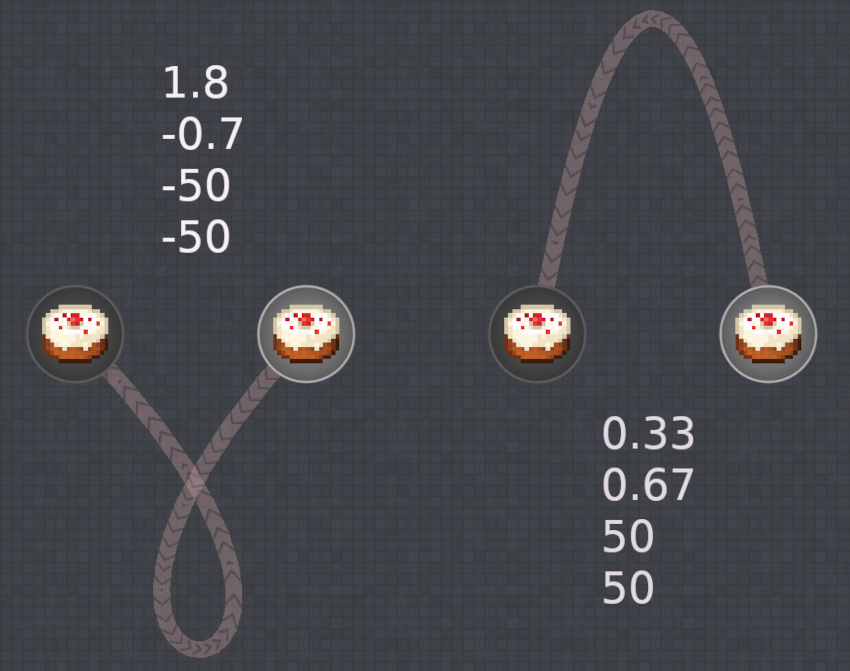
When you create a dependency between two quests, the mod automatically creates a curve with parameters [0, 0, 0, 0] and writes it to the config file. Just try to change the parameters and see what will happen to the curve, or look at the picture below. To make the changes appear in the game you may need to reload ftbquests with the command: /ftbquests reload.
How does it work
Dependencies are represented as cubic Bezier curves.
Each curve has four parameters. The first two of them represent the X-coordinates along the line between two quests in units of a distance between these quests. The zero-point is located at the position of the dependant quest. The last two parameters represent the Y-coordinates along the line perpendicular to the X axis, in units of a half-width of a dependency line and with a zero-point also located at the position of the dependant quest.
- Edition: Minecraft Java
- File type: .jar
- Minecraft version listed: 1.20.1
- How to install: Install the matching mod loader (Forge, Fabric or NeoForge) for your Minecraft version. → Download the .jar. → Put it in the .minecraft/mods folder and launch that loader profile.
- Where to get it: Opens on CurseForge — not every file is mirrored on our own servers.
Install steps are the general flow for this file type — How to install Minecraft Java mods & modpacks walks through it step by step.
- Ships as curvyquests-1.0.1.jar — drop this file into the mods folder
- Download size: 10 KB
- Download link checked 3 Oct 2026 — working
These come from our own check of the pack file, not from the source page.