
Bending Styles
Java mod listed for Minecraft 1.21. File opened and checked on 8 Oct 2026; downloads from the MC Java Mods app on Android.
I don't know my version or loader
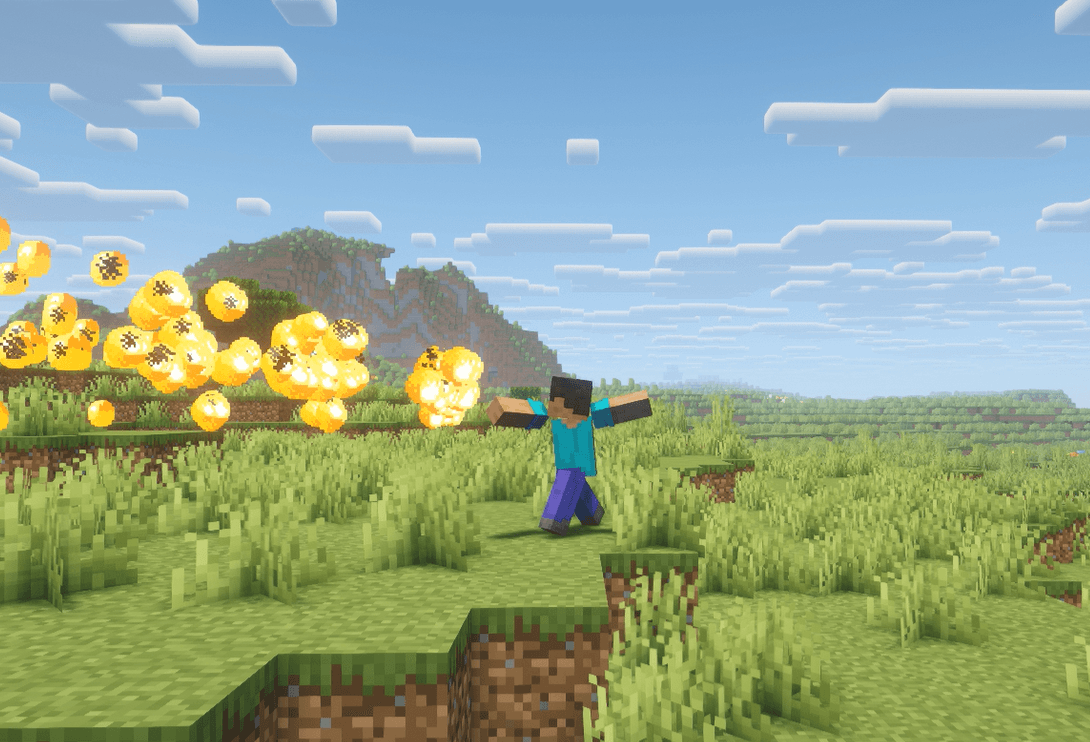
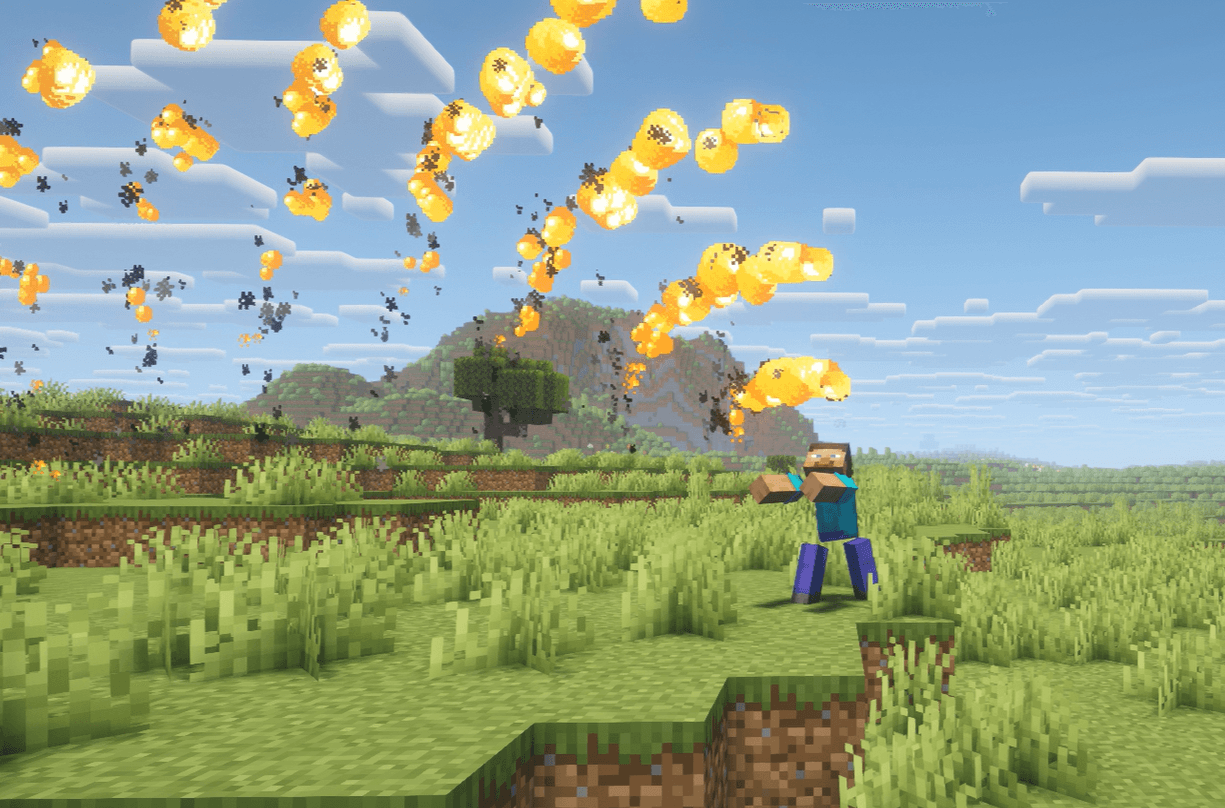
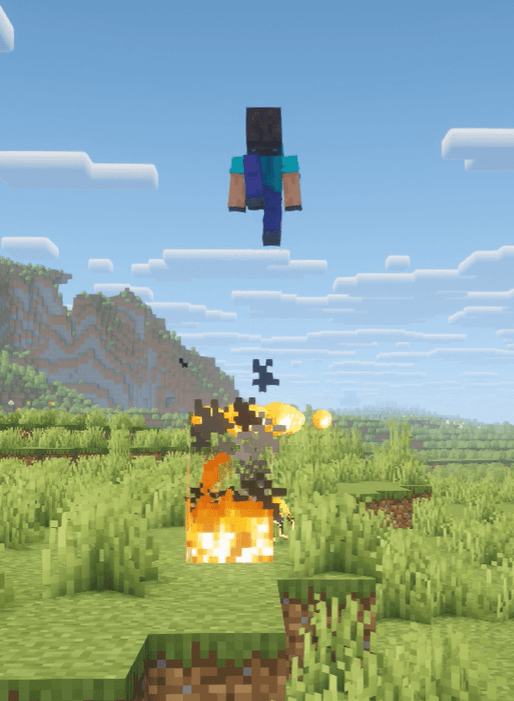
This mod gives the player the ability to use all four elements from avatar the last airbender, wich are fire, air, earth and water. The player can activate specific abilities by pressing different key combinations. Kinda like how different moves are activated in mortal combat like games.
How to get started with the mod:
The player does not start off with all the elemental powers. To get one of the elements you will need to create and read first a normal scroll and then buy and read one of the elemental scrolles.
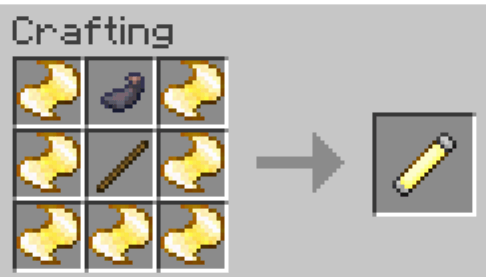
The crafting recipie of a scroll. It uses 7 ancient lore pieces wich you can obtain by (right now) either slaying a gargoyle from a fire temple or completing a parkour thing in the air islands. Once you have the scroll simply right click while holding it in your right arm, that will open the scroll and give you the advancement Bender. When you have this advancement your character will pose whenever you press the keys (changable in the settings) R, G or V.
Then you will need to get a librarian villager and trade with him for a scroll of one of the specific elements. 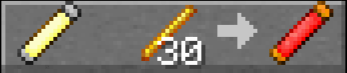 <---- The trade for a fire scroll.
Once you get the new scroll just simply open it like the scroll before and you´ll get the element.
All Fire Abilities:
R, G, R -----> FirePunch: Shoots out a bunch of fire
G, V ----> FireJump: Boosts you into the air while burning the ground.
G, R, R -----> FireRing: Shoots fire around you forming a circle.
R, G, V, R(holding) ----> FireBreath: Like a flamethrower.
V, G, R -----> Firewall: Lits the ground.
G, V, (after Firejump) -----> FireJet: Hovering (forwards with elytras).
All Air Abilities:
R, V -----> AirJump: Propeles you upwards (forwards with elytras).
R, G, G -----> AirSlice: Shoots a blade of air that can go through targets.
G, R, G ------> WindGust: Shoots a large cloud of wind that pushes the target.
V, R, G(holding) -----> That ball thing Aang liked doing / AirScooter: You ride a ball of air.
All Earth Abilities:
R, V, G -----> EarthingUp: Creates two blocks of the specific earth block you are looking at in the direction of the face of the block you are looking at.
G, R, V ----> EarthKick: Transforms the earth block you are looking at into a projectile and shoots it. The damage depends on the hardness of the block.
G, V, V ----> EarthPillar: Lifts you up and creates a pillar underneath you.
R, G, V, G -----> EarthWall: uses the earth blocks in front of you to create a wall.
R, G, V, V ------> Digging: Destroys earth blocks infront of you.
V, G, V ------> Geokinesis: Picks up an earth block and holds it infront of you.
G (after Geokinesis) ----> Place: Places the block you are holding with Geokinesis.
R (after Geokinesis) ----> Throw: Throws the block you are holding with Geokinesis.
V, G, G, R -----> WallRamm: Like EarthKick but bigger and less mobile.
R (Holding the EarthDisk) -----> Throw: You throw the disk. And it comes back.
All Water Abilities:
G, V, R ----> PickUp: Picks up water and holds it infront of you. (Ice, bottles and buckets can be used as sources.)
G (after PickUp (works with after Freeze aswell)) ----> Splash: Shoots the water or ice you are holding.
V (after PickUp) -----> Freeze: Freezes the water you are holding.
R, V (after PickUp) -----> WaterShield: Creates a bubble of water around you.
R (after PickUp and Freeze) ----> Spear: Shoots a single strong shot that can deal a lot of damage.
V (after PickUp and Freeze) ----> Unfreeze: Melts the ice back to water.
R, G (after PickUp) ----> Concentrate: Concentrates the water you are holding.
R (after Concentrate) -----> WaterWhip: You use the balanced water like a whip.
R, G, V (with WaterBoots) -----> WaterSerf: You serf... on water.
- Edition: Minecraft Java
- File type: .jar
- Minecraft versions listed: 1.21.1, 1.21.8
- How to install: Install the matching mod loader (Forge, Fabric or NeoForge) for your Minecraft version. → Download the .jar. → Put it in the .minecraft/mods folder and launch that loader profile.
- Where to get it: Opens on CurseForge — not every file is mirrored on our own servers.
Install steps are the general flow for this file type — How to install Minecraft Java mods & modpacks walks through it step by step.
- Ships as BendingStyles-1.1.1-neoforge-1.21.1.jar — drop this file into the mods folder
- Download size: 1.1 MB
- Download link checked 3 Oct 2026 — working
These come from our own check of the pack file, not from the source page.