PlayerShop
Java mod listed for Minecraft 1.21. Downloads from the MC Java Mods app on Android.
Player & Admin Shops with holo visuals - 100% server-side - No Eco Mod / Multi-Eco mod compat / Multi-currencies compat - UI in-game - ...
⬇ Download on CurseForgeThe author built this one for Minecraft 1.21.1 on Fabric. On other versions it may install and then do nothing.
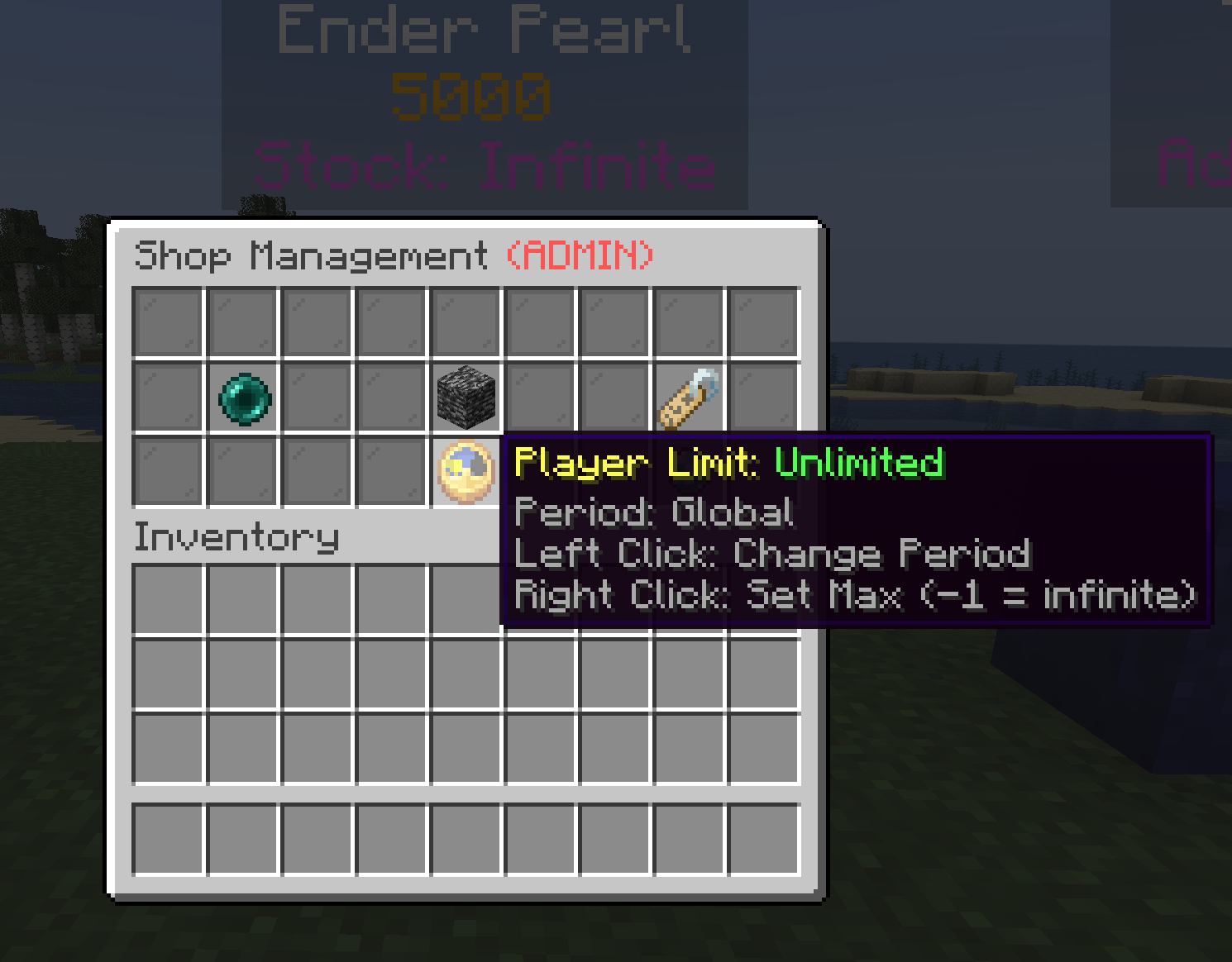
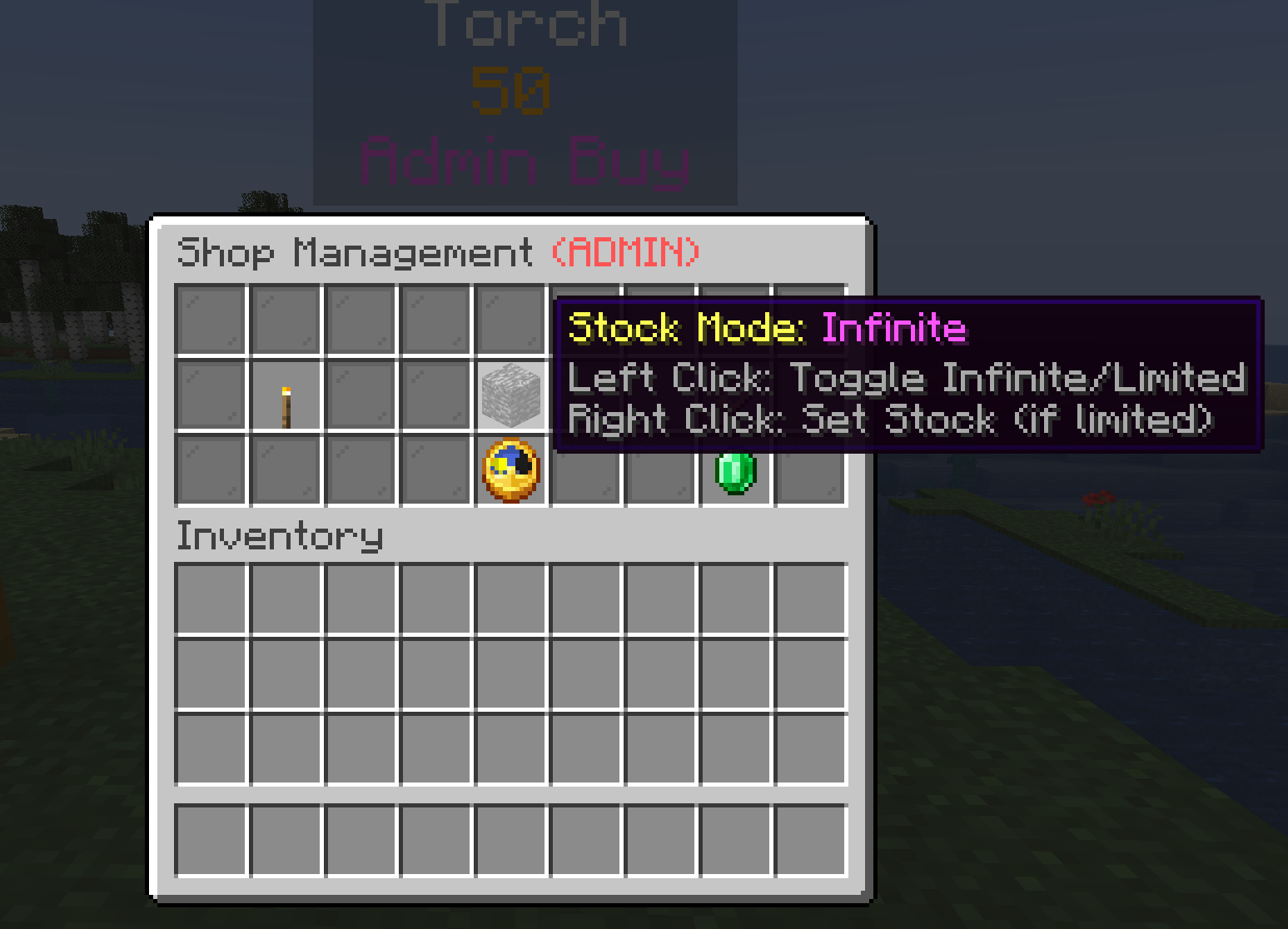
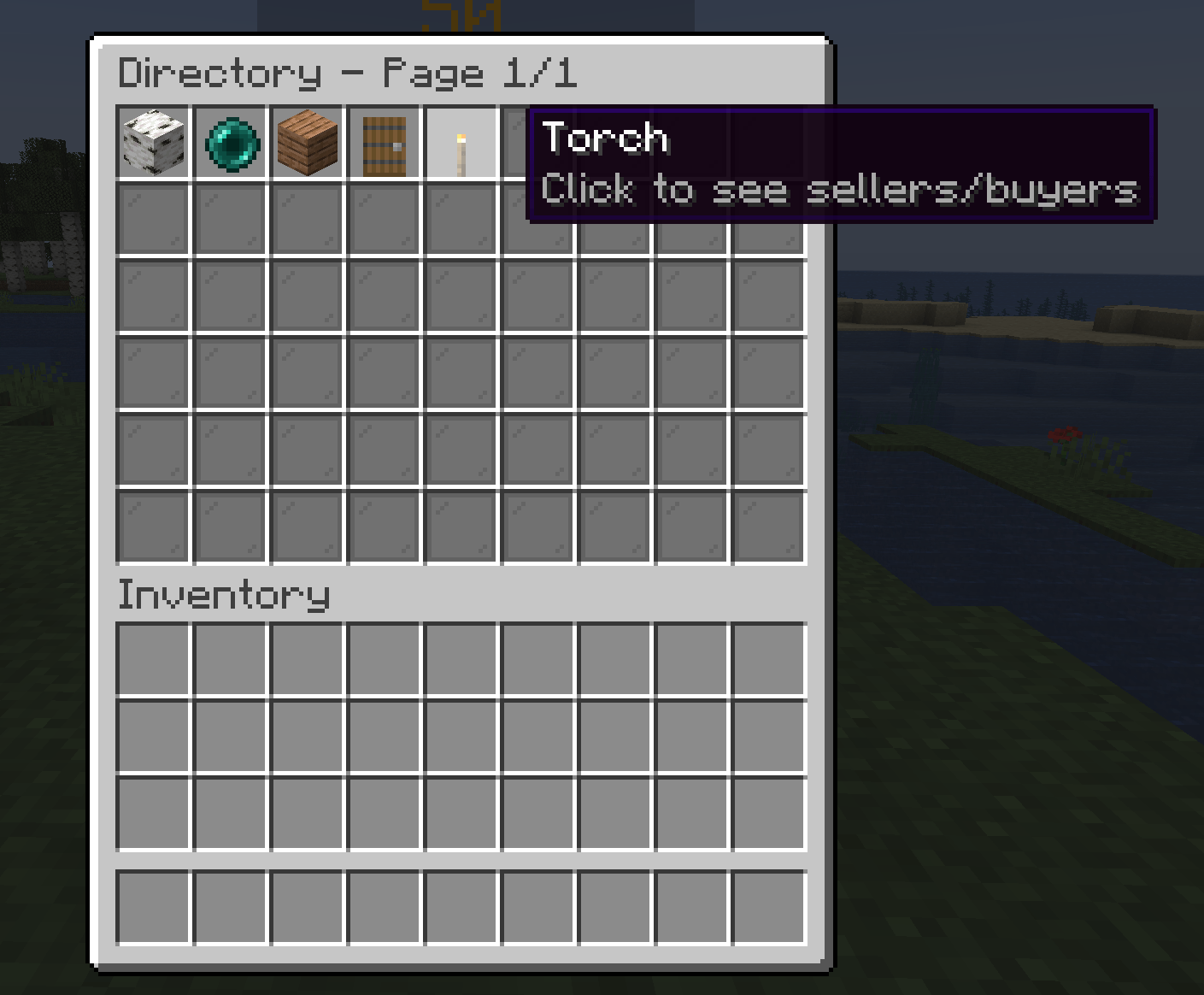
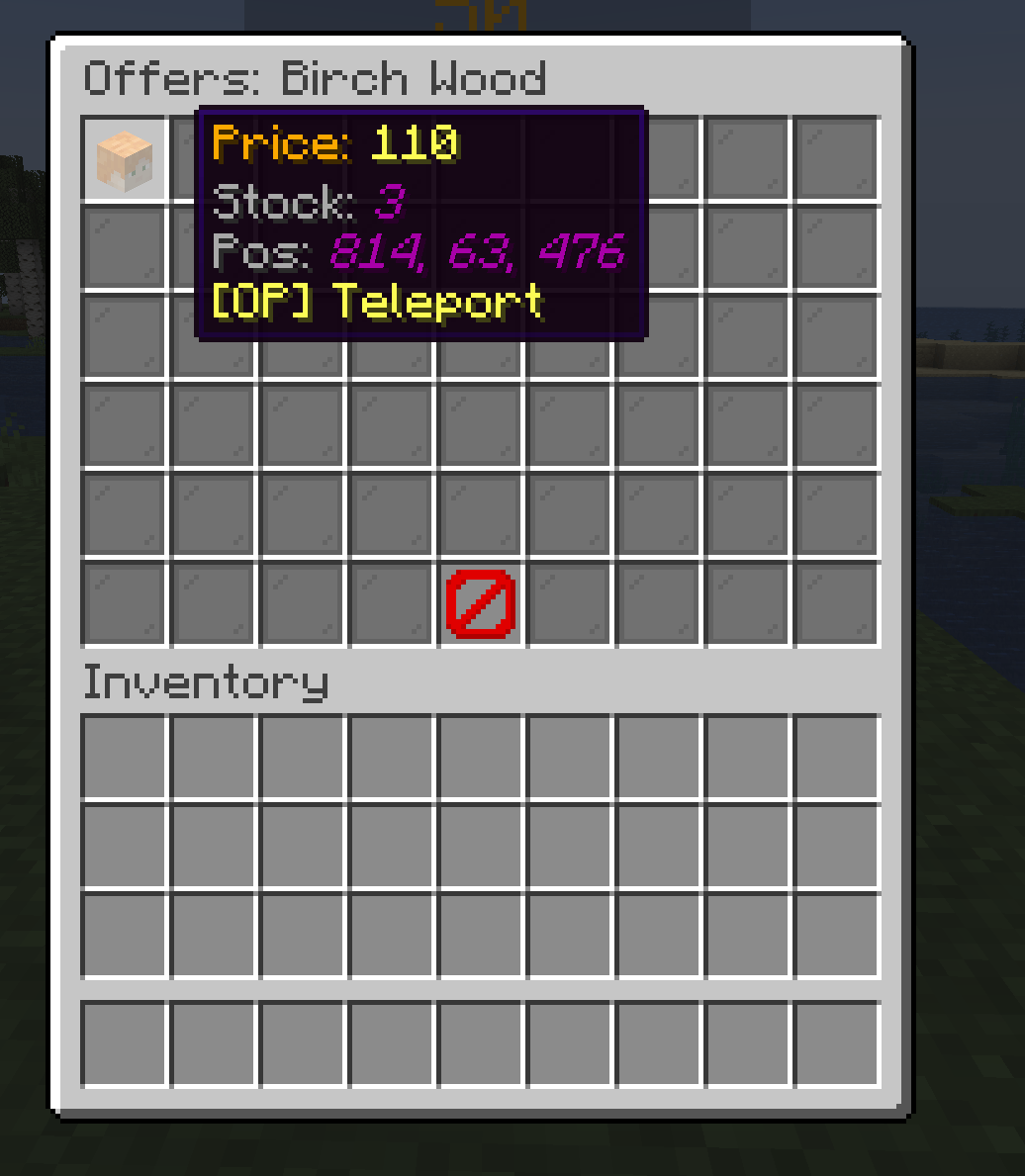
PlayerShop (+ Server Shop btw) - 100% Server-Side
PlayerShop is a modern, player-owned and server shops system designed for servers. It replaces complex chest shop plugins with interactive GUIs and beautiful holographic visuals.
NEW : PlayerShop token to obtain a Shop, consummable item, sellable on AdminShop, recipe possible, token and recipe enabling setting's on the config.
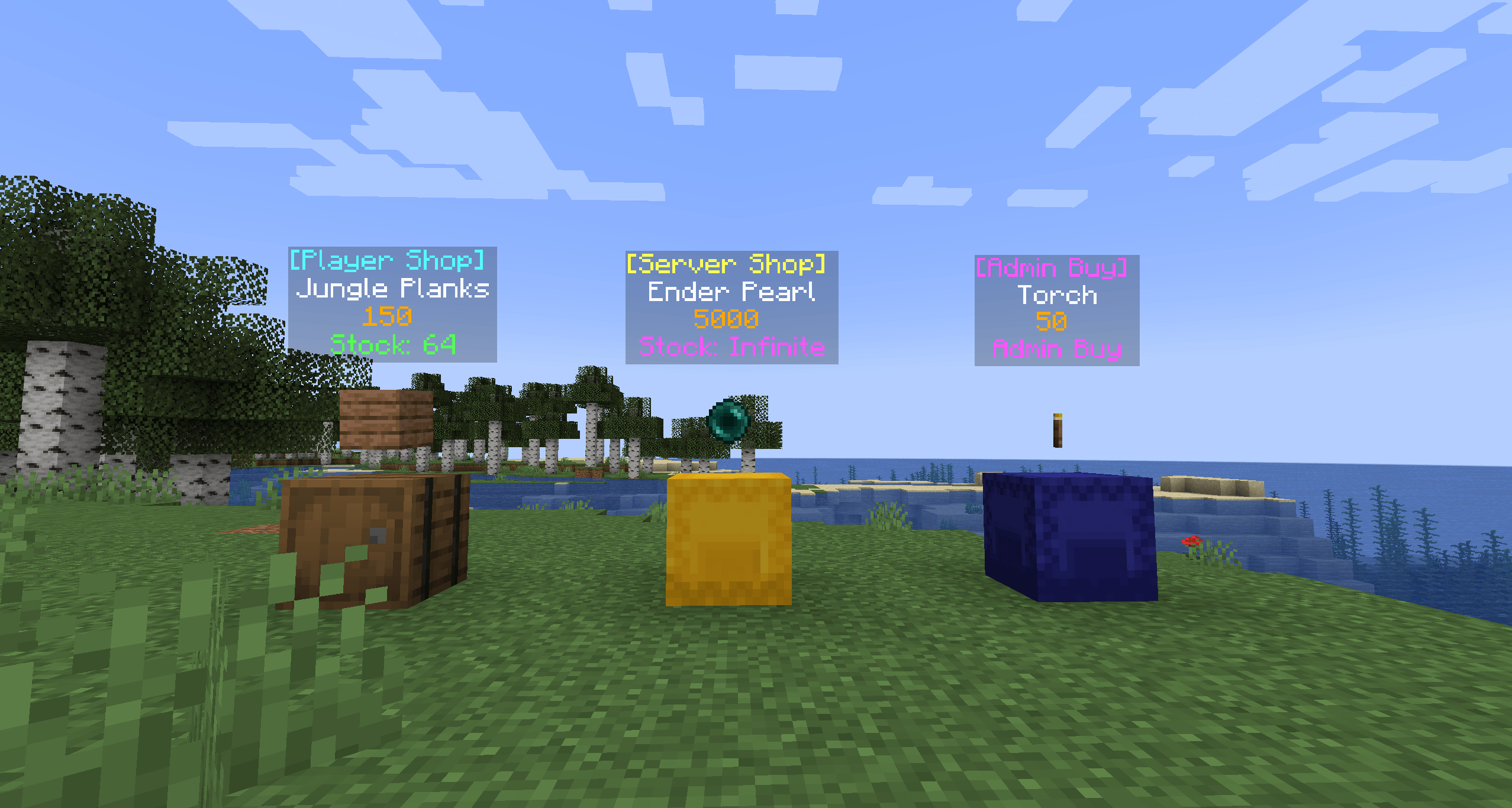
- Hologram Visual Shops: Items & Prices float above the shop block with holographic display live sync. No signs needed!
- Shop Browser: Browse all active shops, their price and pos, everywhere on the server with a single GUI (
/ps browse). - Multi-Economy Compat: Fully compatible with Impactor / CobbleDollars / Vaults / PebbleEconomy economy mods.
- Multi-Currency Support: Players can switch which money they want by selling items on each shop if you have more than one money on your server
- No Eco mod support: You can set an item ID if you don't use any eco mods
- Database Support: NBT / MongoDB / MariaDB
- Settings: Tax rates, Quantity & Prices Limits, Discord Webhooks, Item Blacklists, Showing 4 holos lines, …
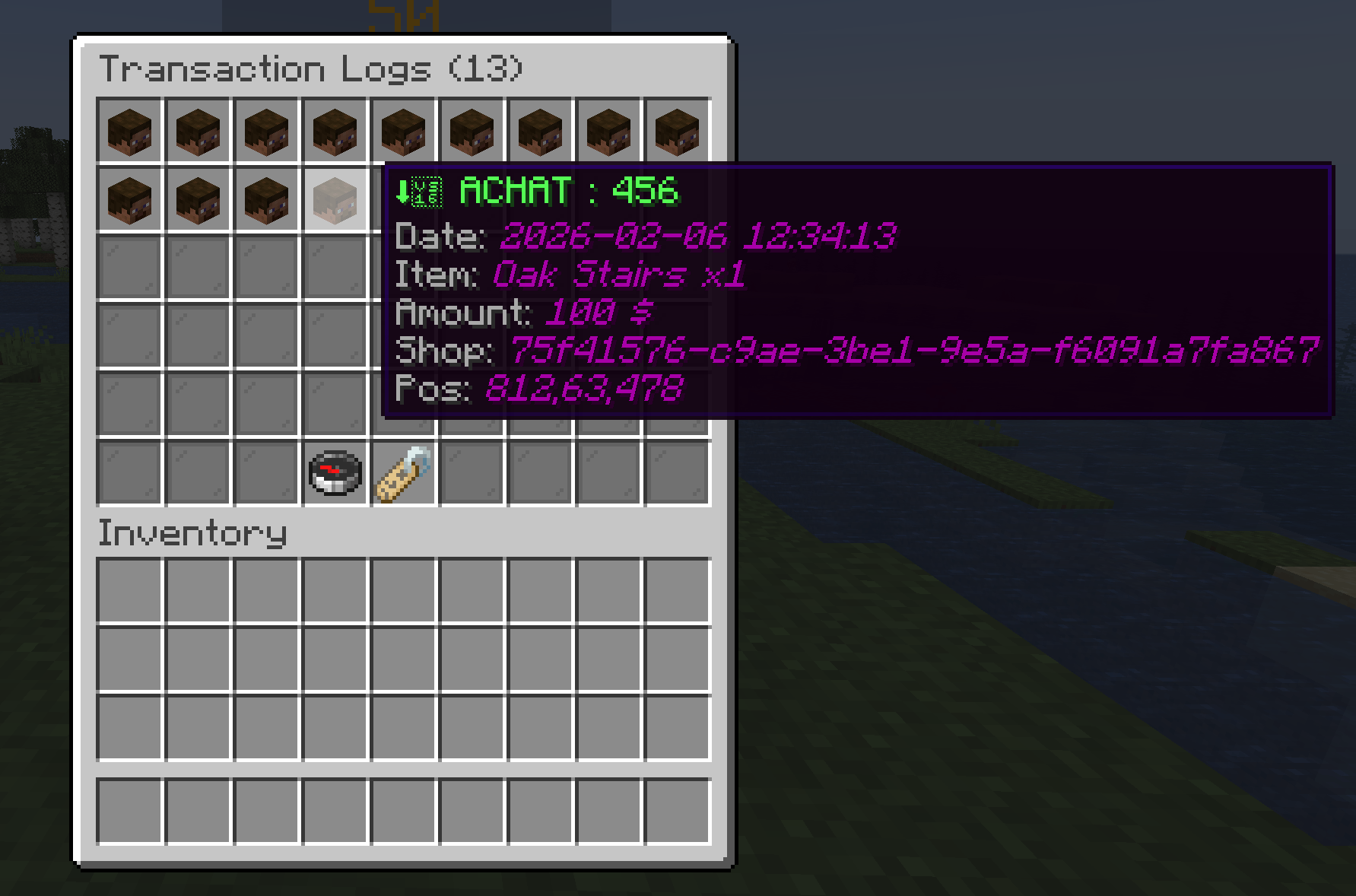
- Safe & Secure: 100% server-side, Transaction logs stored, anti-spam / anti-dupe, Eco Warning Cap setting, Maintenance Mode…
- Progression System: Admins can upgrade player's "Stages" to allow them to place more shops.
- Admin Features: Create "Server Shops" with infinite stock, get logs about all sales, and option to put in urgency / maintenance modes.
- Block id customizable for EACH shop types on config
- Limit of shop per player, upgradable via command
Commands : /playershop prefix for all comands :
/playershop givedisplay <player>
(Admin) Give a shop creation item to a player.
/playershop giveserver
(Admin) Get a "Server Buying Shop" item (Infinite/Limited stock setting + Per player Infinite/Limited setting for buy Cap + Infinite/Limited Time setting).
/playershop giveadminbuy
(Admin) Get a "Server Selling Shop" item (Infinite/Limited stock setting + Per player Infinite/Limited setting for sell Cap + Infinite/Limited Time setting).
/playershop givetoken <player>
(Admin) Get a "PlayerShop Token" item, a consummable item that giving a PlayerShop, possibility to sell it via AdminShop.
/playershop setstage <player> <stage>
(Admin) Upgrade a player's shop limit (Stage 1-5 & more if you create them in json config).
/playershop checkstage <player>
(Admin) Check the actual stage of a player (to not do "bad move" with upgrades > ex : setting stage 4 to 3.. !).
/playershop browse
Opens the global shop directory to find items.
/playershop reload
Reload JSON config file and sync data.
/playershop fix
(Admin) Cleans up ghost visuals, sync data and restores missing holograms.
/playershop logs
(Admin) Direct In-Game Logs browser in simple UI with per player transactions filter and sync data buttons.
/playershop maintenance <player|serverbuy|serversell> <true|false>
(Admin) Enable/Disable maintenance mode (prevents new shops & totally block access for setting, buying and selling).
Config :
- Mod Required: None but compatible with Impactor / Vaults / PebbleEconomy / CobbleDollars
- Settings:
playershop.json(Tax rates, Limits, Webhooks, Blacklists, …)
- Edition: Minecraft Java
- File type: .jar
- Minecraft version listed: 1.21.1
- How to install: Install the matching mod loader (Forge, Fabric or NeoForge) for your Minecraft version. → Download the .jar. → Put it in the .minecraft/mods folder and launch that loader profile.
- Where to get it: Opens on CurseForge — not every file is mirrored on our own servers.
Install steps are the general flow for this file type — How to install Minecraft Java mods & modpacks walks through it step by step.
- Ships as playershop-1.1.2.jar — drop this file into the mods folder
- Download size: 3.0 MB
- Download link checked 3 Oct 2026 — working
These come from our own check of the pack file, not from the source page.