Inventory Enhancements
Java mod listed for Minecraft 1.21. Downloads from the MC Java Mods app on Android.
Welcome to Inventory Enhancements! This mod is intended to Enhance the Vanilla Experience with useful Inventory features that do not creep upon the…
⬇ Download on CurseForgeThe author built this one for Minecraft 1.21.5 on Fabric. On other versions it may install and then do nothing.
Join the Vanilla Enhancements official Minecraft Server!
mc.FireCrafting.net
Also, join the Discord to report issues, become part of the community, and receive updates about new and existing mods!
Welcome to Inventory Enhancements!
Inventory Enhancements improves inventory management, compact storage, crafting, and brewing through several Vanilla-inspired quality-of-life features.
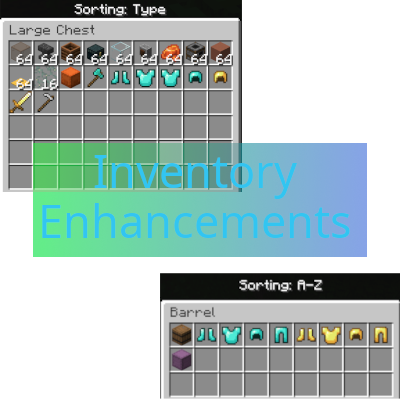
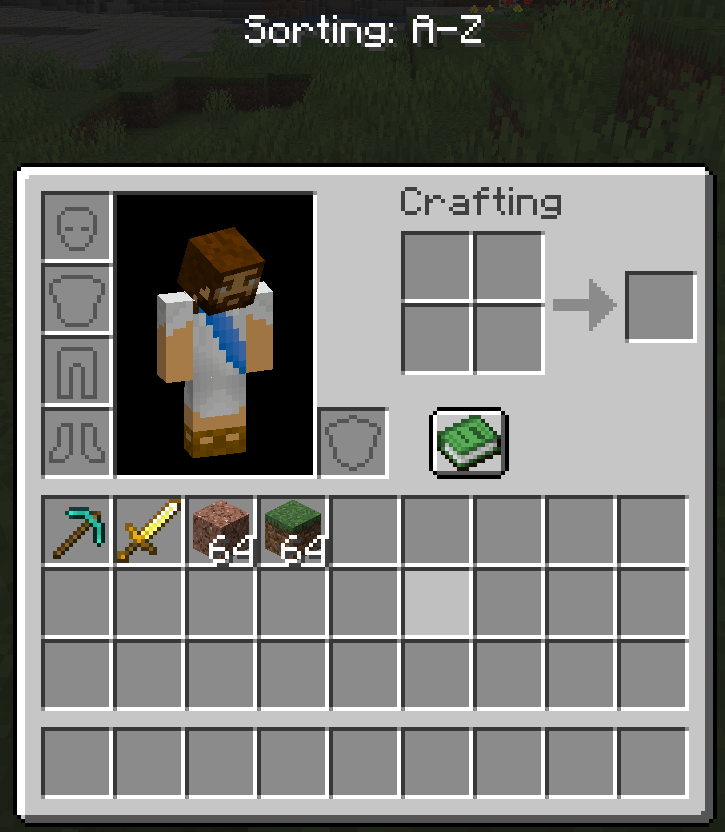
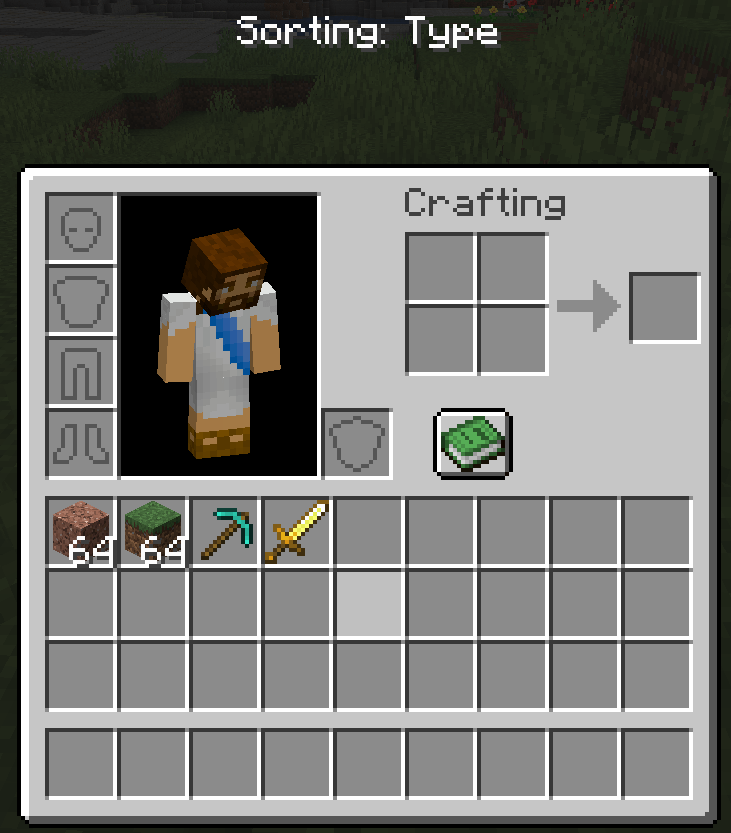
Inventory Sorting
Hover over a slot and press the Middle Mouse Button to sort that section of the inventory.
Your main inventory, hotbar, and open container are sorted independently. Middle-clicking a Chest slot, for example, sorts the Chest without rearranging your inventory.
Each press cycles through three modes:
| Mode | Behavior |
|---|---|
| A–Z | Sorts items alphabetically. |
| Type | Groups similar items and materials together. |
| Baseline | Restores the arrangement from before the sorting cycle began. |
Compatible stacks are consolidated automatically. If you manually rearrange the inventory, that new arrangement becomes its next Baseline.
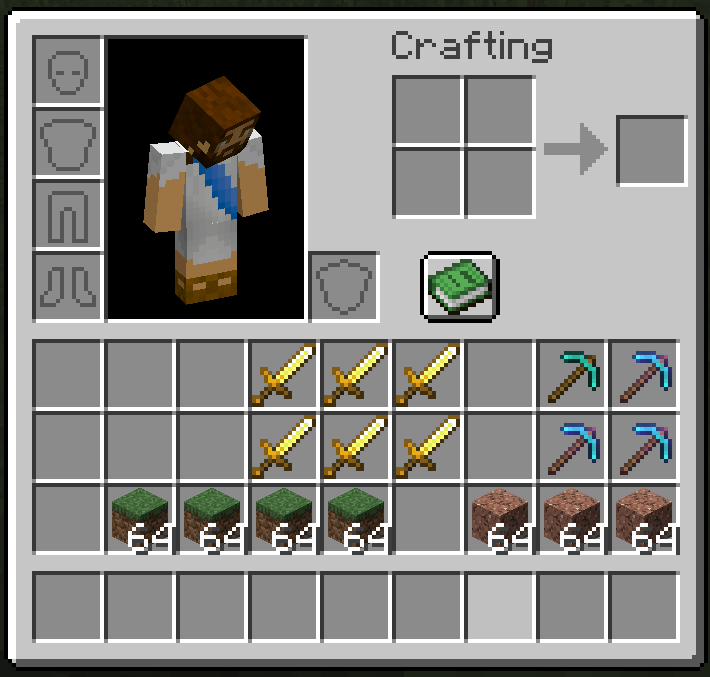
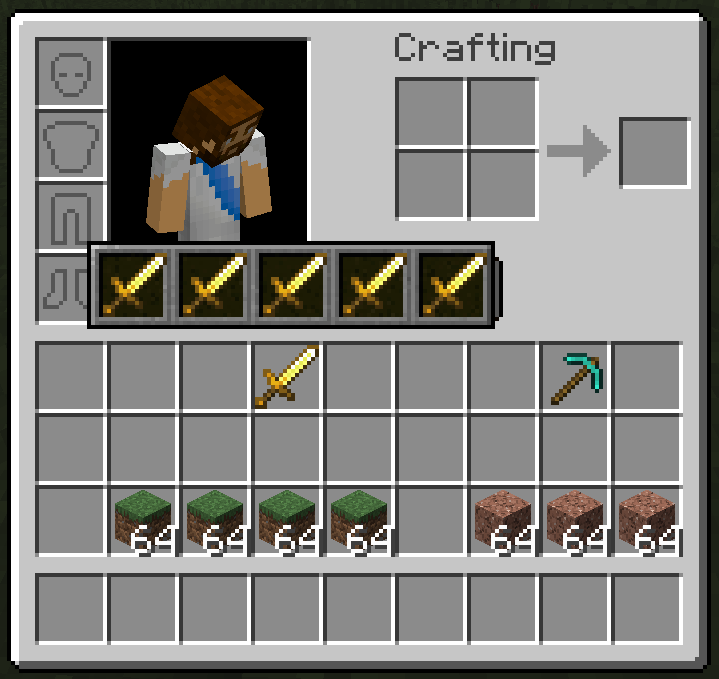
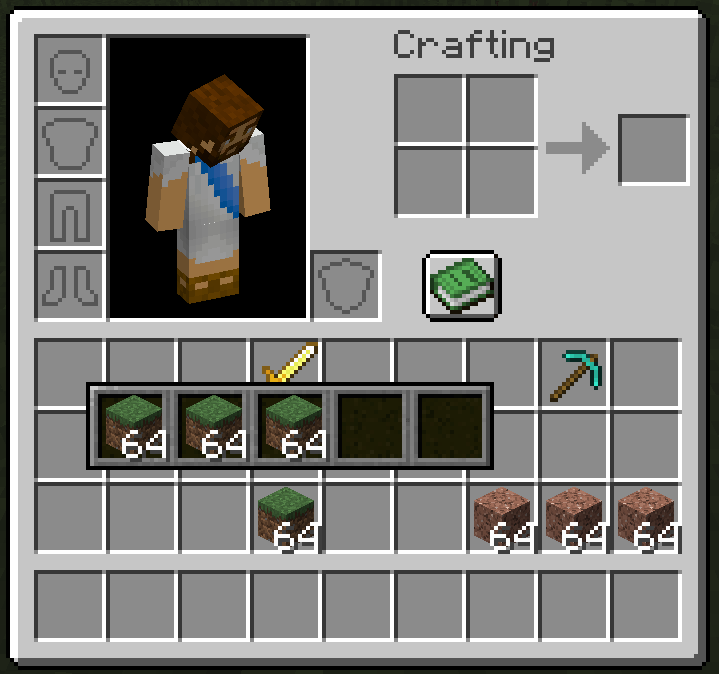
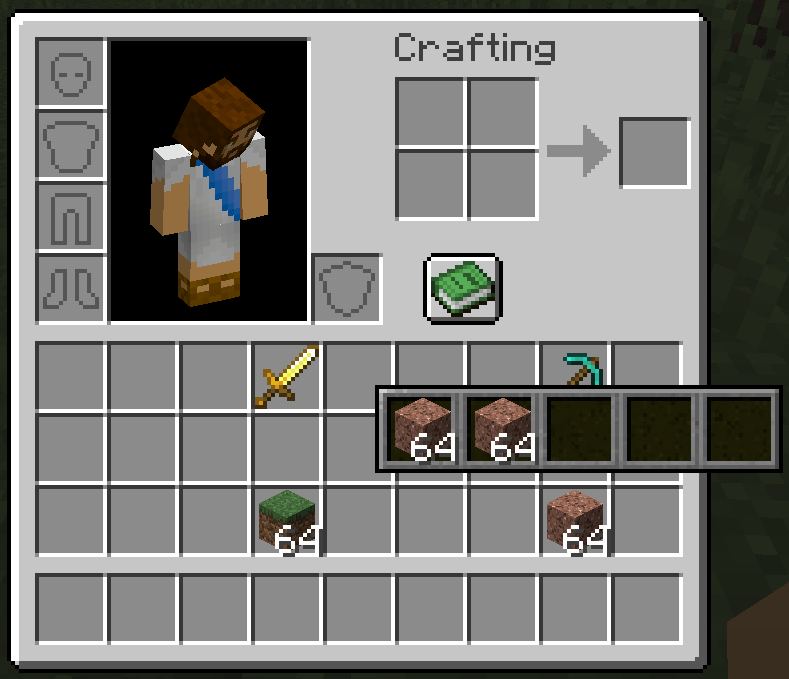
Five-Slot Overlay Storage
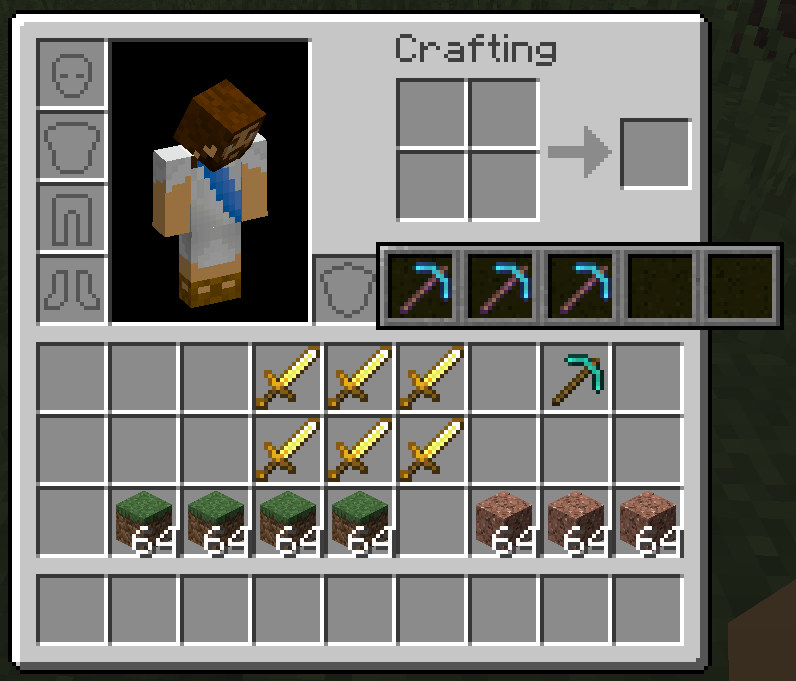
A full stack in your main inventory can hold five additional stacks of the same item type.
This is especially useful for keeping differently enchanted, named, or damaged tools and armour together without occupying several inventory slots.
To open an overlay:
- Use an item in the main 27-slot inventory grid.
- Make sure its base stack is full according to its normal limit.
- Hold Shift and right-click the item.
Examples of a full stack include:
- Dirt: 64
- Ender Pearls: 16
- Tools and armour: 1
Slots containing stored items receive an animated blue border. Hovering over one previews its storage pane, while Shift-right-clicking pins the pane open.
A base item containing stored stacks cannot be dropped or moved into the hotbar or another container. It can still be moved within the main inventory, and its storage moves with it.
Enhanced Crafting Guide
Inventory Enhancements replaces the standard Crafting Table Recipe Book with an organized, Vanilla-inspired guide.
Recipes are divided into five categories:
- Building Blocks
- Tools and Armour
- Crafting Stations
- Storage
- Redstone
Similar recipes are grouped into expandable families, reducing the number of nearly identical entries shown at once. Compatible modded recipes are included where supported.
The guide also provides:
- Recipe searching
- Mouse-wheel and button-based paging
- A Craftable First option
- An ingredient filter showing everything you can craft with a selected item
- Recipe previews for items you cannot currently craft
Selecting an available recipe places its ingredients into the Crafting Grid. Unavailable recipes display a ghost preview of the required layout.
Brewing Stand Guide
Brewing Stands receive their own Vanilla-inspired recipe guide.
Brewing routes are organized into:
- Ability Potions
- Harming Potions
- Healing Potions
Potion families include their available short-duration, long-duration, Level I, Level II, regular, Splash, and Lingering variants.
The Brewing Guide includes recipe searching, ingredient filtering, craftability sorting, and ghost previews. Selecting an available route automatically places its bottles, ingredient, and any required Blaze Powder into the Brewing Stand.
Installation
Inventory Enhancements must be installed on both the client and server.
- Edition: Minecraft Java
- File type: .jar
- Minecraft version listed: 1.21.5
- How to install: Install the matching mod loader (Forge, Fabric or NeoForge) for your Minecraft version. → Download the .jar. → Put it in the .minecraft/mods folder and launch that loader profile.
- Where to get it: Opens on CurseForge — not every file is mirrored on our own servers.
Install steps are the general flow for this file type — How to install Minecraft Java mods & modpacks walks through it step by step.
- Ships as Inventory Enhancements-0.1.0.jar — drop this file into the mods folder
- Download size: 35 KB
- Download link checked 3 Oct 2026 — working
These come from our own check of the pack file, not from the source page.