
Lightning Optimizer (FPS Boost & Lag Fix)
Java mod listed for Minecraft 1.20–1.21. File opened and checked on 13 Oct 2026; downloads from the MC Java Mods app on Android.
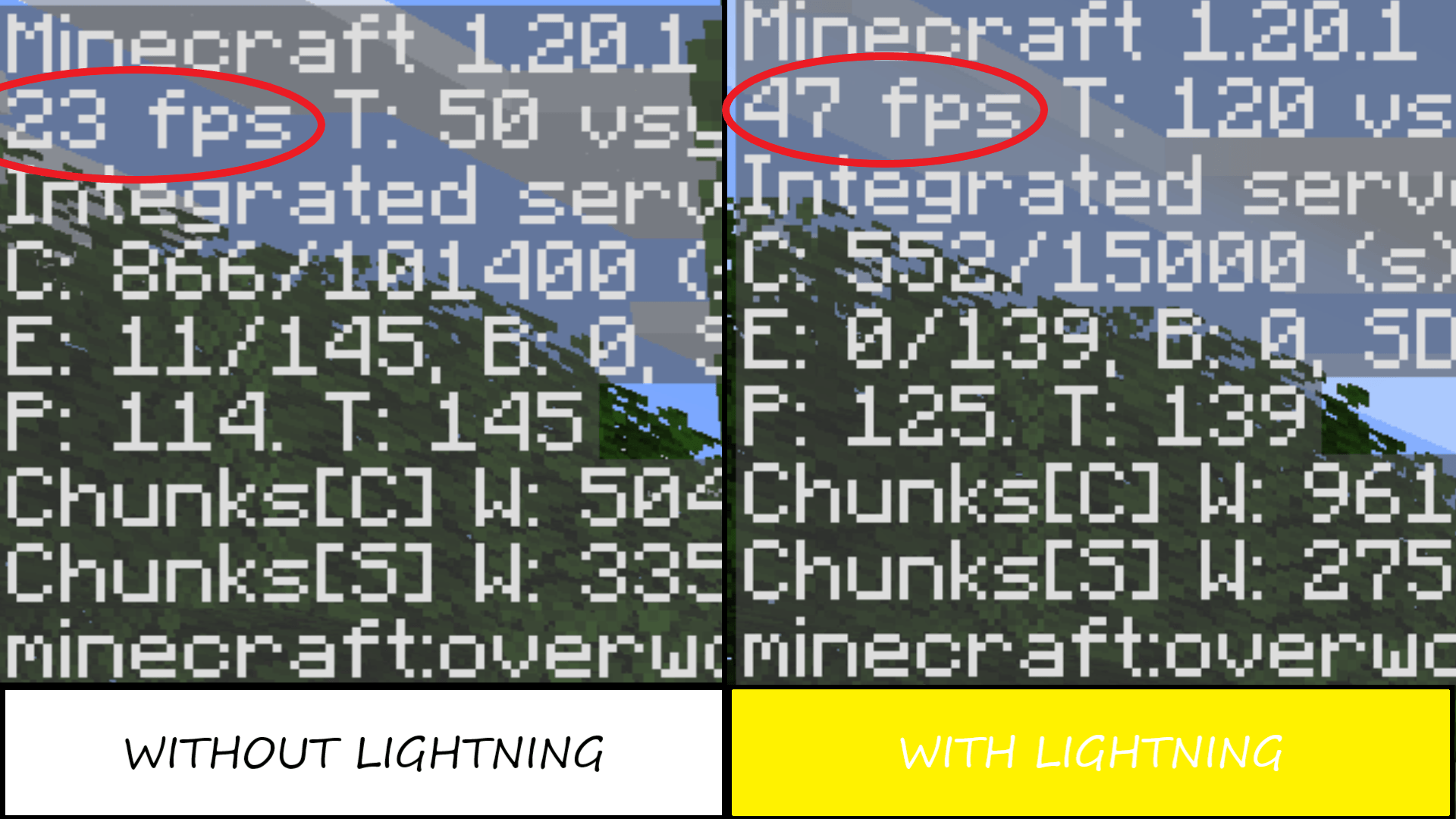
A high-performance, lightweight rendering optimizer that boosts FPS by intelligently culling distant and invisible particles.
I don't know my version or loader
⚡ Lightning Optimizer (FPS Boost & Lag Fix / Performance Utility)
Lightning Optimizer is a lightweight, open-source Minecraft performance mod designed to improve frame stability, reduce lag spikes, and optimize overall client-side performance.
It focuses on targeted optimizations rather than rewriting core game systems, making it compatible with most modpacks and other optimization mods.
If you experience micro-stutters, FPS drops during gameplay, or heavy performance issues in certain situations, this mod helps smooth out gameplay without requiring any configuration.
🛠️ Key Features & Technical Details
⚡ Targeted Performance Optimizations
Reduces unnecessary CPU and rendering workload in specific gameplay systems to improve FPS stability.
📉 Stutter & Frame-Time Reduction
Helps reduce micro-stutters during chunk loading, combat, and high-activity scenarios.
🧩 High Mod Compatibility
Designed to work alongside popular optimization mods such as Sodium, Lithium, and FerriteCore without conflicts.
🚀 Zero Configuration
Install and play — no settings or setup required.
📦 Modpack Policy
Yes — you are free to include Lightning Optimizer in any public or private modpack without permission.
📂 Open Source Project Files
Source Code & Files: The complete, unzipped development files of Lightning Optimizer are publicly available for review. You can explore the project files directly on GitHub here:
Open Source Files of Lightning Optimizer on Github (All versions)
Feel free to look through the logic, learn from the micro-optimizations, or contribute to the project!
- Edition: Minecraft Java
- File type: .jar
- Minecraft versions listed: 1.21, 1.20.2, 1.21.8
- How to install: Install the matching mod loader (Forge, Fabric or NeoForge) for your Minecraft version. → Download the .jar. → Put it in the .minecraft/mods folder and launch that loader profile.
- Where to get it: Opens on CurseForge — not every file is mirrored on our own servers.
Install steps are the general flow for this file type — How to install Minecraft Java mods & modpacks walks through it step by step.
- Ships as lightning.jar — drop this file into the mods folder
- Download size: 9 KB
- Download link checked 23 Oct 2026 — working
These come from our own check of the pack file, not from the source page.