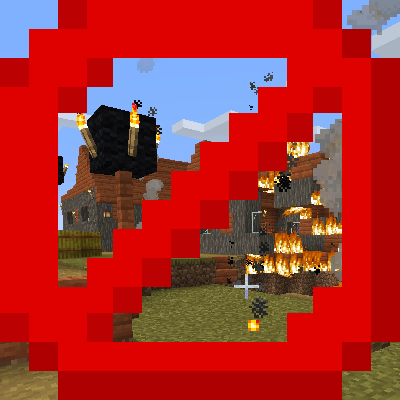
Structure Grief Manager
Java mod listed for Minecraft 1.20. Downloads from the MC Java Mods app on Android.
A server-side (and client side) protection mod that allows temporary destruction and building within structures using auto-respawn and auto-decay…
⬇ Download on CurseForgeThe author built this one for Minecraft 1.20.1 on Forge. On other versions it may install and then do nothing.
Structure Grief Manager (SGM)
Protection Reimagined: Don't just block griefers, manage them.
Structure Grief Manager (SGM) is not your typical protection mod. Instead of simply preventing players from breaking blocks, SGM introduces a Lifecycle System. You can allow players to break walls, loot chests, or build temporary bridges, knowing that the structure will automatically regenerate and foreign blocks will decay over time.
It allows for immersive gameplay in protected zones (like Raiding, RPG dungeons, or public servers) without leaving permanent scars on the map.
Key Features
- Smart Zone Detection: Automatically apply rules to Vanilla or Modded structures (Villages, Strongholds, Ancient Cities) using Regex ID matching. You can also define custom cuboid zones.
- Lifecycle System:
- DENY: Standard protection. Blocks cannot be broken or placed.
- ALLOW_RESPAWN: Players can break blocks, but they will reappear after a set time. served).
- ALLOW_DECAY: Players can place blocks (e.g., scaffolding, bridges), but they will disappear after a set time.
- Advanced Filtering: Use Whitelists, Blacklists, and powerful Macros (see below) to target specific blocks without listing thousands of IDs.
- Physics & Multiblocks: Smart handling of gravity blocks (sand/gravel) and dependent blocks (Doors, Beds, Torches). If a door respawns, it won't break itself because the bottom half is missing.
- Visual Feedback: When installed on the client, protected blocks feel unbreakable (Bedrock-like hardness) and denied placement is predicted instantly (Adventure mode feel), preventing "ghost blocks" and lag-back.
Configuration & Macros
The heart of SGM is its sgm.json config file. We've included a Smart Macro System to make configuration incredibly easy. You don't need to know every block ID.
Available Macros:
@solid- Matches any solid block (Stone, Dirt, Planks).@non_solid- Matches transparent/decoration blocks (Torches, Flowers, Glass).@container- Matches anything with an inventory (Chests, Barrels, Hoppers).@gravity- Matches falling blocks (Sand, Gravel, Anvils).@redstone- Matches signal sources (Levers, Buttons, Pressure Plates).*- Wildcard (Matches everything).
Example Configuration
Here is a robust example for protecting Villages:
- Chests are completely protected (Anti-Theft).
- Torches & Sand can be placed temporarily (Scaffolding).
- Walls can be broken but will regenerate (Immersion).
- Everything else is standard protection.
{
  "$schema": ".../resources/assets/sgm.schema.json",
  "settings": {
    "tick_interval": 20,
    "respawn_time": 1200,
    "decay_time": 600,
    "debug_mode": false
  },
  "zones": [
    {
      "name": "Village Protection",
      "type": "STRUCTURE",
      "priority": 10,
      "structure_whitelist": ["minecraft:.*village.*"],
      "rules": {
        "break": [
          {
            "targets": ["@container"],
            "action": "DENY"
          },
          {
            "targets": ["*"],
            "blacklist": ["minecraft:dirt"],
            "action": "ALLOW_RESPAWN",
            "timer": 600
          }
        ],
        "place": [
          {
            "targets": ["@non_solid", "@gravity"],
            "action": "ALLOW_DECAY",
            "timer": 200
          },
          {
            "targets": ["*"],
            "action": "DENY"
          }
        ]
      }
    }
  ]
}
Commands
/sgm info- Displays the current Zone you are standing in and its priority./sgm memory- (Debug) Shows how many blocks are currently waiting to respawn or decay in the chunk./sgm reload- Reloads the configuration file instantly without restarting the server./sgm test <block_id>- Test if a block matches your current rules.
Installation
- Requirement: Minecraft Forge 1.20.1.
- Server-Side: Essential. The mod handles all logic, storage, and restoration on the server.
- Client-Side: Highly Recommended. While not strictly required to join, installing it on the client provides the visual "Unbreakable" effect and prevents client-side prediction glitches (ghost blocks).
Issues & Support
Found a bug or have a suggestion? Please report it on our GitHub Issues Page. Does a specific modded block not respawn correctly? Let us know!
- Edition: Minecraft Java
- File type: .jar
- Minecraft version listed: 1.20.1
- How to install: Install the matching mod loader (Forge, Fabric or NeoForge) for your Minecraft version. → Download the .jar. → Put it in the .minecraft/mods folder and launch that loader profile.
- Where to get it: Opens on CurseForge — not every file is mirrored on our own servers.
Install steps are the general flow for this file type — How to install Minecraft Java mods & modpacks walks through it step by step.
- Ships as structure_grief_manager-0.3.jar — drop this file into the mods folder
- Download size: 72 KB
- Download link checked 3 Oct 2026 — working
These come from our own check of the pack file, not from the source page.