
Raisy
A powerful Forge 1.12.2 mod that shifts HUD elements using runtime bytecode injection

📖 About
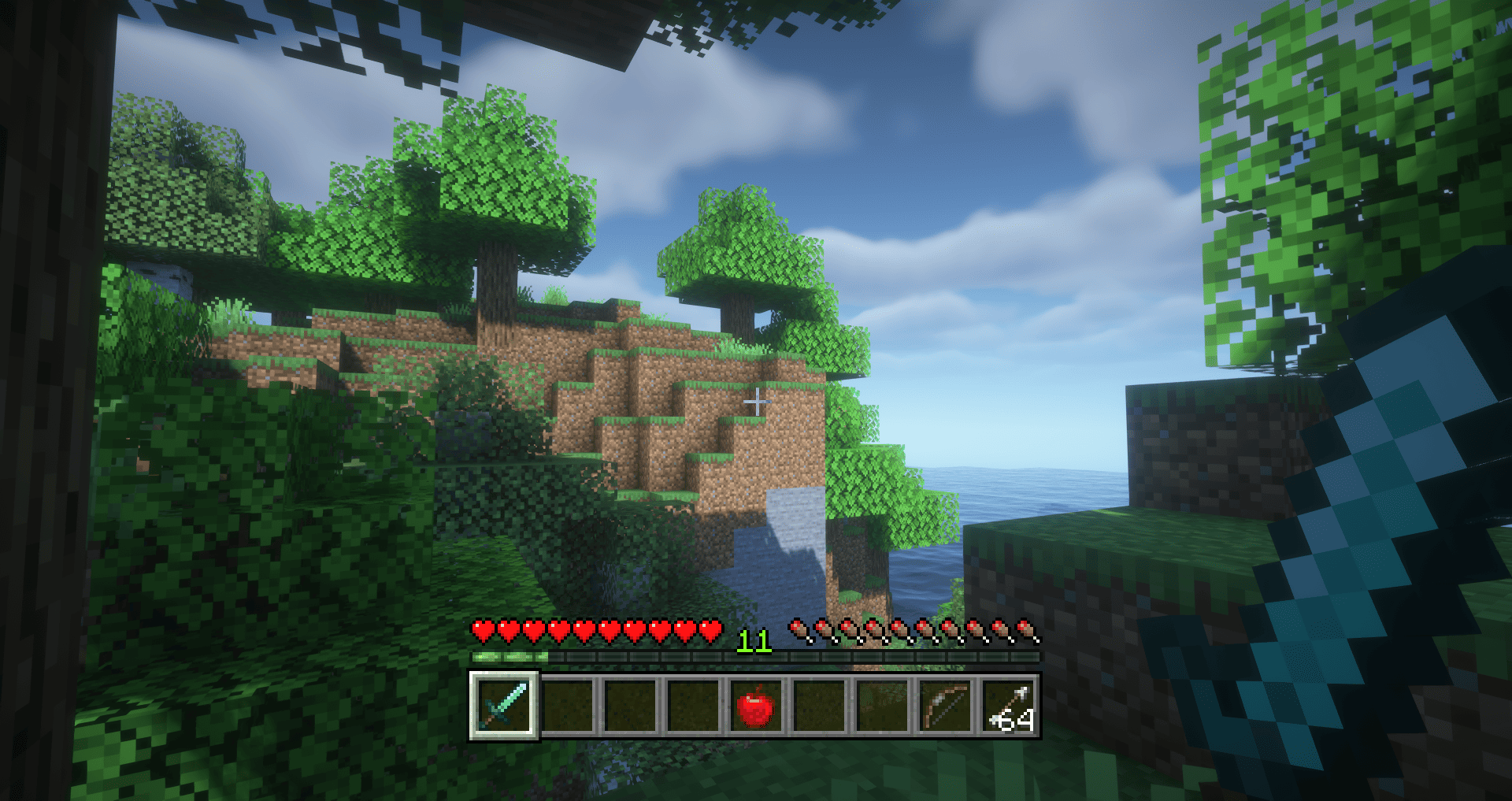
Raisy allows you to offset HUD elements (hotbar, health, hunger, etc.) using ASM bytecode transformation. Unlike simple rendering hooks, this approach works with virtually any mod's HUD elements.
This mod was also designed to be more compatible and less destructive than Valkyrie's MC-67532-fix feature (and partly as an alternative to the Raised mod from newer versions)
✨ Features
- Global Offset — Shift all HUD elements at once
- Per-Element Control — Fine-tune each element individually
- Mod Support — Configure offsets for any mod's HUD elements via JSON
- MC-67532 Fix — Fixes broken hotbar selection texture
- Advanced Injection — Multiple injection point types (HEAD, RETURN, INVOKE, etc.)
- Hot Reload — Reload configuration without restarting the game
Default Supported Elements
- Hotbar
- Health Bar
- Armor Bar
- Food Bar
- Air Bubbles
- Mount Health
- Experience Bar
- Jump Bar
- Tool Highlight
⚙️ Configuration
Quick Setup
Access global settings via Mods → Raisy → Config or edit config/raisy.cfg
| Option | Default | Description |
|---|---|---|
| Enabled | true |
Enable HUD offset globally |
| Offset X | 0.0 |
Horizontal offset (pixels) |
| Offset Y | 5.0 |
Vertical offset (pixels) |
Advanced Configuration
Per-element settings are configured in config/raisy_elements.json
📚 Full Configuration Documentation
⚙️ Share your configurations or use ready-made ones from other users
🔧 Commands
| Command | Description |
|---|---|
/raisy reload |
Reload configuration from files |
💡 How It Works
Raisy uses ASM (bytecode manipulation) to inject GlStateManager.pushMatrix() / translate() / popMatrix() calls around HUD rendering methods. This approach:
- Works at the bytecode level, before rendering occurs
- Compatible with most mods without conflicts
- Allows precise control over injection points
Raisy in a nutshell

- Edition: Minecraft Java
- File type: .jar
- How to install: Install the matching mod loader (Forge, Fabric or NeoForge) for your Minecraft version. → Download the .jar. → Put it in the .minecraft/mods folder and launch that loader profile.
- Where to get it: Opens on CurseForge — not every file is mirrored on our own servers.
Install steps are the general flow for this file type — How to install Minecraft Java mods & modpacks walks through it step by step.
- Ships as raisy-2.0.1.jar — drop this file into the mods folder
- Download size: 340 KB
- Download link checked 13 Sept 2026 — working
These come from our own check of the pack file, not from the source page.