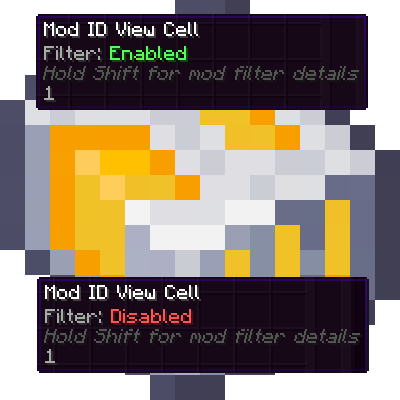
AE2 Toggleable View Cells
Java mod listed for Minecraft 1.21. Downloads from the MC Java Mods app on Android.
Toggle AE2 View Cells on/off with a right-click. Disabled cells stop filtering your terminals and show a clear disabled icon. Works with the standard AE2…
⬇ Download on CurseForgeThe author built this one for Minecraft 1.21.1 on NeoForge. On other versions it may install and then do nothing.
AE2 Toggleable View Cells
This mod adds a simple Enable / Disable toggle to Applied Energistics 2 View Cells.
Instead of removing a View Cell when you want to temporarily stop filtering, you can disable it and enable it again later. The cell keeps all its settings; it is simply ignored while disabled.
Supported versions:
- Minecraft 1.12.2 with AE2 UEL
- Minecraft 1.21.1 with NeoForge and AE2 19.x
Why
View Cells are great, but sometimes you only want their filtering sometimes:
- You’re searching for a specific item and don’t want to fight your current filters.
- You want to compare filtered vs unfiltered results quickly.
- You use multiple View Cells and want to temporarily disable one without taking it out.
Normally, this means removing the cell from the slot or constantly swapping cells around. This mod solves that by letting you toggle a cell on/off instantly.
Features
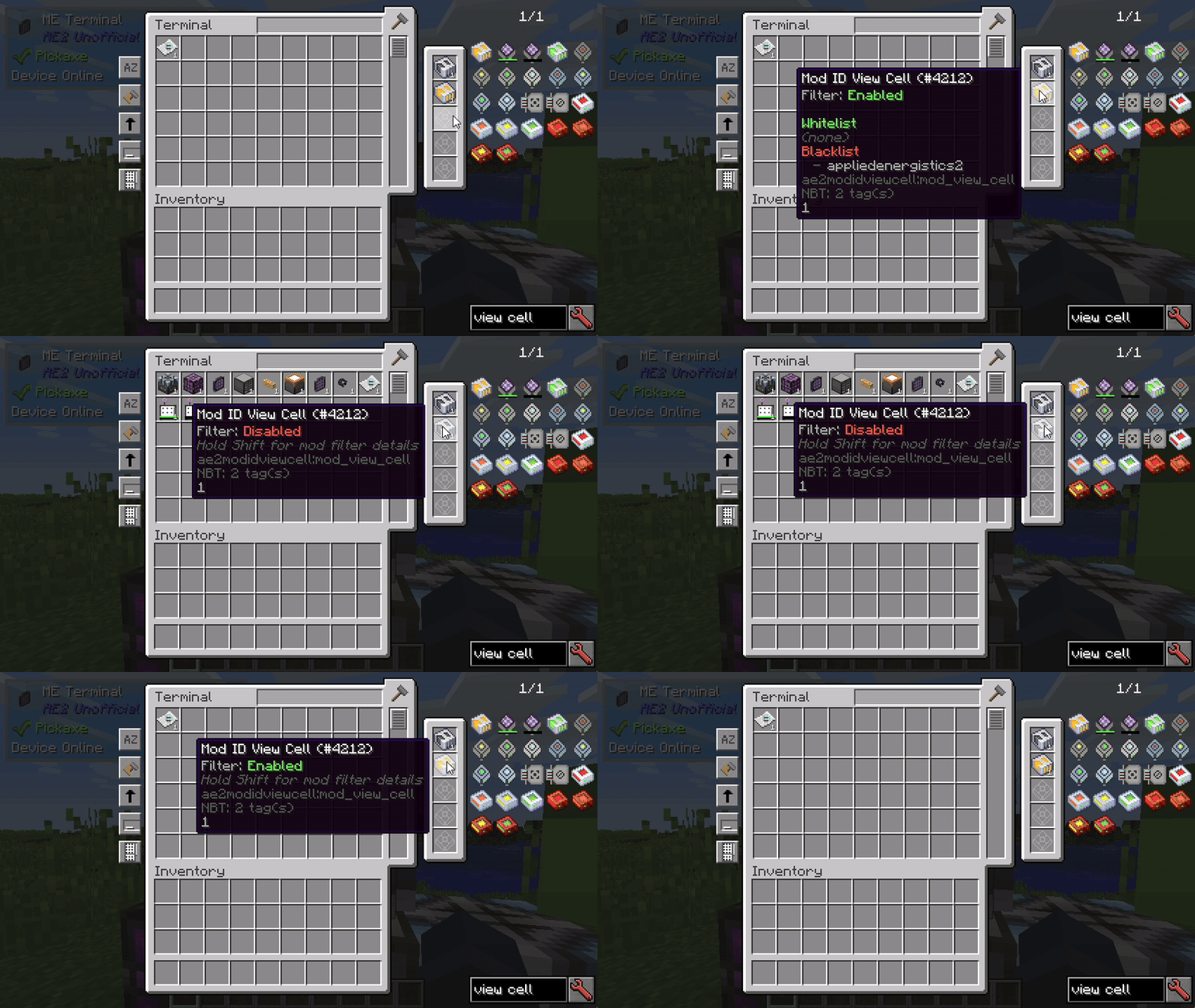
- Enable / Disable View Cell filtering
- When Disabled, the View Cell is ignored by AE2 filtering.
- When Enabled, it behaves like a normal View Cell again.
- Toggle in hand
- 1.12.2: right-click the View Cell in hand.
- 1.21.1: shift-right-click the View Cell in hand.
- Toggle inside terminal View Cell slots
- 1.12.2: right-click the View Cell slot.
- 1.21.1: middle-click the View Cell slot while not in creative mode.
- Clear feedback
- Tooltip shows the current state.
- Status message when toggling.
- Visual indicator
- Disabled View Cells display a distinct disabled icon/texture.
- Compatible behavior
- Works with the standard AE2 View Cell.
- Supports compatible modded View Cells that extend AE2’s View Cell item.
Compatibility
Minecraft 1.12.2
- Requires AE2 UEL.
- Works in normal terminal View Cell slots, including supported wireless terminals.
Minecraft 1.21.1
- Requires NeoForge.
- Requires Applied Energistics 2 19.x.
- Works with AE2 terminal View Cell slots.
- Works with compatible addon View Cells, such as Mod ID View Cells.
- Works with wireless/universal terminals from addons that expose proper AE2 View Cell slots, such as AE2 Wireless Terminals / WTLib.
- Edition: Minecraft Java
- File type: .jar
- Minecraft version listed: 1.21.1
- How to install: Install the matching mod loader (Forge, Fabric or NeoForge) for your Minecraft version. → Download the .jar. → Put it in the .minecraft/mods folder and launch that loader profile.
- Where to get it: Opens on CurseForge — not every file is mirrored on our own servers.
Install steps are the general flow for this file type — How to install Minecraft Java mods & modpacks walks through it step by step.
- Ships as ae2-ToggleableViewCells-v1.0.2.jar — drop this file into the mods folder
- Download size: 23 KB
- Download link checked 3 Oct 2026 — working
These come from our own check of the pack file, not from the source page.