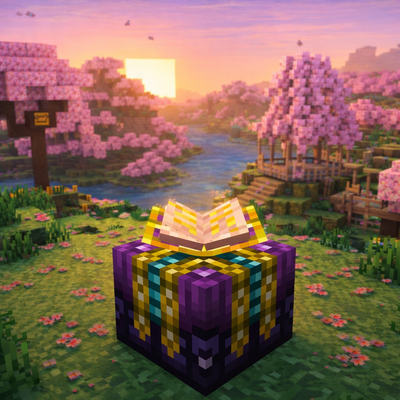
Enchanting Plus (Classic)
Java mod listed for Minecraft 1.16–1.21. Downloads from the MC Java Mods app on Android.
I don't know my version or loader
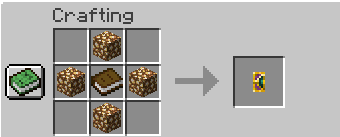
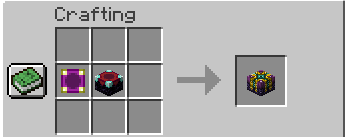
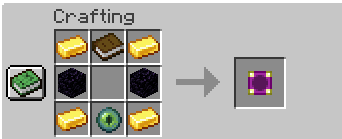
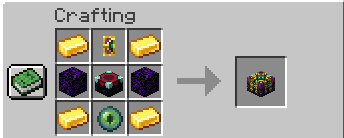
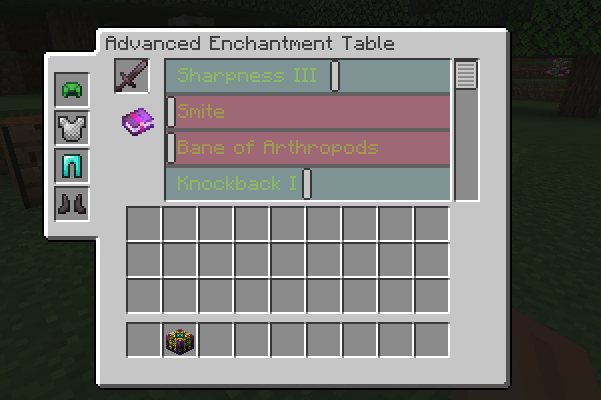
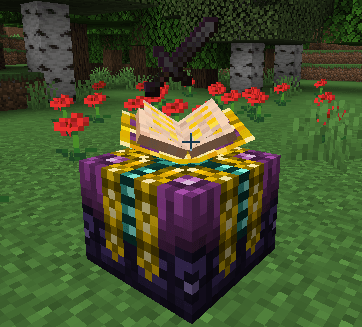
✨ Enchanting Plus (Classic)
Advanced enchanting returns — rebuilt and expanded for modern Minecraft.
Enchantment Plus enhances the vanilla enchanting system with deeper mechanics, greater control, immersive visuals, and brand-new content.
This is a complete and fully functional modern release — updated, refined, and expanded beyond the original.
🔮 Core Features
- 📖 Fully animated 3D enchantment book
- 🪄 Advanced enchantment control system
- 📊 Expanded enchanting mechanics
- ✨ Floating item display above the table
- 🎨 3D Enchanter’s Book item model
- ⚙ Clean, modernized codebase
The enchantment table now feels alive — both visually and mechanically.
🆕 New Additions
This release goes beyond a simple port.
- 🗡 New items that can be enchanted
- ✨ New custom enchantments
- ⚔ Expanded progression paths
- 📈 Additional enchanting possibilities not present in the original version
The system has been extended to give players more control, more depth, and stronger endgame options.
🧙 Improvements Over the Original
- Smooth, fully animated book behavior (open, flip, rotate, bob)
- Updated rendering for modern Minecraft
- Improved stability and performance
- Multiplayer support
- Clean internal refactor
Everything that made Enchantment Plus great — now modernized and expanded.
📦 Compatibility
- Designed for modern Forge environments
- Fully modpack friendly
- Compatible with multiplayer servers
🚀 What’s Next?
If you’re looking for a specific version, feel free to ask.
I’ll do my best to bring support to additional versions when possible.
📜 Credits
All credit for the original concept and design goes to the original Enchantment Plus creator(s).
This project continues and expands the mod for newer Minecraft versions.
📦 Modpack Use
This mod is free to use in modpacks.
You are welcome to include it in public or private modpacks without permission.
- Edition: Minecraft Java
- File type: .jar
- Minecraft versions listed: 1.20.1, 1.21.1, 1.18.2
- How to install: Install the matching mod loader (Forge, Fabric or NeoForge) for your Minecraft version. → Download the .jar. → Put it in the .minecraft/mods folder and launch that loader profile.
- Where to get it: Opens on CurseForge — not every file is mirrored on our own servers.
Install steps are the general flow for this file type — How to install Minecraft Java mods & modpacks walks through it step by step.
- Ships as eplus-1.21-1.2.0.jar — drop this file into the mods folder
- Download size: 151 KB
- Download link checked 3 Oct 2026 — working
These come from our own check of the pack file, not from the source page.