
Custom Better Beacons
Java mod listed for Minecraft 1.20–1.21. Downloads from the MC Java Mods app on Android.
Fully configurable beacon pyramids, add new pyramid types and adjust strength. Place carpets on beacons to hide beam. Server plugin, no client install…
I don't know my version or loader
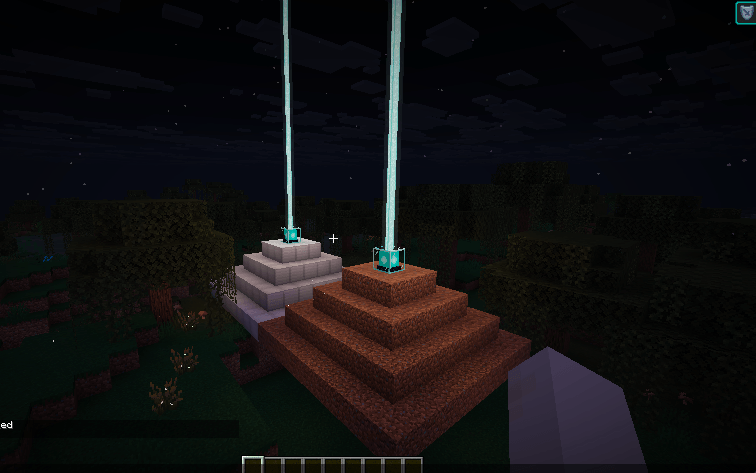
Better Beacons
A powerful, flexible overhaul for Minecraft beacons.
Better Beacons makes beacons more useful by giving them massive, chunk based ranges and letting you use almost any block as a base. Effects stick with you even if the beacon unloads, making it the perfect tool for large bases and survival projects.
Features
- Configurable Ranges: Define custom chunk-based radius for any block type.
- Absurd Range Support: Beacons can affect players across massive distances, persisting even when the beacon's chunk is unloaded.
- Carpet Hiding: Place a wool carpet directly on top of a beacon to hide its beam while maintaining its effects.
- Server-Sided: Works with vanilla clients; no mod installation required for players.
- Dynamic Updates: Changes to the configuration are applied immediately, including visual synchronization update messages.
Player Guide
How Ranges Work
Instead of blocks, this mod counts Chunks (16x16 areas).
- Iron/Gold: Covers a 3x3 chunk area.
- Emerald: Covers a 5x5 chunk area.
- Diamond: Covers a 7x7 chunk area.
- Netherite: Covers a massive 9x9 chunk area.
Building Your Beacon
You build the pyramid just like in vanilla Minecraft. Thanks to our dynamic tag engine, any block you configure as a beacon base will automatically show a beam and work perfectly for all players, even those on vanilla clients.
Admin Commands
Level 2 OP permission required.
Manage your beacon settings directly in-game:
/betterbeacons set <block> [radius]- Add or change a block's range (example:/betterbeacons set minecraft:dirt 3)./betterbeacons remove <block>- Stop a specific block from working as a custom beacon base./betterbeacons list- See every block that currently has a custom range./betterbeacons reload- Refresh settings if you manually edited the config file.
Advanced Customization
Server owners can find the configuration file at config/betterbeacons.json. You can add any block ID here and set its chunk diameter. Size 3 means a radius of 1 chunk around the center.
{
  "enable_custom_beacons": true,
  "beacon_blocks": {
    "minecraft:iron_block": 3,
    "minecraft:diamond_block": 7,
    "minecraft:netherite_block": 9
  }
}
License
Copyright (c) 2026 Monte_Carlo_Simulations. Licensed under the Apache License, Version 2.0.
- Edition: Minecraft Java
- File type: .jar
- Minecraft versions listed: 1.21.1, 1.20.1, 1.21.11
- How to install: Install the matching mod loader (Forge, Fabric or NeoForge) for your Minecraft version. → Download the .jar. → Put it in the .minecraft/mods folder and launch that loader profile.
- Where to get it: Opens on CurseForge — not every file is mirrored on our own servers.
Install steps are the general flow for this file type — How to install Minecraft Java mods & modpacks walks through it step by step.
- Ships as betterbeacons-forge-1.20.1-1.1.3.jar — drop this file into the mods folder
- Download size: 420 KB
- Download link checked 3 Oct 2026 — working
These come from our own check of the pack file, not from the source page.