HUDTooltips
Java mod listed for Minecraft 1.20–1.21. Downloads from the MC Java Mods app on Android.
I don't know my version or loader
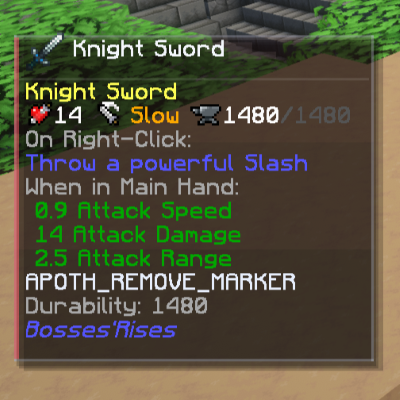
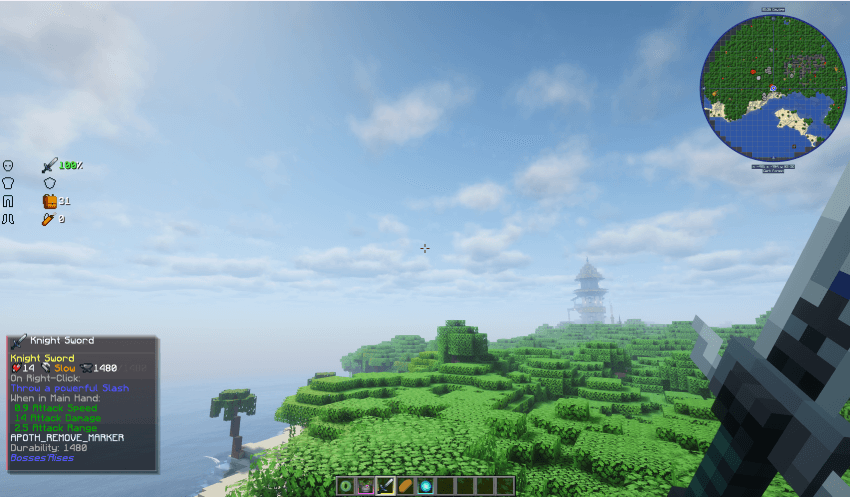
HUDTooltips is a refined, animated HUD panel that displays the full tooltip of your held item directly on screen.
HUDTooltips brings both vanilla and modded tooltips into view without having to open your inventory, whilst maintaining a clean, minimal, and premium aesthetic.
Overview
HUDTooltips adds a bottom-left tooltip panel that shows the complete tooltip of the item you are currently holding and disappears after 1 second (can be changed in config). Works with Texture Packs!
The panel is:
- Smoothly animated
- Category-based (different themes for different item types)
- Fully configurable and customizable
- Lightweight and modpack-friendly
The goal is simple: make tooltips accessible at all times, but in a way that feels native and polished.
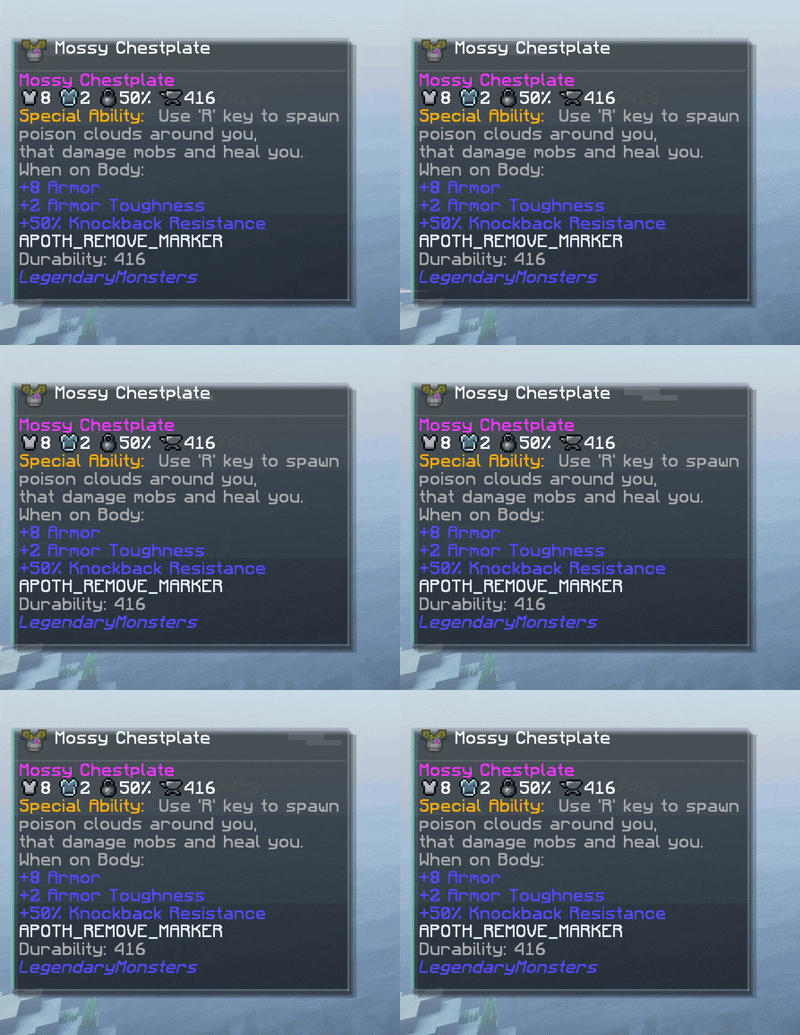
Armor default color is Light Blue:
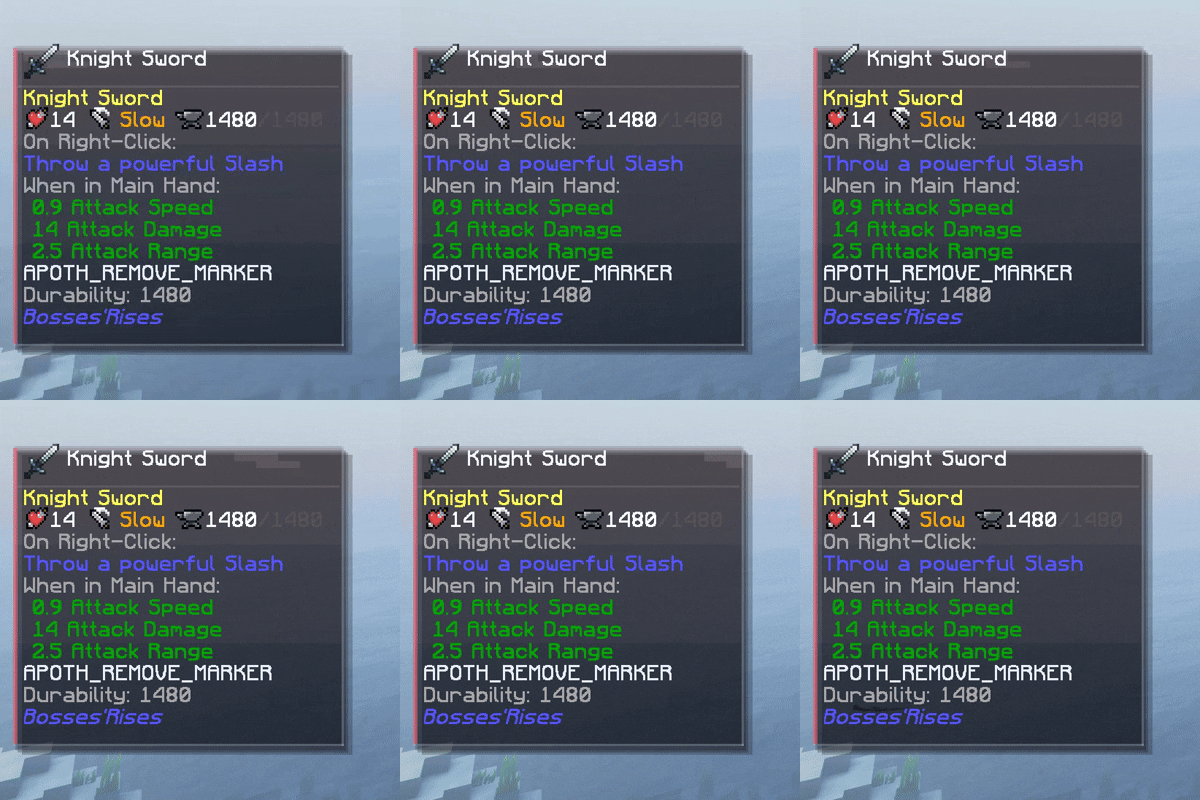
Tools default color is Red:
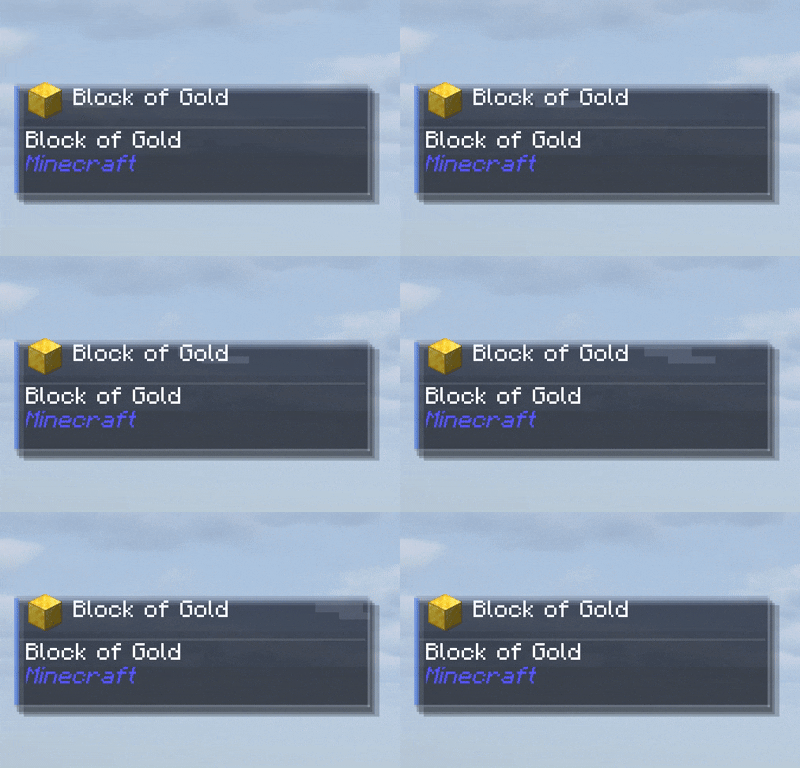
Blocks default color is Blue:
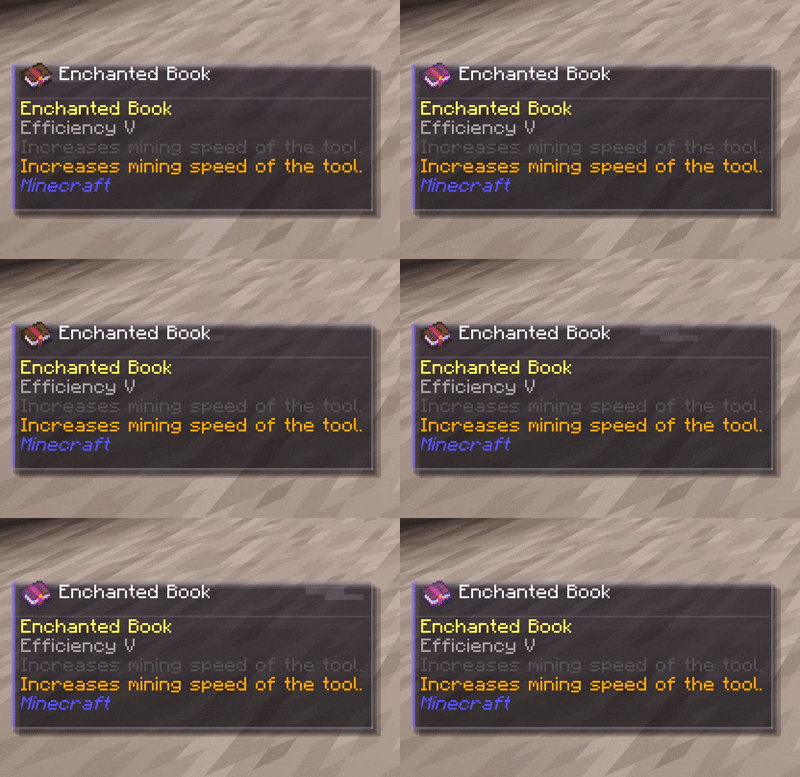
Enchanted Books default color is Purple:
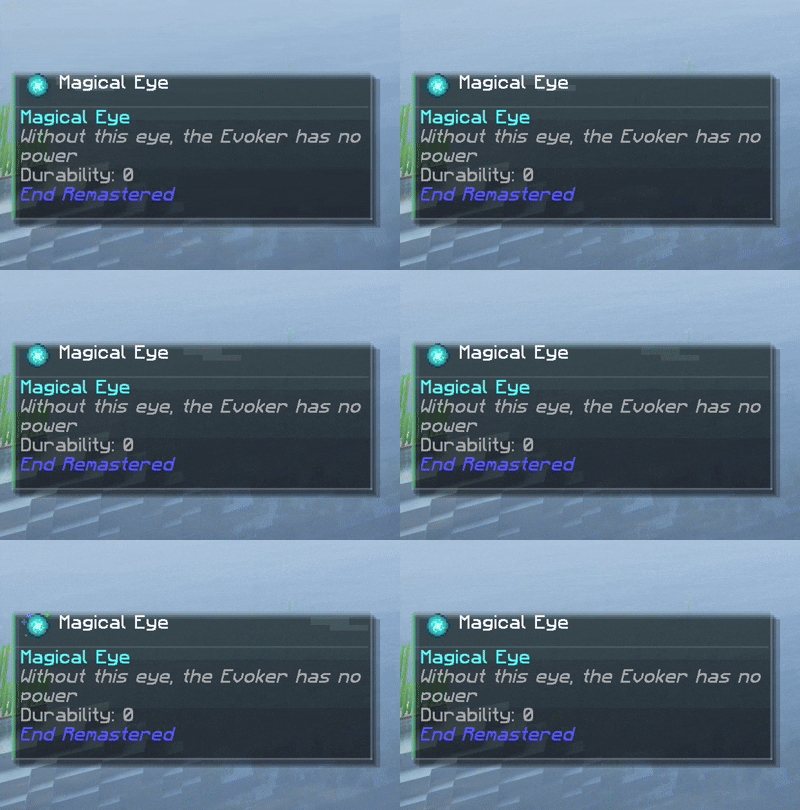
Items default color is Green:
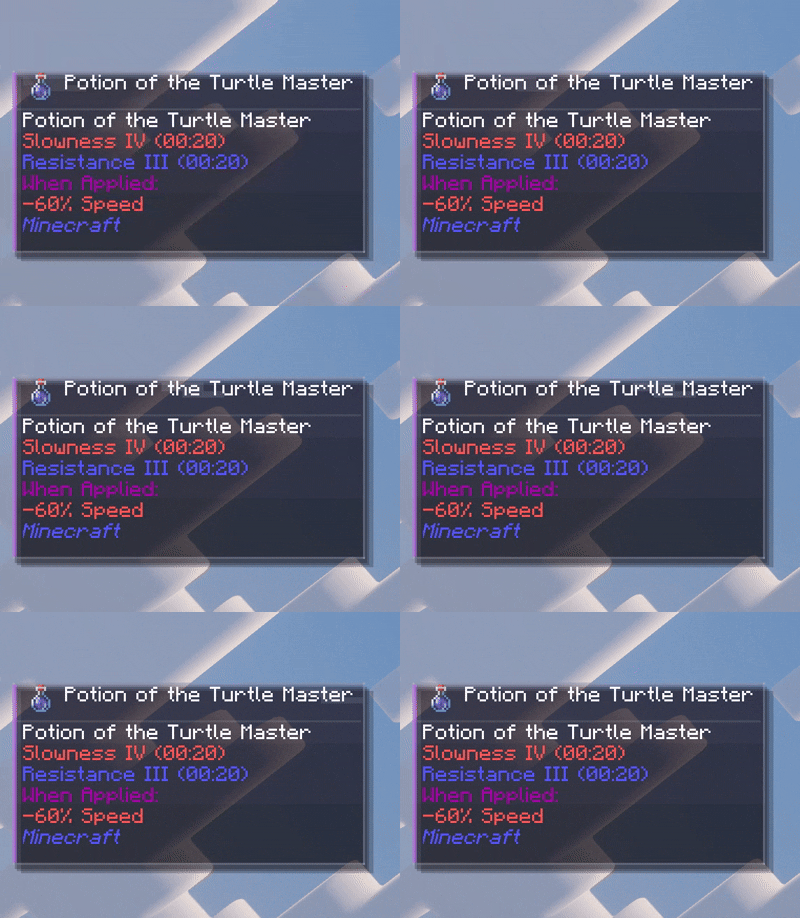
Potions default color is Magenta:
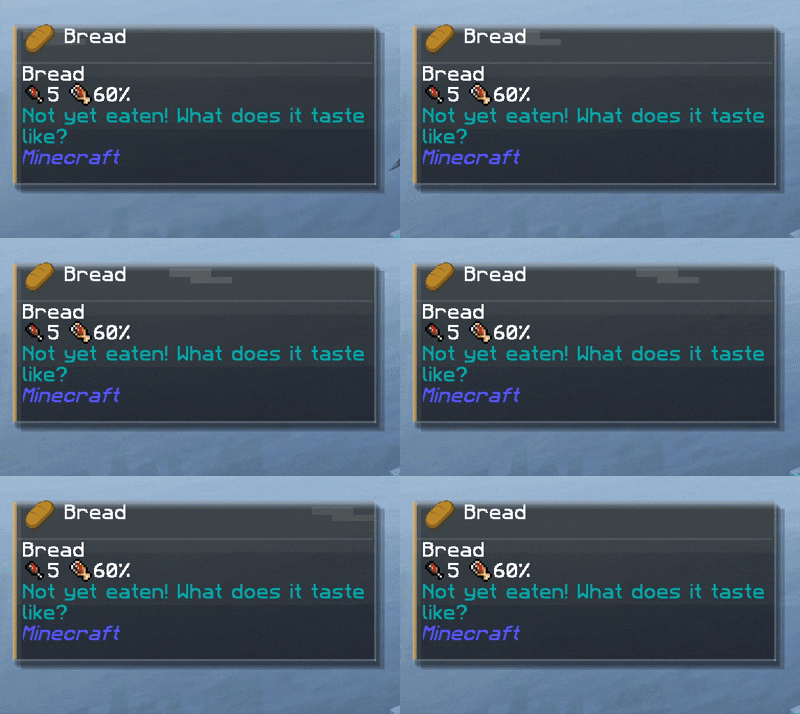
Food default color is Yellow:
What It Does
When enabled (Default "H" key to enable), HUDTooltips renders a glass-style tooltip panel that includes:
- The item name
- All standard tooltip lines
- Advanced tooltip data (if F3 + H is enabled)
- Modded tooltip lines
The panel automatically adapts its theme based on the item category.
It grows upward from the bottom-left corner and avoids overlapping important UI elements.
Category-Based Theming
HUDTooltips automatically detects item type and adjusts the visual styling accordingly.
Current supported categories:
- Blocks
- Tools and weapons
- Food
- Generic items
- Potions (regular, splash, lingering)
- Enchanted books
- Armor
Each category has:
- A unique accent color
- A custom background gradient
- Subtle glow and highlight effects
All values and colors are configurable in the client config file.
Modded items are supported automatically using vanilla item classes and common tags.
Customization and Perfomance
All settings are available in:
config/hudtooltips-client.toml
List of Configurations available:
General
| Option | Default | Description |
|---|---|---|
|
|
true |
Master toggle for the overlay. Can be toggled in-game and persists. |
|
autoDismissTicks |
20 |
How many ticks the held tooltip stays visible before auto-hiding.
Set to 0 to never auto-hide (always show while held).
|
Placement
| Option | Default | Description |
|---|---|---|
anchor |
BOTTOM_LEFT |
Corner of the screen the overlay attaches to. Options: BOTTOM_LEFT, BOTTOM_RIGHT, TOP_LEFT, TOP_RIGHT |
offsetX |
6 |
Horizontal offset from the anchor (pixels). |
offsetY |
0 |
Vertical offset from the anchor (pixels). |
margin |
6 |
Minimum distance from screen edges (pixels). |
reservedBottom |
26 |
Space reserved for the hotbar (bottom anchors only). |
Sizing
| Option | Default | Description |
|---|---|---|
scale |
1.0 |
True overlay scale. Scales panel, icon, and text uniformly. |
maxWidth |
190 |
Maximum unscaled overlay width before wrapping tooltip text. |
Header Layout
| Option | Default | Description |
|---|---|---|
titleLayout |
RIGHT_OF_ICON |
Title layout: RIGHT_OF_ICON, ABOVE_ICON, TITLE_ONLY |
showIcon |
true |
Whether to display the held item icon. |
iconSide |
LEFT |
Icon position when RIGHT_OF_ICON layout is used (LEFT or RIGHT). |
iconSize |
16 |
Icon size in pixels. |
padding |
5 |
Inner padding around panel content. |
headerTopPadding |
3 |
Extra space at top of header area (prevents overlap feel). |
iconTitleGap |
5 |
Gap between icon and title (prevents overlap). |
titleYOffset |
0 |
Fine-tune title vertical position. |
iconYOffset |
0 |
Fine-tune icon vertical position. |
Content Limits
| Option | Default | Description |
|---|---|---|
maxTitleLines |
2 |
Maximum title lines (0 = unlimited). |
maxBodyLines |
0 |
Maximum wrapped body lines (0 = unlimited). |
maxTotalLines |
0 |
Maximum total lines (title + body) (0 = unlimited). |
showEllipsisLine |
true |
Adds ... line when content is truncated. |
Render Layers
| Option | Default | Description |
|---|---|---|
shadow |
true |
Enables soft drop shadow layers. |
sheen |
true |
Enables animated highlight sheen effect. |
gradientBackground |
true |
Uses themed gradient background instead of solid fill. |
Opacity (0–255)
| Option | Default | Description |
|---|---|---|
panel |
86 |
Panel background opacity. |
shadow |
56 |
Shadow opacity. |
border |
70 |
Border opacity. |
accent |
130 |
Accent strip opacity. |
sheen |
22 |
Sheen highlight opacity. |
Performance
Designed specifically for large modpacks.
| Option | Default | Description |
|---|---|---|
refreshUntaggedMs |
600 |
Refresh interval (ms) for items without NBT tags. |
refreshTaggedMs |
2000 |
Refresh interval (ms) for tagged items (most modded items). |
buildVisibleThreshold |
0.12 |
Tooltip only rebuilds when overlay is at least this visible (0–1). |
🔹 Increasing refreshTaggedMs improves FPS in heavy modpacks.
🔹 Lowering it makes tooltips update more responsively.
Accent Colors (RGB)
Each category has its own accent color.
| Category | Default |
|---|---|
| Blocks | 0x4E86FF |
| Tools | 0xFF5A6B |
| Foods | 0xFFC44D |
| Items | 0x53D18C |
| Potions | 0xD26BFF |
| Enchanted Books | 0x8B6CFF |
| Armor | 0x6BD6C8 |
Background Gradient Colors (Per Category)
Each category has a themed top + bottom gradient color.
Example (Blocks):
blocksTop = 0x121E36blocksBottom = 0x070B14
Each category has:
TopBottom
For:
- Blocks
- Tools
- Foods
- Items
- Potions
- Enchanted Books
- Armor
Example Presets
Minimal Performance Mode
sheen = false
gradientBackground = false
refreshTaggedMs = 4000
Clean Vanilla-Like Mode
iconSide = LEFT
scale = 1.0
padding = 4
headerTopPadding = 2
iconTitleGap = 4
Stream / Large UI Mode
maxWidth = 260
The overlay is designed to be fully customizable for modpacks, including layout, scaling, performance behavior, and full color theming.
FAQ
Does this require server installation?
No. It is entirely client-side.
Does this give gameplay advantages?
No. It only displays tooltip information that already exists in vanilla.
Does it work with modded items?
Yes. It uses vanilla detection and common tags, so most modded items are categorized automatically.
Can I change the colors?
Yes. Every category color and gradient is configurable in the client config file.
Will this affect performance?
No measurable impact. Rendering is minimal and event-driven.
Should I share this mod with others?
Of course you should! I might even give you a cookie for it who knows..
Design Philosophy
HUDTooltips is designed to feel like a built-in feature, I built this mod because I honestly grew tired of having to open my inventory every single time I picked up an item to see what it was.
Patreon
Feeling generous? All the work I do is entirely for the community, so as a college student everybody's support would mean the world to me!

- Edition: Minecraft Java
- File type: .jar
- Minecraft versions listed: 1.21.1, 1.20.1
- How to install: Install the matching mod loader (Forge, Fabric or NeoForge) for your Minecraft version. → Download the .jar. → Put it in the .minecraft/mods folder and launch that loader profile.
- Where to get it: Opens on CurseForge — not every file is mirrored on our own servers.
Install steps are the general flow for this file type — How to install Minecraft Java mods & modpacks walks through it step by step.
- Ships as hudtooltips-1.0.4.jar — drop this file into the mods folder
- Download size: 35 KB
- Download link checked 3 Oct 2026 — working
These come from our own check of the pack file, not from the source page.