
Catalogue Vintage
Minecraft Java mod. Downloads from the MC Java Mods app on Android.
⬇ Download on CurseForge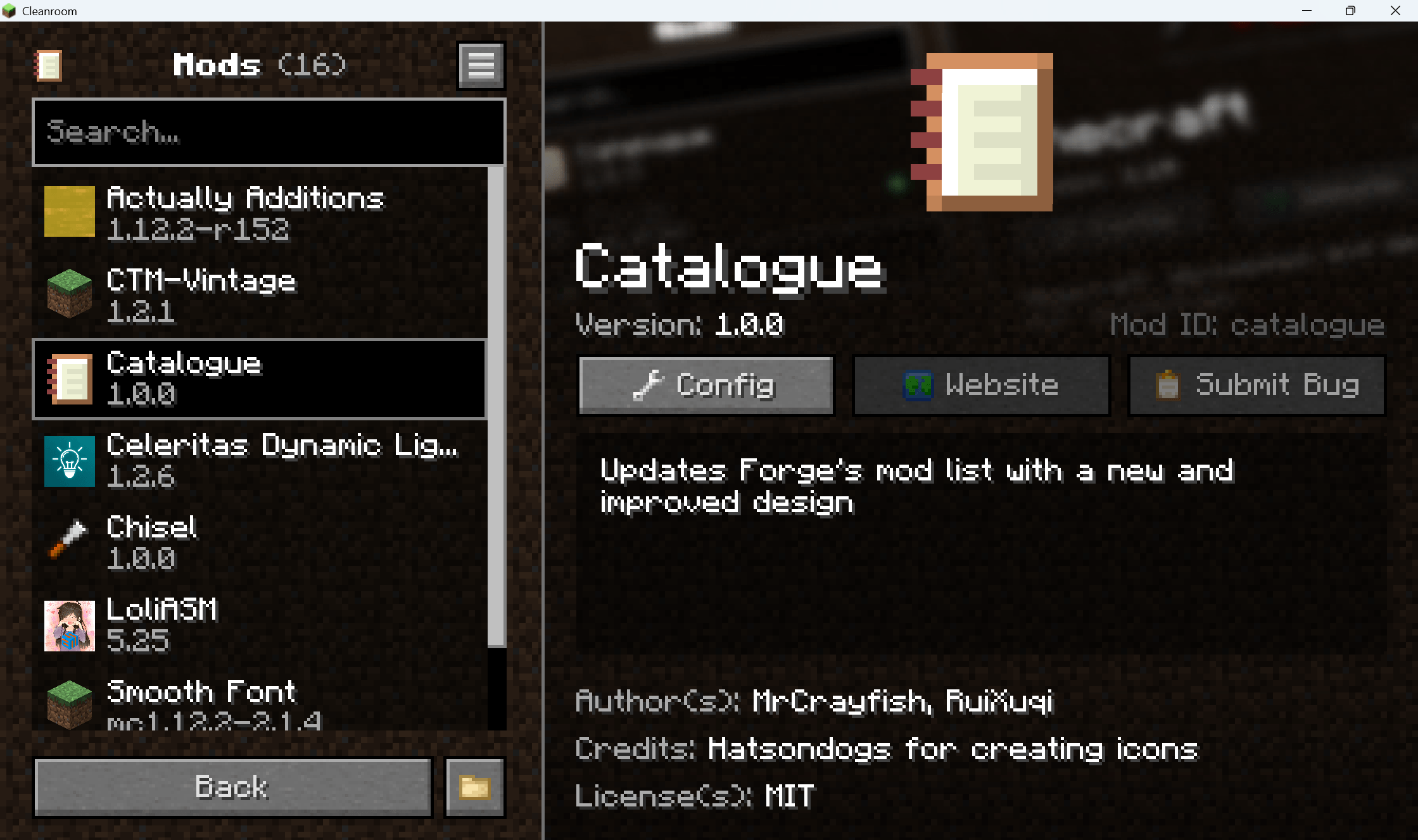
Catalogue Vintage
Backport of MrCrayfish's wonderful mod Catalogue, aka MrCrayfish's Mod List to mc 1.12.2 & 1.7.10.
Notes
Catalogue Vintage mod does not have the ability to read custom props in mcmod.info since legacy Forge doesn't provide any APIs.
1.12.2 provides both Forge and Cleanroom branches. Make sure you have chosen the right platform. Since CurseForge do not have a "Cleanroom" or "Others" loader choice, Cleanroom versions are marked "NeoForge".
The repo is just a test field of Cleanroom#422 and the cleanroom version will stop updating if the PR is merged.
For developers, you can try to add new props in mcmod.info. Catalogue in the PR above has the ability to read them and apply. The new props follow.
- iconFile: a string, should point to a square PNG file.
- iconItem: a string, should be in the format "minecraft:stone". Metadata is allowed. This will not be applied if iconFile is valid.
- backgroundFile: a string, should point to a PNG file, which will be rendered as the mod’s background with aspect-preserving cover cropping to fill the details panel, then faded out toward the bottom.
- license: a string, will be displayed at the bottom of the mod info page.
- issueTrackerUrl: a string, should be a link. The "Submit Bug" button will open it when clicked.
Or if you want to apply them to Catalogue mod, you can use @Mod.CustomProperty in @Mod annotation.
For reference, see Catalogue.java.
Only the new props are available through annotation, and will be overridden by those in mcmod.info in the PR.
It is completely unnecessary to add Catalogue to your build script.
- Edition: Minecraft Java
- File type: .jar
- How to install: Install the matching mod loader (Forge, Fabric or NeoForge) for your Minecraft version. → Download the .jar. → Put it in the .minecraft/mods folder and launch that loader profile.
- Where to get it: Opens on CurseForge — not every file is mirrored on our own servers.
Install steps are the general flow for this file type — How to install Minecraft Java mods & modpacks walks through it step by step.
- Ships as catalogue-1.0.8-1.12.2.jar — drop this file into the mods folder
- Download size: 327 KB
- Download link checked 23 Oct 2026 — working
These come from our own check of the pack file, not from the source page.