
Litematica Inventory Highlight
Java mod listed for Minecraft 1.21. File opened and checked on 14 Oct 2026; downloads from the MC Java Mods app on Android.
Demonstration ENG Litematica Inventory Highlight is a client-side addon for Litematica that, using a hotkey (default M+O), highlights all missing blocks…
I don't know my version or loader
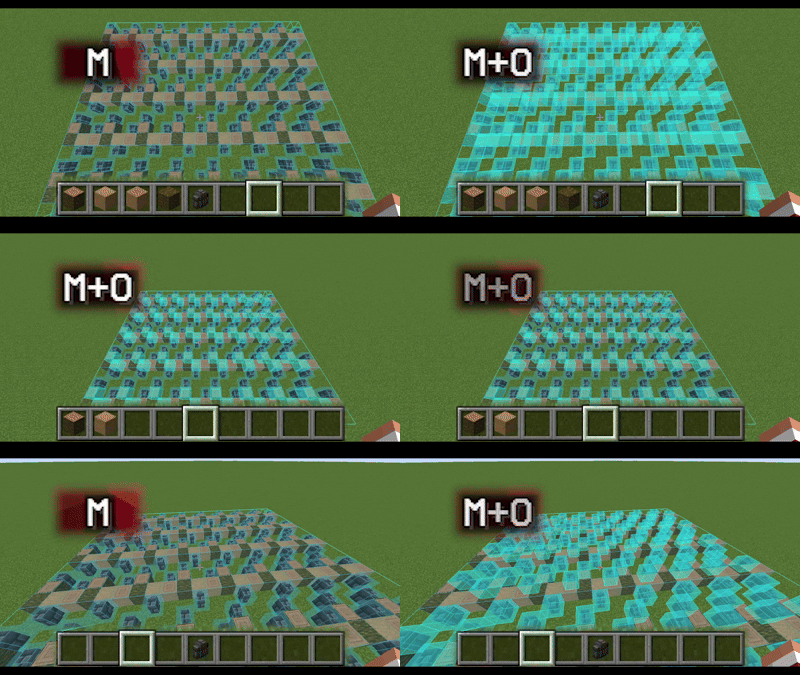
Demonstration
ENG
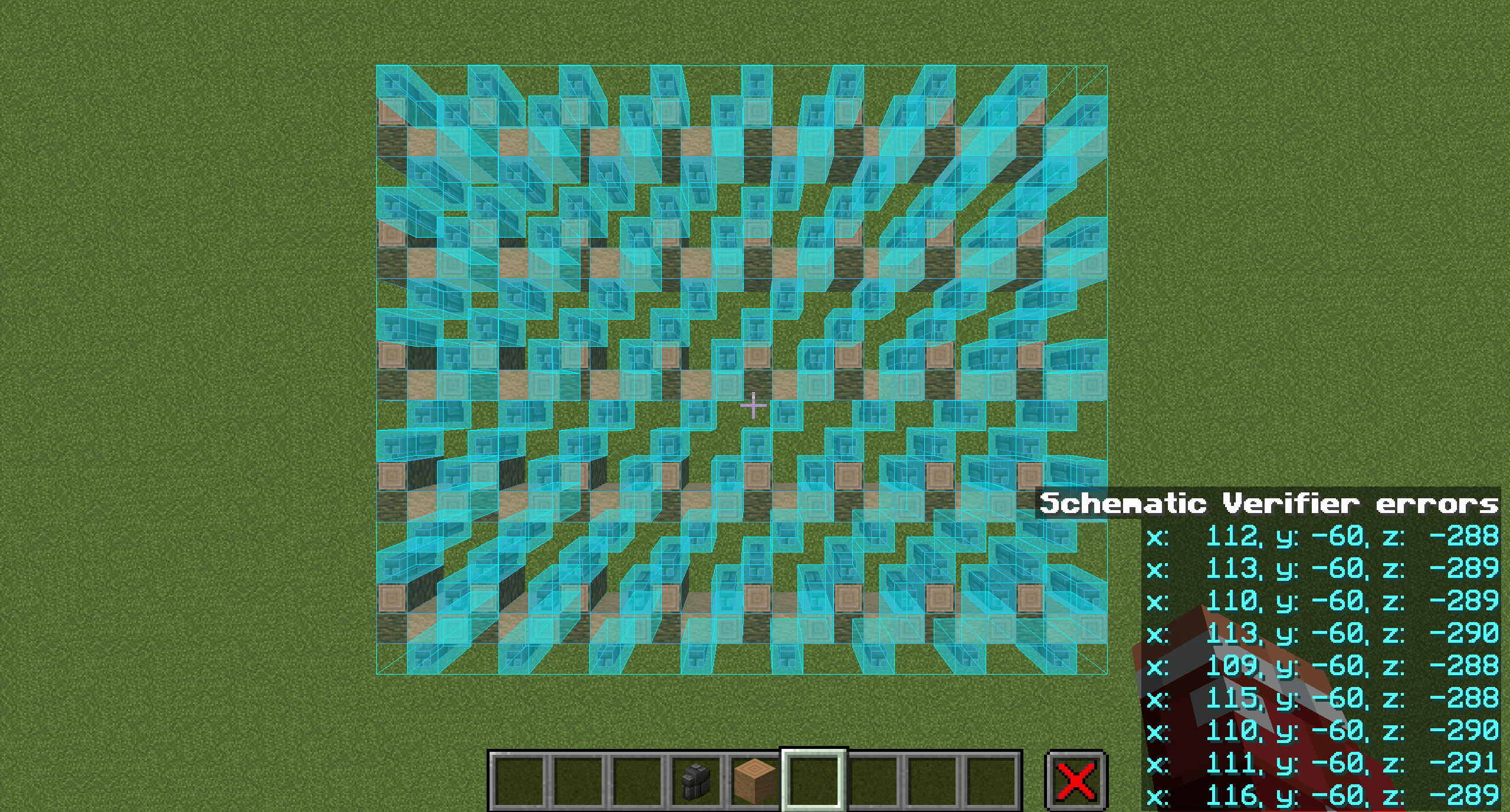
Litematica Inventory Highlight is a client-side addon for Litematica that, using a hotkey (default M+O), highlights all missing blocks based on the blocks available in your inventory (shulker box contents are not taken into account).
The mod highlights blocks in the same way as the built-in Schematic Verification, as if you were manually selecting each block and all of its states.
How to use:
- Start Schematic Verification in Litematica (default M+V) and wait until the check is complete.
- Put the blocks you want to place into your inventory.
- Press M+O (default). All blocks that exist in your inventory will be highlighted, regardless of their quantity.
Dependencies:
- Litematica
- MaLiLib
- Mod Menu (required for configuration)
Configuration
Open via Mod Menu → Litematica Inventory Highlight → Config.
General tab
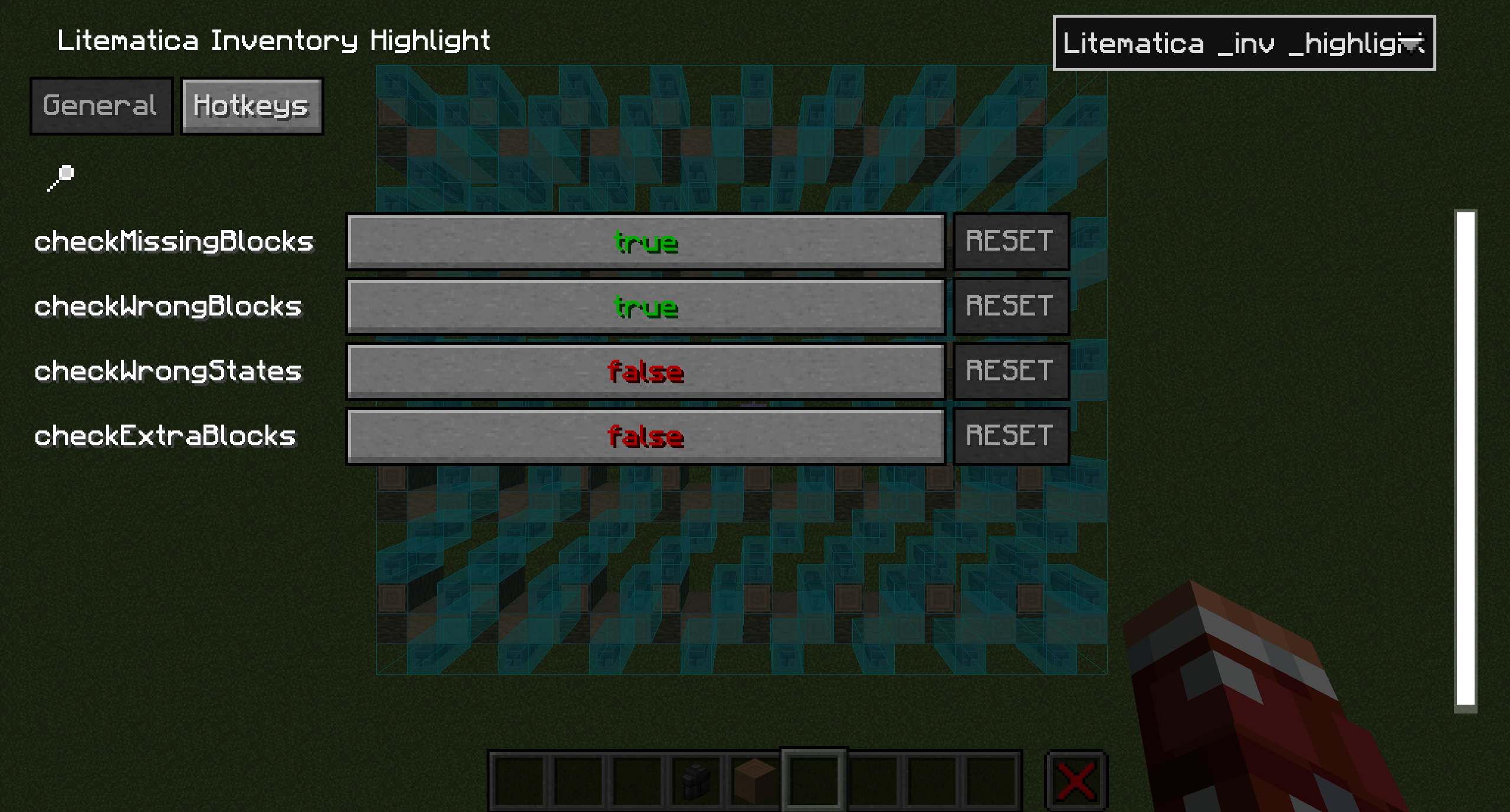
checkMissingBlocks (default: true) Checks and highlights missing blocks
checkWrongBlocks (default: true) Checks and highlights incorrect blocks
checkWrongStates (default: false) Checks and highlights incorrect block states
checkExtraBlocks (default: false) Checks and highlights extra blocks
Hotkeys tab
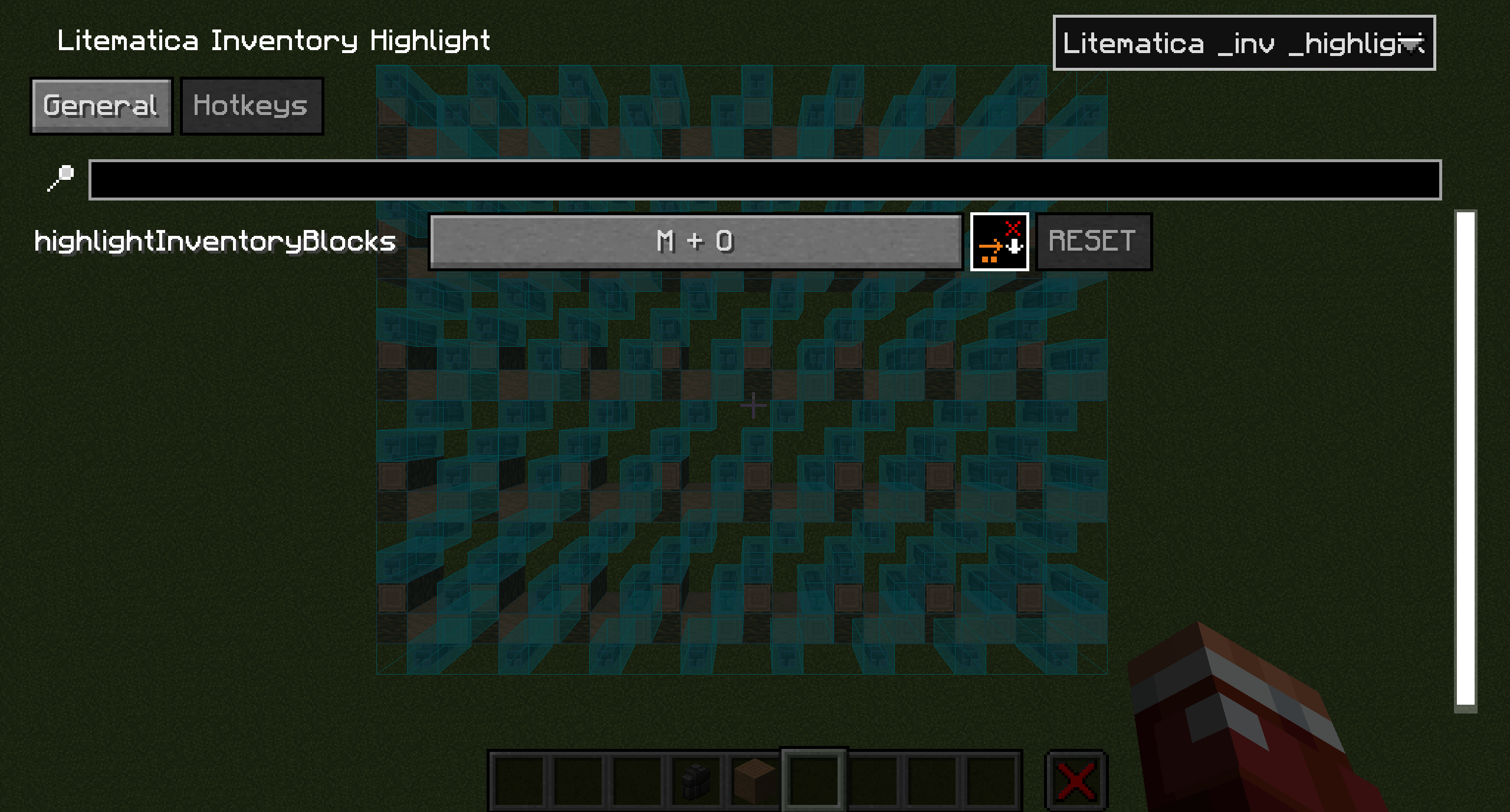
highlightInventoryBlocks (default: M+O) Highlights schematic blocks
RUS
Litematica Inventory Highlight - клиентский аддон для Litematica, который с помощью бинда (по умолчанию M+O) подсвечивает все пропущенные блоки на основе тех, которые есть в вашем инвентаре (без учёта предметов в шалкерах).
Мод подсвечивает блоки так же, как если бы вы делали это вручную через Проверку схемы, с выделением каждого отдельного блока и всех его состояний.
Как пользоваться:
- Запустите Проверку схемы в Litematica (M+V по умолчанию) и дождитесь окончания проверки.
- Положите в инвентарь блоки, которые хотите установить.
- Нажмите M+O (по умолчанию) после этого все блоки, имеющиеся в вашем инвентаре, будут подсвечены независимо от их количества.
Зависимости:
- Litematica
- MaLiLib
- Mod Menu (для настройки конфигурации мода)
Настройки
Открываются через Mod Menu → Litematica Inventory Highlight → Config.
Вкладка General
checkMissingBlocks (по умолчанию: true) Проверка и отображение пропущенных блоков
checkWrongBlocks (по умолчанию: true) Проверка и отображение неправильных блоков
checkWrongStates (по умолчанию: false) Проверка и отображение неверных состояний блоков
checkExtraBlocks (по умолчанию: false) Проверка и отображение лишних блоков
Вкладка Hotkeys
highlightInventoryBlocks (по умолчанию: M+O) Подсветка блоков схемы
- Edition: Minecraft Java
- File type: .jar
- Minecraft versions listed: 1.21.11, 1.21.8
- How to install: Install the matching mod loader (Forge, Fabric or NeoForge) for your Minecraft version. → Download the .jar. → Put it in the .minecraft/mods folder and launch that loader profile.
- Where to get it: Opens on CurseForge — not every file is mirrored on our own servers.
Install steps are the general flow for this file type — How to install Minecraft Java mods & modpacks walks through it step by step.
- Ships as litematica-inv-highlight-26.2-1.0.1.jar — drop this file into the mods folder
- Download size: 177 KB
- Download link checked 3 Oct 2026 — working
These come from our own check of the pack file, not from the source page.