Auto Swap
Java mod listed for Minecraft 1.19–1.21. Downloads from the MC Java Mods app on Android.
Automatic tool, weapon, armor and totem swapping — equips the right item, auto-replaces broken gear, refills depleted stacks, and deploys your elytra on a…
I don't know my version or loader
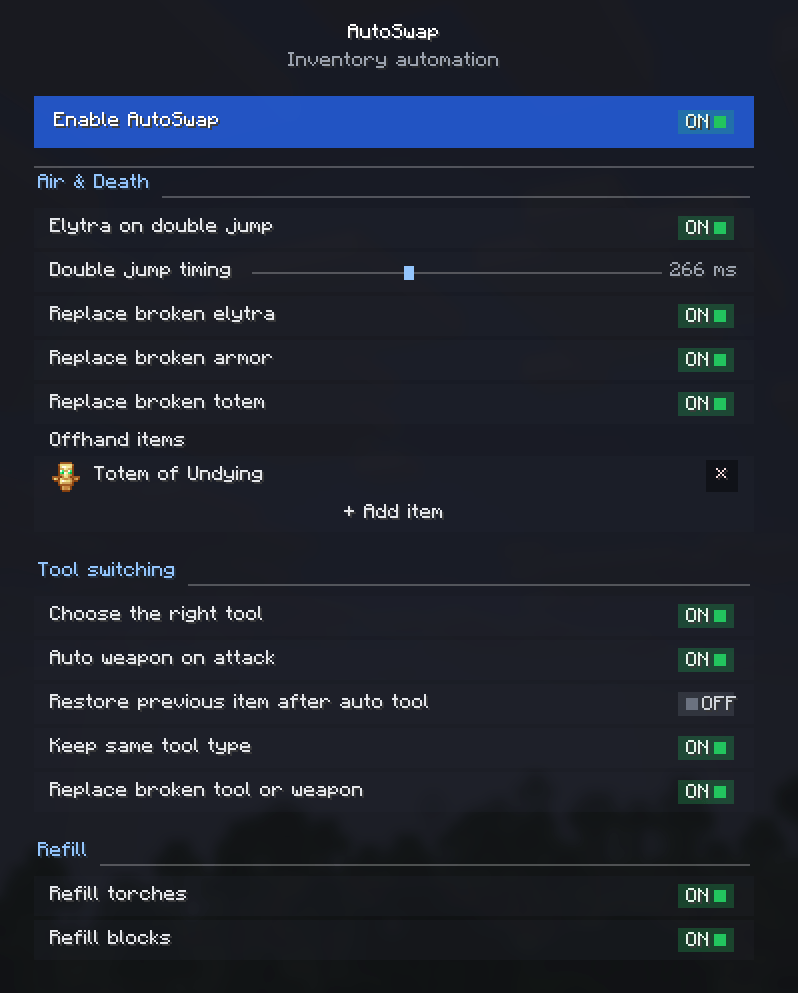


Client-side mod that automates inventory management and equipment swapping during gameplay. Detects durability loss, empty item stacks, and block-breaking actions to equip the correct items from your inventory automatically.
Client-side only (no server installation required). Fully compatible with singleplayer.
Free to use in any modpack — public or private, no permission needed.
What it does
- Smart Tool Selection — switches to the most efficient tool the moment you start mining, and won't replace a tool that's already the right type.
- Auto Weapon on Attack — optionally draws your best sword the instant you start hitting a mob. Disable it and AutoSwap will never swap off your weapon while a mob is in your crosshair.
- Gear Replacement — automatically equips a matching tool, weapon, or armor piece when the currently equipped one breaks.
- Offhand Replenishment — refills your off-hand when the held item runs out. Add a Totem of Undying, shield, or any item via the built-in item picker or by item ID.
- Stack Refills — refills the active hotbar slot with identical blocks or torches when the current stack is depleted.
- Double-Jump Elytra — equips an elytra from your inventory on double jump, and swaps your chestplate back on landing.
- Restore After Auto-Tool — puts the item you were holding back in your hand once you stop mining.
Configuration
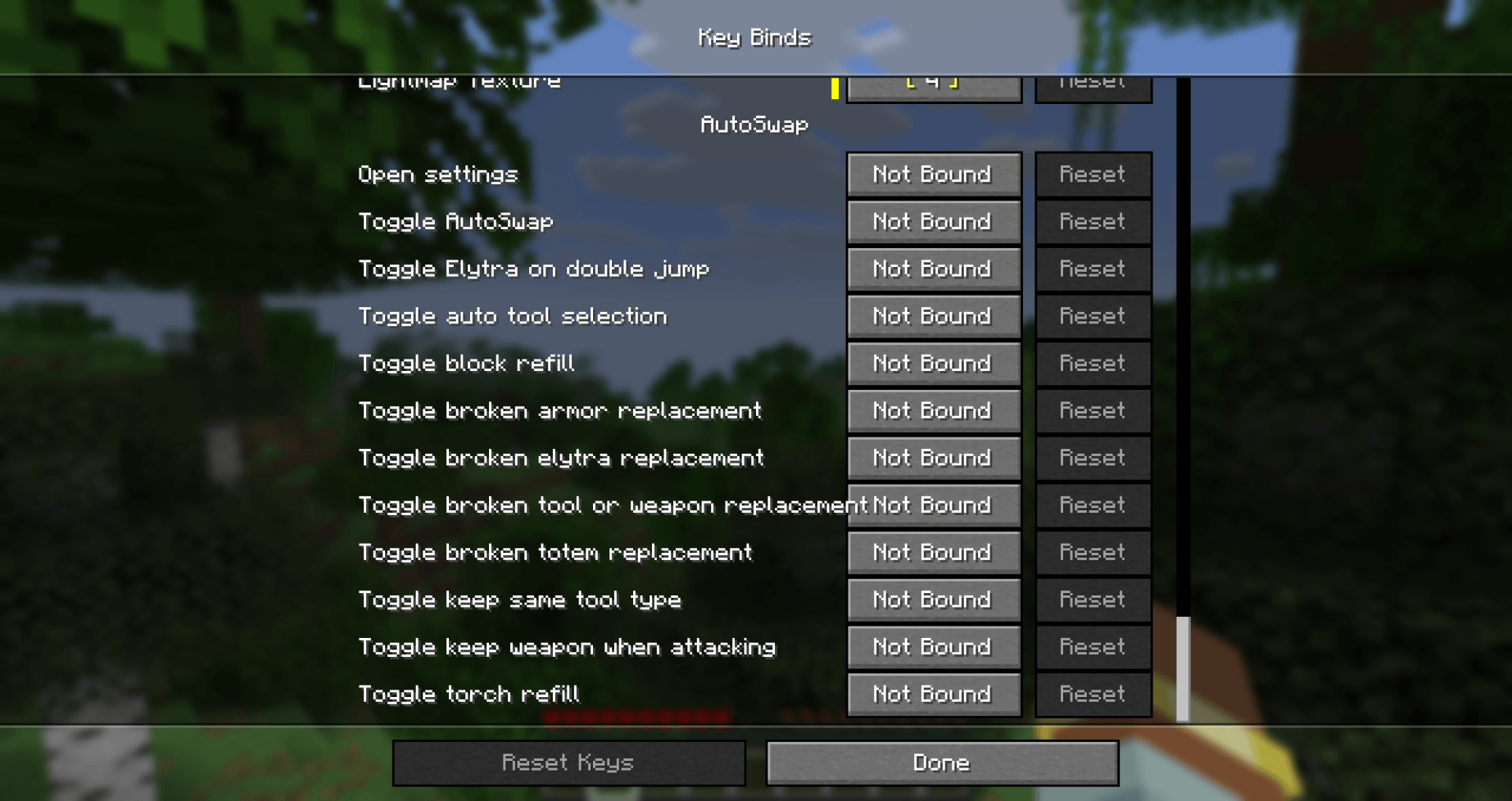
All features are fully modular and can be toggled individually through the in-game settings screen, the config file, or via keybinds under Controls → AutoSwap.
Details
- Client-side only.
- All settings are stored locally in your game config folder.
- Translated into 10 languages — English and Russian are complete; other locales are in progress.
Feedback
Please report any bugs, errors, or feature suggestions on Discord: https://discord.gg/HTkn94BXmA
More mods by Nikrecs: Auto Torch · Swing Through Grass
- Edition: Minecraft Java
- File type: .jar
- Minecraft versions listed: 1.20.1, 1.21.1, 1.21.11
- How to install: Install the matching mod loader (Forge, Fabric or NeoForge) for your Minecraft version. → Download the .jar. → Put it in the .minecraft/mods folder and launch that loader profile.
- Where to get it: Opens on CurseForge — not every file is mirrored on our own servers.
Install steps are the general flow for this file type — How to install Minecraft Java mods & modpacks walks through it step by step.
- Ships as autoswap-neoforge-1.21.1-1.4.2-1.21.1.jar — drop this file into the mods folder
- Download size: 267 KB
- Download link checked 3 Oct 2026 — working
These come from our own check of the pack file, not from the source page.