
Custom Chest Name
Java mod listed for Minecraft 1.20–1.21. Downloads from the MC Java Mods app on Android.
I don't know my version or loader
Custom Chest Name
Still getting frustrated because you can't find things due to too many chests? Custom Chest Name offers you a solution to this problem: by simply naming your chests, you can quickly find sorted items.
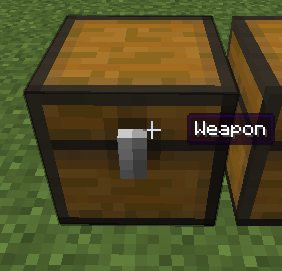
How to rename
You only need to open the chest and click on the chest's name to start renaming. You can also rename it by sneaking and right-clicking the chest with a renamed name tag in hand (and it won't be consumed).
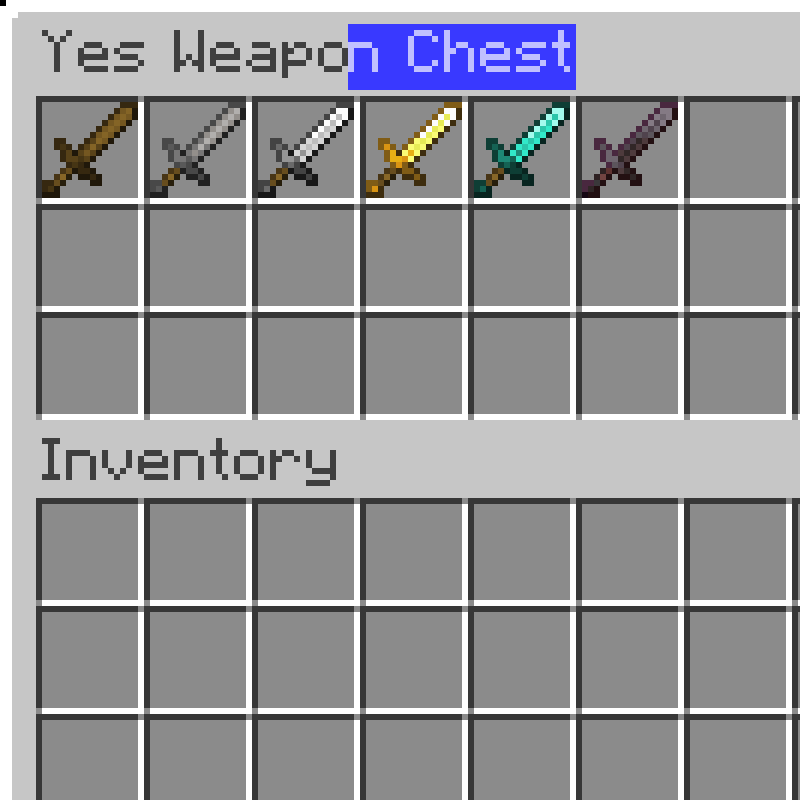
Compat
When the Jade mod is installed and Tooltips are enabled, Custom Chest Name will automatically disable the Tooltip to the right of the crosshair.
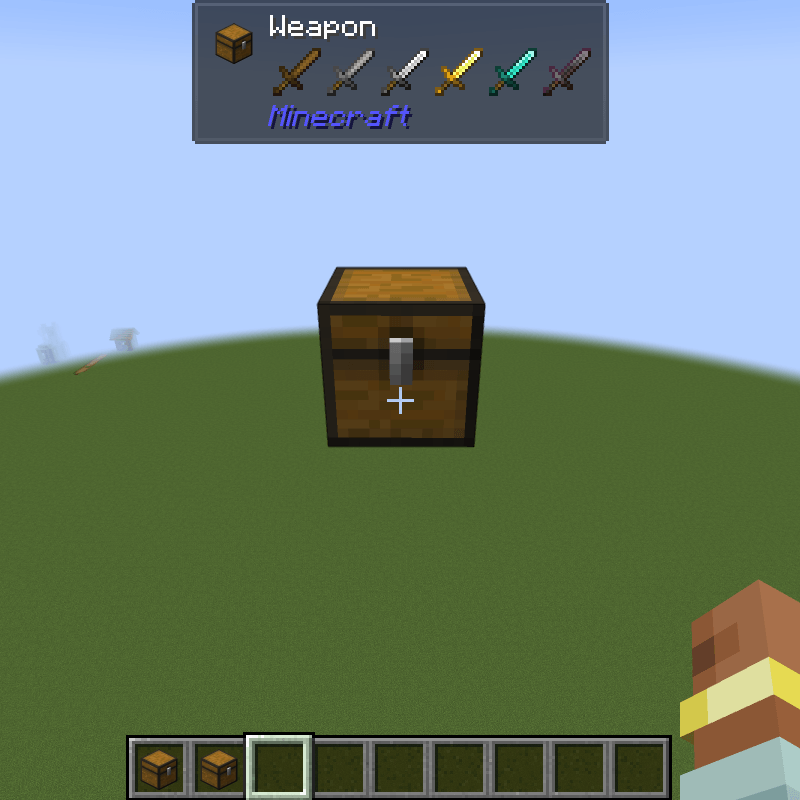
Config
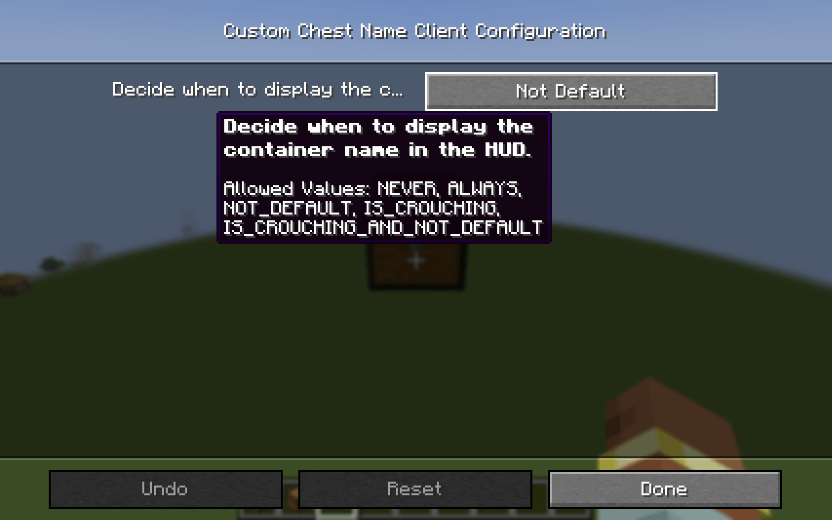
You can change the display mode to one of the following options in the configuration:
- Never
- Always
- Not Default
- Is Crouching
- Is Crouching And Not Default
Neoforge Configuration Screen(The Forge version can only modify the config file)
- Edition: Minecraft Java
- File type: .jar
- Minecraft versions listed: 1.20.1, 1.21.1
- How to install: Install the matching mod loader (Forge, Fabric or NeoForge) for your Minecraft version. → Download the .jar. → Put it in the .minecraft/mods folder and launch that loader profile.
- Where to get it: Opens on CurseForge — not every file is mirrored on our own servers.
Install steps are the general flow for this file type — How to install Minecraft Java mods & modpacks walks through it step by step.
- Ships as CustomChestName-1.0.0.jar — drop this file into the mods folder
- Download size: 27 KB
- Download link checked 24 Oct 2026 — working
These come from our own check of the pack file, not from the source page.