PolyglotTooltip (Multi Language Search)
Java mod listed for Minecraft 1.20–1.21. Downloads from the MC Java Mods app on Android.
I don't know my version or loader
PolyglotTooltip
See more. Search smarter. Play in your language.
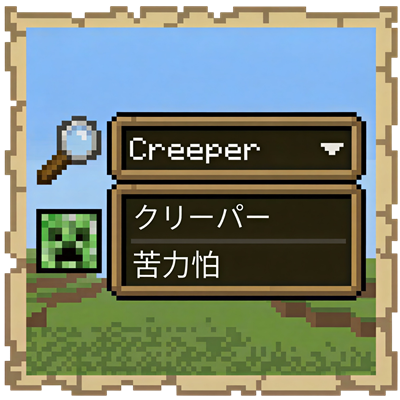
PolyglotTooltip is a client-side mod that shows item names in multiple languages directly in tooltips.

Not just for items, either.
Fluids, chemicals, enchanted books, and even bees can all benefit from multilingual names.
And the best part?
These names are not only displayed in tooltips, they can also be searched directly in supported mod UI.
No more guessing.
No more switching input methods back and forth.
Just search with the language you know best.
Features
- Show multilingual names directly in tooltips
- Search those names in supported modded UI
- Supports items, fluids, chemicals, and more
- Enchantment names on enchanted books are also displayed in multiple languages
- Chinese search can match both Simplified and Traditional Chinese at the same time (disabled by default)
Mod Integrations
Jade
- Show multilingual names for blocks and fluids in the overlay

JEI / EMI
- Search content using multilingual names

AE2
- Search items, fluids, and chemicals in the Terminal using multiple languages
- Search unnamed Pattern Provider and Pattern outputs in the Pattern Access Terminal

Extended AE
- Search unnamed Pattern Provider and Pattern inputs/outputs in the Extended Pattern Access Terminal

RS2
- Search items, fluids, and chemicals in the Grid using multiple languages
- Search Pattern inputs/outputs in the Pattern Grid

Occultism
- Search items directly in the Dimensional Storage Actuator using multiple languages

Productive Bees
- Search bee ingredients in JEI using multiple languages

Why Use PolyglotTooltip?
If you play with multiple languages,
if you search a lot in storage systems,
or if you are simply tired of language barriers in modded Minecraft,
PolyglotTooltip makes everything feel more natural.
Small mod.
Big quality-of-life upgrade.
Credits
PolyglotTooltip bundles Opencc4j for Simplified/Traditional Chinese conversion used by cross-search matching.
License
- Edition: Minecraft Java
- File type: .jar
- Minecraft versions listed: 1.21.1, 1.20.1
- How to install: Install the matching mod loader (Forge, Fabric or NeoForge) for your Minecraft version. → Download the .jar. → Put it in the .minecraft/mods folder and launch that loader profile.
- Where to get it: Opens on CurseForge — not every file is mirrored on our own servers.
Install steps are the general flow for this file type — How to install Minecraft Java mods & modpacks walks through it step by step.
- Ships as polyglottooltip-26.1.1-1.2.0.jar — drop this file into the mods folder
- Download size: 2.8 MB
- Download link checked 3 Oct 2026 — working
These come from our own check of the pack file, not from the source page.