Extended Build Limit
Java mod listed for Minecraft 1.18–1.21. Downloads from the MC Java Mods app on Android.
Go beyond the vanilla boundaries. This lightweight utility is available as both a mod and a datapack that significantly increases Minecraft's vertical…
I don't know my version or loader
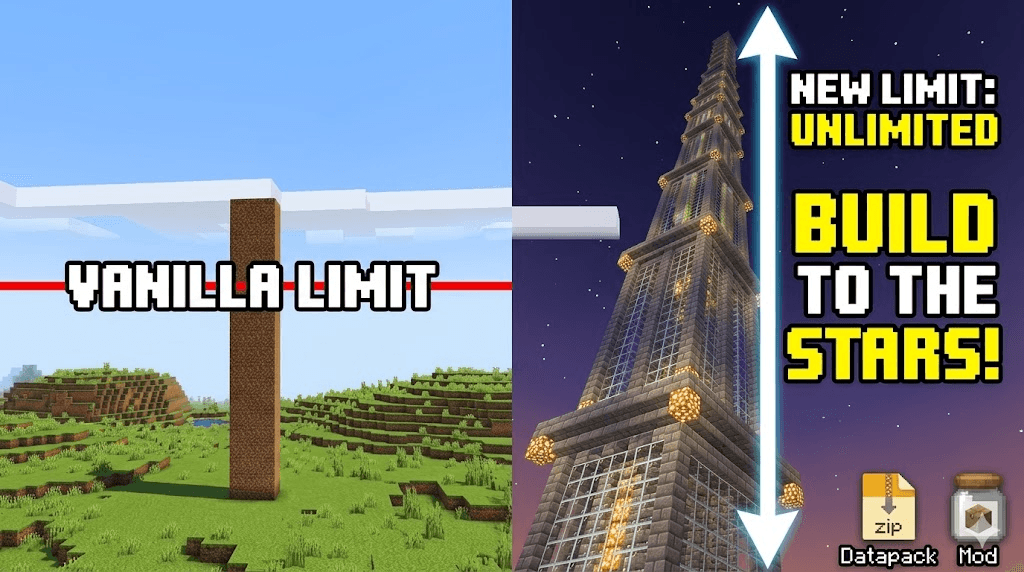
Extended Build Limit is designed for builders, terraformers, and modpack creators who find the standard Minecraft world height too restrictive. Whether you are building a space elevator reaching into the clouds or a sprawling subterranean empire in the deep dark, this project removes the invisible walls holding you back.
🚀 One Project, Two Ways to Play
To ensure maximum compatibility for every type of player, Extended Build Limit is distributed in two formats:
-
As a Mod: Drop the .jar into your mods folder for a seamless, automated setup. Supports Fabric, Quilt, and NeoForge.
-
As a Datapack: Perfect for vanilla servers or players who prefer not to use mod loaders. Simply add the .zip to your world’s datapacks folder.
✨ Key Features
-
Massive Verticality: Extends the building range far beyond the standard $Y = -64$ to $Y = 320$.
-
Seamless Integration: Fully compatible with major world-generation mods like Terralith, Tectonic, and Nullscape.
-
Vanilla Friendly: Does not add new blocks or items, ensuring your world remains "vanilla-plus" and safe for future updates.
-
Server-Side Optimized: Optimized to maintain high TPS (Ticks Per Second) even with the increased chunk data.
📖 Installation Guide
For Mod Users
-
Download the version corresponding to your loader (Fabric/Quilt/NeoForge).
-
Place the file in your .minecraft/mods folder.
-
Launch the game and create a new world (or backup an existing one).
For Datapack Users
-
Download the .zip version of the project.
-
In the Minecraft World Selection screen, click Edit > Open World Folder.
-
Place the zip file into the datapacks folder.
-
Run /reload in-game or restart the world.
⚠️ A Note on Performance: Increasing the build limit increases the amount of data per chunk. While this project is optimized, players on lower-end hardware may need to adjust their render distance for the best experience.
- Edition: Minecraft Java
- File type: .jar
- Minecraft versions listed: 1.21, 1.18.1, 1.19.3
- How to install: Install the matching mod loader (Forge, Fabric or NeoForge) for your Minecraft version. → Download the .jar. → Put it in the .minecraft/mods folder and launch that loader profile.
- Where to get it: Opens on CurseForge — not every file is mirrored on our own servers.
Install steps are the general flow for this file type — How to install Minecraft Java mods & modpacks walks through it step by step.
- Ships as extended-build-limit-1.18-1.21.jar — drop this file into the mods folder
- Download size: 7 KB
- Download link checked 3 Oct 2026 — working
These come from our own check of the pack file, not from the source page.