banana's Lucky Blocks
Java mod listed for Minecraft 1.20. Downloads from the MC Java Mods app on Android.
⬇ Download on CurseForgeThe author built this one for Minecraft 1.20.1 on Forge. On other versions it may install and then do nothing.
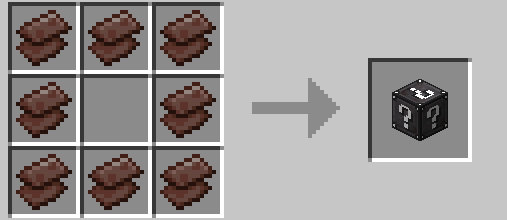
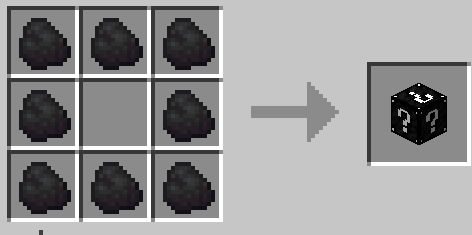
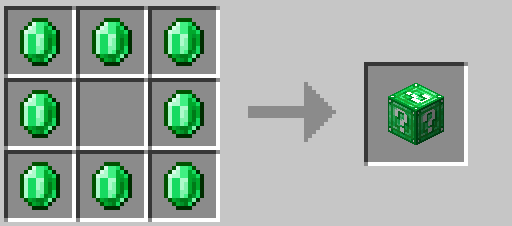
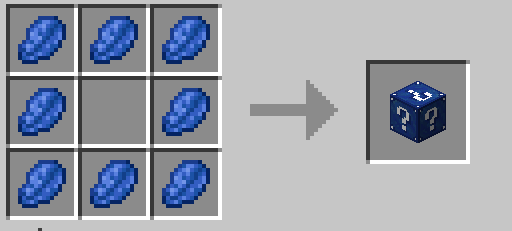
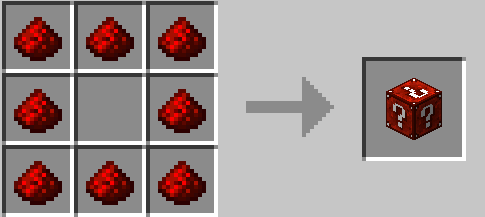
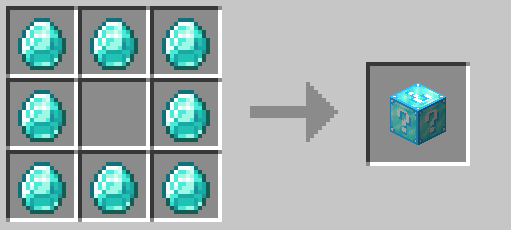
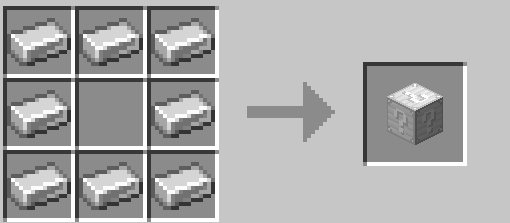
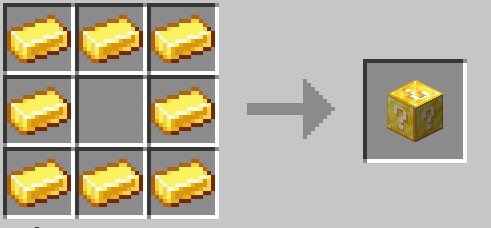
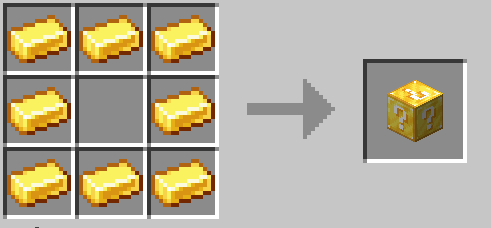
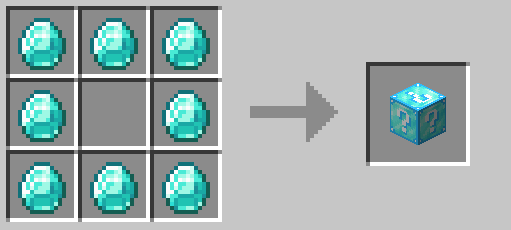
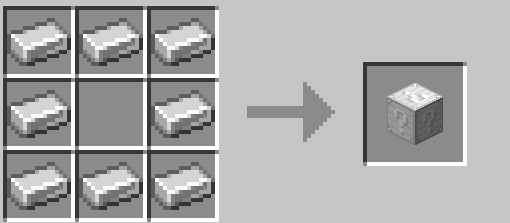
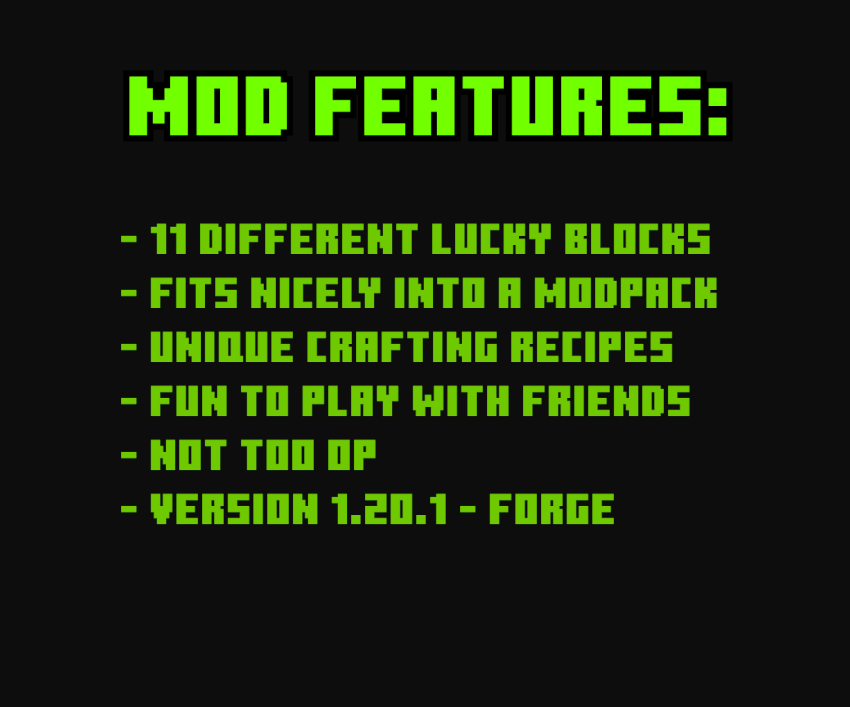
This mod adds Lucky Blocks into the game. These lucky blocks fit nicely into your survival worlds. You can get these lucky blocks by crafting them. These are the crafting recipes:
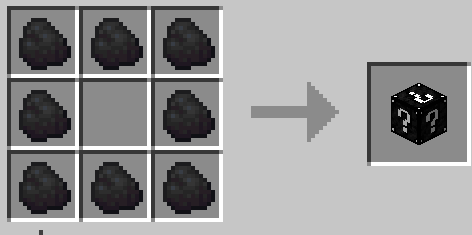
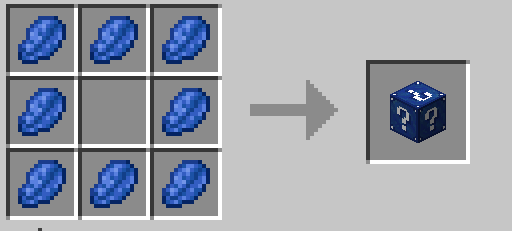
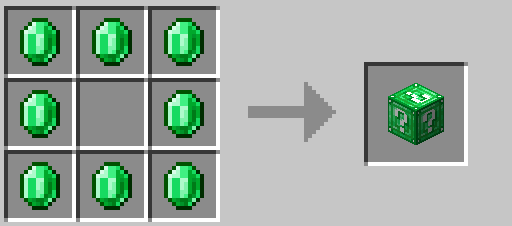
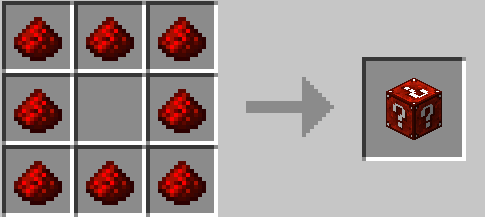
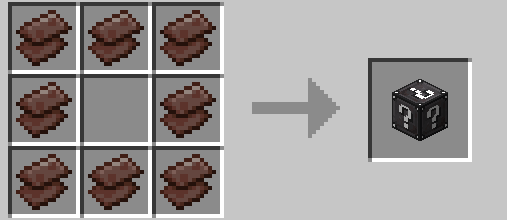
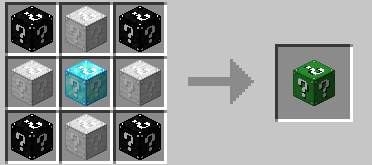
How to install (prism launcher)
- Go to https://prismlauncher.org then download and install the launcher.
- Open the launcher
- Create a new instance (Right click > Create instance)
- Select version 1.20.1
- Select the mod loader Forge
- Click "Ok"
- Click "Edit"
- Click "Mods"
- Click "Download mods"
- Search LuckyBlocks
- Select this mod
- Click "Select mod for download"
- Click "Review and confirm"
- Finaly click "Launch"
- Thats it!
Credits
-
Textures: Captain_Elingo go follow this guy rn, hes goated
-
MCreator for making this mod possible.
-
bananabob for making the mod :) follow this guy too, hes also goated :)
Hope you enjoy the mod, good bye :)


- Edition: Minecraft Java
- File type: .jar
- Minecraft version listed: 1.20.1
- How to install: Install the matching mod loader (Forge, Fabric or NeoForge) for your Minecraft version. → Download the .jar. → Put it in the .minecraft/mods folder and launch that loader profile.
- Where to get it: Opens on CurseForge — not every file is mirrored on our own servers.
Install steps are the general flow for this file type — How to install Minecraft Java mods & modpacks walks through it step by step.
- Ships as luckyblocks-1.1.1-forge-1.20.1.jar — drop this file into the mods folder
- Download size: 762 KB
- Download link checked 13 Nov 2026 — working
These come from our own check of the pack file, not from the source page.