
Create Tiers
Java mod listed for Minecraft 1.20–1.21. Downloads from the MC Java Mods app on Android.
I don't know my version or loader
About
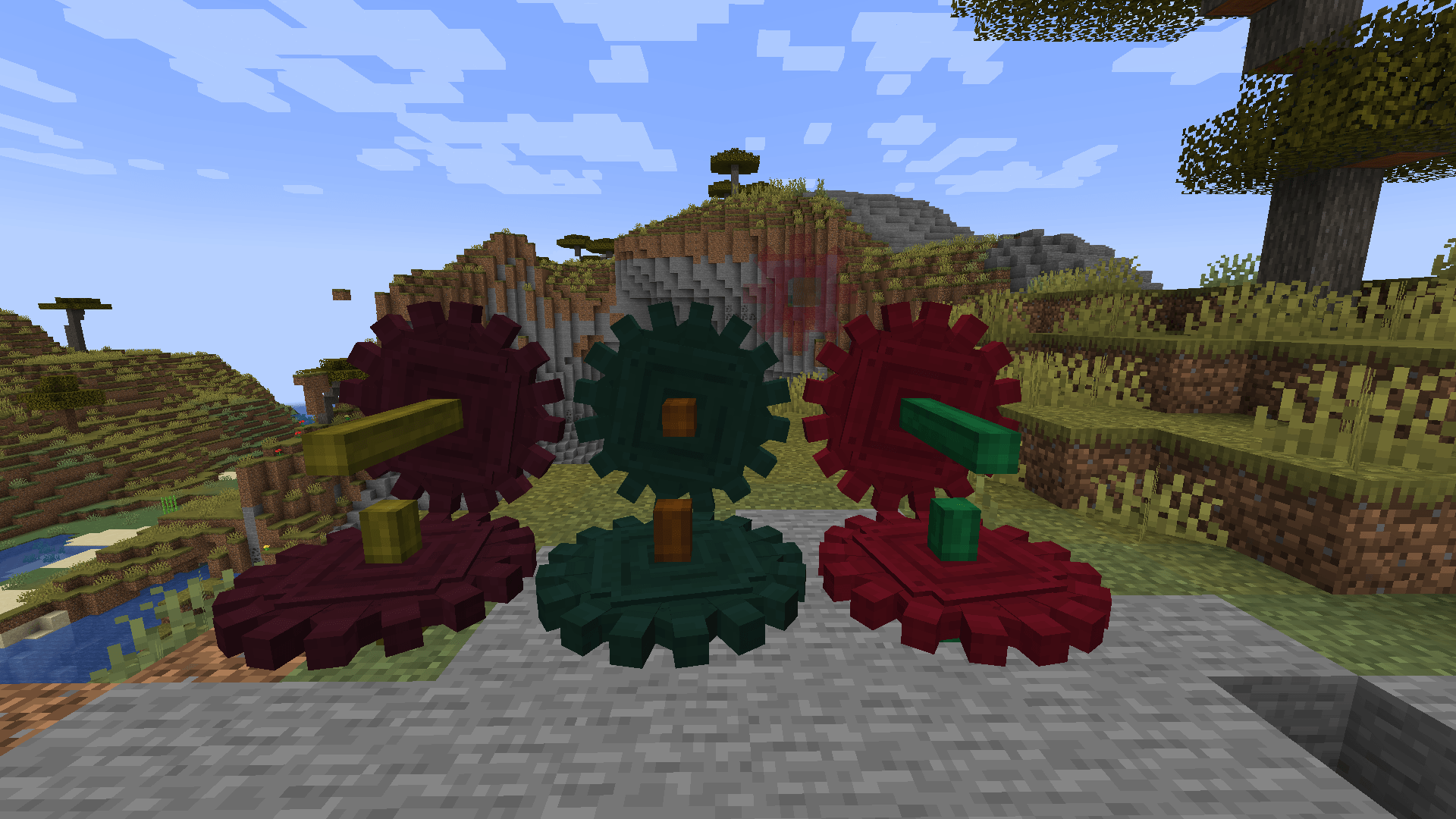
Create Tiers is an extension for the Create mod that introduces a flexible tiering system for kinetic components like shafts and cogwheels. It is designed to be lightweight and highly customizable, allowing modpack authors to define their own progression without any external tech-tree dependencies.
This mod was inspired by the Greate mod, aiming to provide similar tiered functionality in a standalone package.
Key Features
- Dynamic Tier Registration: Define as many tiers as you need! Tiers can be registered via KubeJS or datapacks during the initialization phase.
- Customizable Performance: Each tier can have its own Max RPM and Max Stress Units (SU) limits, allowing for deep progression balancing.
- Individually Colored Components: Customize the color of both shafts and cogwheels independently for each tier, creating a unique visual identity for your modpack's progression.
- Automated Resource Generation: No need to create dozens of models and textures. Blockstates, models, and textures are automatically generated for every registered tier at runtime.
- Minimal Dependencies: Requires only the Create mod, favoring flexibility without complex tech-tree requirements.
Integration
KubeJS Support
Create Tiers features native KubeJS integration, making it easy to register tiers directly from your startup scripts:
// Example: Register 3 custom tiers
CreateTiers.registerTiers([
    { name: 'crude', level: 1, maxRPM: 128, maxSU: 512, shaftColor: 0x707572, cogwheelColor: 0x6B4E2C, displayName: 'Crude' },
    { name: 'basic', level: 2, maxRPM: 256, maxSU: 2048, shaftColor: 0x936C3D, cogwheelColor: 0xBCBCBC, displayName: 'Basic' },
    { name: 'refined', level: 3, maxRPM: 512, maxSU: 8192, shaftColor: 0xA995BB, cogwheelColor: 0x49EAD6, displayName: 'Refined' }
]);- Edition: Minecraft Java
- File type: .jar
- Minecraft versions listed: 1.21.1, 1.20.1
- How to install: Install the matching mod loader (Forge, Fabric or NeoForge) for your Minecraft version. → Download the .jar. → Put it in the .minecraft/mods folder and launch that loader profile.
- Where to get it: Opens on CurseForge — not every file is mirrored on our own servers.
Install steps are the general flow for this file type — How to install Minecraft Java mods & modpacks walks through it step by step.
- Ships as create-tiers-mc1.20.1-0.1.0.jar — drop this file into the mods folder
- Download size: 281 KB
- Download link checked 3 Oct 2026 — working
These come from our own check of the pack file, not from the source page.