
Extra Steps
Discover new production chains for leather and wool while mixing nearly endless color combinations to dye placeable blocks and leather armor
⬇ Download on CurseForgeThe author built this one for Minecraft 1.20.1 on Forge. On other versions it may install and then do nothing.
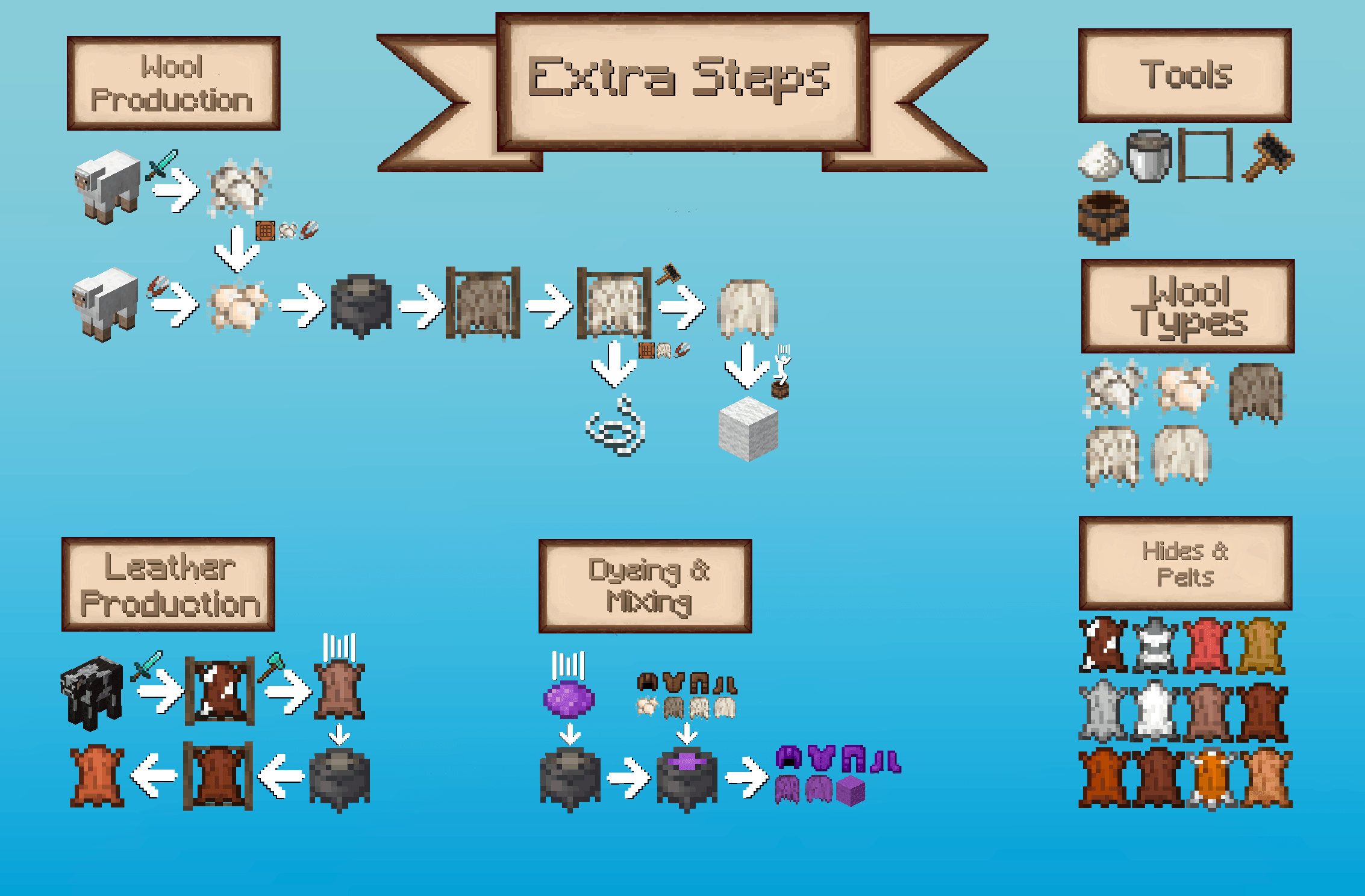

Experience a slow start as animals no longer drop wool or leather in their usual form. Sheep now provide Crumbled or Raw Wool and cows yield Cow Rawhide. Most vanilla animals gain their own version of Rawhide, and if other mods add animals that would drop leather, these drops are replaced with a generic Rawhide, keeping the system consistent.

Processing leather and wool has never been more involved. Through scripting, washing, drying, brushing, and compressing, every step of the production chain becomes meaningful and engaging.

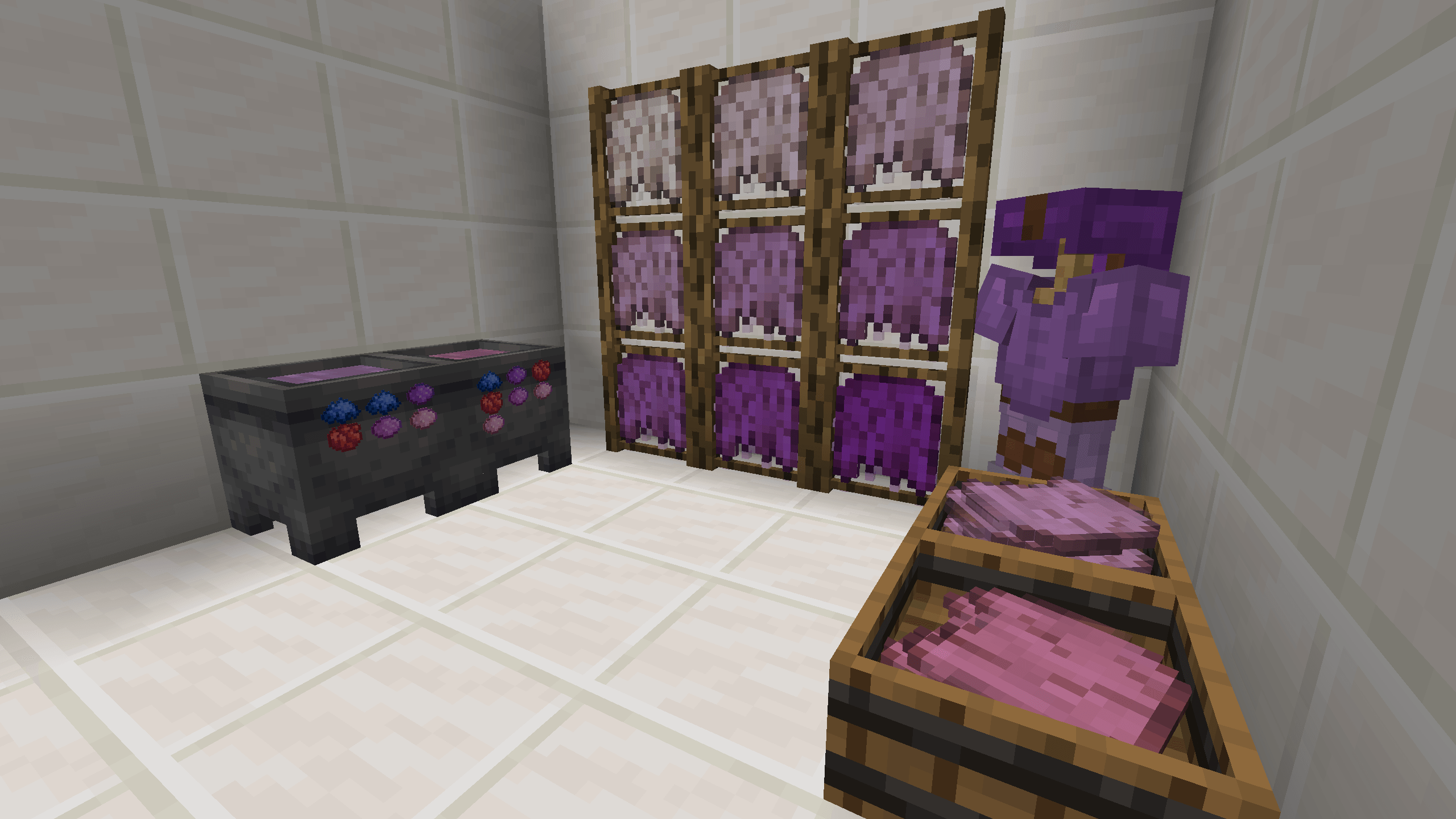
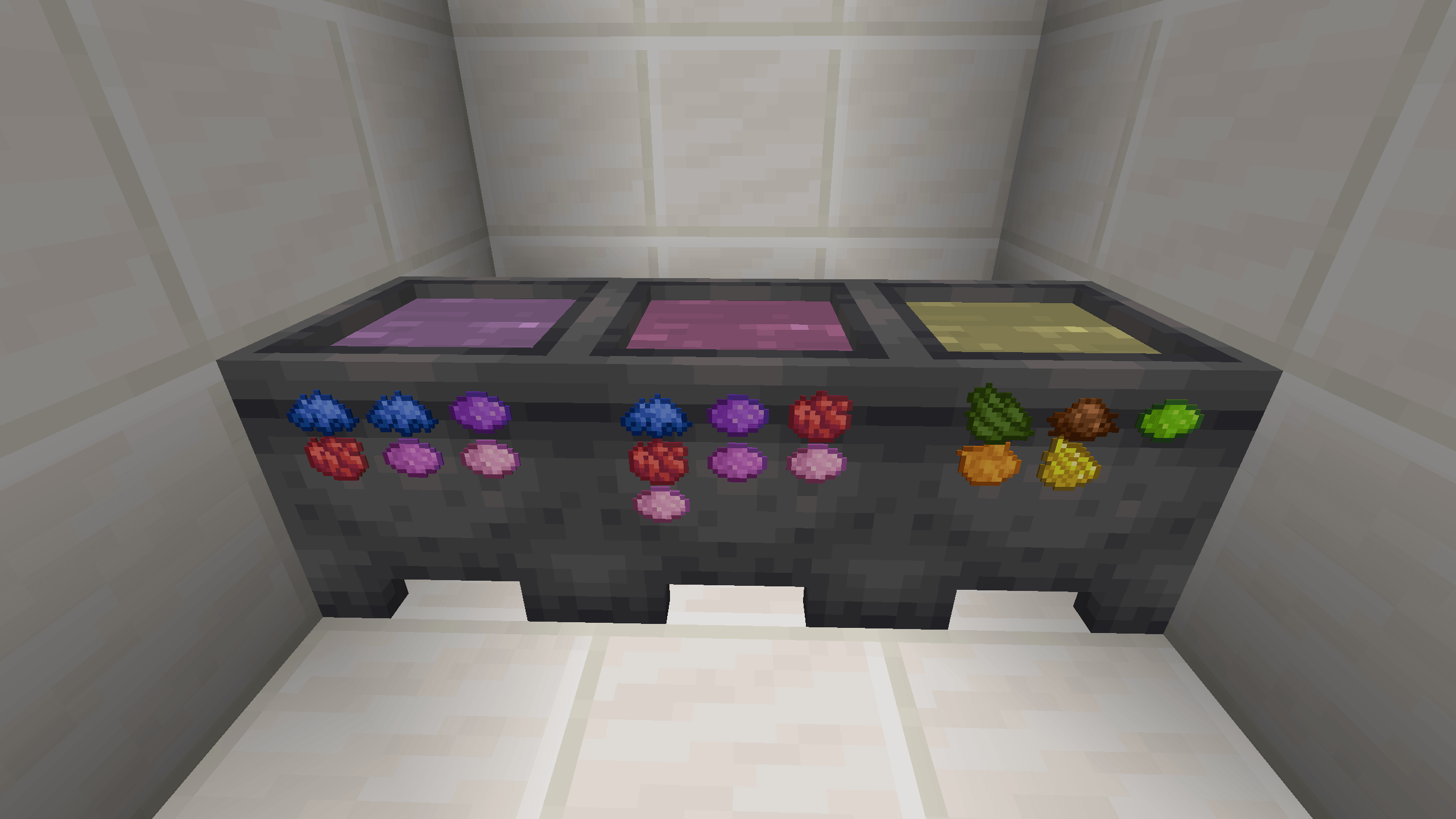
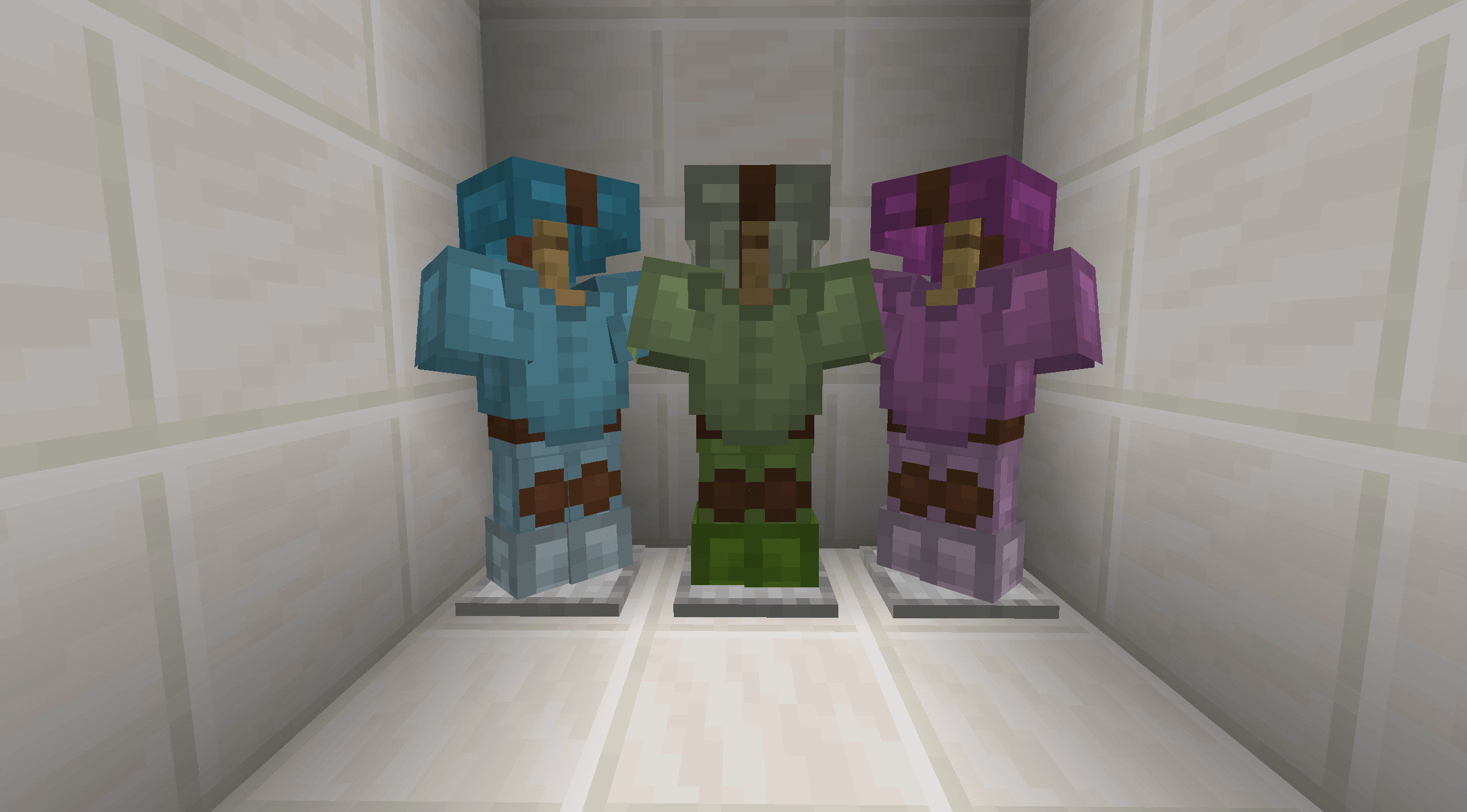
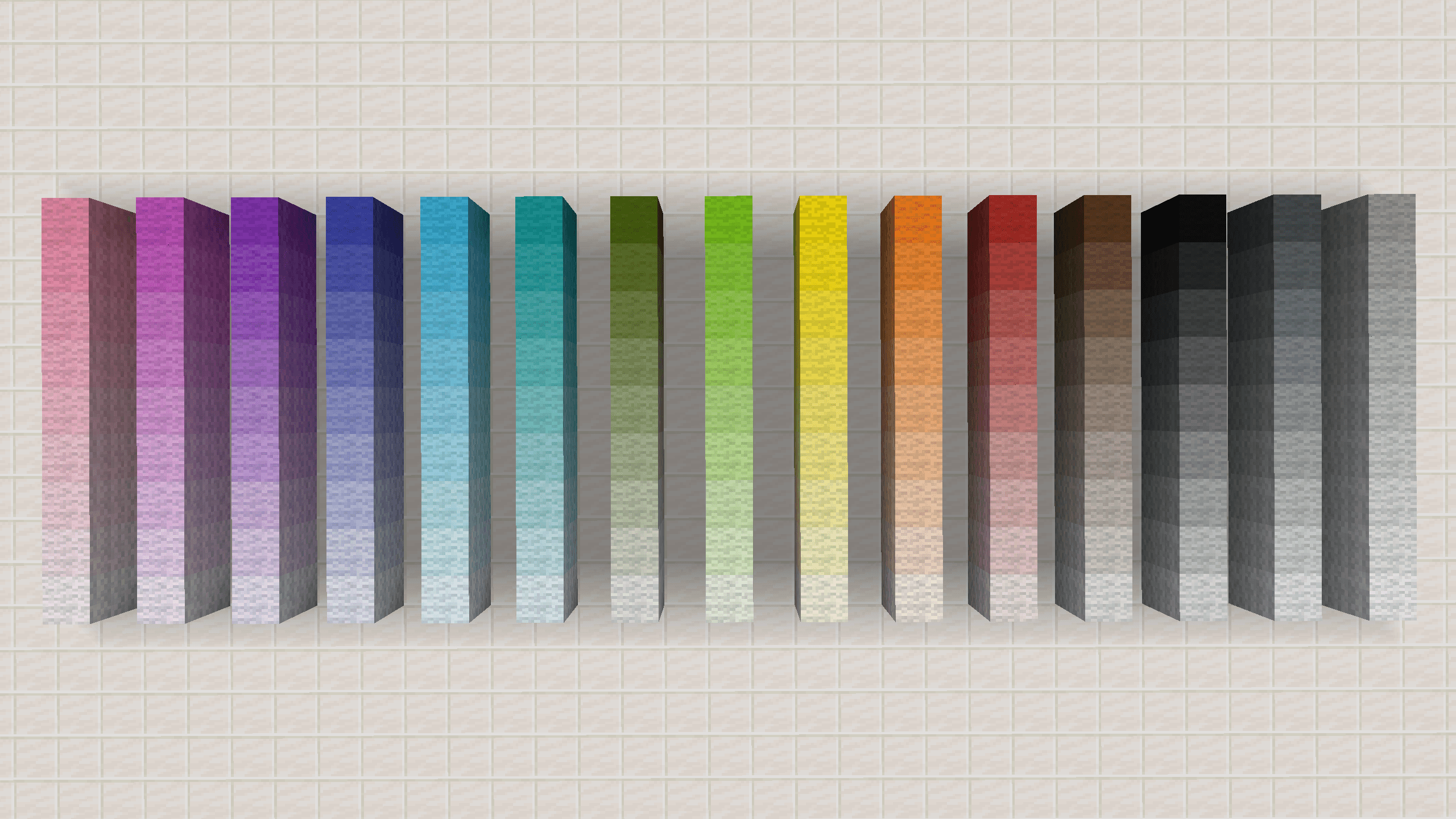
During the washing process, you can optionally add colors, allowing you to create dyed wool and leather armor. The possibilities are nearly limitless, as colors can be mixed to achieve virtually any shade you imagine. Leather armor can be customized with your chosen colors and wool blocks can be placed in the world in your personally crafted shades.
Customisation
All Recipes (Scraping, Cleaning & Dyeing, Drying, Brushing and Compressing) are datapack driven and therefore expandable following this wiki
Credits
Extra Steps is officially working together with the Author of the Rawhide Mod and includes some of its textures and features
Known Issues
- Loot drops from animals are inconsitant if other mods overwrite loot too
- Lye Water Bucket with dyed lye water colors the entire bucket instead of just the liquid
- Placed Lye Water Buckets with dyed lye water lose their color
Planned Features
- Allow bottles to be filled with color and add custom shades for terracotta and concrete
- Introduce additional production lines such as turning sugar cane into paper
- Configs that allow customisation to disable specific production lines, disable custom coloring/keep vanilla colors only etc.
- A Wiki that gives a detailed explanation about how to do add new recipes
- Edition: Minecraft Java
- File type: .jar
- Minecraft version listed: 1.20.1
- How to install: Install the matching mod loader (Forge, Fabric or NeoForge) for your Minecraft version. → Download the .jar. → Put it in the .minecraft/mods folder and launch that loader profile.
- Where to get it: Opens on CurseForge — not every file is mirrored on our own servers.
Install steps are the general flow for this file type — How to install Minecraft Java mods & modpacks walks through it step by step.
- Ships as extra_steps-1.2.0-1.20.1.jar — drop this file into the mods folder
- Download size: 471 KB
- Download link checked 13 Sept 2026 — working
These come from our own check of the pack file, not from the source page.