ModsJava
Cannot Touch The Color
Java mod listed for Minecraft 1.21. Download on the author's site.
⬇ Download on CurseForgeTouch Danger
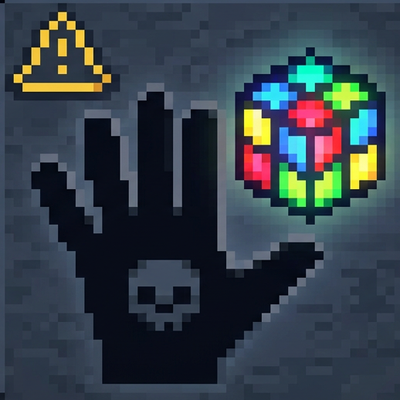
A Fabric mod for Minecraft Java 1.21.11 that picks one random vanilla dye color per dimension. If your body overlaps blocks of that color, you die. The lethal color is announced in chat whenever it changes.
Requirements
- Minecraft 1.21.11
- Fabric Loader (see fabricmc.net)
- Fabric API (version matching your game, e.g.
0.139.4+1.21.11) - Java 21+
Installation
- Install Fabric Loader for 1.21.11.
- Download Fabric API and place it in your
modsfolder. - Add
touch-danger-1.0.0.jartomods
How it works
- Per dimension: Overworld, Nether, and End each have their own lethal color.
- Blocks: Counts standard dyed blocks (wool, concrete, carpet, stained glass, terracotta, glazed terracotta, shulker boxes, candles, beds, etc.).
- Creative / spectator: You are not killed by the lethal color.
When the lethal color changes
- World load: The first time a dimension needs a color, it is rolled once.
- Death: Any player death in that dimension rerolls the color for that dimension.
- Command: See below.
Commands
| Command | Permission | Effect |
|---|---|---|
/touchdanger reroll |
Level 2 (gamemaster / op-style) | Rerolls the lethal color for the dimension of the command source (e.g. the world you are in when you run it as a player). |
License
MIT — see LICENSE.
Quick facts
- Edition: Minecraft Java
- File type: .jar
- Minecraft version listed: 1.21.11
- How to install: Install the matching mod loader (Forge, Fabric or NeoForge) for your Minecraft version. → Download the .jar. → Put it in the .minecraft/mods folder and launch that loader profile.
- Where to get it: Opens on CurseForge — not every file is mirrored on our own servers.
Install steps are the general flow for this file type — How to install Minecraft Java mods & modpacks walks through it step by step.
Cannot Touch The Color is a free Minecraft Java mod. Compatible with Minecraft 1.21.11. Downloaded 1,034 times (via CurseForge). Download it and open it directly in the game.