
StayLapis
Java mod listed for Minecraft 1.19–1.21. Downloads from the MC Java Mods app on Android.
I don't know my version or loader
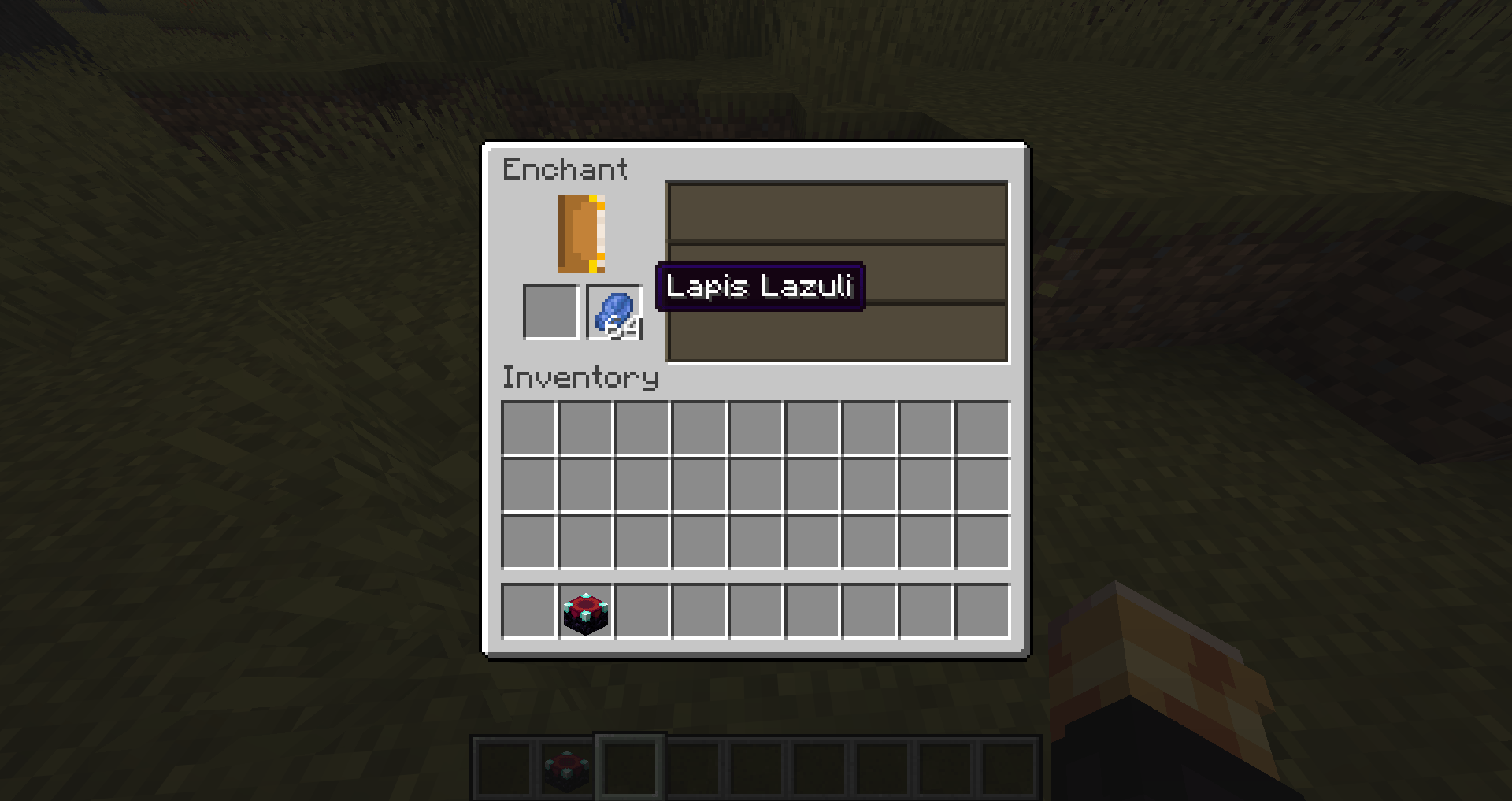

A simple utility mod that keeps lapis lazuli inside the enchanting table instead of returning it to your inventory when the menu is closed. Reopen the same table later, and your stored lapis will still be right where you left it.
Install on the server. Client installation is optional (vanilla clients can join and use it seamlessly). Singleplayer note: Works perfectly in singleplayer. Just install it normally in your mods folder.
What it does:
- Prevents lapis from popping back into your inventory when you close the enchanting interface.
- Safely stores the remaining lapis inside that specific enchanting table.
- Instantly restores the lapis into the slot when you or another player open the same table again.
- Ties the stored lapis to the exact block position and dimension of the table.
- Automatically discards the stored lapis if the enchanting table block is broken or missing.
Install on the server. Client installation is optional (vanilla clients can join and use it seamlessly).
Please report any bugs, errors, or feature suggestions on Discord: https://discord.gg/4XUPywnEyE
- Edition: Minecraft Java
- File type: .jar
- Minecraft versions listed: 1.19.2, 1.21.11, 1.21.1
- How to install: Install the matching mod loader (Forge, Fabric or NeoForge) for your Minecraft version. → Download the .jar. → Put it in the .minecraft/mods folder and launch that loader profile.
- Where to get it: Opens on CurseForge — not every file is mirrored on our own servers.
Install steps are the general flow for this file type — How to install Minecraft Java mods & modpacks walks through it step by step.
- Ships as staylapis-forge-1.19.2-1.0.0-1.19.2.jar — drop this file into the mods folder
- Download size: 16 KB
- Download link checked 3 Oct 2026 — working
These come from our own check of the pack file, not from the source page.