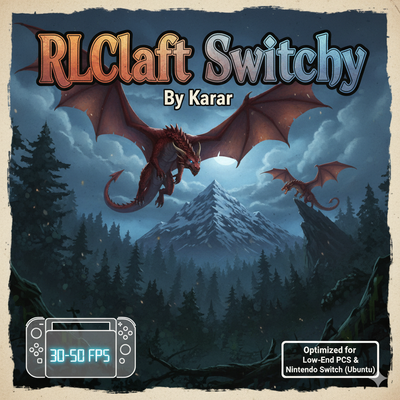
RLCraft Switchy
Minecraft Java modpack. Downloads from the MC Java Mods app on Android.
⬇ Download on CurseForgeRLCraft Switchy By Karar
The ultimate optimized RLCraft experience for Low-End PCs
Have you ever wanted to play the most difficult modpack in Minecraft history but your PC couldn't handle it? RLCraft Switchy is a custom-built version of RLCraft 1.12.2, meticulously optimized by Karar to run smoothly on devices with limited resources.
By hand-picking the core mods and adding a powerful suite of performance enhancers, this version achieves a stable 30-50 FPS or more
Key Features 🚀
-
Performance Focused: Over 10+ optimization mods (including FoamFix, BetterFps, Phosphor, and more) to ensure every frame counts.
-
True RLCraft Vibe: Includes all the "Must-Have" mods like Lycanites Mobs, First Aid, Simple Dif, and Ice and Fire.
-
Lightweight: Removed heavy, non-essential mods to free up RAM (perfect for 4GB RAM devices)
How to Install 🛠️
-
Download the RLCraft Switchy ZIP file.
-
Import it into your preferred launcher (Prism, MultiMC, or CurseForge App).
-
Allocate at least 2GB - 3GB of RAM for the best experience.
-
Enjoy the survival challenge!
Credits
-
Original Modpack: RLCraft by Shivaxi.
-
Optimization & Tuning: Modified and compiled by Karar-h (*Unknown_Person*)
- Note : You Can Play This Modpack On A Modded Switch
- If You Wana Best Peformance Add Optifine
-
- Edition: Minecraft Java
- File type: .jar
- How to install: Install the matching mod loader (Forge, Fabric or NeoForge) for your Minecraft version. → Download the .jar. → Put it in the .minecraft/mods folder and launch that loader profile.
- Where to get it: Opens on CurseForge — not every file is mirrored on our own servers.
Install steps are the general flow for this file type — How to install Minecraft Java mods & modpacks walks through it step by step.
- Downloads as RLCraft Switchy-v1.3.zip
- Download size: 1.4 MB
- Download link checked 3 Oct 2026 — working
These come from our own check of the pack file, not from the source page.