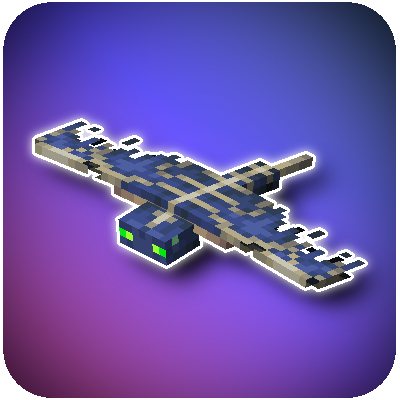


Backports Configurable Phantoms from 1.13 to 1.12.2, Requires AtlasLib.
Featuring vanilla accurate but configurable spawning.
Full Content
- Phantoms
- Phantom Spawning
- Phantom Membrane
- Slow Falling
- Phantom Membrane Elytra repairing
- doInsomnia gamerule to disable/enable spawning in game

Config Options
Phantoms is entirely configurable including but not limited to:
- Phantom Attributes
- Phantom Spawn Mechanics including changing how long the sleep timer is before they spawn, inverting the timer so it instead spawns phantoms the more a player sleeps, or disableing spawning entirely
- Phantom spawn biomes and dimensions - you can blacklist or whitelist biomes phantoms are able to spawn in or even specify the dimensions they spawn in, if for example you wanted to spawn them in the end, you can configure the mod to do that.
- Phantom group size
- Options to use and customize the unused size property from vanilla phantoms
 Have questions or suggestions? Join my discord!

Quick facts
- Edition: Minecraft Java
- File type: .jar
- How to install: Install the matching mod loader (Forge, Fabric or NeoForge) for your Minecraft version. → Download the .jar. → Put it in the .minecraft/mods folder and launch that loader profile.
- Where to get it: Opens on CurseForge — not every file is mirrored on our own servers.
Install steps are the general flow for this file type — How to install Minecraft Java mods & modpacks walks through it step by step.
Verified by MCModsHub
- Ships as Phantoms-1.12.2-1.0.0a.jar — drop this file into the mods folder
- Download size: 857 KB
- Download link checked 13 Sept 2026 — working
These come from our own check of the pack file, not from the source page.