ModsJava
Map in the corner
Java mod listed for Minecraft 1.19–1.21. Downloads from the MC Java Mods app on Android.
⬇ Download on CurseForgeThe author built this one for Minecraft 1.19.4–1.21.11 on Fabric. On other versions it may install and then do nothing.
⚠️ MAINTENANCE ⚠️
🗺️ Map in the Corner
Display your handheld map anywhere on your screen
Description
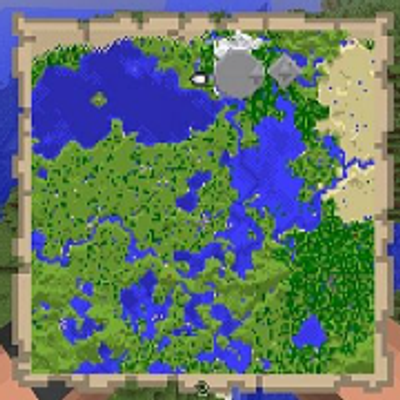
Map in the Corner lets you display the map you're holding directly on your screen as a movable GUI.
No more constantly switching items or opening your inventory — keep your map visible at all times, exactly where you want it.
Perfect for exploration, navigation, or just a cleaner HUD.
Quick facts
- Edition: Minecraft Java
- File type: .jar
- Minecraft versions listed: 1.21, 1.20.2, 1.19.4
- How to install: Install the matching mod loader (Forge, Fabric or NeoForge) for your Minecraft version. → Download the .jar. → Put it in the .minecraft/mods folder and launch that loader profile.
- Where to get it: Opens on CurseForge — not every file is mirrored on our own servers.
Install steps are the general flow for this file type — How to install Minecraft Java mods & modpacks walks through it step by step.
File checked by MCModsHub
- Ships as mapmod-1.0.0.jar — drop this file into the mods folder
- Download size: 9 KB
- Download link checked 3 Oct 2026 — working
These come from our own check of the pack file, not from the source page.