A controller mod for minecraft 1.12.2. Only for forge users. Other controller mods did not work for me so I made this for myself. Its here incase someone else wants to use it, but the other mods should be better than this. This is my first minecraft mod.
How to:
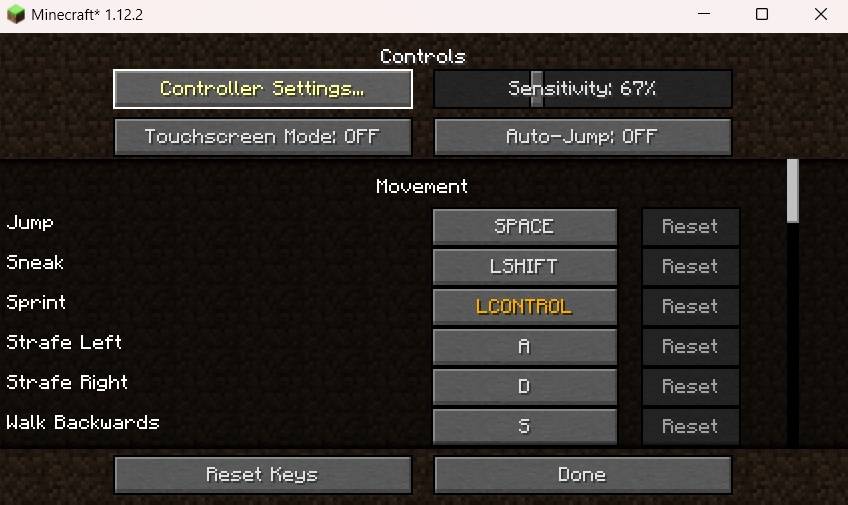
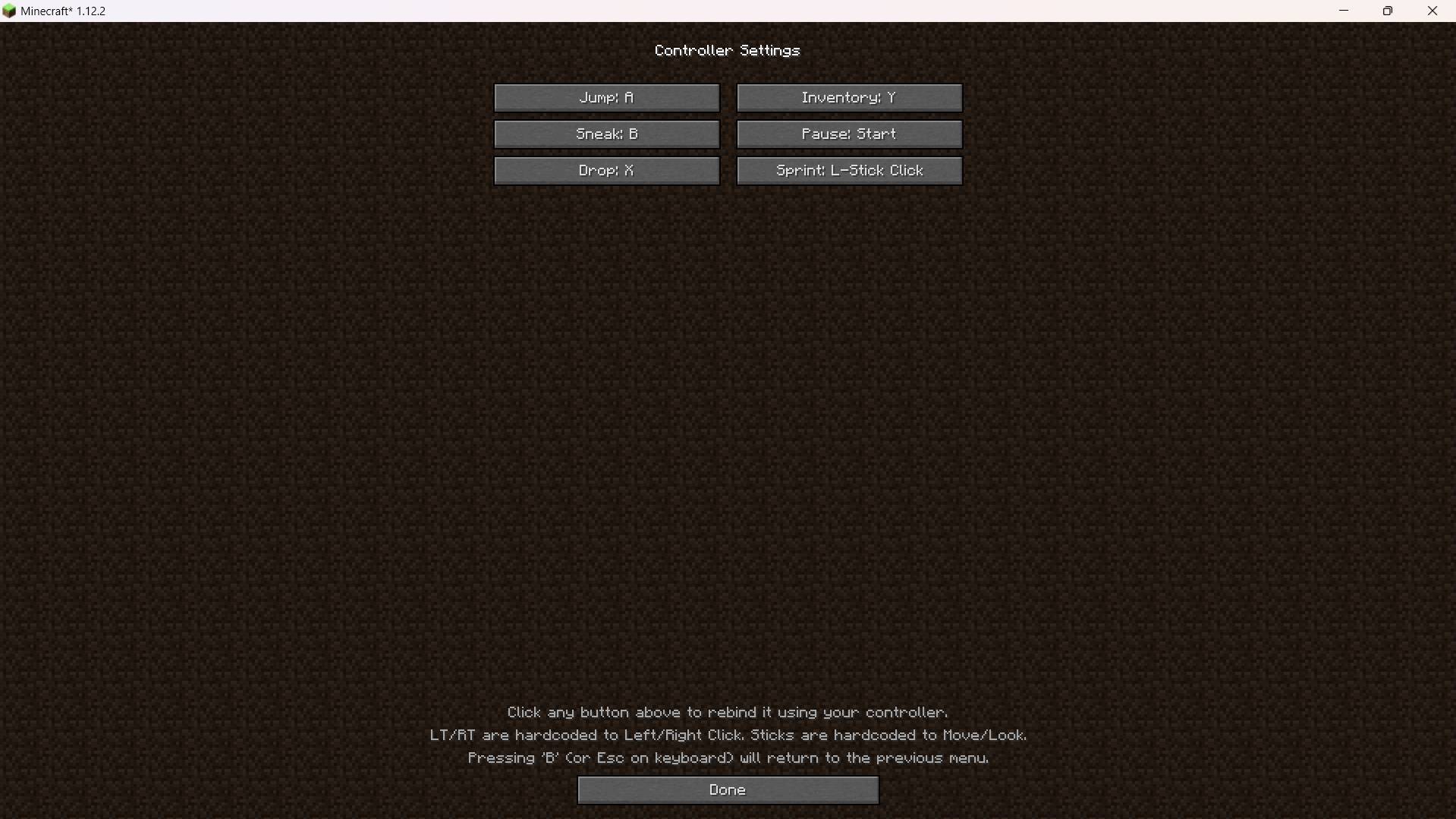
- Use D-pad keybinds - D-pad keybinds are found in Options -> Controls -> Controller Settings. You choose a letter that already has that keybind for your keyboard, for example you have Xearos map mod and the key M is to open the map. Then you get set the up d-pad button to the letter 'M'
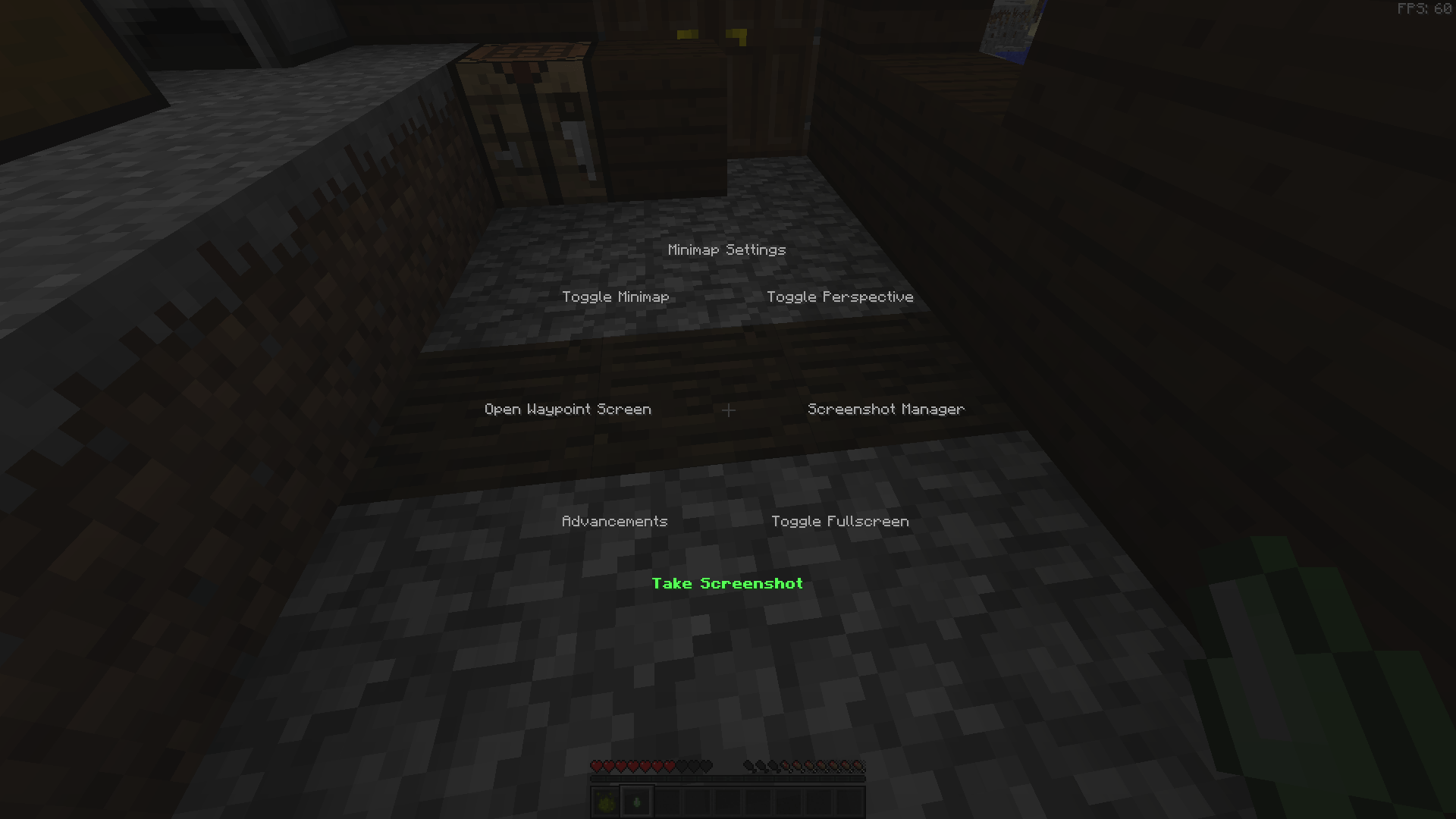
- Use the radial menu - Default is pressing and holding (Y/Triangle) - Settings are found in Controls -> Controller Settings -> Map Radial menu. Over here your scroll through each keybinds possible to map to your radial menu. Some things you map to may not work well such as 'Open chat' or 'Open command' but 'Toggle Fullscreen' or 'Toggle Perspective' works fine. For things that do not work well, its better you keybind them to the d-pad, so things like 'Swap to free hand' or 'Zoom'(if you have zooming mod)
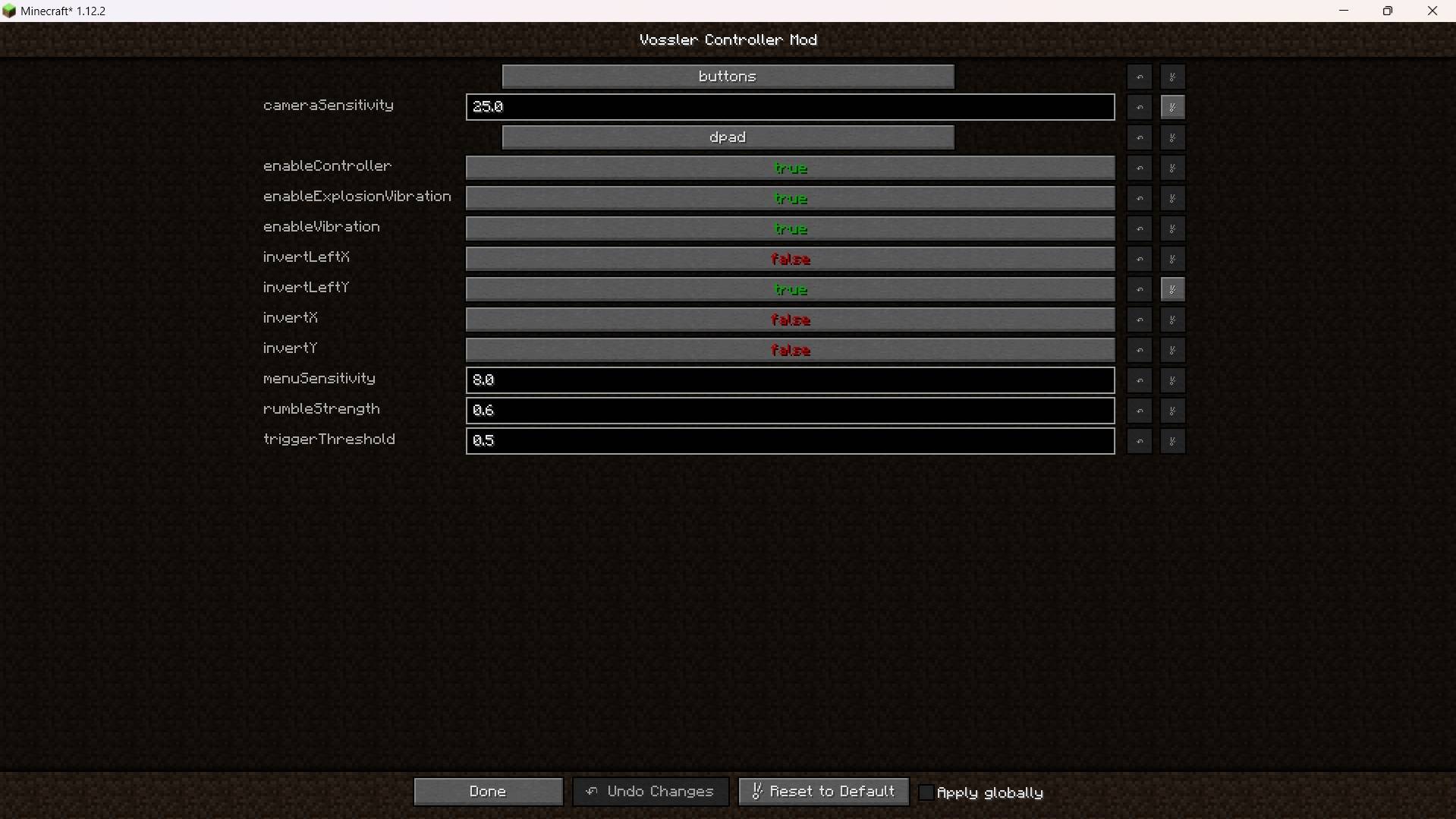
- Inverse my controls - Go to the mod config and search for 'Vossler's Controller Mod' and you will see the toggles for inversing left or right stick.
- Switch vibration on/off - Same as before, go to mod configs and toggle the vibrations off/on(should be on by default)
- Its adivised that you immediately configure your keybinds and this mod settings as sooon as you install it.
- Report bugs? - A discord server will be made available soon if it is not already available.
Known issues:
- While using your controller/mod it may inverse with your mouse movement in-game depending on the mod config settings you set.
- Scrolling through each option for the Radial Menu is a pain but its the most compatible one without crashes, and works with mods. You must have a keybind already set on your keyboard before adding the option to the radial menu. For example, M for map from xaeros map mod then you will be able to add and use it on radial menu.
- The mod might be finicky to use. It is still in early development stages. It will get better overtime especially as I get used to Minecraft coding.
If your left/right stick mappings are not correct or controls are inversed then use the mod config settings for this mod, also there is Controller Settings in Controls menu in Options menu.

Thanks to CleanroomMC for their amazing template: Cleanroom Template
Quick facts
- Edition: Minecraft Java
- File type: .jar
- How to install: Install the matching mod loader (Forge, Fabric or NeoForge) for your Minecraft version. → Download the .jar. → Put it in the .minecraft/mods folder and launch that loader profile.
- Where to get it: Opens on CurseForge — not every file is mirrored on our own servers.
Install steps are the general flow for this file type — How to install Minecraft Java mods & modpacks walks through it step by step.
Verified by MCModsHub
- Ships as vossler_controller-1.0.5.jar — drop this file into the mods folder
- Download size: 2.7 MB
- Download link checked 13 Sept 2026 — working
These come from our own check of the pack file, not from the source page.