GC-3D Renewed
Java mod listed for Minecraft 1.20–1.21. Downloads from the MC Java Mods app on Android.
I don't know my version or loader
GC-3D Renewed
This mod is a continuation of 3d graphing calculator by Seperent_Dagger forked under the GPLv3 license
It added 3d graphing calculator to 1.20.1 forge and allows making visual graphs in minecraft
Original Desctiption below from - https://www.curseforge.com/minecraft/mc-mods/graphing-calculator-3d
CC:Tweaked compat is doa atm will try to fix it later!
Mod is ported by Waterpicker under the request of Mysticpasta1!
Description
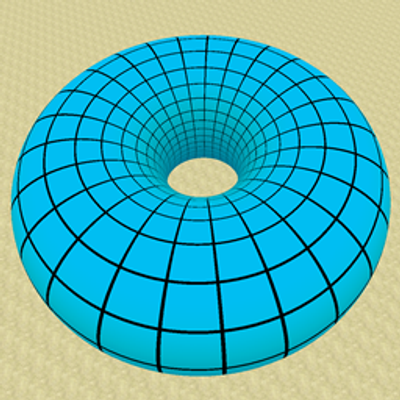
This mod provides numerous blocks which allow for the graphing of 3D functions. The graphs are highly customizable by the player, and with the correct settings can look very fine indeed.
Graphs can be saved in-game for later viewing through the use of Graphing Calculator Memory Card items.
Graphs can be scaled, translated, rotated, colored, and textured. You can alter their domain, range, resolution, discontinuity threshold, and texture size, among other things.
Information about everything can be found within the calculator GUI, by hovering your mouse over the far right of a text field.
Functions are inputted via an easy-to-use set of GUI blocks, as shown in the images tab.
You can also color the graph by the magnitude of its slope at a given point, or toggle collisions so that entities can interact with them.
Graphs can be toggled with a redstone signal, allowing for disappearing floors and other cool building accessories.
Rendering performance is comparable in efficiency to that of Minecraft's standard terrain.
Here is a list of all the coordinate systems currently supported. With each of them, save for Cartesian*, you can view any variable as a function of the other two.
*Spoiler, it looks the same.
- Cartesian
- Spherical
- Cylindrical
- Conical
- Toroidal
- Bipolar Cylindrical
- Parabolic Cylindrical
- Parabolic
- 6-Sphere
- Oblate Spheroidal
- Prolate Spheroidal
- Elliptic Cylindrical
Examples of some neat graphs can be found in the website's images tab.
If you want to chat about the mod, or ask questions, you can join the Graphing Calculator SD Discord.
This mod is now open-source. You can view the code and contribute on the GitHub page.
This mod now also supports interaction via CC:Tweaked, as an optional dependency (1.9+). Graph blocks are peripherals which can be fully controlled by CC computers.
An overall tutorial/showcase video:
Using the block GUI:
CC:Tweaked intercompatibility features:
- Edition: Minecraft Java
- File type: .jar
- Minecraft versions listed: 1.21.1, 1.20.1
- How to install: Install the matching mod loader (Forge, Fabric or NeoForge) for your Minecraft version. → Download the .jar. → Put it in the .minecraft/mods folder and launch that loader profile.
- Where to get it: Opens on CurseForge — not every file is mirrored on our own servers.
Install steps are the general flow for this file type — How to install Minecraft Java mods & modpacks walks through it step by step.
- Ships as graphingcalculator3d-2.3.1.jar — drop this file into the mods folder
- Download size: 852 KB
- Download link checked 3 Oct 2026 — working
These come from our own check of the pack file, not from the source page.