Scribble Book
Java mod listed for Minecraft 1.20. Downloads from the MC Java Mods app on Android.
A study journal that lets players document blocks by examining them in the world, gradually unlocking basic and in-depth knowledge entries at the cost of…
⬇ Download on CurseForgeThe author built this one for Minecraft 1.20.1 on Forge. On other versions it may install and then do nothing.
📖 Scribble Book
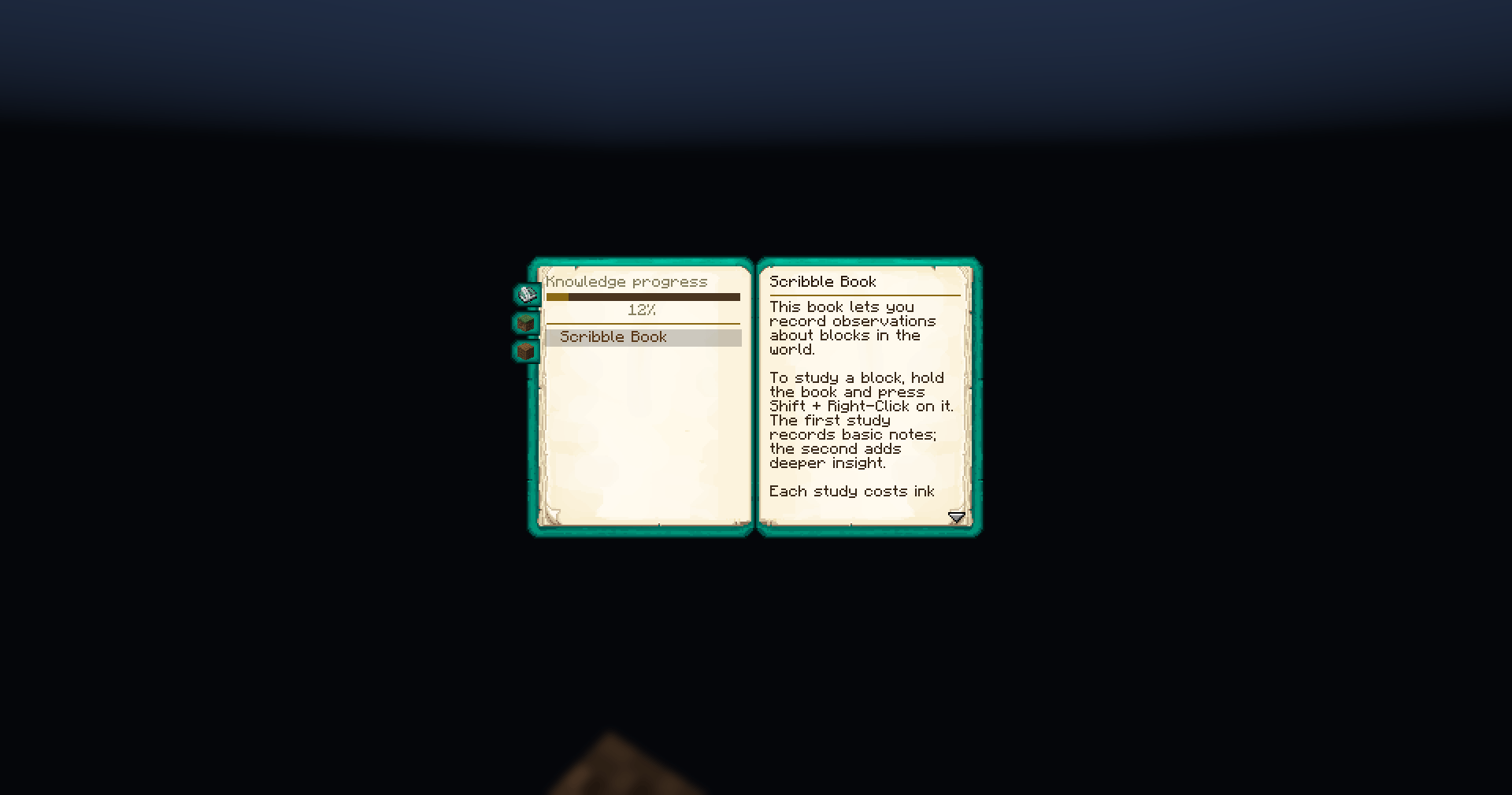
Scribble Book is a lightweight progression mod that turns knowledge into gameplay.
Craft your book, fill it with ink, and start exploring the world —
shift + right-click any block to study it and record your findings.
🔍 How it works
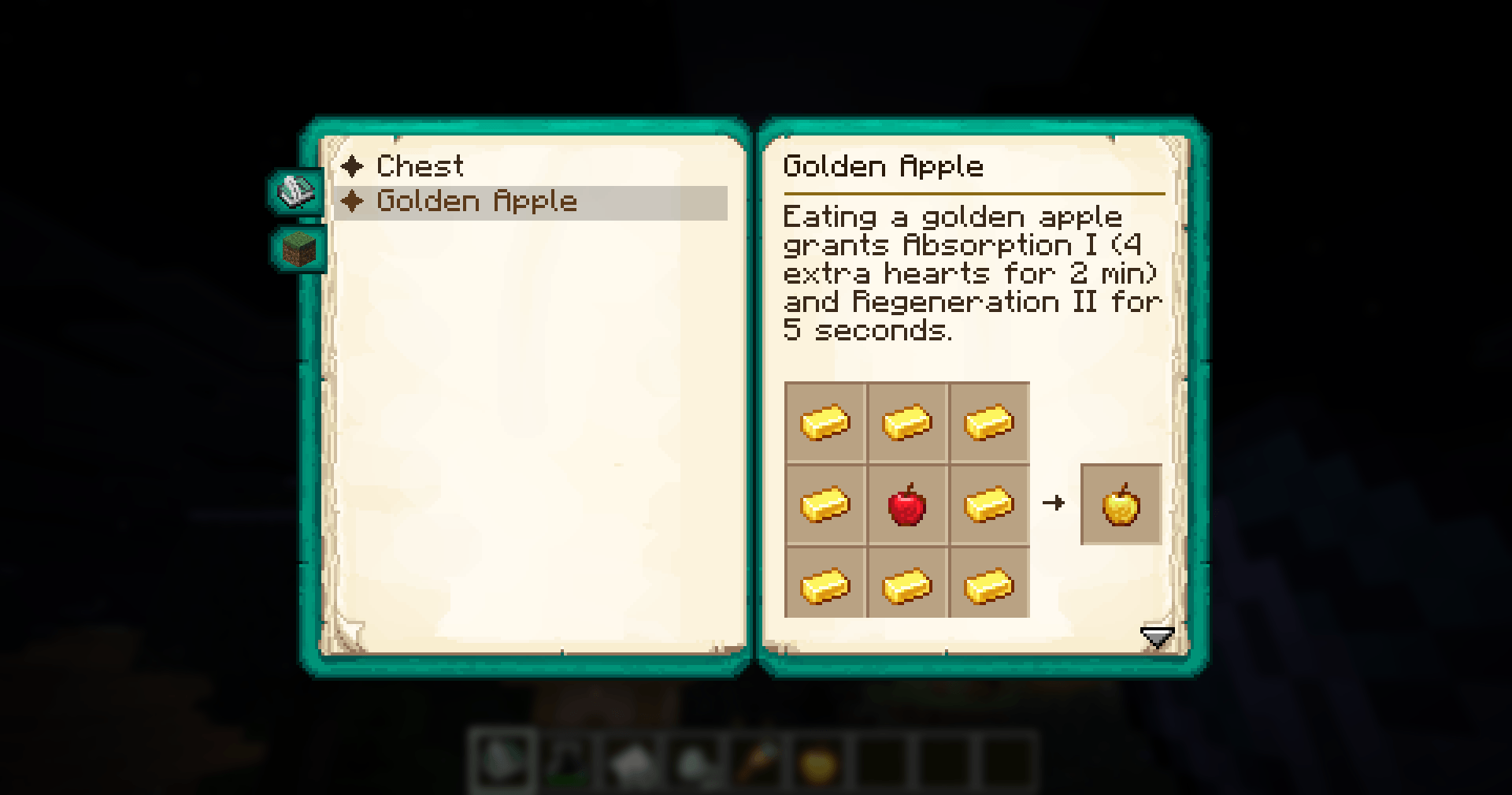
- 📘 First study — unlock a basic entry with a short description
- 🧠 Second study — reveal a deep entry with hidden or advanced details
- 🖋 Each study consumes ink and paper
- 🧪 Ink bottles deplete gradually and leave behind an empty bottle
This creates a natural progression system where understanding the world is something you earn, not something you start with.
🧱 Included by default (vanilla support)
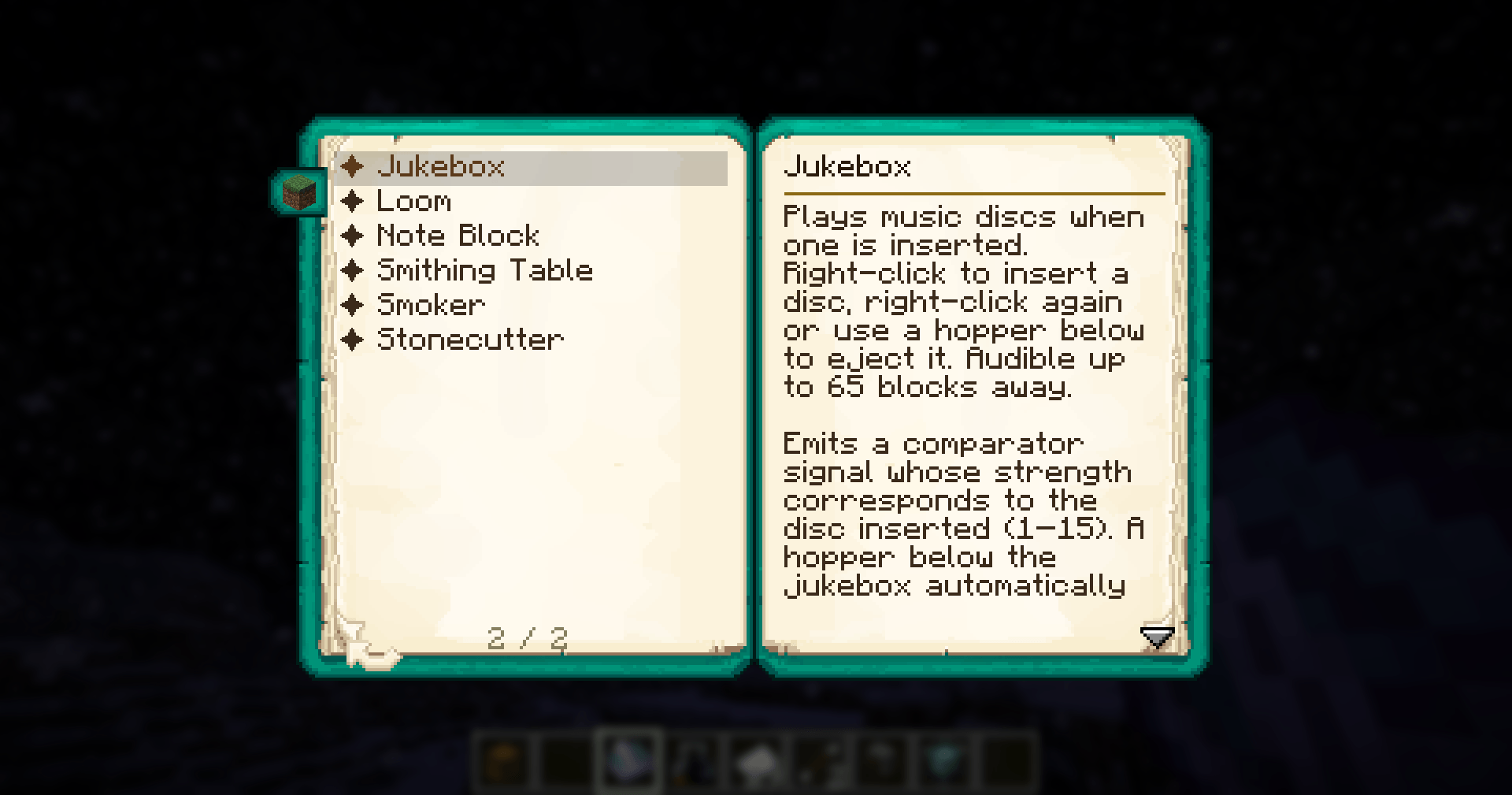
Out of the box, Scribble Book supports a wide range of vanilla blocks:
Furnace, Blast Furnace, Smoker, Crafting Table, Anvil, Grindstone, Smithing Table, Enchanting Table, Brewing Stand, Loom, Cartography Table, Stonecutter, Chest, Hopper, Composter, Cauldron, Campfire, Beacon, Note Block, Jukebox
⚙️ For mod developers
Easily extend Scribble Book in your own mods:
- Add custom entries via data packs
- Full integration guide available on GitHub
💡 Additional features
- 🔒 The book is soulbound — it won’t drop on death
- 🧭 Encourages exploration and experimentation instead of external wikis
🔗 Links
- Edition: Minecraft Java
- File type: .jar
- Minecraft version listed: 1.20.1
- How to install: Install the matching mod loader (Forge, Fabric or NeoForge) for your Minecraft version. → Download the .jar. → Put it in the .minecraft/mods folder and launch that loader profile.
- Where to get it: Opens on CurseForge — not every file is mirrored on our own servers.
Install steps are the general flow for this file type — How to install Minecraft Java mods & modpacks walks through it step by step.
- Ships as scribble_book-0.2.0+1.20.1.jar — drop this file into the mods folder
- Download size: 126 KB
- Download link checked 3 Oct 2026 — working
These come from our own check of the pack file, not from the source page.