Notely
Java mod listed for Minecraft 1.18–1.21. Downloads from the MC Java Mods app on Android.
I don't know my version or loader
Notely
A client-side notepad mod for Minecraft with Markdown rendering and pinnable sticky notes.
Take notes, track tasks, and pin reminders to your HUD — without ever leaving the game.

Features
📝 In-game Notepad
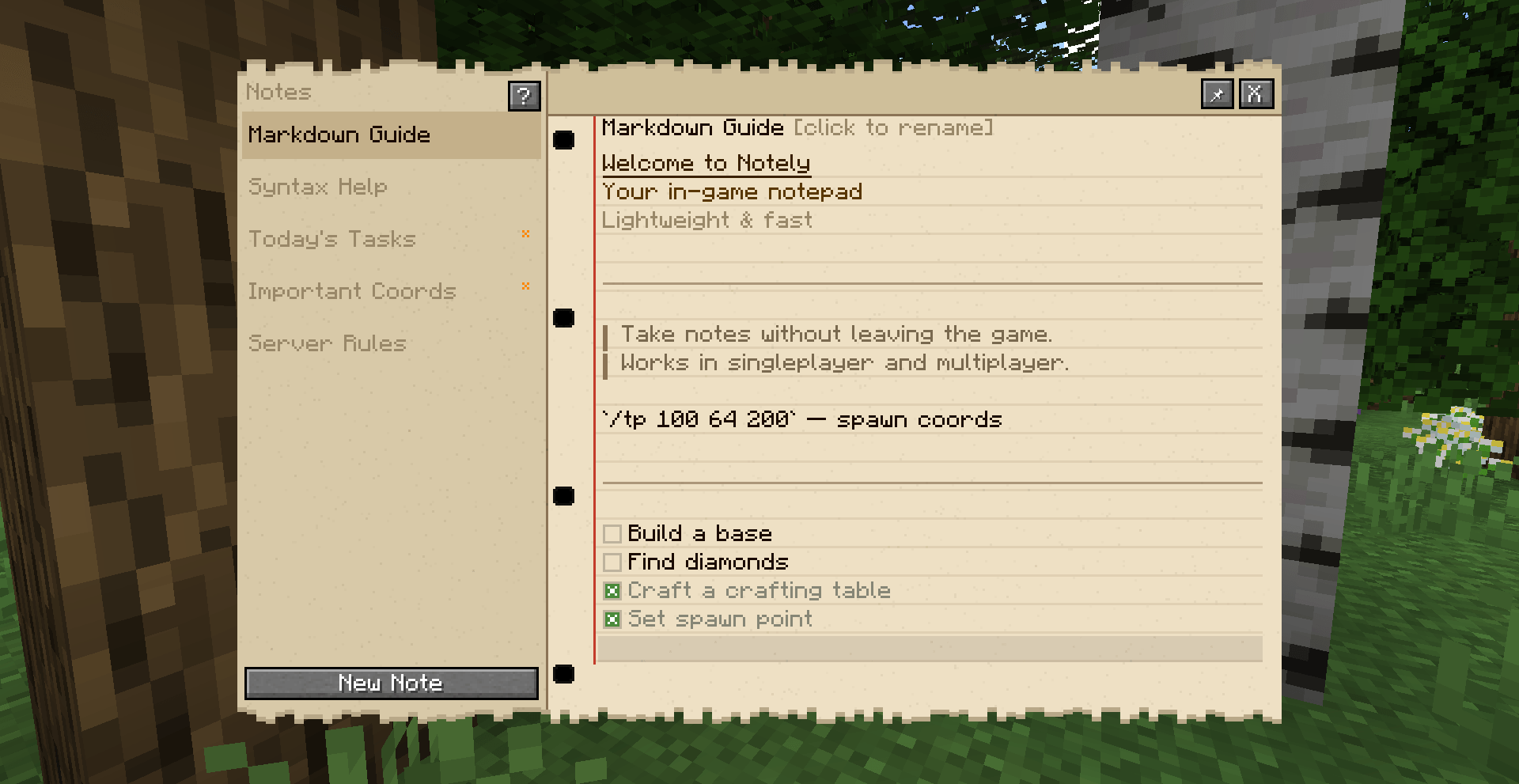
Open a full notepad with N (rebindable). Write notes using Markdown — headings, quotes, code blocks, dividers, and todo checkboxes all render in real time.
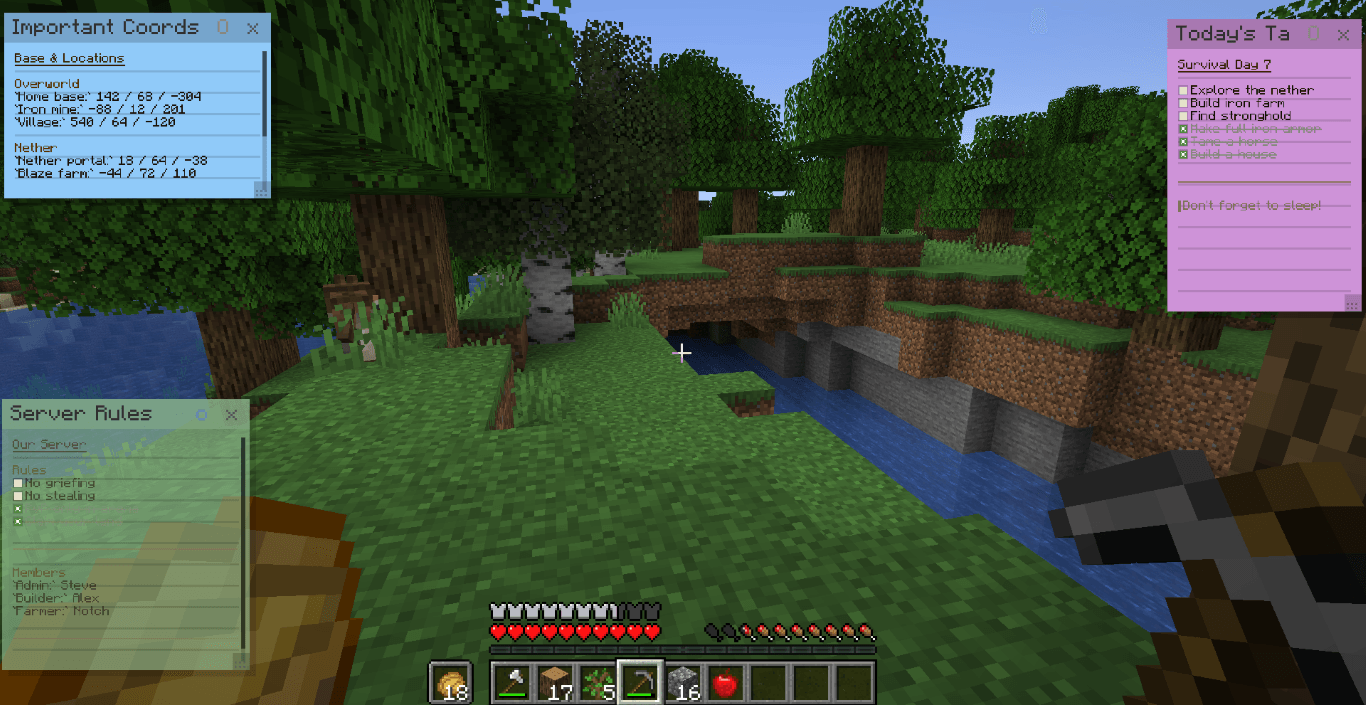
📌 Sticky Notes on HUD
Pin any note as a floating sticker on your screen. Choose from 6 colors, drag it anywhere, resize it, and toggle transparency. Stickers stay visible while you play.

✅ Interactive Checkboxes
Click [ ] to check off tasks — works both in the editor and directly on stickers.
🌍 Per-world Notes
Each singleplayer world and multiplayer server has its own separate set of notes. Your base coords stay with your base.
🔤 Text Editing
Full text editing with selection (mouse drag, Shift+arrows, Ctrl+A), clipboard support (Ctrl+V), undo (Ctrl+Z), and word navigation (Ctrl+arrows).
Markdown Syntax
| Syntax | Result |
|---|---|
# Text |
Heading H1 |
## Text |
Heading H2 |
### Text |
Heading H3 |
--- |
Horizontal rule |
> Text |
Blockquote |
`code` |
Inline code |
[ ] Text |
Open checkbox |
[x] Text |
Checked checkbox |
Press ? in the notepad to create a built-in syntax reference note.
Sticky Note Controls
| Action | How |
|---|---|
| Pin a note | Click 📌 → pick a color |
| Move sticker | Drag by the header |
| Resize sticker | Drag the bottom-right corner |
| Toggle transparency | Click O button on sticker |
| Change font size | Hover sticker → Ctrl + scroll |
| Scroll content | Hover sticker → scroll |
| Close sticker | Click x button on sticker |
Keyboard Shortcuts
| Key | Action |
|---|---|
N |
Open / close notepad |
Ctrl+Z |
Undo |
Ctrl+A |
Select all |
Ctrl+V |
Paste |
Ctrl+Backspace |
Delete word left |
Ctrl+←/→ |
Jump by word |
Shift+←/→/↑/↓ |
Extend selection |
Ctrl+Home/End |
Jump to start/end |
RMB on note |
Context menu (open, rename, delete) |
Localization
Notely includes translations for:
EN · BY · BY (Łacin) · UA · RU · DE · FR · ES · PT · PL · IT · NL · ZH · ZH-TW · JA · KO
Author: Deokma · License: MPL-2.0
- Edition: Minecraft Java
- File type: .jar
- Minecraft versions listed: 1.20.1, 1.21.1, 1.18.2
- How to install: Install the matching mod loader (Forge, Fabric or NeoForge) for your Minecraft version. → Download the .jar. → Put it in the .minecraft/mods folder and launch that loader profile.
- Where to get it: Opens on CurseForge — not every file is mirrored on our own servers.
Install steps are the general flow for this file type — How to install Minecraft Java mods & modpacks walks through it step by step.
- Ships as notely-neoforge-26.1-1.0.1.jar — drop this file into the mods folder
- Download size: 88 KB
- Download link checked 3 Oct 2026 — working
These come from our own check of the pack file, not from the source page.