Recreative
Java mod listed for Minecraft 1.20–1.21. Downloads from the MC Java Mods app on Android.
I don't know my version or loader
Recreative



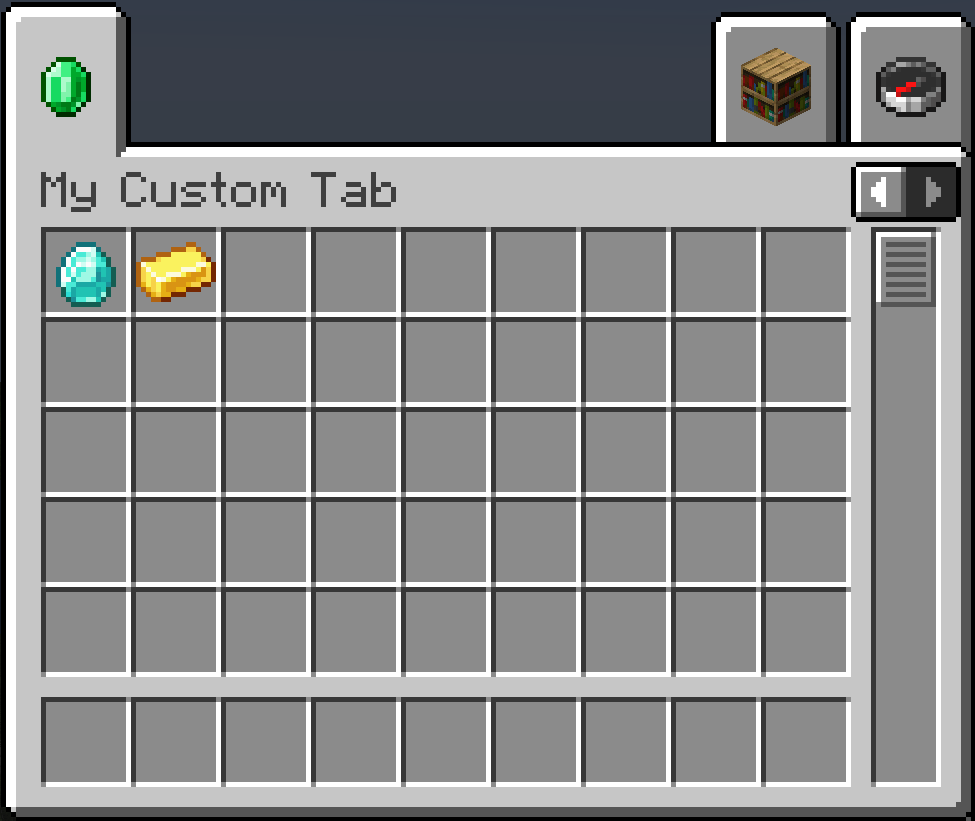
Recreative is a powerful, data-driven mod that gives modpack developers and players complete control over Creative Mode tabs! Using simple JSON configuration files, you can completely reorganize, modify, hide, or create entirely new Creative Tabs without writing a single line of code.
Features
- Completely hide unwanted vanilla or modded tabs from the Creative Menu.
- Rename tabs, change their icons, or add and remove specific items.
- Build brand new tabs from scratch with your own custom icons and item lists.
- Reorder tabs and force them to appear in a specific order from left to right.
- Instead of just appending items to the end of a tab, you can inject them exactly where you want using
afterorbeforeplacement rules. - Add or remove entire groups of items at once using Minecraft tags (e.g.,
#minecraft:logs,#c:ores). - Tweak your UI on the fly with hot reloading, so you can see your changes instantly without restarting the game.
Usage & Configuration
Recreative watches the ./config/recreative/ folder in your Minecraft instance. You can create as many .json files inside this folder as you want to organize your rules.
Example Rule File
[
  {
    "action": "remove_tab",
    "tabs": ["minecraft:building_blocks"]
  },
  {
    "action": "custom_tab",
    "tabs": ["my_pack:magic"],
    "name": "Magical Items",
    "icon": "minecraft:amethyst_shard",
    "add_items": [
      "minecraft:enchanted_book",
      "#minecraft:potions"
    ]
  }
]
Check out the wiki for documentation on all actions, advanced item placement, and syntax.
Commands
Recreative provides a couple useful commands to help you manage your configuration and easily find IDs without leaving the game.
/recreative reload- Hot-reloads yourrecreative_settings.jsonand all rule files in theconfig/recreative/folder and instantly rebuilds the creative menu./recreative dump <tabs|items|blocks|all>- Exports registered IDs into nicely formatted JSON files located inconfig/recreative_exports/. Perfect for finding the exact namespace IDs needed for your scripts.
In-Game Settings
General config options can be accessed in-game (when Cloth Config is installed). This includes toggling the mod on/off globally, and a debug option to show internal tab IDs, which replaces all tab names with their registry ID to help you write your config files faster.
License

Credits
Icon made by Nekomaster!


- Edition: Minecraft Java
- File type: .jar
- Minecraft versions listed: 1.21.1, 1.20.1
- How to install: Install the matching mod loader (Forge, Fabric or NeoForge) for your Minecraft version. → Download the .jar. → Put it in the .minecraft/mods folder and launch that loader profile.
- Where to get it: Opens on CurseForge — not every file is mirrored on our own servers.
Install steps are the general flow for this file type — How to install Minecraft Java mods & modpacks walks through it step by step.
- Ships as recreative-forge-1.20.1-1.4.0.jar — drop this file into the mods folder
- Download size: 235 KB
- Download link checked 23 Oct 2026 — working
These come from our own check of the pack file, not from the source page.