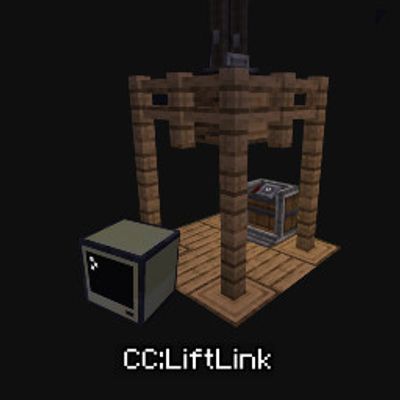
CC:LiftLink
Java mod listed for Minecraft 1.20–1.21. Downloads from the MC Java Mods app on Android.
CC:LiftLink: Create & ComputerCraft integration for elevators. Manage floor calls, track real-time movement, and query states via a simple Lua API—all…
I don't know my version or loader
CC:LiftLink
- CC:LiftLink by Tom
- Copyright (c) 2026 Tom
- Licensed under the Mozilla Public License 2.0
ComputerCraft support for Create elevators. CC:LiftLink provides a bridge between the Create mod and CC: Tweaked, allowing for programmatic control of elevator systems. By connecting a computer to a single redstone contact within an elevator column, you gain access to the entire elevator network without complex wiring or pulley attachments. Setup Build: Assemble and test your Create elevator normally. Connect: Place a ComputerCraft computer or wired modem against any one redstone contact in the elevator column. Initialize: Wrap the peripheral in your Lua script using: Lua
local elevator = peripheral.find("create_elevator")
API Functions
listFloors() Returns all floors in the column.
callToFloor(name) Calls the elevator to a named floor.
callToY(y) Calls the elevator to a floor by Y level.
getState() Returns the main elevator state table.
getFloors() Returns floor names mapped to Y levels.
getCurrentLevel() Returns current elevator Y level.
getTargetLevel() Returns target Y level.
getTargetY() Returns target Y level.
isMoving() Returns true if the elevator is moving.
isActive() Returns true if the elevator is active.
getCabY() Returns cab Y position.
getSpeed() Returns current speed.
getDirection() Returns "up", "down", or "idle".
getColumnInfo() Returns combined floor and state info.
getCurrentFloor() Returns the exact current floor name and Y.
getNearestFloor() Returns the nearest floor name and Y.
hasFloor(name) Checks if a floor exists.
isAtFloor(name) Checks if the elevator is at that floor.
Technical Details Requirements: Minecraft: 1.20.1 Create: 0.5.1.f (6.0.8) CC: Tweaked: 1.116.1 Platform: Forge Note: You do not need to connect to the elevator pulley. A single connection to any redstone contact in the column provides full access to the elevator's functions.
Github: https://github.com/tiktop101/CC-LiftLink
- Edition: Minecraft Java
- File type: .jar
- Minecraft versions listed: 1.21.1, 1.20.1
- How to install: Install the matching mod loader (Forge, Fabric or NeoForge) for your Minecraft version. → Download the .jar. → Put it in the .minecraft/mods folder and launch that loader profile.
- Where to get it: Opens on CurseForge — not every file is mirrored on our own servers.
Install steps are the general flow for this file type — How to install Minecraft Java mods & modpacks walks through it step by step.
- Ships as ccliftlink-1.0.3.jar — drop this file into the mods folder
- Download size: 13 KB
- Download link checked 3 Oct 2026 — working
These come from our own check of the pack file, not from the source page.