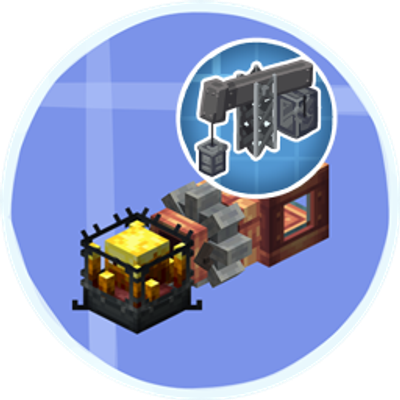
TFMG Liquid Fuel Compat (Moved)
Java mod listed for Minecraft 1.21. Downloads from the MC Java Mods app on Android.
⬇ Download on CurseForgeThe author built this one for Minecraft 1.21.1 on NeoForge. On other versions it may install and then do nothing.
📢 ANNOUNCEMENT!
🚀 This mod is now part of Create: Unified Fuels!
TFMG Liquid Fuel Compat is no longer developed as a standalone mod.
All of its functionality is now included in Create: Unified Fuels — a much larger compatibility mod that unifies liquid fuels across multiple Create addons with shared fuel tags, balanced values, and configurable integrations.
👉 Download Create: Unified Fuels on CurseForge
If you were using TFMG Liquid Fuel Compat to make TFMG fuels work with Create: Liquid Fuel, you can now switch to Create: Unified Fuels and get the same compatibility along with support for many more Create addons.
Old versions of this mod will remain available for existing modpacks and worlds, but all future development will continue in Create: Unified Fuels.
TFMG Liquid Fuel Compat
TFMG Liquid Fuel Compat adds support for The Factory Must Grow liquid fuels in Create Liquid Fuel on NeoForge 1.21.1.
This project is a lightweight compatibility addon. It does not add new machines or blocks.
Its only purpose is to register TFMG fluids as valid fuel sources for the Blaze Burner system from Create Liquid Fuel.
Included fuels
- Heavy Oil — Heated, burnTime 18, 1 mB/t
- Gasoline — Heated, burnTime 22, 1 mB/t
- Kerosene — Heated, burnTime 27, 1 mB/t
- Diesel — Heated, burnTime 32, 1 mB/t
- Naphtha — Heated, burnTime 36, 1 mB/t
- Napalm — Superheated, burnTime 34, 2 mB/t
Design goals
- Make TFMG refinery products usable in the Create Liquid Fuel Blaze Burner
- Preserve progression instead of making superheating free
- Keep the addon minimal and easy to remove later
Required mods
Important
This addon exists because the external datapack route is currently unreliable on the 1.21.1 branch of Create Liquid Fuel.
Until that is fixed upstream, this mod packages the compat JSON internally so the fuels are applied correctly.
- Edition: Minecraft Java
- File type: .jar
- Minecraft version listed: 1.21.1
- How to install: Install the matching mod loader (Forge, Fabric or NeoForge) for your Minecraft version. → Download the .jar. → Put it in the .minecraft/mods folder and launch that loader profile.
- Where to get it: Opens on CurseForge — not every file is mirrored on our own servers.
Install steps are the general flow for this file type — How to install Minecraft Java mods & modpacks walks through it step by step.
- Ships as tfmg_liquid_fuel_compat-1.0.0.jar — drop this file into the mods folder
- Download size: 62 KB
- Download link checked 3 Oct 2026 — working
These come from our own check of the pack file, not from the source page.