ModsJava
Computer Terminal
The author built this one for Minecraft 1.20.1 on Forge. On other versions it may install and then do nothing.
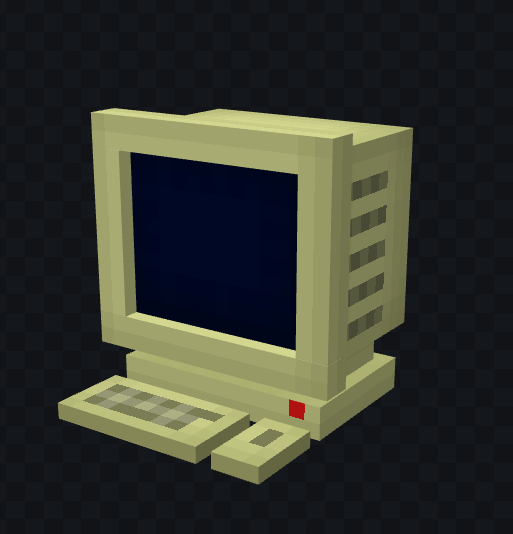
Computer Terminal by DariusXX
Inspired by Scribble
Computer Terminal is a simple and lightweight (hopefully) mod that allows you to type text into a computer that automatically saves. It also allows you to print the text on a document/paper which cannot be edited, good for documentation or roleplay!
Please report any bugs in the comments! I'm fine with criticism too
Features:
- Rich text editor (bold, italic, underline, color, very close to MS Word)
- Computer block with stylish editor, i tried ok?
- Print button
- Uneditable printed paper
- 50 lines of space inside the editor
1.1.0 (Check changelog)
- Databases
- Public/Private databases with per-computer permissions
- Admin USB item allows creation/permission management
- You can store and print documents from databases
- /ccdb command to manage databases (delete them/edit them)
- Ps. the command does NOT manage permissions for the computers, use the Admin USB.
TODO:
- Make one person allowed at a computer (one at a time)
- Make some sort of password system for computers
- Add folders for databases
Quick facts
- Edition: Minecraft Java
- File type: .jar
- Minecraft version listed: 1.20.1
- How to install: Install the matching mod loader (Forge, Fabric or NeoForge) for your Minecraft version. → Download the .jar. → Put it in the .minecraft/mods folder and launch that loader profile.
- Where to get it: Opens on CurseForge — not every file is mirrored on our own servers.
Install steps are the general flow for this file type — How to install Minecraft Java mods & modpacks walks through it step by step.
Verified by MCModsHub
- Ships as computercraft-1.2.0.jar — drop this file into the mods folder
- Download size: 464 KB
- Download link checked 13 Sept 2026 — working
These come from our own check of the pack file, not from the source page.