
Create: Vault UI
Java mod listed for Minecraft 1.20–1.21. Downloads from the MC Java Mods app on Android.
I don't know my version or loader
Create: Vault UI
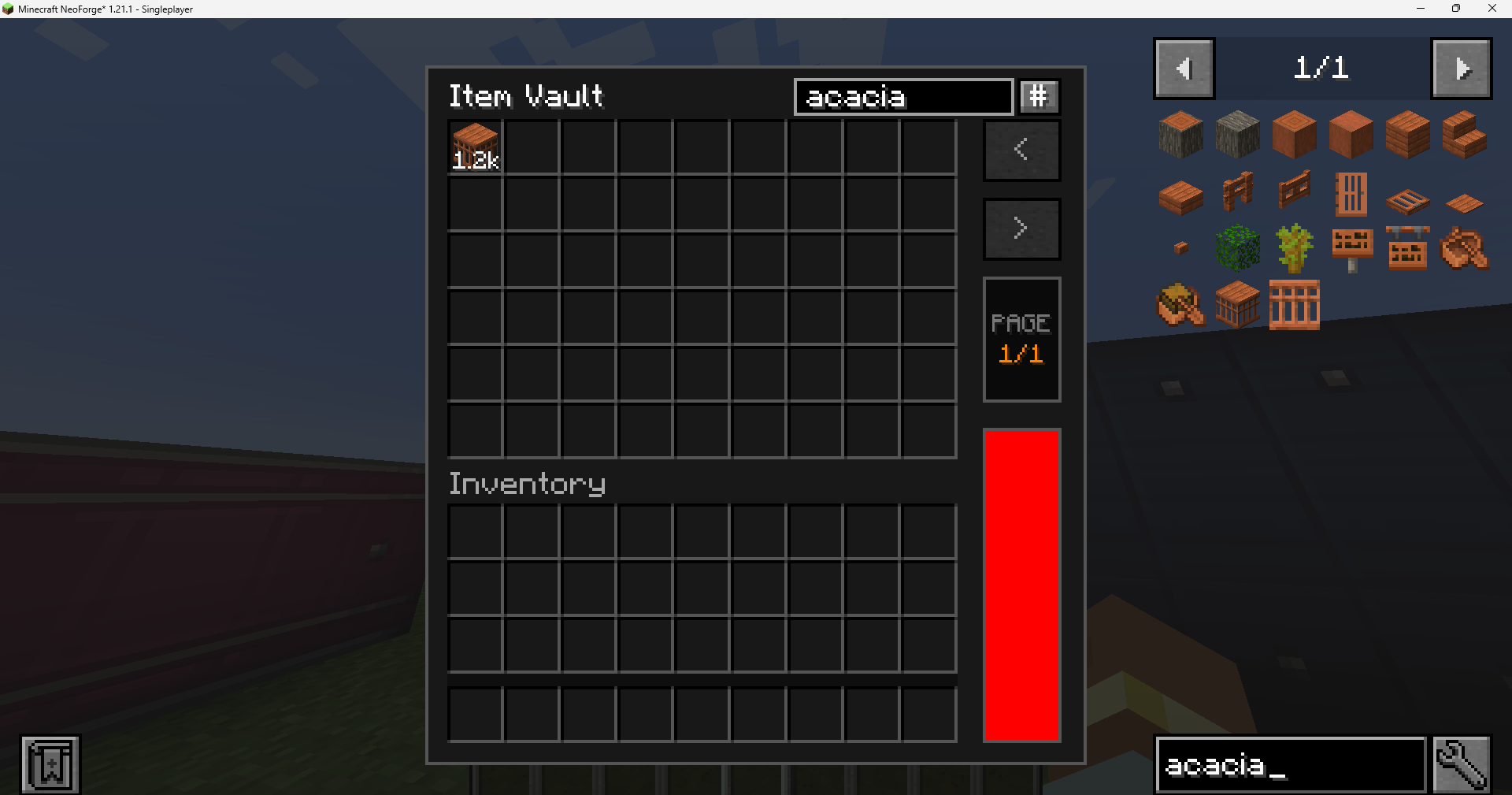
Vault UI provides a specialized interface for the Create mod's Item Vaults. It aggregates all stored items into a single, organized view, simplifying inventory management for large-scale storage systems.
Features
Unified Storage View
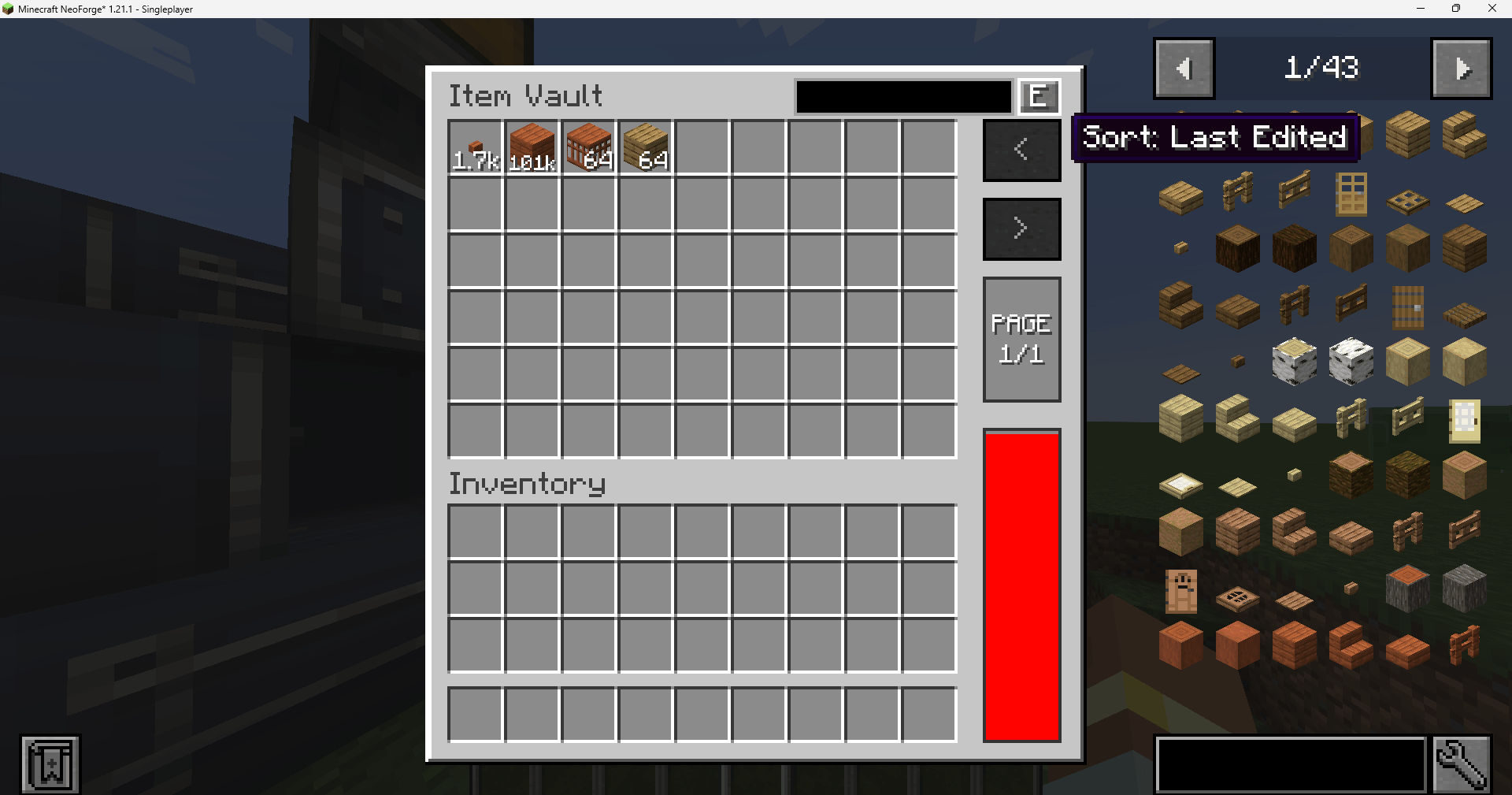
Vault UI merges separate stacks of identical items into a single slot. This provides a clear overview of total quantities, with large counts automatically formatted (e.g., 1.2k, 1.5M) for readability.
Capacity & Fullness Tracking
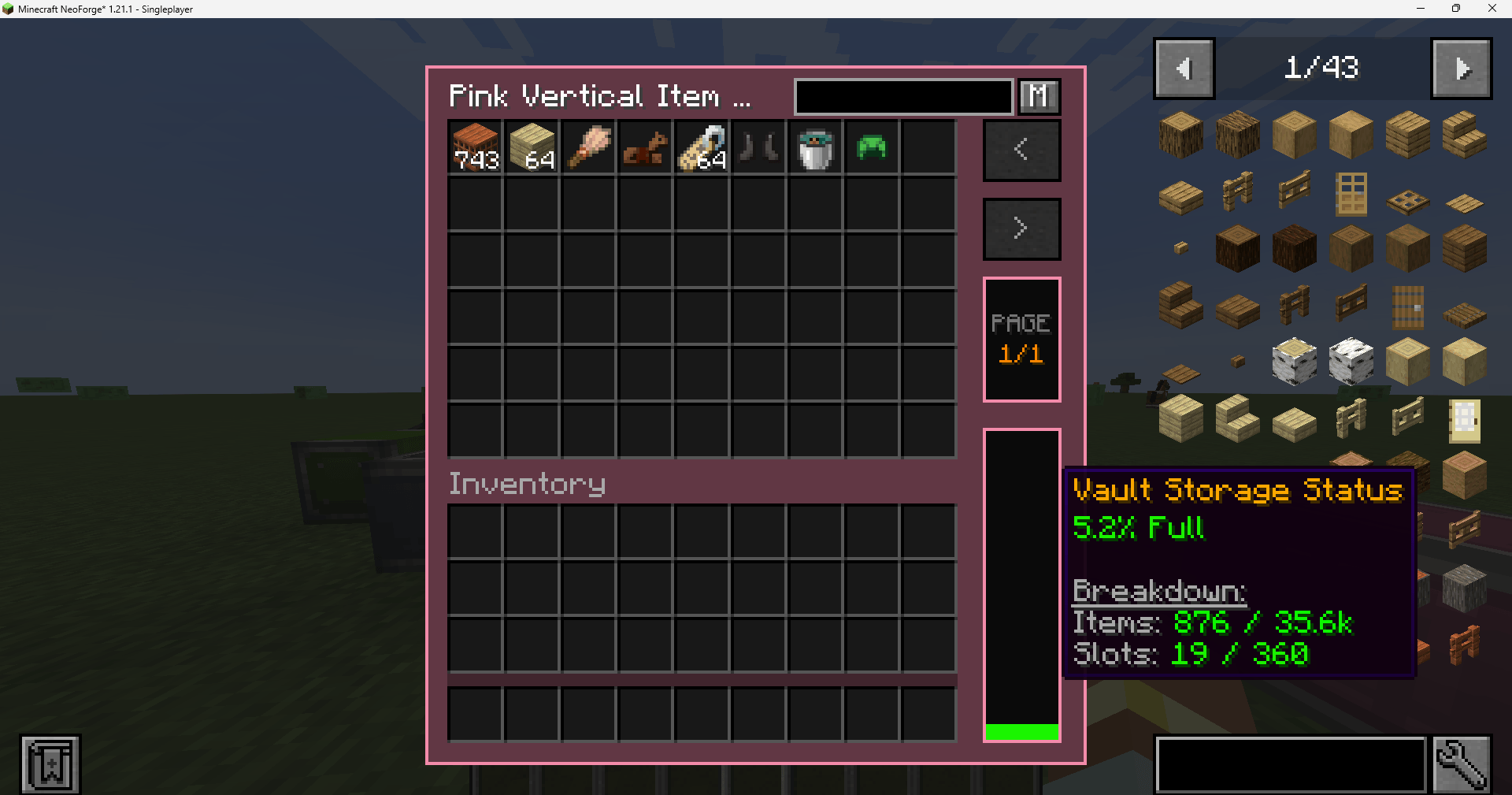
A real-time fullness indicator tracks vault storage capacity.
- Smart Tracking: Accounts for both item counts and slot availability, ensuring accurate status even with unstackable items.
- Detailed Stats: Hover over the fullness bar to view precise item counts and occupied slot data.
Item Searching & Sorting
Easily locate specific items in massive storage systems:
- Search Bar: Quickly filter visible items by typing their name in the built-in search box.
- Recipe Viewer Sync: Bidirectional search synchronization with JEI and EMI. Typing in one updates the other automatically.
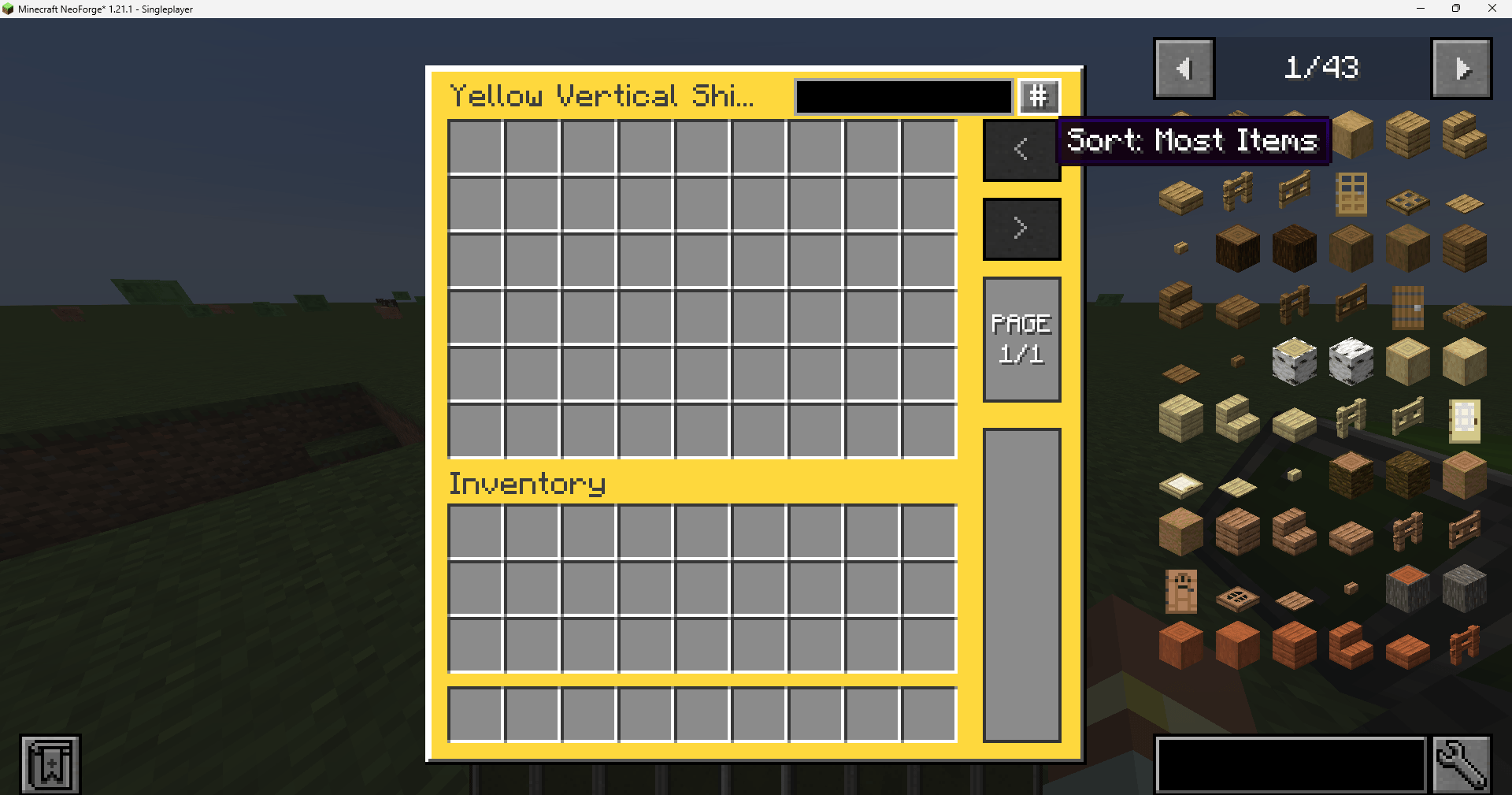
- Custom Sorting: Sort your items by Most Items, Last Edited, Alphabetical, or Mod ID.
Modern Interaction Shortcuts
- Shift + Double-Click: Rapidly transfer all matching items from the vault into your inventory. This shortcut requires holding an item in the cursor to trigger, preventing accidental bulk transfers.
Customization & Themes
- Adaptive UI Colors: Fully compatible with Create: Vibrant Vaults. The UI background dynamically tints to match the color of the vault block being accessed.
- Dark Mode: A clean, high-contrast dark theme for better visibility.
- Persistent Preferences: Sorting modes and theme selections are saved per-player.
Compatibility
Vault UI is designed to work with the standard Create Item Vault system and its internal ItemHandler logic.
- Create: Vibrant Vaults: Fully supported with dynamic UI color matching and variant detection.
- JEI / EMI: Bidirectional search synchronization supported for a seamless crafting and storage experience.
- General Support: Works with most mods that extend Create's vault system or utilize standard vault capabilities.
Installation & Usage
Requirements:
How to Use:
- Open Interface: Right-click any part of an Item Vault structure.
- Expand Vault: Hold an Item Vault block while clicking to expand the structure normally without opening the UI.
- Navigation: Use the paging controls on the right to navigate through large inventories.
Configuration
Client-side preferences are stored in config/vault_ui-client.toml:
# Use the dark theme.
darkMode = false

# Default sorting method (COUNT, LAST_EDITED, NAME_ID, or NAME).
sortMode = "COUNT"

# Enable colored UI backgrounds for Vibrant Vaults.
vibrantColors = true

# Sync search bar with JEI/EMI.
jeiSync = true
Links
- Modrinth: vault-ui
- CurseForge: vault-ui
- GitHub: yigit-guven/Vault-UI
Distributed under the LGPL v3 License. Special thanks to the Create Team.
- Edition: Minecraft Java
- File type: .jar
- Minecraft versions listed: 1.21.1, 1.20.1
- How to install: Install the matching mod loader (Forge, Fabric or NeoForge) for your Minecraft version. → Download the .jar. → Put it in the .minecraft/mods folder and launch that loader profile.
- Where to get it: Opens on CurseForge — not every file is mirrored on our own servers.
Install steps are the general flow for this file type — How to install Minecraft Java mods & modpacks walks through it step by step.
- Ships as vault_ui-1.0.0-beta9.jar — drop this file into the mods folder
- Download size: 302 KB
- Download link checked 3 Oct 2026 — working
These come from our own check of the pack file, not from the source page.