
PVPHQ TierTagger
Java mod listed for Minecraft 1.21. Downloads from the MC Java Mods app on Android.
⬇ Download on CurseForgeThe author built this one for Minecraft 1.21.11 on Fabric. On other versions it may install and then do nothing.
# PVPHQ TierTagger
Announcement!!
I am currently updating/rebuilding the Project for the new PVPHQ ranked System. Not all old features are supported yet. Supported features for PVPHQ are:
- Display the rank of any player next to their name. (rank, rating, icon) (layout can only be changed inside the config as of right now, sry)
- Cycle which kit the rank is shown for using a hotkey.
- Cycle which kit the rank is shown for using a hotkey
Functionality:
- Display the rank of any player next to their name.
- Cycle which kit the rank is shown for using a hotkey or "Mod menu" settings.
- Automaticly pick the shown kit based on your inventorys contents.
- Show all of your own ranks using a hotkey.
- Show any Players ranks with /tiertags.
- Works on any Server.
How to use:
Keybinds
You can set all the keybinds in your controls settings just as usual.
| Keybind name | function | Category | default keybind |
|---|---|---|---|
| Cycle Kits | Switch, which kit the Elo/Sr is displayed for | Tier Tagger (Flow PVP) | none |
| Show Stats | Opens the stats screen for yourself | Tier Tagger (Flow PVP) | none |
Settings
You can acces the settings menu through Mod Menu.
| Setting | function |
|---|---|
| Kit: | Switch, which kit the Elo/Sr is displayed for |
| Auto Pick Displayed Kit: | Automaticly switches which kit the Elo/Sr is displayed for, based on your inventorys content |
Commands
| Command | function |
|---|---|
| /tiertags <name> | Lookup any players stats, match history and skin |
Statistics Screen:
//cdn.modrinth.com/data/dT03BfmG/images/78bab6a7d0fa0d7c20b9a35c25e620feeadb6985_350.webp" rel="noopener noreferrer" target="_blank">https://cdn.modrinth.com/data/dT03BfmG/images/78bab6a7d0fa0d7c20b9a35c25e620feeadb6985_350.webp
" width="50%">
Customize Rank Diplay
You can completly customize how any players ranks get displayed.

just use the nametag customization menu in the settings.
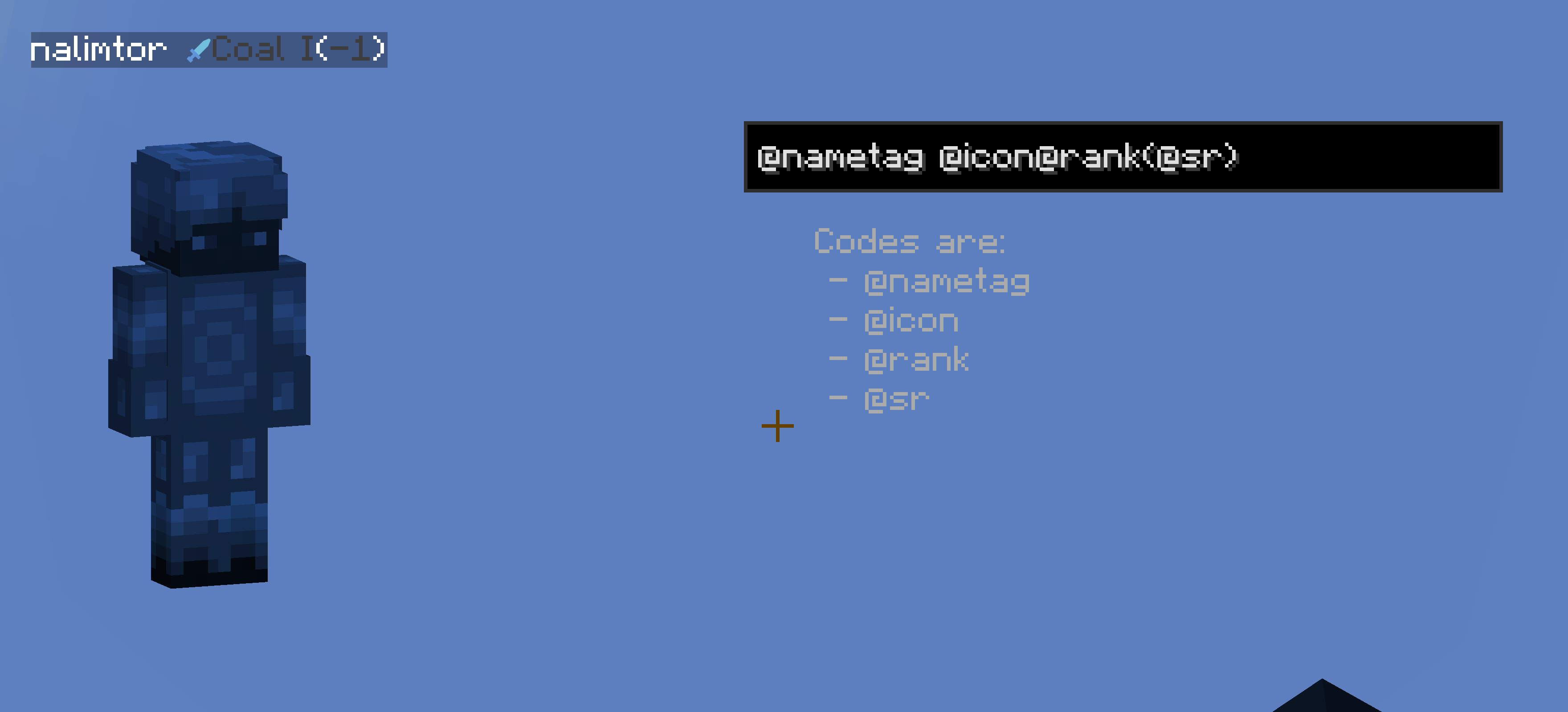
I am also open for ideas and issue fixes, for both just create a new issue on github.
(This project is unofficial and not associated with PVPHQ)




- Edition: Minecraft Java
- File type: .jar
- Minecraft version listed: 1.21.11
- How to install: Install the matching mod loader (Forge, Fabric or NeoForge) for your Minecraft version. → Download the .jar. → Put it in the .minecraft/mods folder and launch that loader profile.
- Where to get it: Opens on CurseForge — not every file is mirrored on our own servers.
Install steps are the general flow for this file type — How to install Minecraft Java mods & modpacks walks through it step by step.
- Ships as pvphq-tier-tagger-4.1.jar — drop this file into the mods folder
- Download size: 539 KB
- Download link checked 3 Oct 2026 — working
These come from our own check of the pack file, not from the source page.