CyberHUD
Java mod listed for Minecraft 1.19–1.21. Downloads from the MC Java Mods app on Android.
I don't know my version or loader
CyberHUD
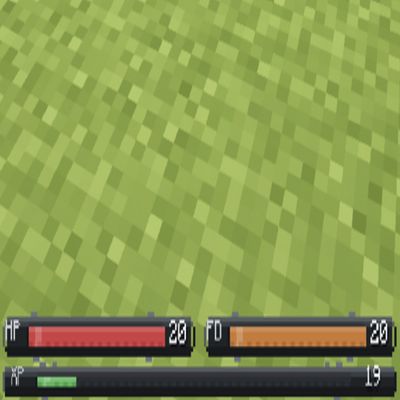
CyberHUD transforms Minecraft's vanilla HUD into a sleek sci-fi / cyberpunk interface without changing the layout players already know.
Instead of hearts, armor icons, hunger shanks, and air bubbles, CyberHUD displays clean status bars with centered values, keeping the screen readable, modern, and immersive during normal gameplay.
P.S.
It does not try to redesign the entire game interface or bury the screen under heavy effects.
It simply gives Minecraft a cleaner, more high-tech HUD that feels natural from the first minute of play.
- Edition: Minecraft Java
- File type: .jar
- Minecraft versions listed: 1.21.11, 1.21.1, 1.20.1
- How to install: Install the matching mod loader (Forge, Fabric or NeoForge) for your Minecraft version. → Download the .jar. → Put it in the .minecraft/mods folder and launch that loader profile.
- Where to get it: Opens on CurseForge — not every file is mirrored on our own servers.
Install steps are the general flow for this file type — How to install Minecraft Java mods & modpacks walks through it step by step.
- Ships as cyberhud-1.20.1-forge-1.1.0.jar — drop this file into the mods folder
- Download size: 23 KB
- Download link checked 3 Oct 2026 — working
These come from our own check of the pack file, not from the source page.