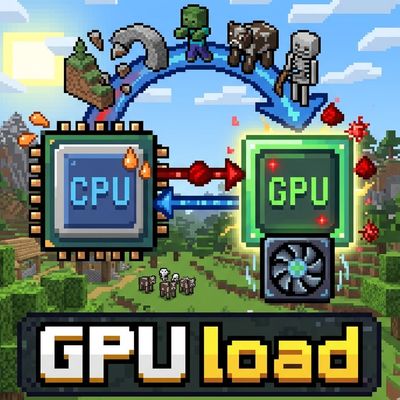
GPU load
Java mod listed for Minecraft 1.20. Downloads from the MC Java Mods app on Android.
⬇ Download on CurseForgeThe author built this one for Minecraft 1.20.1 on Forge. On other versions it may install and then do nothing.
Is your server CPU's integrated graphics sitting idle? Or does your server have a dedicated GPU?
Let's put it to work!
This mod offloads terrain noise, weather noise, and half of the AI processing to the GPU. These tasks aren't exactly a breeze for the CPU, but they're not particularly difficult for the GPU.
Since it doesn't handle all terrain generation or AI processing, it's “relatively” stable. (Though the effects are limited as a result...)
In short, this slightly reduces CPU load, resulting in more stable system performance.
However, depending on your environment, TPS (ticks per second) may decrease slightly.
Ultimately, this is a mod based on the philosophy of prioritizing stability, even at the cost of top speed.
The author is Japanese. Therefore, there may be disadvantages such as difficult to understand English (there are probably many).
[Disclaimer and Important Notes]
・Use at Your Own Risk: The installation and use of this MOD are entirely at the user’s own risk.
・No Warranty: This MOD is provided “as is,” and no warranty is made regarding its accuracy, safety, or fitness for any particular purpose.
・Liability for Damages: The creator assumes no liability whatsoever for any game data corruption, system malfunctions, account suspensions, or any other damages resulting from the use of this MOD.
・Support: While bug reports are welcome, we do not guarantee that they will be fixed, that updates will be released, or that individual support will be provided.
Known Issues
There are a few bugs at the time of release...
1. When shutting down the server, it crashes due to a memory access issue. On the servers I manage, this has not caused any issues such as data corruption; it simply causes the server to crash along with some error logs.
The cause is likely that when the server is shut down, memory is explicitly released, but some process is still requesting it.
This issue is caused by the server shutdown process. It shouldn’t occur if the shutdown process doesn’t run...
# Credits & Licenses
## Project Dependencies
### Minecraft Forge
### Sponge Mixin
## Bundled Native Libraries
### LWJGL 3 (Lightweight Java Game Library)
### GLFW
## Mappings
- Edition: Minecraft Java
- File type: .jar
- Minecraft version listed: 1.20.1
- How to install: Install the matching mod loader (Forge, Fabric or NeoForge) for your Minecraft version. → Download the .jar. → Put it in the .minecraft/mods folder and launch that loader profile.
- Where to get it: Opens on CurseForge — not every file is mirrored on our own servers.
Install steps are the general flow for this file type — How to install Minecraft Java mods & modpacks walks through it step by step.
- Ships as gpuloader-1.0.5.jar — drop this file into the mods folder
- Download size: 2.4 MB
- Download link checked 13 Nov 2026 — working
These come from our own check of the pack file, not from the source page.