ItemCheck
The author built this one for Minecraft 1.21.1 on NeoForge. On other versions it may install and then do nothing.
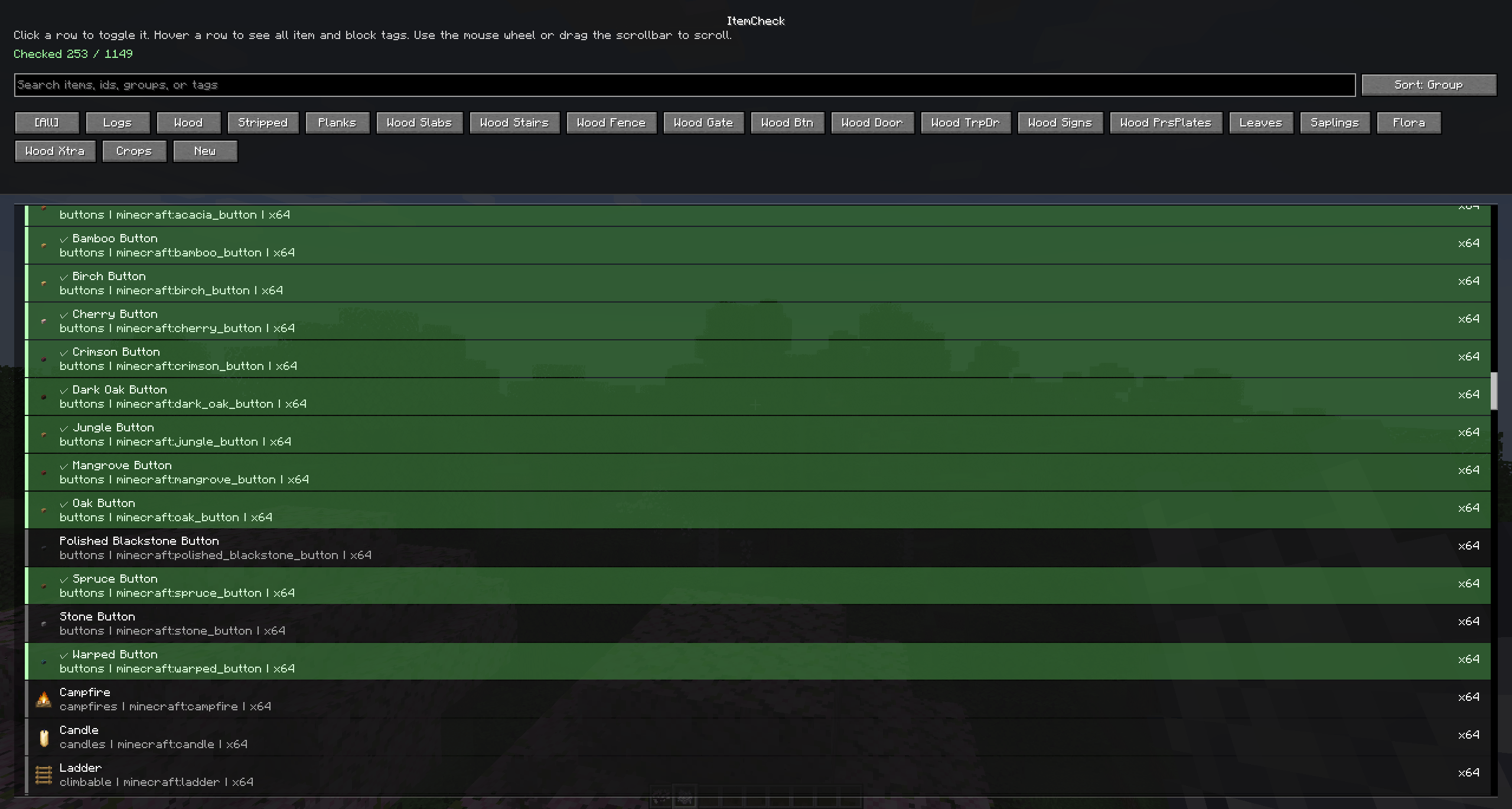
Building a mega warehouse and need to keep track of which items you have already collected? Then this mod is for you.
How to use:
- Press `O` to open the GUI
- Add or edit (RMB) tabs, which act as an item filter, showing you the items you want to see.
- Click and drag items to reorder them
- Right click an item to mark it as collected
Currently only tested for SinglePlayer (it stores data in World Server). That's because I prefer having 2 clients open. I will make it dedicated server compatible sometime soon.
- Edition: Minecraft Java
- File type: .jar
- Minecraft version listed: 1.21.1
- How to install: Install the matching mod loader (Forge, Fabric or NeoForge) for your Minecraft version. → Download the .jar. → Put it in the .minecraft/mods folder and launch that loader profile.
- Where to get it: Opens on CurseForge — not every file is mirrored on our own servers.
Install steps are the general flow for this file type — How to install Minecraft Java mods & modpacks walks through it step by step.
- Ships as itemcheck-1.1.2.0.jar — drop this file into the mods folder
- Download size: 258 KB
- Download link checked 13 Sept 2026 — working
These come from our own check of the pack file, not from the source page.