
VisualControl
Java mod listed for Minecraft 1.20. Downloads from the MC Java Mods app on Android.
A lightweight utility to individually toggle animations, particles, and extra visual elements for better performance.
⬇ Download on CurseForgeThe author built this one for Minecraft 1.20.1 on Forge. On other versions it may install and then do nothing.
VisualControl
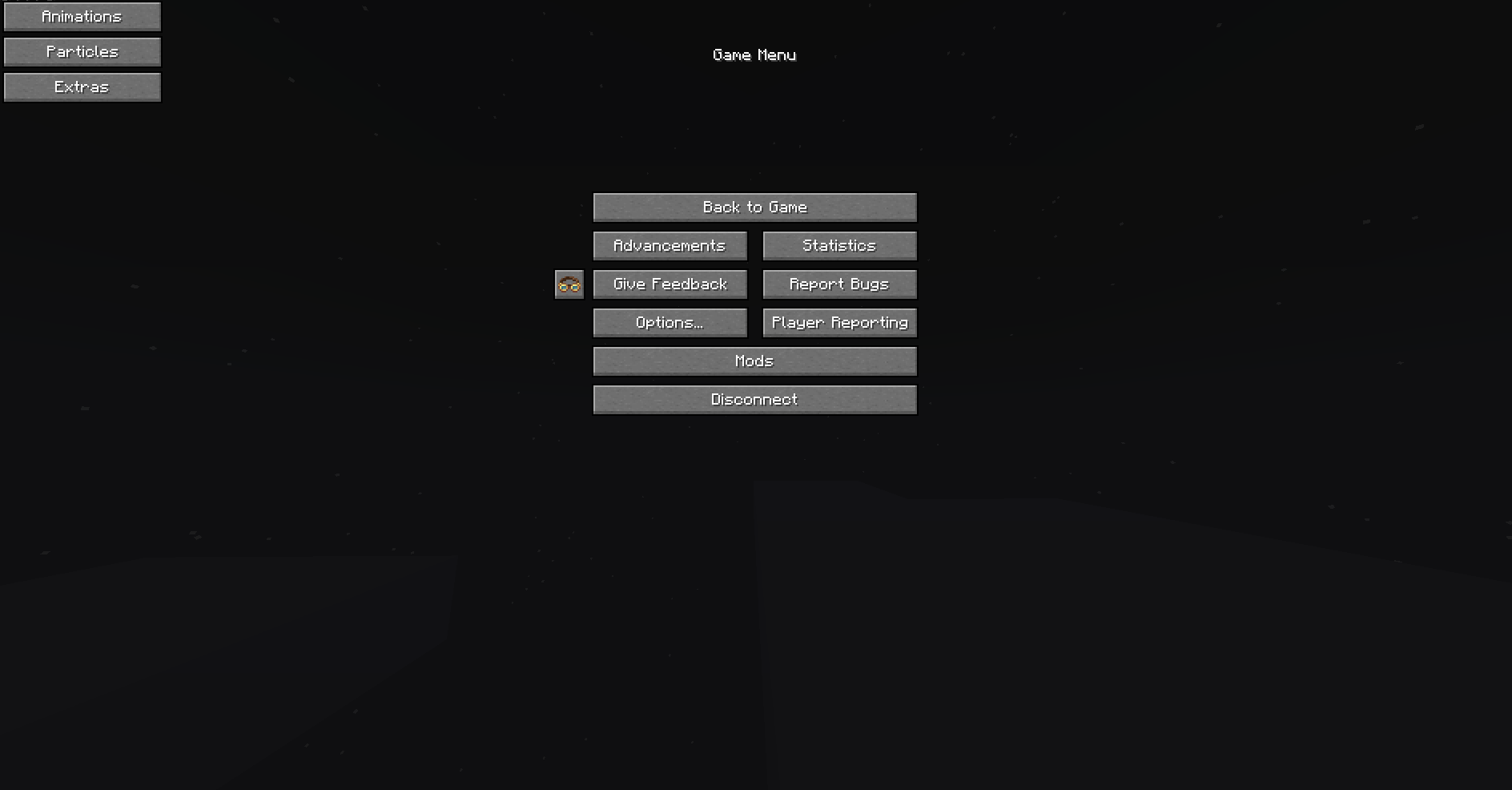
VisualControl is a utility mod for Minecraft Forge that allows you to individually toggle various rendering elements to improve performance or clear visual clutter. Allows toggling specific animations or particles in game as well as some other extra features such as fullbright. Menu for this mod can be found in the top left of the pause screen in game.
Features
🛠 Animations
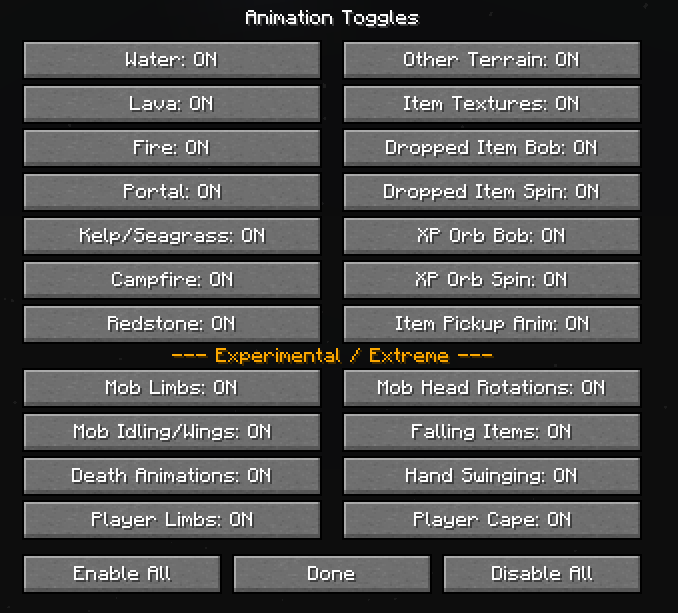
Individually enable or disable specific texture and entity animations:
- Environment: Water, Fire, Portals, Lava, Kelp, Seagrass, and Campfires.
- Entities: Item/XP bobbing, pickup effects, and mob limb movements.
- Players: Hand swinging, limb movements, and capes.
✨ Particles
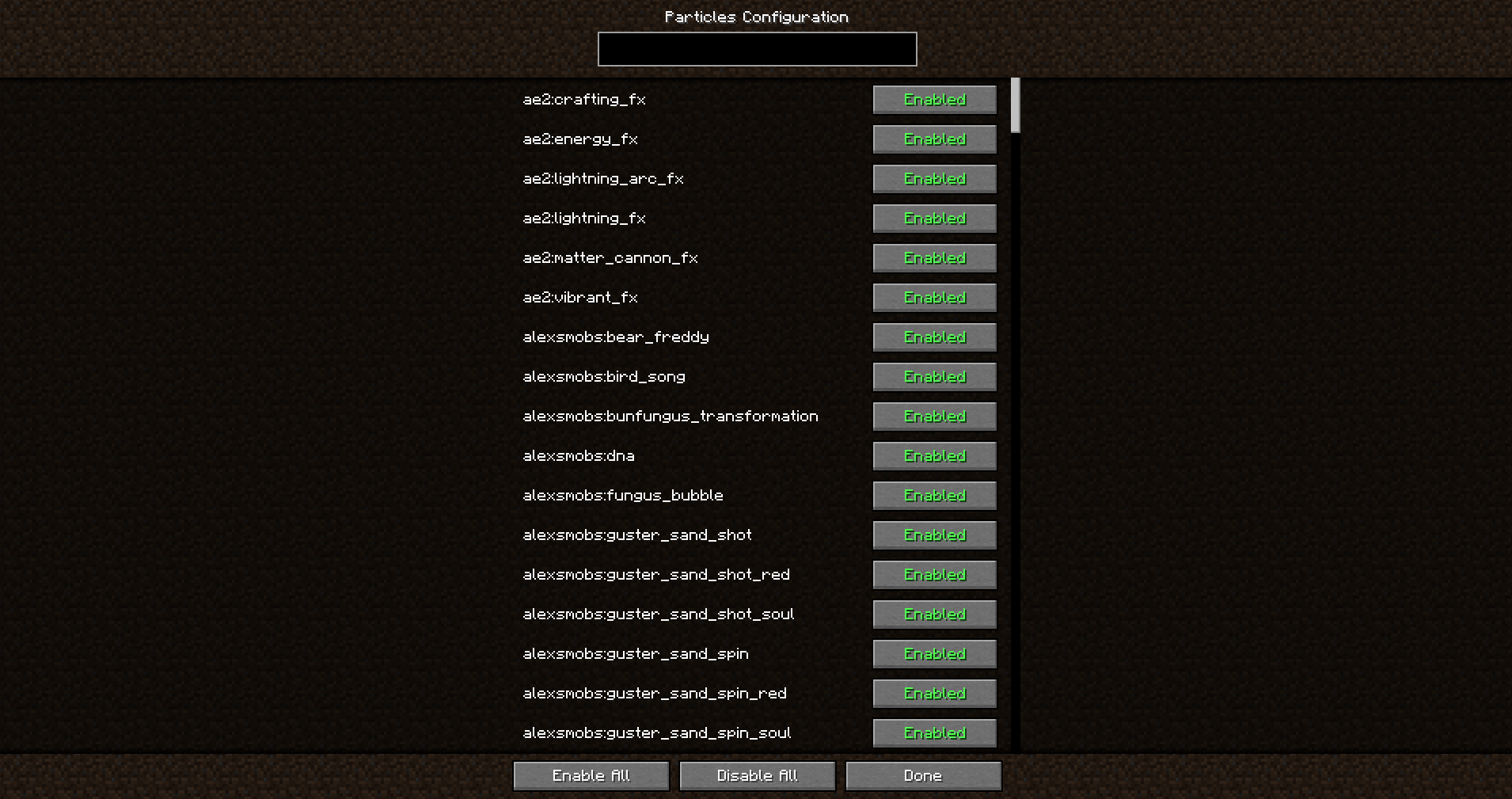
A revamped control system for all game particles:
- Searchable List: A menu listing every registered particle in the game (supports modded particles).
- Block Breaking: A dedicated toggle to disable particles created when breaking or hitting blocks.
- Bulk Actions: Buttons to enable or disable all particles at once.
⚙️ Extra Toggles
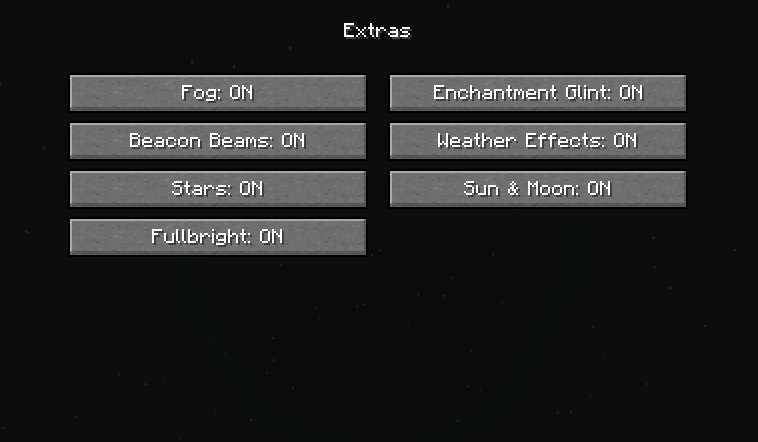
Additional visual and performance options:
- Fullbright: A simple max-gamma toggle.
- Enchantment Glint: Toggle the purple glow effect on items and armor.
- Beacon Beams: Toggle the visibility of vertical beacon beams.
- Atmosphere: Individual toggles for Fog, Rain/Snow, Stars, and the Sun/Moon.
- FPS Display & Coordinates Display: Toggle on/off a FPS and coordinates display.
- Edition: Minecraft Java
- File type: .jar
- Minecraft version listed: 1.20.1
- How to install: Install the matching mod loader (Forge, Fabric or NeoForge) for your Minecraft version. → Download the .jar. → Put it in the .minecraft/mods folder and launch that loader profile.
- Where to get it: Opens on CurseForge — not every file is mirrored on our own servers.
Install steps are the general flow for this file type — How to install Minecraft Java mods & modpacks walks through it step by step.
- Ships as visualcontrol-1.1.jar — drop this file into the mods folder
- Download size: 48 KB
- Download link checked 13 Nov 2026 — working
These come from our own check of the pack file, not from the source page.