I Can Take A Horde
Java mod listed for Minecraft 1.20. Downloads from the MC Java Mods app on Android.
“I Can Take a Horde” is a server-side mod that reduces hostile mob AI cost without freezing mobs or breaking combat. It uses capped frontline leaders…
I don't know my version or loader
I Can Take a Horde
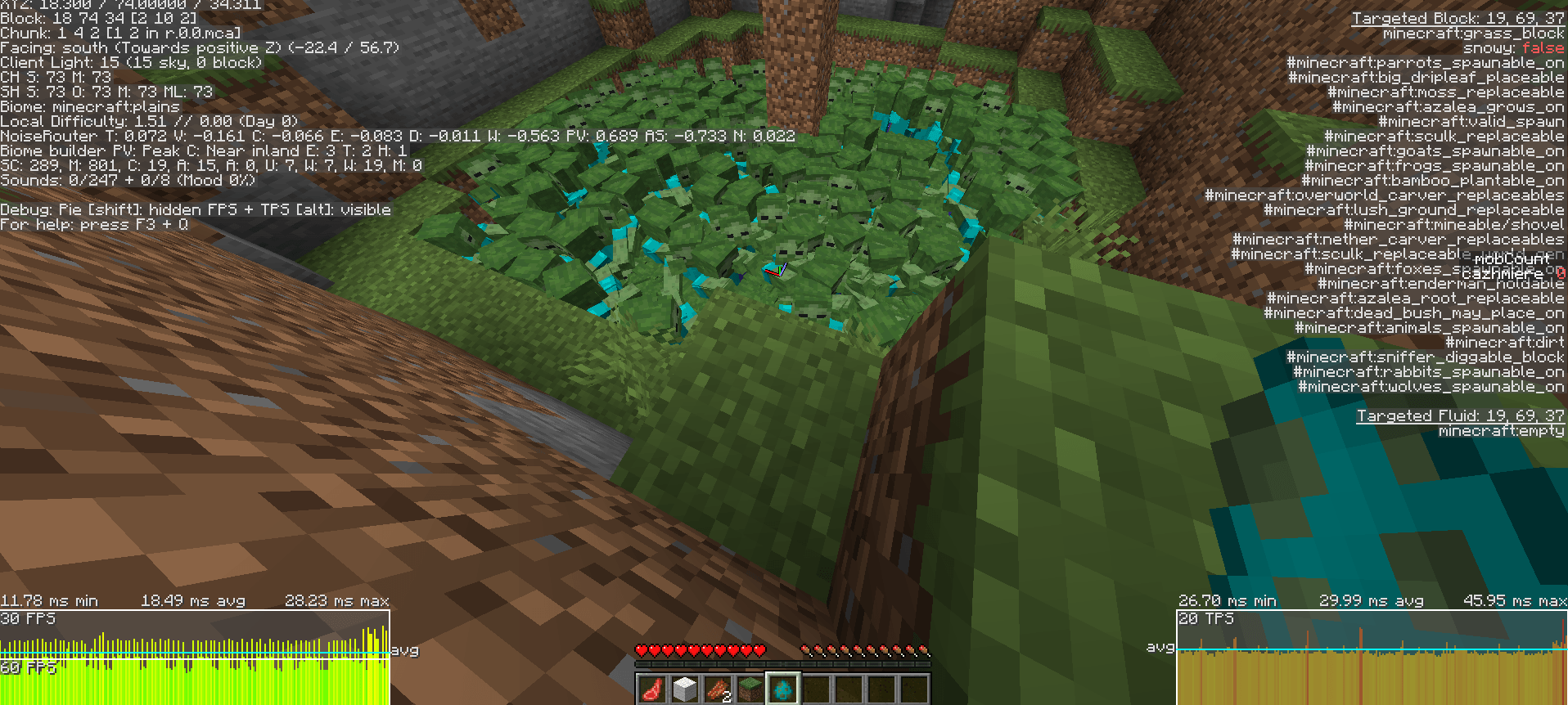
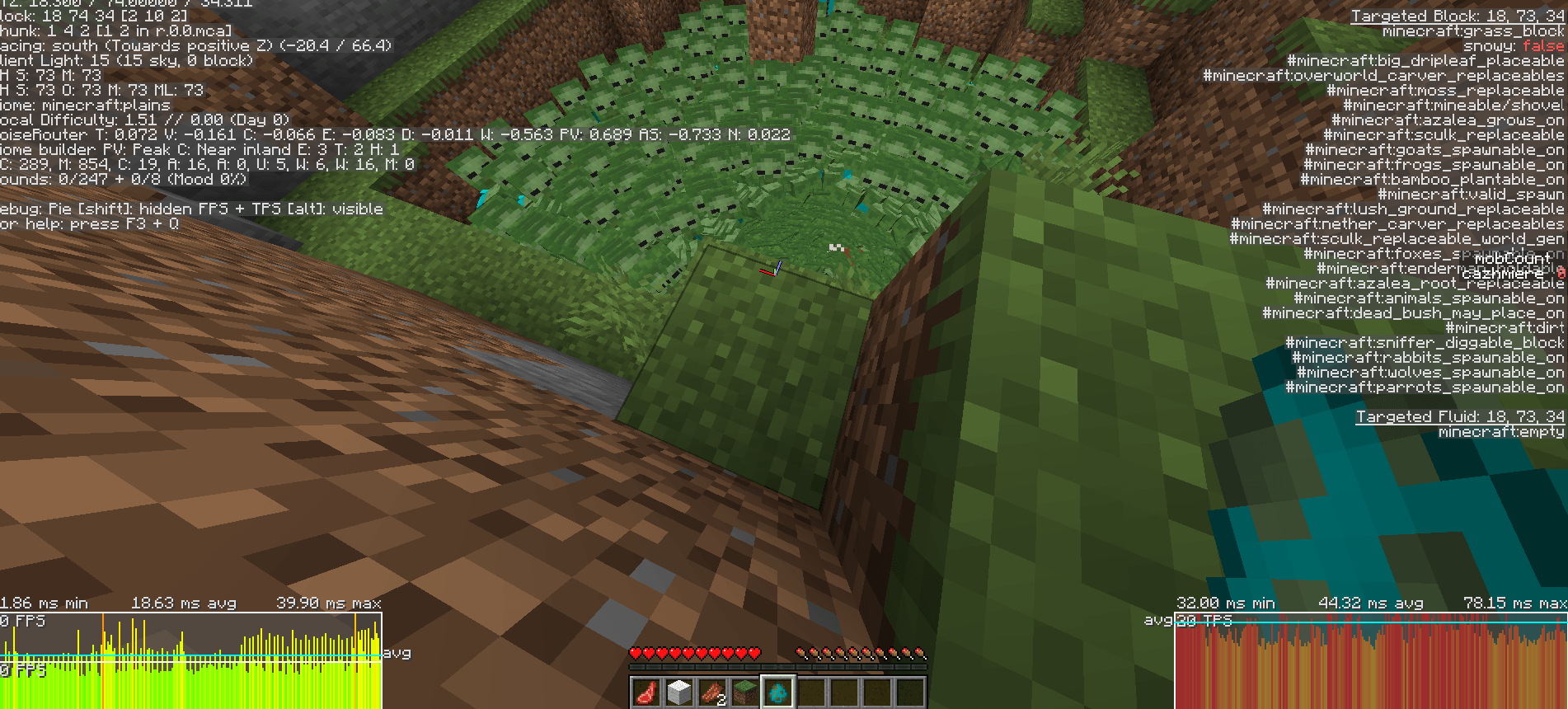
I Can Take a Horde is a server-side performance mod designed to reduce server strain from large groups of hostile mobs without freezing them or breaking combat. Instead of disabling AI, it intelligently controls hostile mob AI execution, pathfinding recalculations, horde coordination, close-range swarm behavior, and combat prioritization based on distance, combat state, observation, and nearby horde activity.
Version 1.2.1 expands the system with horde alert coordination, optional shared-target behavior, boss optimization controls, entity whitelist and blacklist support, and a reworked close-range frontline leader system. Instead of letting every nearby mob run full AI at once, the mod gives full AI priority only to a capped number of frontline mobs, while followers behind them use staggered updates and reduced pathfinding. This keeps hordes aggressive and dangerous without forcing the server to process every mob at full AI every tick.
The result is smoother performance in mob-heavy situations while keeping gameplay fully intact.
This mod pairs especially well with horde-focused or high-spawn mods:
- The Hordes – large-scale zombie waves
- Rise of the Zombies – aggressive spawning and swarm behavior
- Enhanced Celestials – stronger night events and mob pressure
These combinations can create extreme mob density, and I Can Take a Horde helps maintain stable performance while preserving combat intensity.
Version 1.2.1 is available for Forge, Fabric, and NeoForge on Minecraft 1.20.1.
NOTE: This is a server-side performance mod. It improves server performance such as TPS and MSPT and does not directly increase client FPS.
⚔️ Smooth Combat, Better Performance
This mod prioritizes combat and nearby interactions.
- Mobs with a target or in combat always run full AI
- Nearby threats behave normally
- Horde alerts can wake surrounding mobs
- Observed mobs tick more often
- Only distant or idle mobs are heavily optimized
Even with optimization enabled, mobs still:
- Move and pathfind naturally
- Take damage and apply knockback
- Fall, burn, drown, and interact normally
📈 What It Improves
- Higher server stability in mob-heavy areas
- Reduced CPU cost from large hostile groups
- Smoother large-scale combat encounters
- Fewer lag spikes from caves, swarms, and mob farms
- Better handling of horde-style gameplay
- Maintains responsive nearby combat
🧠 How It Works
The mod selectively reduces AI execution frequency based on:
- Distance to players
- Combat state
- Nearby horde activity
- Whether mobs have already engaged targets
- Player observation
- Selected performance preset
It does not:
- Stop entity ticking
- Freeze movement
- Disable damage or physics
- Remove AI entirely
🌍 Horde Coordination & Advanced Controls
Version 1.2.1 includes advanced horde systems:
- Horde alert coordination
- Optional shared-target behavior
- Boss optimization toggle
- Entity whitelist and blacklist support
- Improved close-range frontline AI arbitration
⚙️ Presets
SAFE – minimal gameplay impact
- nearDistance = 24
- midDistance = 64
- midTickInterval = 2
- farTickInterval = 10
NORMAL (Default) – balanced
- nearDistance = 16
- midDistance = 48
- midTickInterval = 4
- farTickInterval = 15
AGGRESSIVE – strongest optimization
- nearDistance = 10
- midDistance = 36
- midTickInterval = 6
- farTickInterval = 20
Custom tuning is available via config.
🔧 Server-Side Only
- Fully server-side (no client required)
- Applies only to hostile mobs with AI
- Does not affect players or passive entities
- Bosses excluded by default (configurable)
📦 Installation
- Install Forge, Fabric, or NeoForge 1.20.1
- Place the mod jar into the mods folder
- Launch the game or server once
- Config file generates automatically
- Adjust settings if needed
💡 In Simple Terms
More mobs. Less lag. Same combat feel.
❓ FAQ
Does this freeze mobs?
No. It only reduces how often AI runs.
Will combat still feel normal?
Yes. Nearby and engaged mobs remain fully responsive.
Does it affect bosses?
No, unless enabled in config.
Can I use this on servers?
Yes, it is designed for servers.
Does it change mob spawning?
No, only AI behavior after spawning.
Can I customize it?
Yes, via presets or full config.
🔮 Planned
- Expanded version support beyond 1.20.1
- Edition: Minecraft Java
- File type: .jar
- Minecraft version listed: 1.20.1
- How to install: Install the matching mod loader (Forge, Fabric or NeoForge) for your Minecraft version. → Download the .jar. → Put it in the .minecraft/mods folder and launch that loader profile.
- Where to get it: Opens on CurseForge — not every file is mirrored on our own servers.
Install steps are the general flow for this file type — How to install Minecraft Java mods & modpacks walks through it step by step.
- Ships as icantakeahorde-forge-1.2.1.jar — drop this file into the mods folder
- Download size: 53 KB
- Download link checked 3 Oct 2026 — working
These come from our own check of the pack file, not from the source page.