ModsJava
GpuShift
Java mod listed for Minecraft 1.20–1.21. Downloads from the MC Java Mods app on Android.
I don't know my version or loader
Open the Minecraft launcher and look at the profile you play on — it names both, like fabric-loader-1.21.4. The version also shows in the bottom-right corner of the game's main menu.
No loader in the profile name? Then it's plain Minecraft, and these mods won't run — you need Fabric or NeoForge installed first.
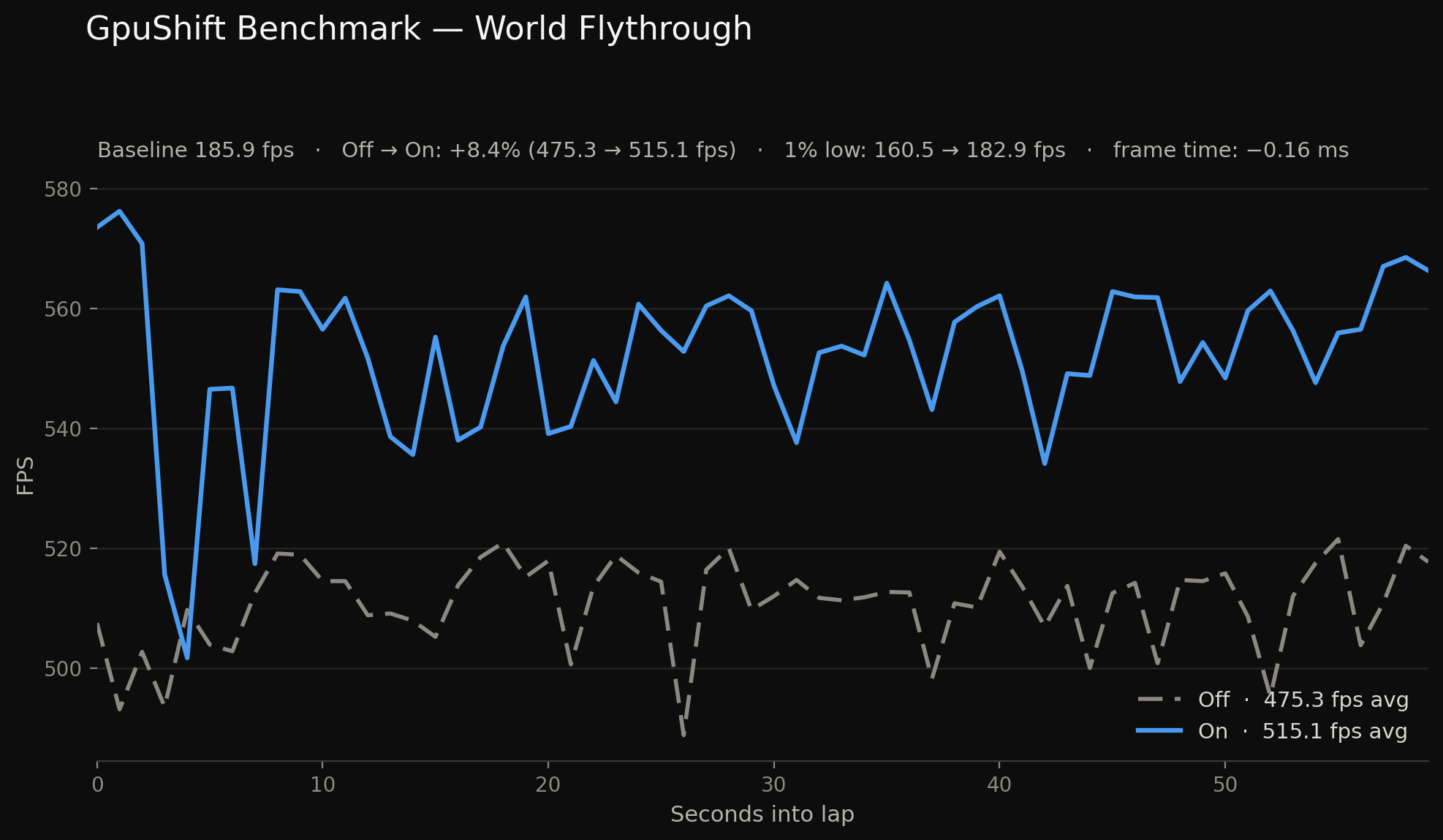
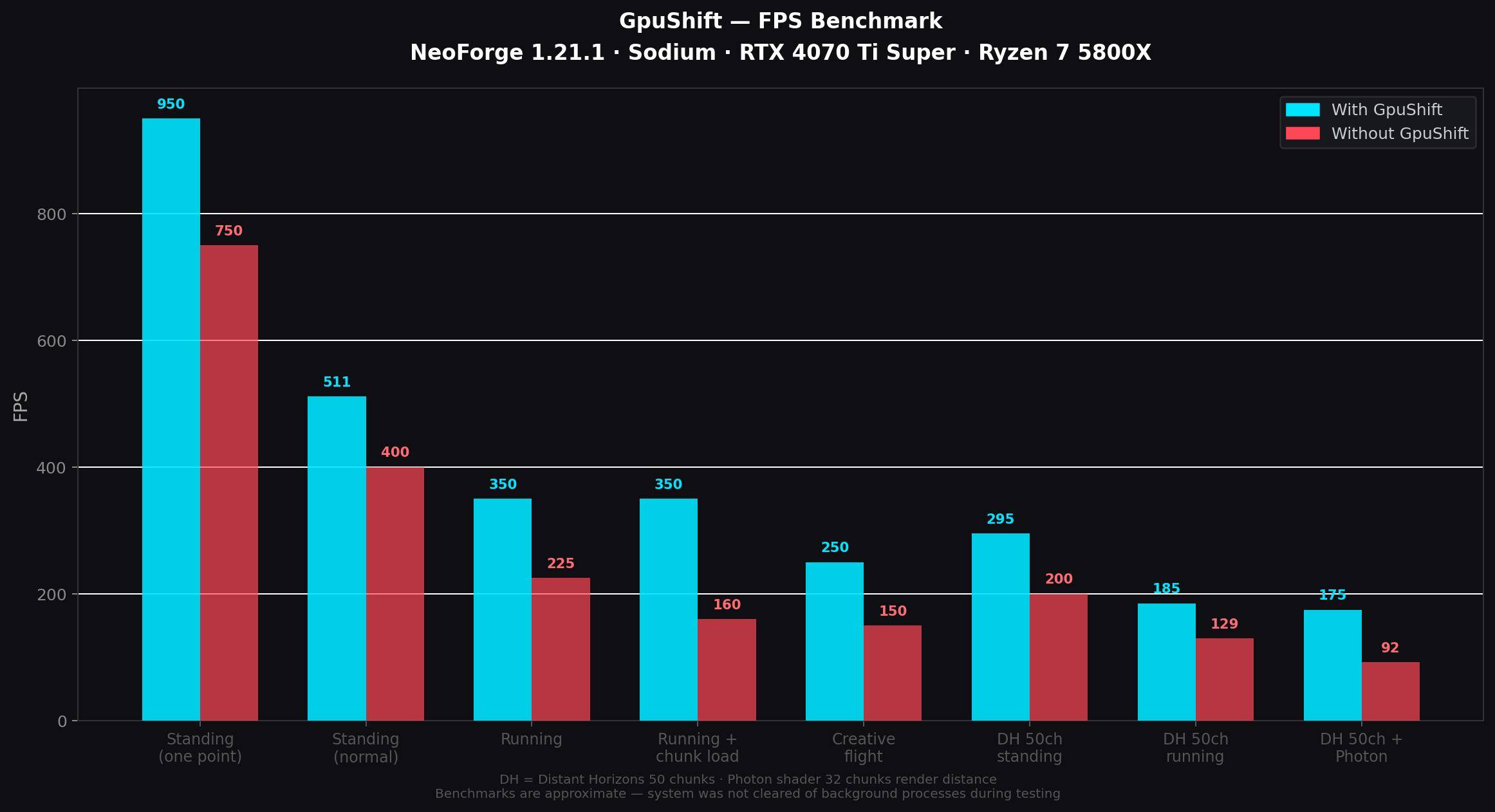
GpuShift is a client-side performance mod that offloads CPU render work to the GPU, reducing frame time and boosting FPS.
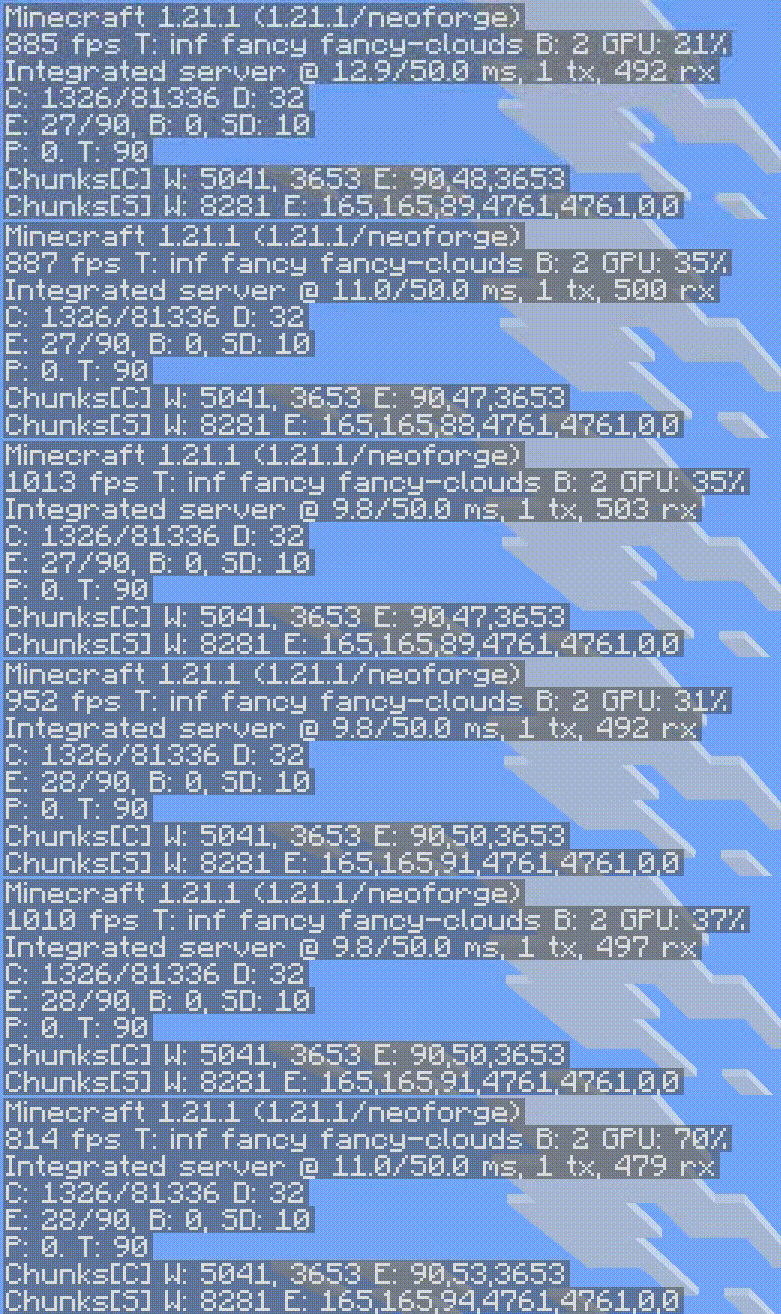
Results (same scene, OBS recording at 2K/120fps):
- Sodium alone: ~460 FPS
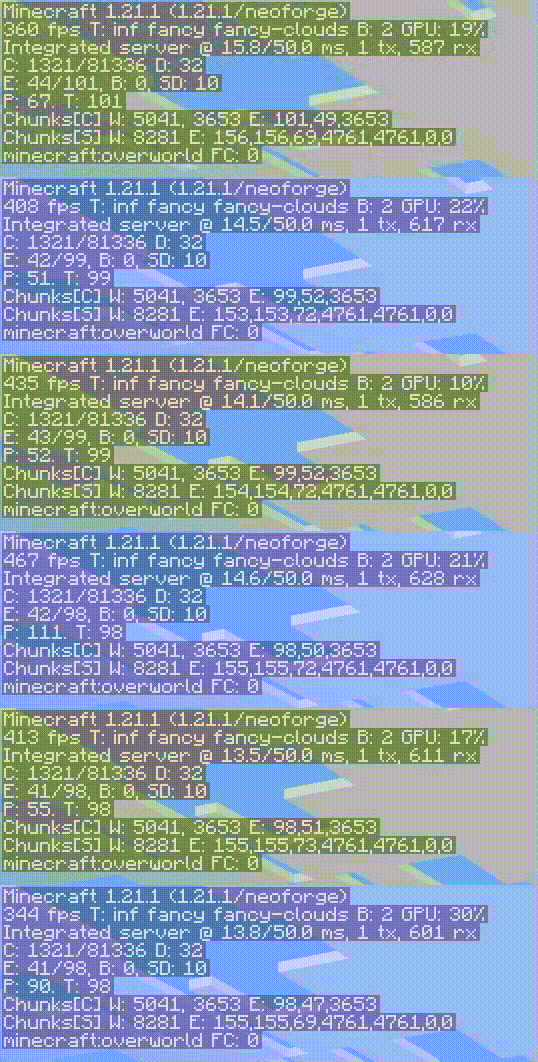
- Sodium + GpuShift: ~857 FPS
Features:
- Works standalone or alongside Sodium/Embeddium
- Adaptive entity culling — distant entities are skipped, close ones always render
- Particle budget scaling
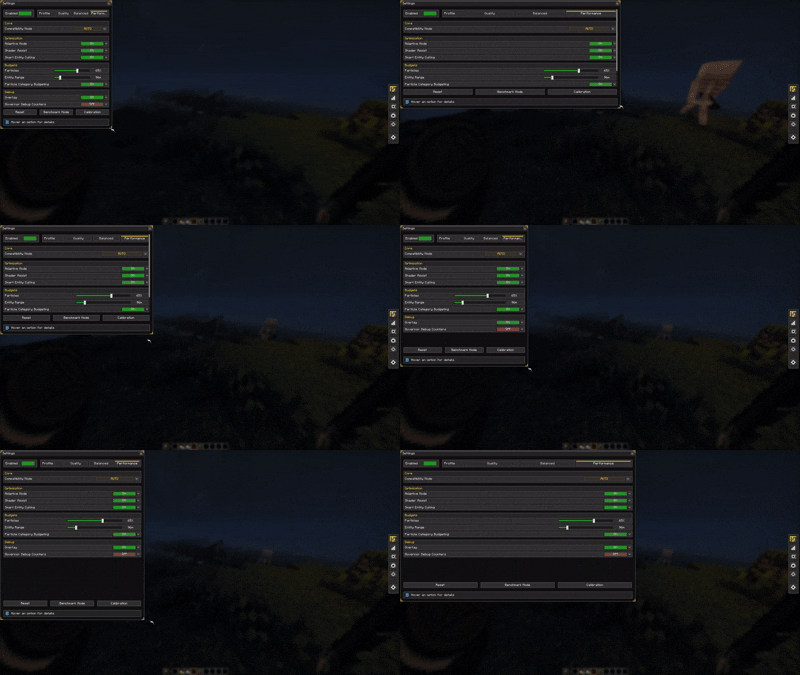
- In-game config screen
- FPS/frame time overlay
- Zero impact on server-side logic
Compatibility:
- ✅ Sodium (recommended)
- ✅ Embeddium
- ✅ Oculus
- ✅ Works without any of the above
This mod does NOT:
- Replace or break the render pipeline
- Affect server ticks, AI, or physics
- Require any dependencies
support me :3

Quick facts
- Edition: Minecraft Java
- File type: .jar
- Minecraft versions listed: 1.20.1, 1.21.1
- How to install: Install the matching mod loader (Forge, Fabric or NeoForge) for your Minecraft version. → Download the .jar. → Put it in the .minecraft/mods folder and launch that loader profile.
- Where to get it: Opens on CurseForge — not every file is mirrored on our own servers.
Install steps are the general flow for this file type — How to install Minecraft Java mods & modpacks walks through it step by step.
File checked by MCModsHub
- Ships as gpushift-forge-1.20.1-1.2.1.jar — drop this file into the mods folder
- Download size: 230 KB
- Download link checked 3 Oct 2026 — working
These come from our own check of the pack file, not from the source page.