
Tinker's Planner Antique
Minecraft Java mod. Downloads from the MC Java Mods app on Android.
⬇ Download on CurseForgeTinkers Planner Antique
Fully plan a Tinkers' Construct tool or armor set before crafting it!
Tinkers Planner Antique is a Minecraft 1.12.2 Forge port/adaptation of the original Tinker's Planner mod.
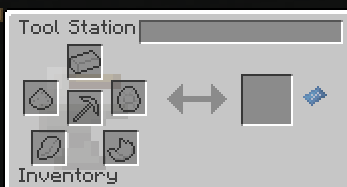
This mod adds a blueprint button to the Tinker Station and related crafting interfaces. Clicking it opens the planner UI, where you can design tools and armor before spending materials.
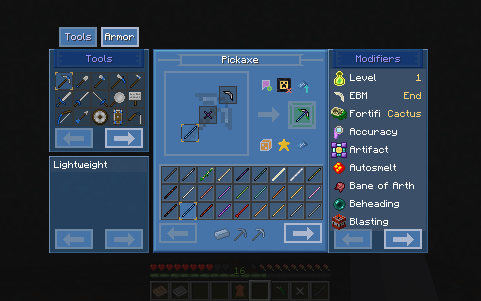
Features
- Plan and preview tools and armor
- Bookmark planned builds
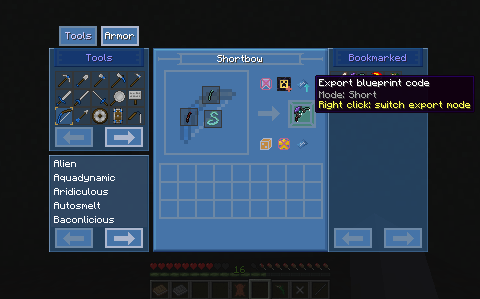
- Import and export blueprint codes
- Filter and sort materials while choosing parts
- Pin bookmarked blueprints to a station UI
- One-click assemble matching parts from your inventory
Bookmarks
Bookmark planned builds so you can return to them later or pin them to the station UI when you are ready to craft.
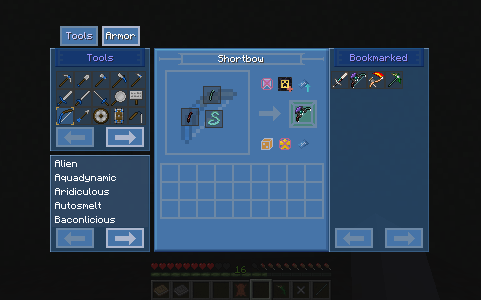
Blueprint Import and Export
Export planned builds as blueprint codes and import them again later.
This makes it easy to share builds with other players, move plans between worlds, or save a design outside the game.
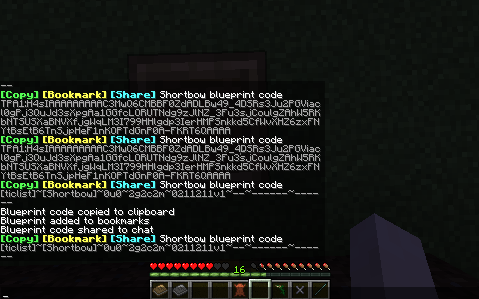
One-Click Assembly
Pinned blueprints can help assemble tools or armor directly from the Tinker Station or Armor Station.
If the required parts are in your inventory, the mod will move the matching parts into the correct crafting slots.
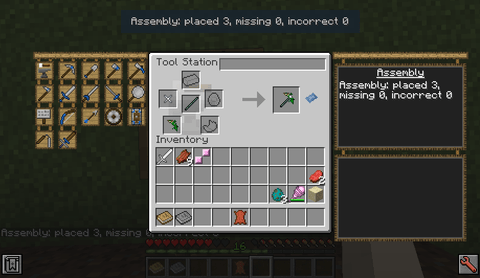
If something is missing or incorrect, the station UI will show what still needs to be fixed.
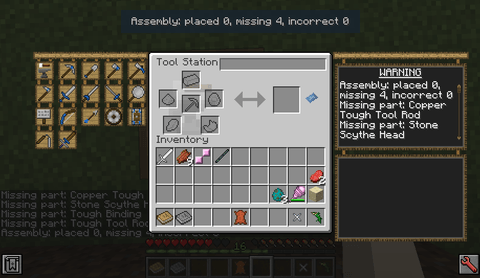
Note: Portions of this mod were created with AI assistance (for brainstorming and problem-solving). All relevant parts have been manually verified and reviewed by a human developer.
This mod is a port/adaptation of the original mod. If you encounter issues or want to make suggestions, please submit them to this mod's GitHub issue tracker instead of the original mod's page.
- Edition: Minecraft Java
- File type: .jar
- How to install: Install the matching mod loader (Forge, Fabric or NeoForge) for your Minecraft version. → Download the .jar. → Put it in the .minecraft/mods folder and launch that loader profile.
- Where to get it: Opens on CurseForge — not every file is mirrored on our own servers.
Install steps are the general flow for this file type — How to install Minecraft Java mods & modpacks walks through it step by step.
- Ships as TinkersPlannerAntique-1.12.2-1.2.0.jar — drop this file into the mods folder
- Download size: 267 KB
- Download link checked 3 Oct 2026 — working
These come from our own check of the pack file, not from the source page.