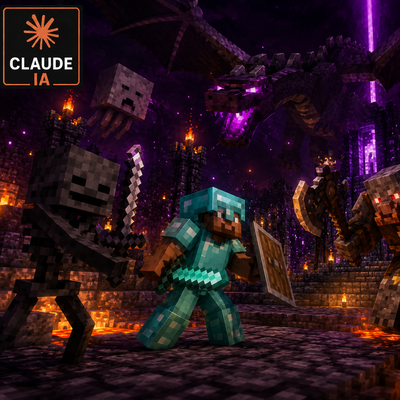
MobLevelScale, Addon Mine and Slash
Forge 1.20.1 addon for Mine and Slash. Ensures mobs always spawn at or above the nearest player level, preventing low-level enemies from appearing. Tamed…
⬇ Download on CurseForgeThe author built this one for Minecraft 1.20.1 on Forge. On other versions it may install and then do nothing.
MobLevelScale — Mod Summary
Minecraft 1.20.1 | Forge 47.4.20 | Mine and Slash Addon
Overview
MobLevelScale is a lightweight Forge mod that solves one of the most immersion-breaking issues in Mine and Slash modpacks: enemies spawning far below the player's level. No matter how far you progress, weak mobs keep appearing and cluttering the world. MobLevelScale guarantees that every mob spawns at or above the nearest player's level, making the world feel consistently challenging.
The Problem
Mine and Slash assigns mob levels based on dimension config ranges and a variance value. This means a level 80 player can still encounter level 10 zombies wandering nearby. It breaks immersion, wastes time, and makes the early-game mobs feel pointless at higher levels.
How It Works
MobLevelScale listens for mob spawn events at the lowest possible priority, ensuring it runs after Mine and Slash has already assigned the mob's level. If the assigned level is below the nearest player's level, the mod corrects it upward using Mine and Slash's own capability system.
- Tamed animals and pets are excluded and never affected
- Works with all mobs, vanilla and modded
- No configuration needed, works out of the box alongside Mine and Slash
- Runs only on spawn, zero performance impact during normal gameplay
Compatibility
- Requires Mine and Slash to function
- Compatible with Ice and Fire, Lycanites Mobs, and any other mod that spawns entities through standard Forge events
- Works alongside PetScale and SummonAI
If you find any errors, please leave a comment.
Credits
Concept, design, and testing: Morkerod
Code architecture and implementation: Claude (Anthropic)
- Edition: Minecraft Java
- File type: .jar
- Minecraft version listed: 1.20.1
- How to install: Install the matching mod loader (Forge, Fabric or NeoForge) for your Minecraft version. → Download the .jar. → Put it in the .minecraft/mods folder and launch that loader profile.
- Where to get it: Opens on CurseForge — not every file is mirrored on our own servers.
Install steps are the general flow for this file type — How to install Minecraft Java mods & modpacks walks through it step by step.
- Ships as moblevelscale-1.0.1.jar — drop this file into the mods folder
- Download size: 7 KB
- Download link checked 13 Sept 2026 — working
These come from our own check of the pack file, not from the source page.