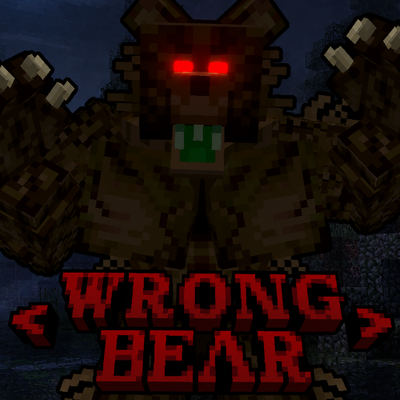
The Creature of Alderwood: The Wrong-Bear
Java mod listed for Minecraft 1.19–1.20. Downloads from the MC Java Mods app on Android.
Based on the Manbear this mod adds The Wrong-Bear to your world! A creature that stalks you and mimicks your voice!
I don't know my version or loader

The waiting is finally over!
This mod adds the Wrong-Bear. This intelligent stalker is not easy to avoid. He will stalk you and wait. He will attack when you least expect it.
What he features:
- Stalks you and waits before he attacks. His attacks will always be unexpected
- Can mimick the voice of you or your friends
- Can break through wood, so you're not safe in your wooden shack
- Can climb so just trying to build up won't work
- Can set up bear traps
- Can launch "mock" attacks to scare the shit out of you!
The Wrong-Bear spawns rarely and attacks even rarer. So don't expect any shock elements right away! The Horror is supposed to be subtle and slowly building up!
To truly bring out the horror factor, it is recommended to play the mod within an atmospheric modpack specifically designed for it. In a standard vanilla world, the mod cannot truly unleash its full potential.
This mod needs GeckoLib and Simple Voice Chat!
IMPORTANT DISCLAIMER:
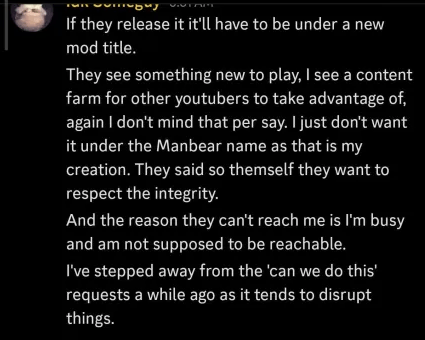
This mod is based on idk someguy's Manbear Mod. We wanted to put an end to the wait for it, so we developed this mod for everyone who’s tired of waiting—especially since it will probably never be released. idk someguy allowed us to release this. His only condition was us changing the name. To respect the integrity of the original Manbear we decided to change the name and we also retextured it. The code itself is already selfmade.
- Edition: Minecraft Java
- File type: .jar
- Minecraft versions listed: 1.20.1, 1.19.2
- How to install: Install the matching mod loader (Forge, Fabric or NeoForge) for your Minecraft version. → Download the .jar. → Put it in the .minecraft/mods folder and launch that loader profile.
- Where to get it: Opens on CurseForge — not every file is mirrored on our own servers.
Install steps are the general flow for this file type — How to install Minecraft Java mods & modpacks walks through it step by step.
- Ships as WRONGBEAR_2.0_BY_ZZIGGS-1.20.1.jar — drop this file into the mods folder
- Download size: 1.2 MB
- Download link checked 3 Oct 2026 — working
These come from our own check of the pack file, not from the source page.