CobbleDollarsCommandShop
The author built this one for Minecraft 1.21.1 on NeoForge. On other versions it may install and then do nothing.
CobbleDollars Command Shops
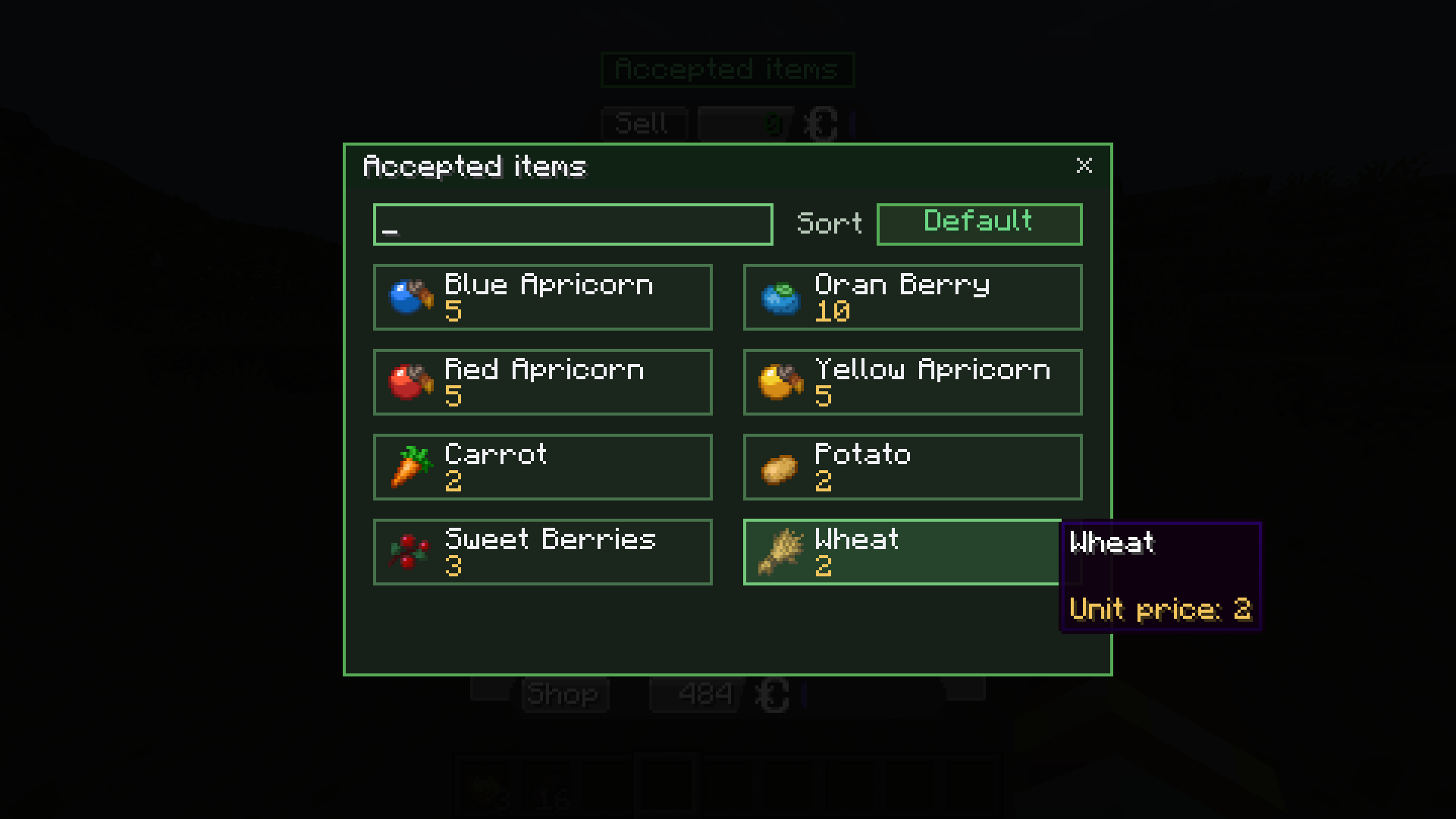
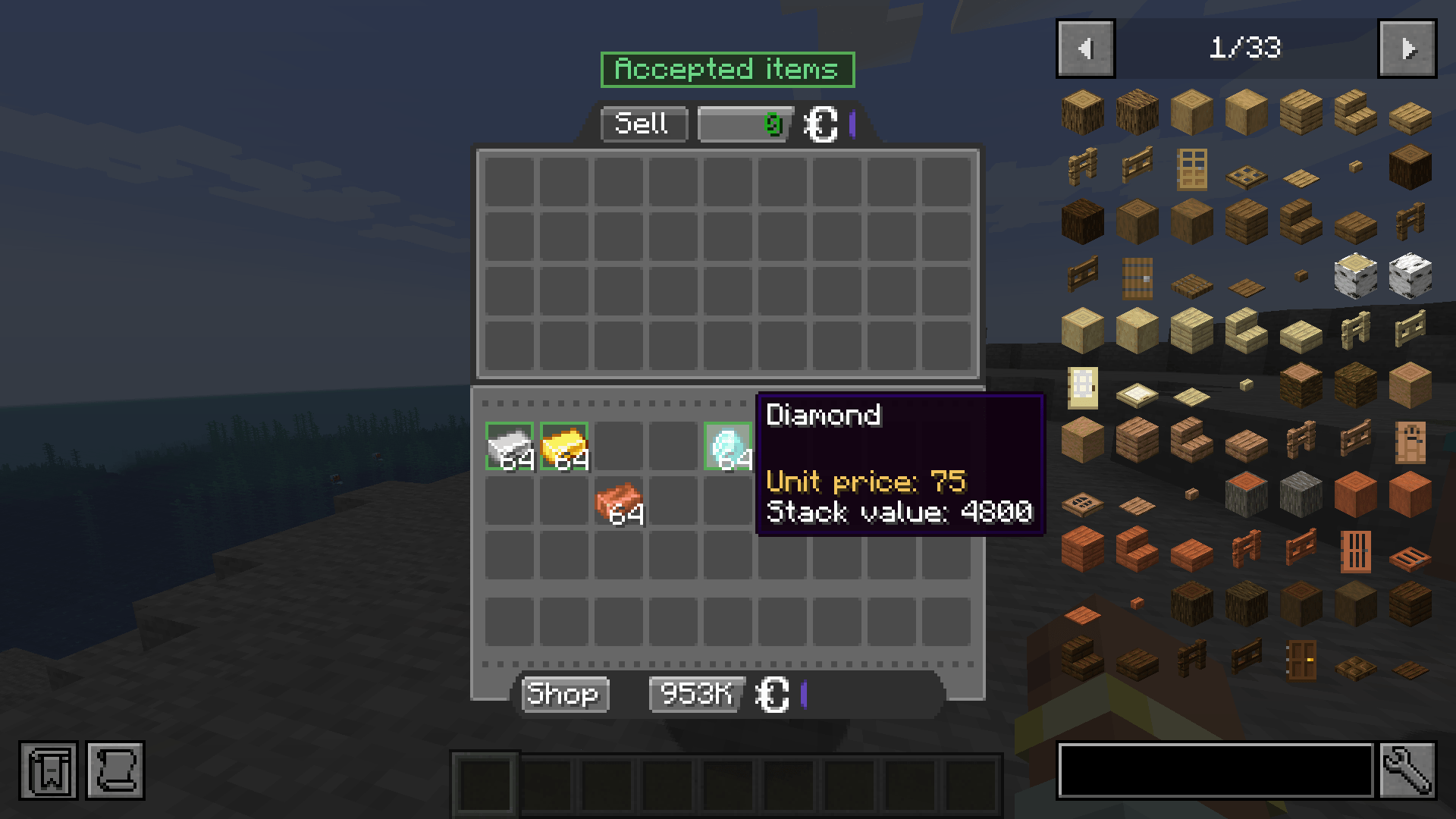
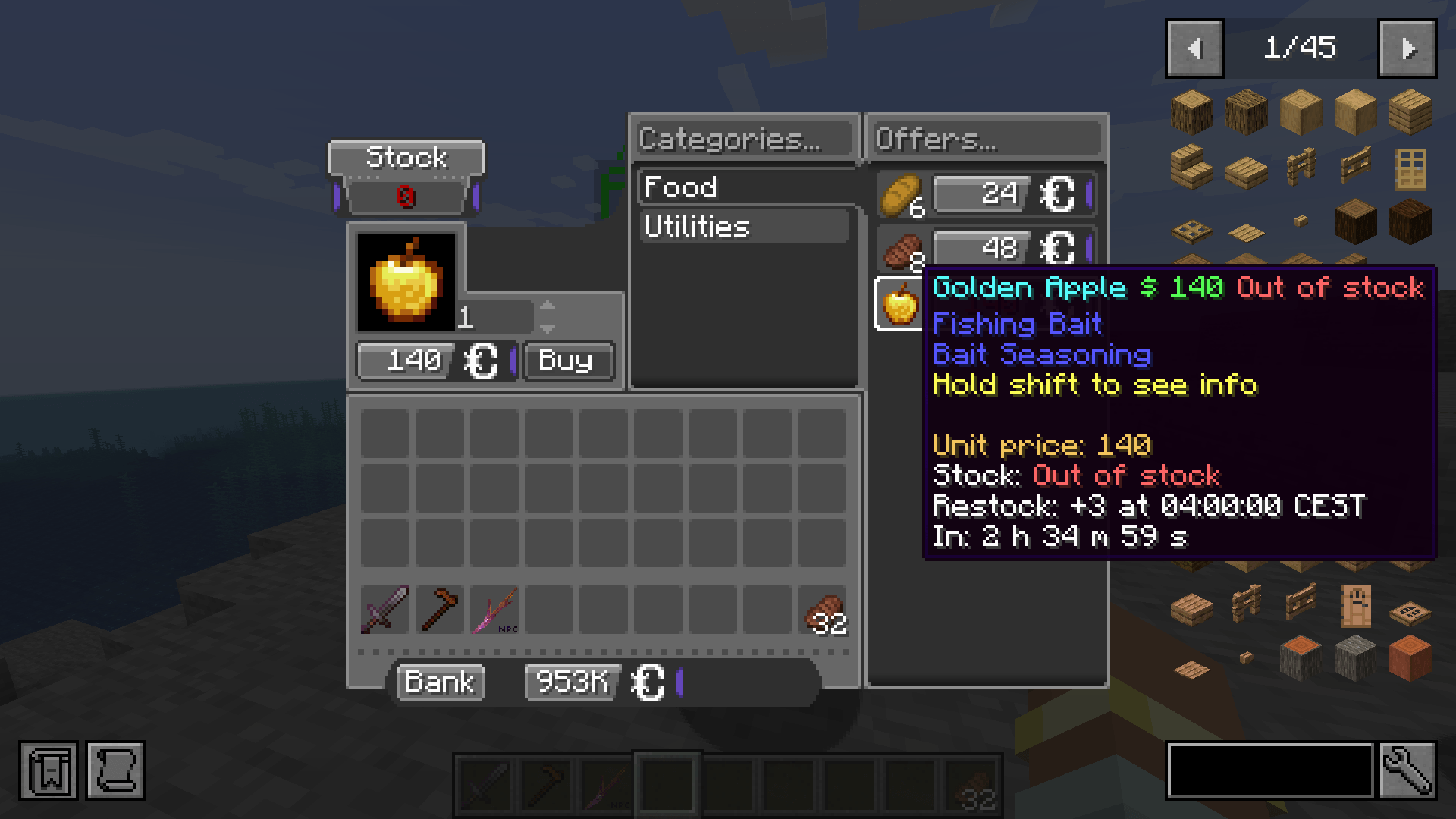
CobbleDollars Command Shops is an addon for CobbleDollars. It adds command-driven shops that can be opened by name and fully managed on the server. The mod is built for servers that want more control over shop behavior, stock handling, access rules, and transaction logging without moving gameplay authority to the client.
What it adds
- multiple custom shops with categories and offers
- custom prices and custom item counts per offer
- per-player stock for limited offers
- unlimited or finite stock
- automatic restocks with interval or daily reset rules
- optional purchase bonuses for bulk buys
- access rules for shops, categories, and offers
- support for player tags, advancements, dimensions, time ranges, and scoreboard values
- one global bank for all shops or a local bank per shop
- precise bank and shop matching with
item,stack,tag,mod,match.include, andmatch.exclude - exact stack matching, including item data/components
- shop enable/disable controls at runtime
- server-side validation and persistent stock data
Server-side first
This mod is designed to be server-authoritative.
It does not replace CobbleDollars itself, does not replace CobbleDollars NPCs, and does not move shop logic to the client. It only takes over shop sessions opened through this addon.
If the same jar is installed on the client, the mod can also provide optional client-side UI enhancements. The core shop logic still remains on the server.
Commands
Public commands:
/cdshops open <shop>/cdshops list/cdshops visibility list
Admin commands (permission level 2):
/cdshops open <shop> <targets>/cdshops reload/cdshops restock <shop> all <players>/cdshops restock <shop> offer <offer> <players>/cdshops stock <shop> <player>/cdshops visibility <shop> status/cdshops visibility <shop> enable/cdshops visibility <shop> disable [message]/cdshops stats summary [window]/cdshops stats top <shops|offers|players|items> [window] [limit]/cdshops stats shop <shop> [window]/cdshops stats player <player|uuid> [window]/cdshops stats item <item> [window]/cdshops where
Configuration
On first server start, the mod generates its config files in:
config/cobbledollarscommandshops/
  CONFIG_GUIDE.md
  audit.json
  feedback.json
  global_bank.json
  shops/
    general_store/
      shop.json
    blacksmith/
      shop.json
    explorer/
      shop.json
    syntax_showcase/
      shop.json
      bank.json
Transaction audit logs are written to:
logs/cobbledollarscommandshops/audit.jsonlThe /cdshops stats ... admin commands read the active audit.jsonl file and any rotated .jsonl.zip archives on demand.
Important files for writing shops and banks
If you want to understand how to write a shop.json or bank.json, start with these files:
config/cobbledollarscommandshops/CONFIG_GUIDE.md
Main format reference generated by the mod on first start.config/cobbledollarscommandshops/global_bank.json
Default bank used as the fallback for all shops.config/cobbledollarscommandshops/shops/syntax_showcase/shop.json
Full example shop showing the supported matching syntax and conditions.config/cobbledollarscommandshops/shops/syntax_showcase/bank.json
Example of a shop-specific bank override.
Shop-specific bank files go here:
config/cobbledollarscommandshops/shops/<shop_id>/bank.jsonIf no shop-specific bank.json exists, the mod uses:
config/cobbledollarscommandshops/global_bank.jsonSupport and questions
If you find a bug, please report it in the comments or open an issue. You can also contact me directly on CurseForge/Modrinth for more specific questions ! If you want to use or modify this code, please check the license first.
tested with :
- CobbleDollars-neoforge-2.0.0+Beta-5.1+1.21.1
- Cobblemon-neoforge-1.7.3+1.21.1
- CustomNPCs-Unofficial-NeoForge-1.21.1.20251230
- easy_npc-neoforge-1.21.1-6.14.0
- Edition: Minecraft Java
- File type: .jar
- Minecraft version listed: 1.21.1
- How to install: Install the matching mod loader (Forge, Fabric or NeoForge) for your Minecraft version. → Download the .jar. → Put it in the .minecraft/mods folder and launch that loader profile.
- Where to get it: Opens on CurseForge — not every file is mirrored on our own servers.
Install steps are the general flow for this file type — How to install Minecraft Java mods & modpacks walks through it step by step.
- Ships as cobbledollarscommandshops-neoforge-1.0.2.jar — drop this file into the mods folder
- Download size: 338 KB
- Download link checked 23 Aug 2026 — working
These come from our own check of the pack file, not from the source page.