MidnightFPS
Java mod listed for Minecraft 1.21. Download on the author's site.
⬇ Download on CurseForgeMidnightFPS
A clean, lightweight, and modern FPS Counter mod for Minecraft Fabric 1.21.11.
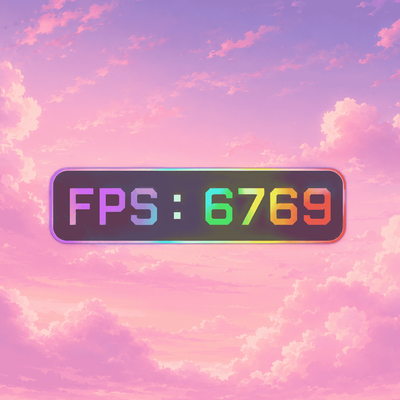
MidnightFPS adds a customizable FPS HUD with dynamic colors that change based on your current FPS — from red at low FPS to rainbow colors at extremely high FPS.
Designed to be minimal, smooth, and performance-friendly while still looking modern and polished.
✨ Features
-
Dynamic FPS color system
-
Rainbow FPS effect for very high FPS
-
Modern rounded HUD design
-
Smooth clean rendering
-
Draggable FPS HUD
-
Live HUD scaling
-
Config GUI (Press
H) -
Lightweight & optimized
-
JSON config saving
-
Adjustable background opacity
-
Shadow toggle
-
Rainbow mode toggle
-
Smooth color transitions
-
Fabric 1.21.11 support
🎨 FPS Color Ranges
-
🔴 0–50 FPS → Red
-
🟠 51–90 FPS → Orange
-
🟡 91–140 FPS → Yellow
-
🟢 141–240 FPS → Green
-
🟣 241–400 FPS → Purple
-
🌈 400+ FPS → Rainbow
⌨ Default Keybind
H → Open MidnightFPS Config GUI
Inside the config menu you can:
-
Resize the HUD
-
Move the HUD
-
Toggle background
-
Change opacity
-
Enable rainbow mode
-
Customize the FPS display
⚡ Performance Friendly
MidnightFPS is designed to stay lightweight and efficient while rendering every frame smoothly with minimal FPS impact.
🛠 Requirements
-
Minecraft Java 1.21.11
-
Fabric Loader
-
Fabric API
-
Java 21
Made with ❤️ by MidnighttYT
- Edition: Minecraft Java
- File type: .jar
- Minecraft version listed: 1.21.11
- How to install: Install the matching mod loader (Forge, Fabric or NeoForge) for your Minecraft version. → Download the .jar. → Put it in the .minecraft/mods folder and launch that loader profile.
- Where to get it: Opens on CurseForge — not every file is mirrored on our own servers.
Install steps are the general flow for this file type — How to install Minecraft Java mods & modpacks walks through it step by step.
MidnightFPS is a free Minecraft Java mod. Compatible with Minecraft 1.21.11. Downloaded 709 times (via CurseForge). Download it and open it directly in the game.