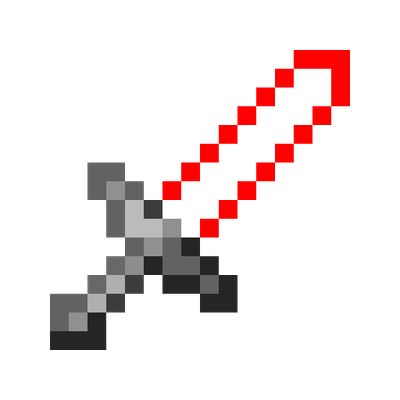
LaserBlade-Tools
Java mod listed for Minecraft 1.21. Downloads from the MC Java Mods app on Android.
I don't know my version or loader
LaserBlade-Tools
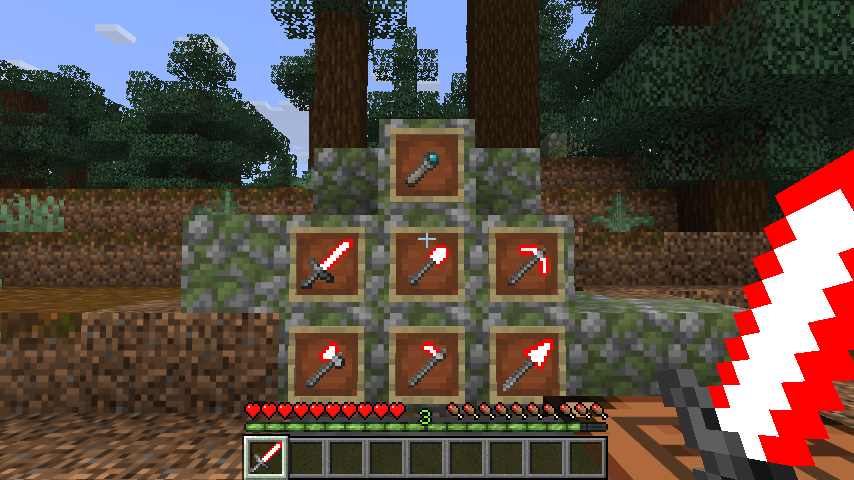
This mod adds laser blade tools.
Laser blade tools are tool items with laser blades. They have performance comparable to diamond tools.
How to Get Started
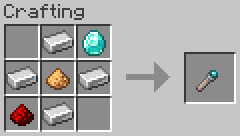
1. Craft a Laser Blade Core
A laser blade core is the crafting and repair material for laser blade tools.
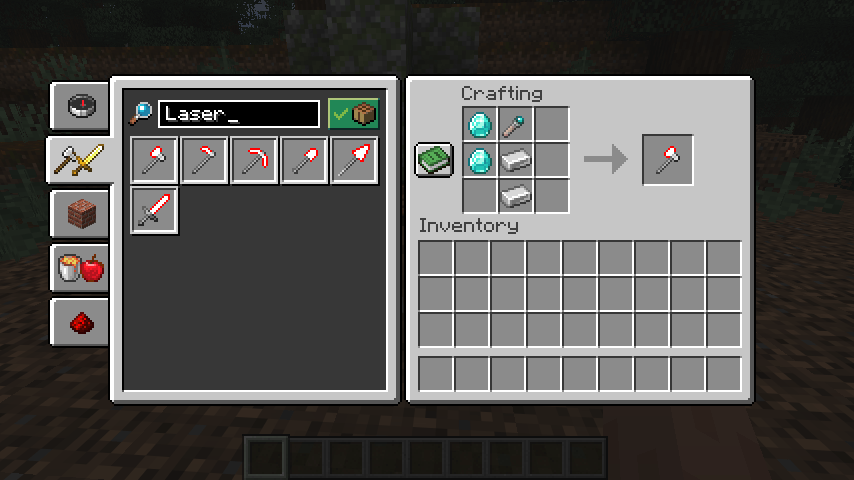
2. Craft a Laser Blade Tool
Laser blade tools:
- Laser Blade Axe
- Laser Blade Hoe
- Laser Blade Pickaxe
- Laser Blade Shovel
- Laser Blade Spear
- Laser Blade Sword
*Laser blades may be incompatible with some video options, some graphics improvement mods, and some shader packs.
The colors of laser blade tools can be changed using a laser blade colorizer block.
3. Recolor a Laser Blade Tool
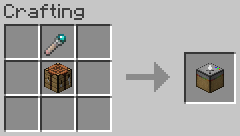
A laser blade colorizer is a utility block used to change the colors of laser blade tools.
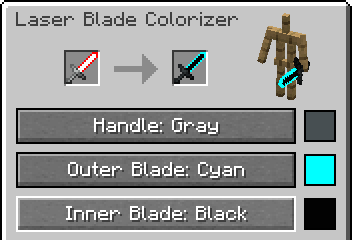
The interface is accessed by using (right-clicking) a placed laser blade colorizer.
The procedure for changing the colors of laser blade tools is as follows:
- Place a laser blade tool in the input slot on the left side of the interface
- Press the cycle buttons below to select the color of each part
- Take the recolored laser blade tool from the result slot in the center
Resource Pack
Additional resource pack for LaserBlade-Tools.
LaserBlade-Tools: Slim Tool Textures
Replaces the Laser Blade Sword texture with a slimmer version.
- Download: LaserBlade-Tools: Slim Tool Textures
- License: MIT License
- Edition: Minecraft Java
- File type: .jar
- Minecraft version listed: 1.21.1
- How to install: Install the matching mod loader (Forge, Fabric or NeoForge) for your Minecraft version. → Download the .jar. → Put it in the .minecraft/mods folder and launch that loader profile.
- Where to get it: Opens on CurseForge — not every file is mirrored on our own servers.
Install steps are the general flow for this file type — How to install Minecraft Java mods & modpacks walks through it step by step.
- Ships as laserbladetools-neoforge-26.1.2-1.0.0-beta.3.jar — drop this file into the mods folder
- Download size: 103 KB
- Download link checked 3 Oct 2026 — working
These come from our own check of the pack file, not from the source page.