
Create: Multiplanar Crafters
Java mod listed for Minecraft 1.20–1.21. Downloads from the MC Java Mods app on Android.
Create: Multiplanar Crafters is a lightweight, high-performance addon for the Create mod that completely revolutionizes the Mechanical Crafter. It finally…
I don't know my version or loader
⚙️ Create: Multiplanar Crafters





[!NOTE] DEVELOPMENT STATE: v0.3.x PRODUCTION BETA The mod is fully functional, production-ready, and optimized for server environments. While thoroughly tested, remember to back up your worlds before upgrading and report any feedback or bugs on our official discord!
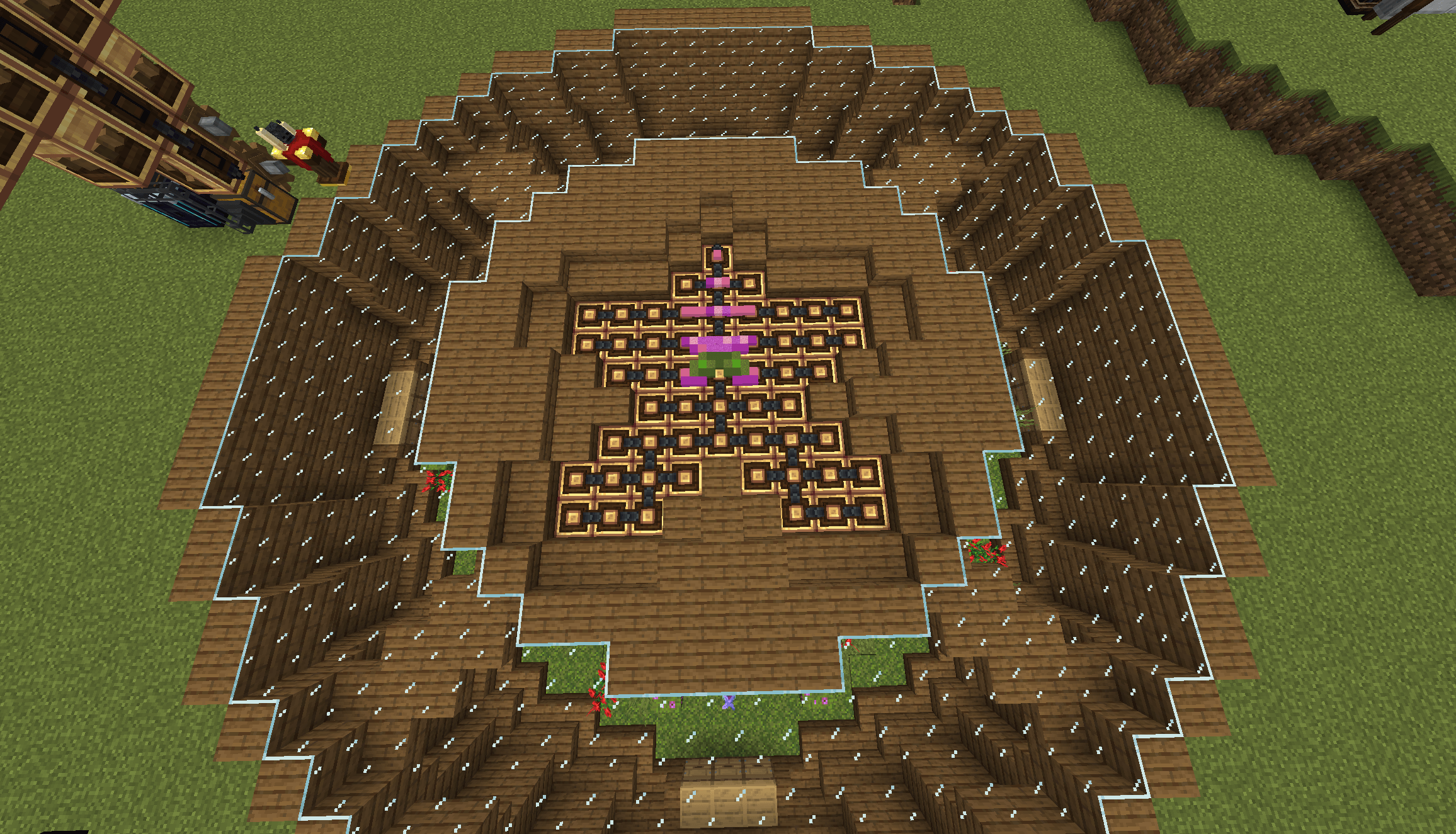
Have you ever wanted to build your factory assembly lines flat on the floor instead of constructing towering, bulky vertical walls of machinery?
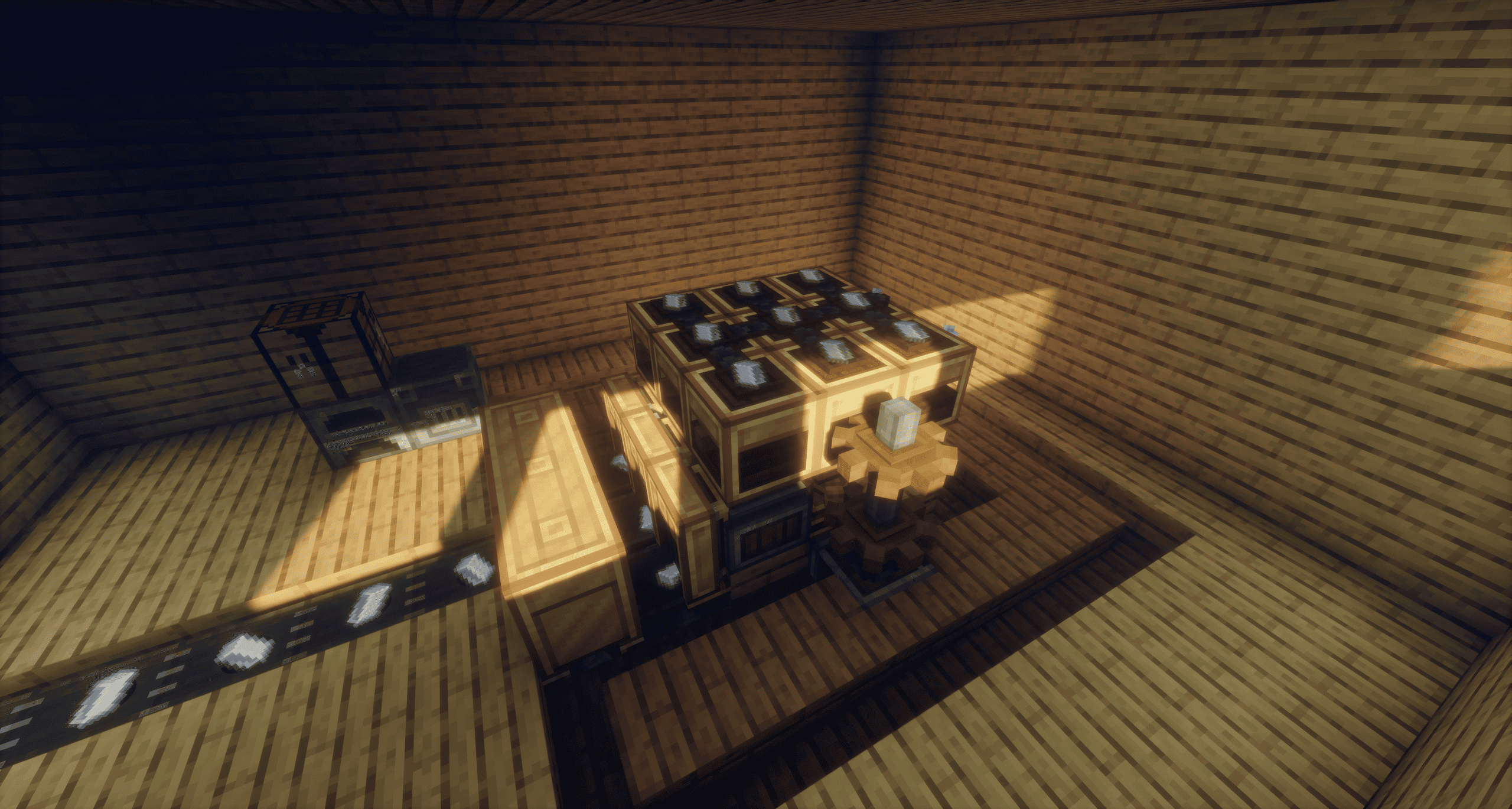
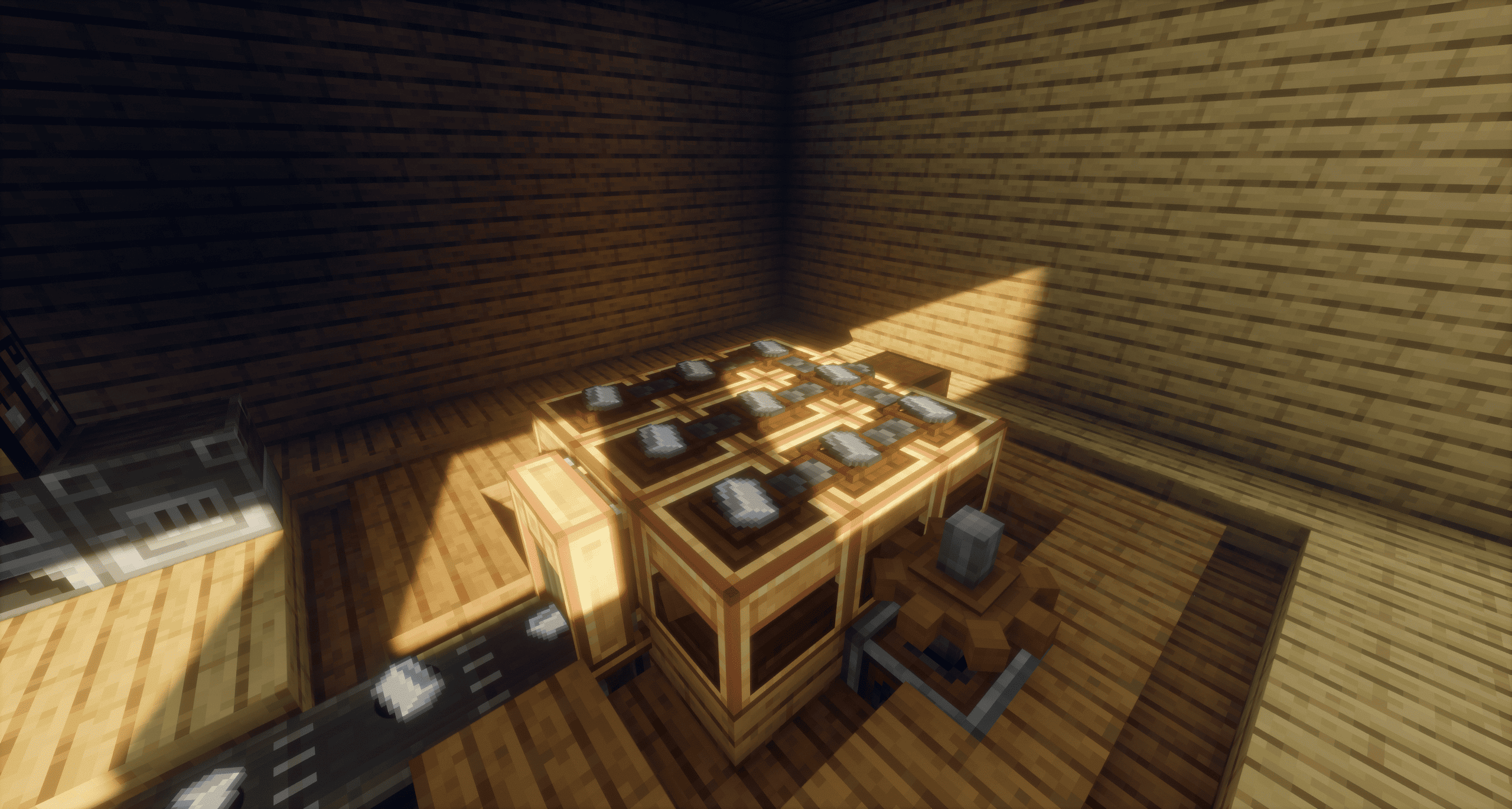
Create: Multiplanar Crafters is a lightweight, high-performance addon for the Create mod that completely revolutionizes the Mechanical Crafter. It finally unlocks the ability to orient your crafting grids horizontally (along the X/Z axis), facing the sky!
✨ Key Features
- 🧱 Horizontal Crafting Grids: Place your Mechanical Crafters flat on the ground. Items being crafted rest perfectly flat on the top face of the blocks, facing up for maximum visibility and clean under-floor automation lines!
- ⚡ Industrial-Grade Optimization (O(1) Cache): Built with server performance in mind. Grid classification logic uses a smart lazy-caching system that triggers exactly once and invalidates only when blocks are placed or broken—ensuring 0% continuous tick overhead even on giant factory matrices.
- 🧩 Expert Modpack Compatibility: Fully supports asymmetrical, non-mirrored, and complex custom recipes (like giant expert-pack matrices). Coordinate projections line up perfectly with Create's front-facing arrows.
- ⚙️ Horizontal Kinetic Power: Kinetic energy is seamlessly transmitted along the horizontal X/Z plane. Power your flat crafting arrays using horizontal cogwheels and shafts laid directly on your workshop floor.
- 💥 Tailored Visual Effects: All item-merging animations, recipe-spawning particles (
CRIT, item break textures), and visual effects are calculated to render flat on the top face of the blocks. - 📦 Collision-Free Item Ejection: Finished products are gently ejected upward from the top face of the output crafter, eliminating item-launching glitches caused by block collisions.
- 🔧 Zero Registry Overhead: No new blocks are registered! The mod dynamically extends the vanilla Mechanical Crafter via Mixins, keeping your world lightweight and fully compatible with vanilla mechanics.
🛠️ How to Use in Game
- Place your Mechanical Crafter on the floor.
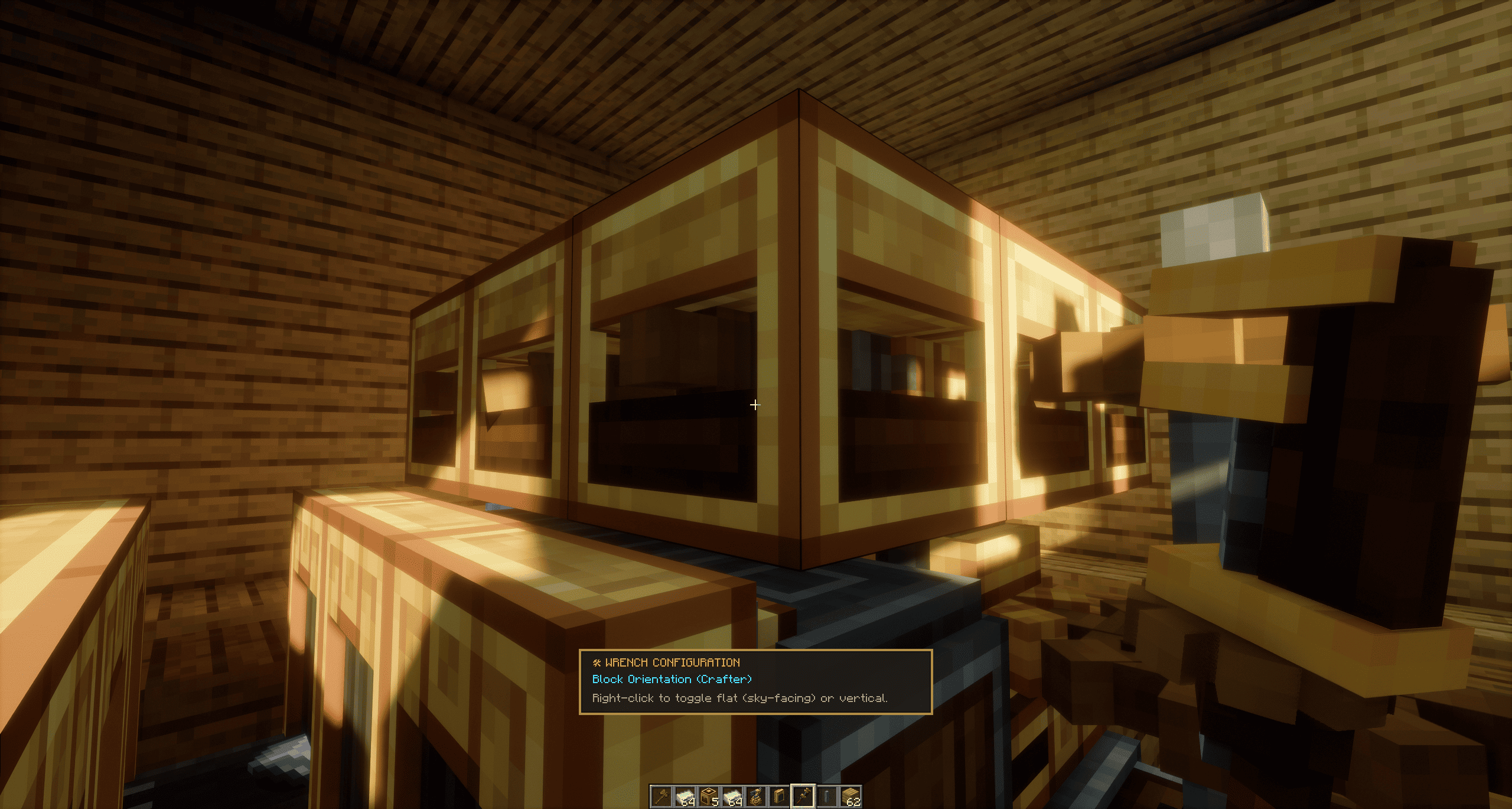
- Use a Wrench to rotate it horizontally so that the active grid face points straight up towards the sky.
- Connect multiple crafters to form your flat horizontal recipe grid.
- Input rotational power horizontally from any side using cogwheels or shafts.
- Right-click the top face of the grid to insert crafting materials flat on the matrix.
- Watch the mechanical magic unfold flat on the ground!
🗺️ Project Roadmap
🟩 v0.2 | Quality Update (Current)
- Performance & Cleanup: Full integration of the O(1) lazy grid cache and deep bytecode refactoring.
- New Branding: 100% handmade "Create-style" blueprint logo.
- Gallery Media: High-quality screenshots and visuals of under-floor factories for the project pages.
🟨 v0.3 | Multi-Version Migration
- Cross-Version Architecture: Setting up a robust abstraction layer to support multiple Minecraft versions cleanly.
- The Big Leap: Preparing the codebase for the transition to version 26.1.1 running on Java 25.
🟨 v0.4 | Inverted Crafters Support
- Ceiling & Wall Matrices: Expanding orientation management to allow grids to be placed upside-down (downward crafting) or anchored to any block face.
🔵 v0.5 | Developer API Implementation
- Mod Extensions: Creating clean, native entry points to allow other developers and addon creators to interact directly with the multiplanar framework.
🔵 v0.6 | Wrench Integration
- Create Wrench Support: Deep integration with Create's native Wrench tool to easily configure, rotate, and tweak the crafter grids on the fly.
🟣 v0.7 | Collaborative 3D Crafting
- Real-World Testing: Partnering directly with modpack/mod creators to implement and test highly complex, custom 3D recipes in live environment conditions.
🟣 v0.8 | Final Polish
- Code Review: Full security audit, logic hardening, and final stability patching.
🏁 1.0.0 | Official Production Release
📥 Installation & Compatibility
- Minecraft Version:
1.21.1 - ModLoader: NeoForge (fully compatible with
21.1.x+) - Dependencies:
- Create Mod (NeoForge)
- Flywheel
- Ponder
📝 License & Credits
This mod is released under the MIT License. You are completely free to include it in any public or private modpack!
- Developer: Ceketrum
- Special Thanks: The Creators of Create team for their legendary mod framework.
🖥️ Recommended Server Hosting
⚡ Need a Minecraft Server?
Looking for high-performance, reliable, and low-latency hosting for your Minecraft server? I personally recommend Anda Cloud! Whether you are running a heavy technical modpack or a custom multiplayer server, Anda Cloud provides top-tier hardware to keep your game running smoothly without TPS drops.

- Edition: Minecraft Java
- File type: .jar
- Minecraft versions listed: 1.21.1, 1.20.1
- How to install: Install the matching mod loader (Forge, Fabric or NeoForge) for your Minecraft version. → Download the .jar. → Put it in the .minecraft/mods folder and launch that loader profile.
- Where to get it: Opens on CurseForge — not every file is mirrored on our own servers.
Install steps are the general flow for this file type — How to install Minecraft Java mods & modpacks walks through it step by step.
- Ships as create_multiplanar_crafters-0.1.33.jar — drop this file into the mods folder
- Download size: 181 KB
- Download link checked 3 Oct 2026 — working
These come from our own check of the pack file, not from the source page.