ModsJava
RPG Warehouse Storage
Java mod listed for Minecraft 1.20. Downloads from the MC Java Mods app on Android.
I don't know my version or loader
Open the Minecraft launcher and look at the profile you play on — it names both, like fabric-loader-1.21.4. The version also shows in the bottom-right corner of the game's main menu.
No loader in the profile name? Then it's plain Minecraft, and these mods won't run — you need Fabric or NeoForge installed first.
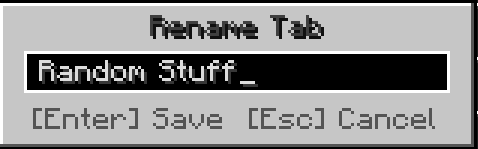
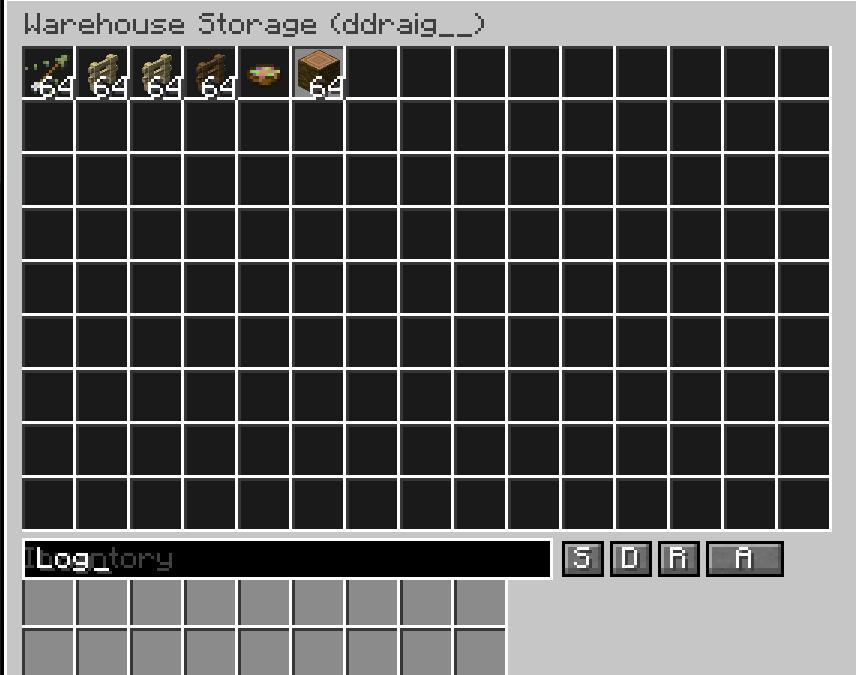
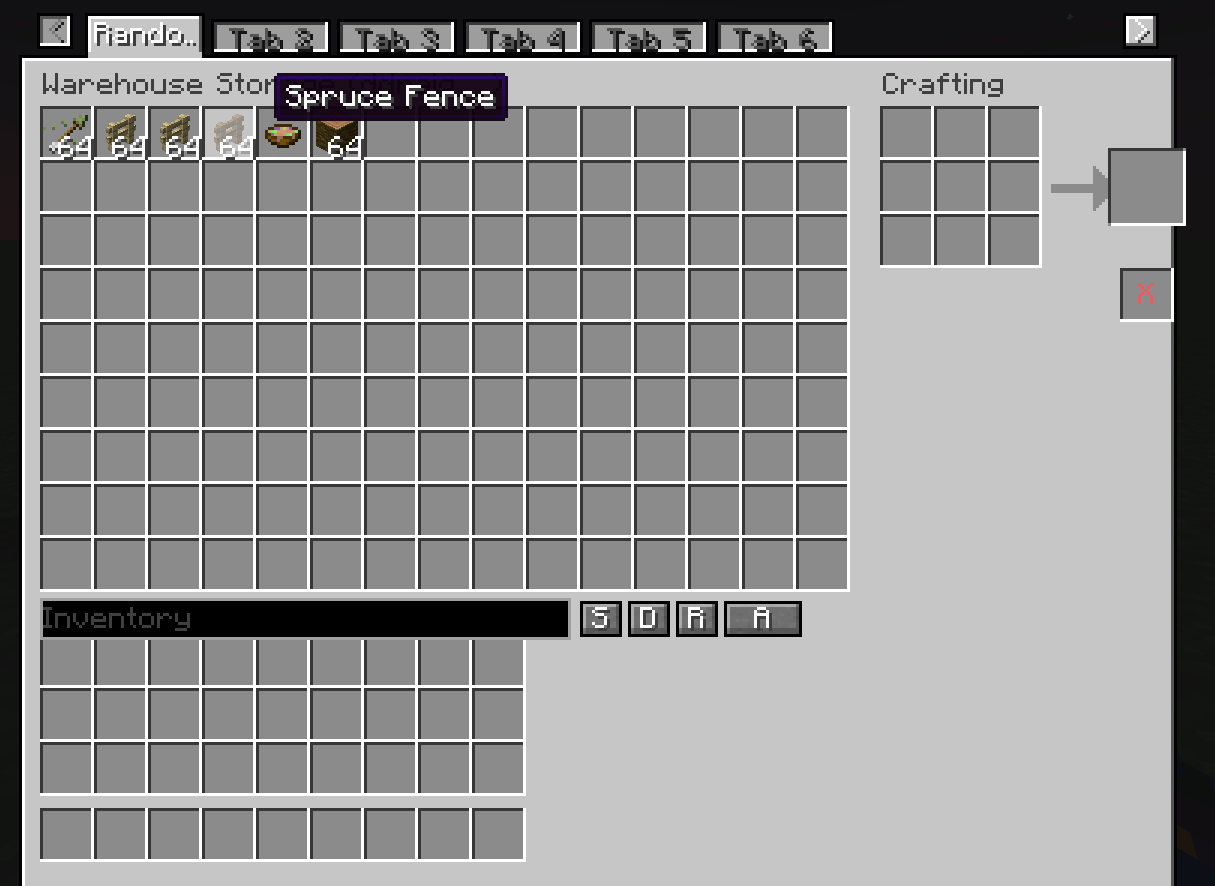
A configurable personal storage mod for RPG servers — each player gets their own
private warehouse that persists across sessions, backed by a database so nothing
is ever lost to a server restart or world reload.
Features
- Fully configurable grid size: set the number of columns, rows, and maximum tabs
allowed per player via the server config. (maximum of 15 columns, 9 rows)
- Multiple tabs: players can own several warehouse tabs, each independently named.
Rename any tab by right-clicking its label directly in the UI.
- Database-backed storage: all inventories are stored in a persistent database.
Individual players can be backed up and restored independently.
- Admin access: admins can view and directly edit any player's warehouse tabs and
inventory contents.
- Currency system (requires RPG Marketplace or RPG Auction House): define custom
in-game currencies using any item, with support for multiple denominations per
currency group.
How to use
Open your warehouse with:
/player_warehouse open
Or right-click the chest block placed with:
/player_warehouse admin create-warehouse-chest
Admin commands
Open and inspect a player's warehouse:
/player_warehouse admin check-player <player>
Check how many tabs a player has:
/player_warehouse admin tab-count <player>
Add or remove a tab from a player's warehouse:
/player_warehouse admin add-tab <player>
/player_warehouse admin remove-tab <player>
View the admin audit log:
/player_warehouse admin audit-log
Back up the entire warehouse database, or a single player:
/player_warehouse admin backup-complete-warehouse
/player_warehouse admin backup-player <player>
Restore a player from a backup file:
/player_warehouse admin import-player <player> <filename.json>
Restore from a backup where the UUID doesn't match (e.g. migrating a player):
/player_warehouse admin force-import-player <player> <filename.json>
Reload the server config and push all changes to connected players immediately:
/player_warehouse admin reload-config
Currency commands (1.0.1+ — requires RPG Marketplace or RPG Auction House)
Hold the item you want to use as currency in your hand, then run:
/rpg_warehouse admin currency add <type> <denomination>
/rpg_warehouse admin currency remove <type> <denomination>
To disable all built-in default currencies:
/rpg_warehouse admin remove-default-currency
Quick facts
- Edition: Minecraft Java
- File type: .jar
- Minecraft version listed: 1.20.1
- How to install: Install the matching mod loader (Forge, Fabric or NeoForge) for your Minecraft version. → Download the .jar. → Put it in the .minecraft/mods folder and launch that loader profile.
- Where to get it: Opens on CurseForge — not every file is mirrored on our own servers.
Install steps are the general flow for this file type — How to install Minecraft Java mods & modpacks walks through it step by step.
File checked by MCModsHub
- Ships as rpgwarehouse-forge-1.20.1-1.0.3-b134.jar — drop this file into the mods folder
- Download size: 13.8 MB
- Download link checked 3 Oct 2026 — working
These come from our own check of the pack file, not from the source page.